Pikimov, the no-paywall, all-free, browser-based motion editor keeps adding new stuff — and we’re here to learn along with you as the developer adds tutorials. This week, there’s a new graph editor for easing animation, plus an easy tutorial for making the most of free vectors in your designs and animations.
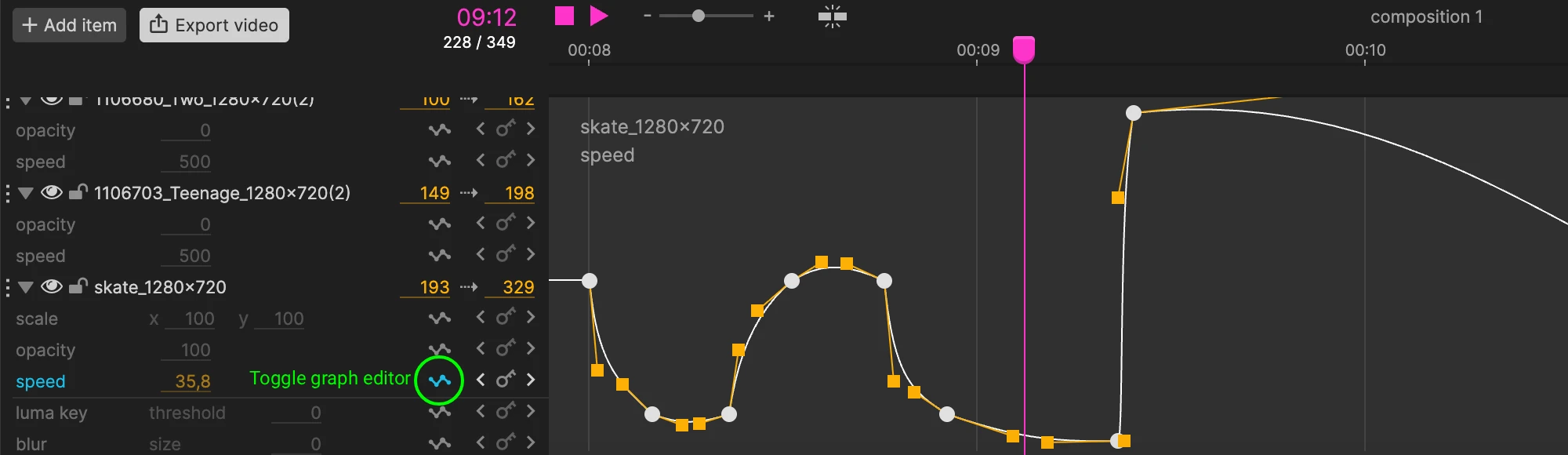
First, Pikimov quietly added this graph editor — but it may be one of the most needed additions. That allows you to fine-tune your animation easings between keyframes, as you’d expect. (I have no idea why but I even suddenly flashed back to Flash and Director for a second.)
This is (briefly) covered in the animation chapter. Documentation is a little lean for Pikimov, but it’s more of a get-in-there-and-mess-around experience, anyway.
And then there’s this new tutorial, which gets you started by working with vector shapes. That quickly gives you masks for animation and other design elements. Part two deals with rotoscoping. This uses vectors by hand rather than all that new-fangled machine learning stuff.
Now the fact that you’re doing this by hand opens up some specific creative applications — maybe not so clear from that bobbing lamp, but you could use this to manually draw in free shapes that you might not get as directly any other way. If you do want the machine-learning way of doing, though, you could follow the addition of that functionality into tools like VDMX:
But this is part of why I like Pikimov. For anyone doing quick Web content or following around and generating materials for live visuals, this gives you another quick tool — one that doesn’t require a big install and an additional learning curve and an extra license. I think it’ll be a fun way to take some creative breaks — you know, that old grade-school art class feeling. Go play.
Previously: