Pikimov, the community-supported free Web visual tool, keeps getting better. Pikimov 5 dropped today with a “classic” editor that makes it competitive with tools like CapCut — or any time you need a quick video edit. That joins After Effects-style motion tools, with surprising options like background removal and rotoscoping.
This comes at a time when people are unhappy with big corporate brands. (Yeah, hello, Adobe.) Pikimov is the opposite of all that. It runs in a browser, with a downloadable offline version coming to Patreon supporters soon. It’s not open-source, but it is a labor of love supported by users with Patreon subscriptions. That gives users the chance to support new feature goals directly. Contrast that with your creative work being ransomed behind a subscription and marketing telling you what you want. (It’s AI. Marketing is convinced you want AI.) Can’t pay the subscription this month? The tool is still there for you.
Now, when I first looked at Pikimov, the “After Effects” alternative seemed a stretch. But wow, has it grown — thanks to open development of the Web. You can create animations with code, using the same syntax as After Effects expressions. You can build compositions in both 2D and 3D, perform motion tracking and background removal, construct vector shapes, and do rotoscoping. And more:
- Keyframe animation
- up to 4K video, 60 fps
- Video effects
- 3D model import (.glb)
I mean, I don’t have one simple tool that can do all of that. (Simple, I said — I love Blender, but yeah!)
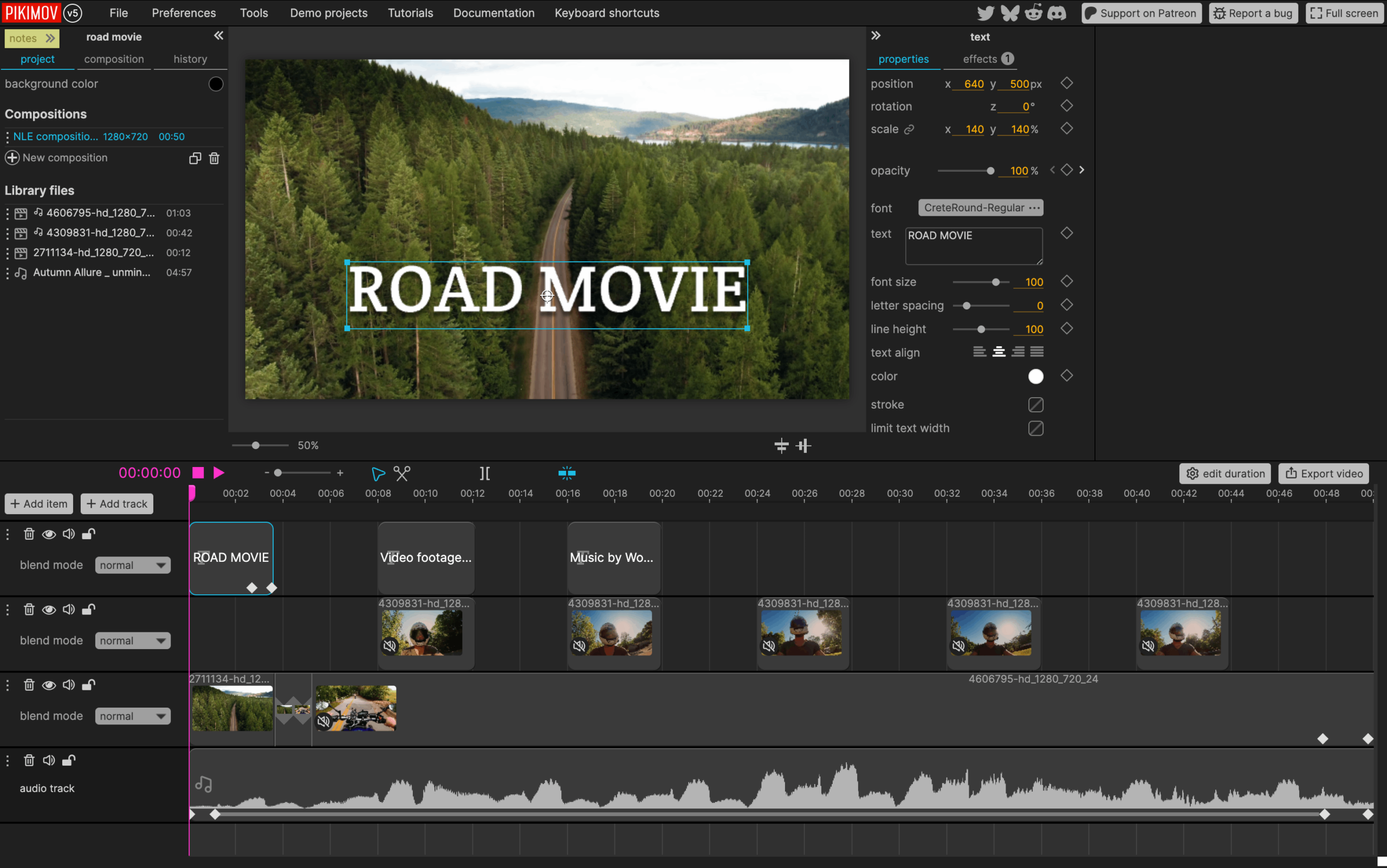
Now, V5 has a major banner feature: an all-new NLE (non linear editor), dubbed “classic,” that makes this more of a CapCut killer. It’s simple and elegant, and means you can do quick video edits in Pikimov on the go, even before you deal with more involved projects in tools like Final Cut Pro, Premiere, or Resolve.
And you can do all of this without any sign-up or installation. Look, I’ve definitely known pros who had laptops stolen or suddenly break. Pikimov looks like a lifesaver.
It also means that for anyone in a hurry, you can just open a tab, and not wait for the Final Cut Pro plugin validator to slog through your folder. (Sorry, I do tend to install a lot of audio plug-ins.)
And more is on the way:
- Particle generator (the next Patreon stretch goal so — subscribe, y’all!)
- 3D model animation
- GLSL shader editor
- Gaussian splat support
— plus that desktop offline app for supporters this month or next, which to me is already enough to pony up those few bucks.
Here’s that new “classic” editor for video editing — a boon to anyone who finds the composition view confusing when it comes to timeline edits (even if it works well for other tasks):
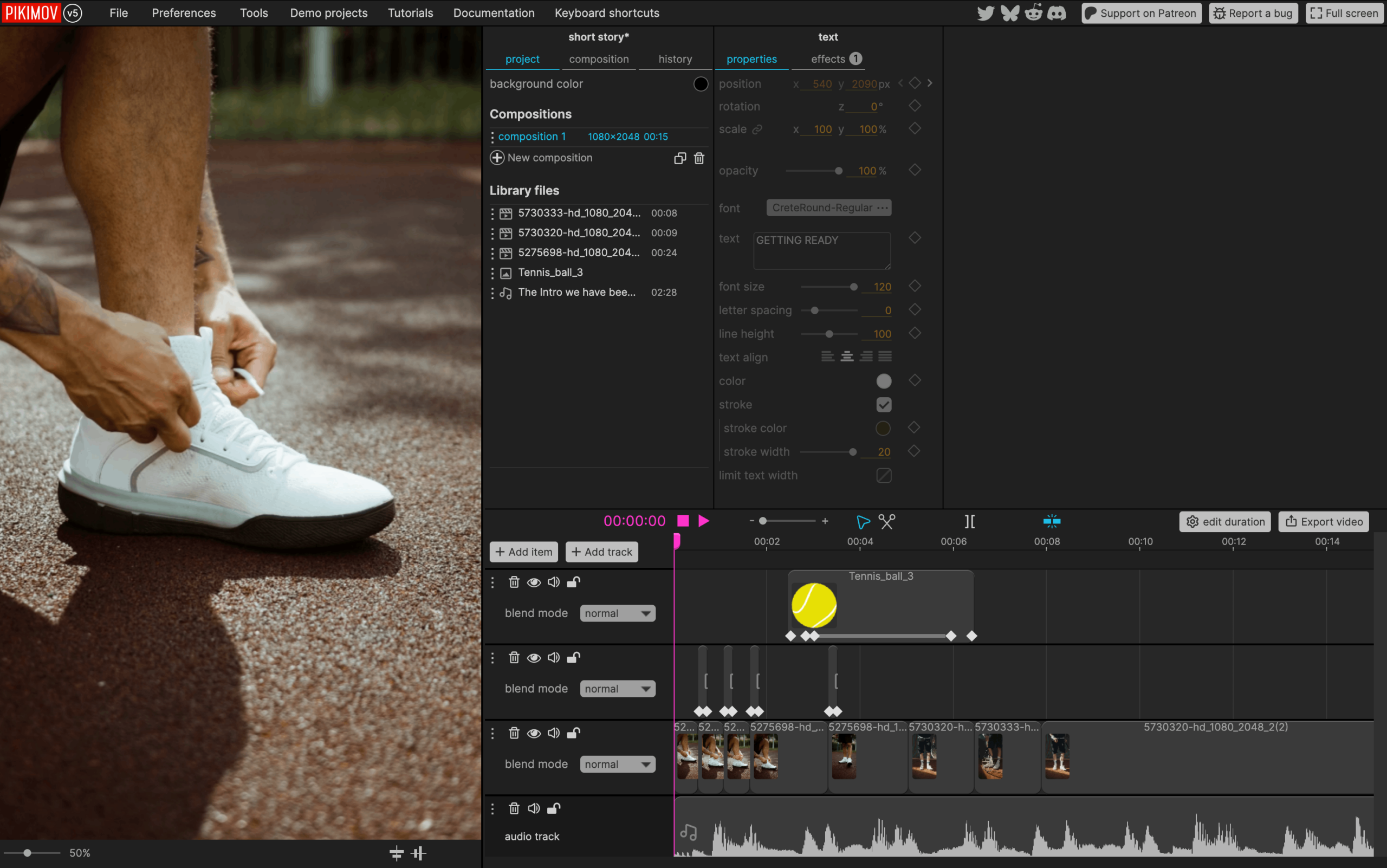
Here’s the 3D composition view, which will be a little more comfy for users of After Effects (or even tools like Motion, for that matter):
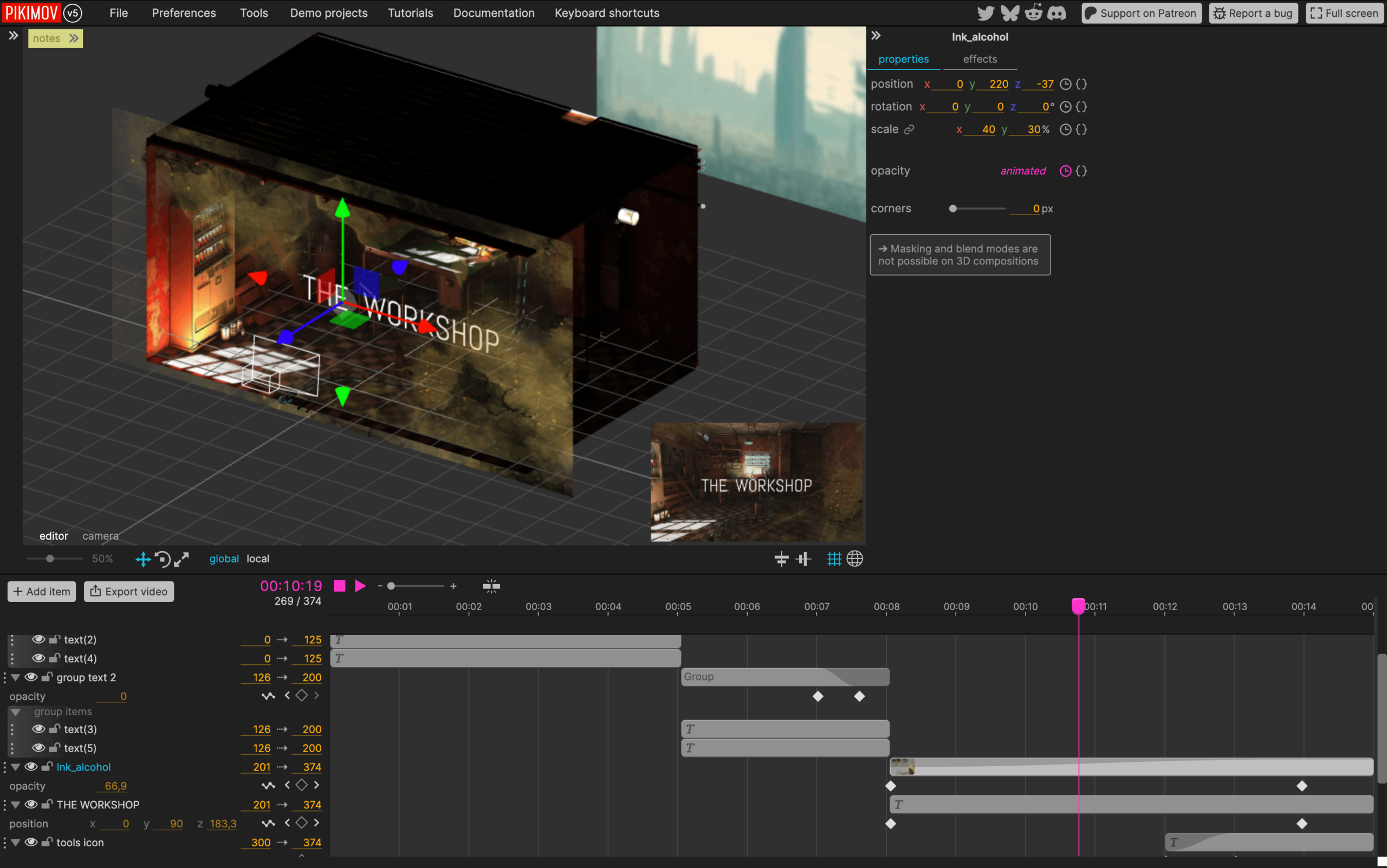
And here’s a tutorial on grouping layers, in case you need it:
Try it yourself. No signup, no download, no installer, no splash screen bugging you to subscribe — you just hit start and see if you like it.
And just as important, if you do like it, support the developer, pay for their time and labor, and help the tool to grow — because you know how to do that a hell of a lot better than some rich investor!
https://www.patreon.com/c/pikilipita
You can follow the developer on BlueSky — like here’s the most recent update, with other cool stuff. (CDM, you know, has been there since the start, more or less!)