A Web-native version of FL Studio generated a lot of buzz — and some confusion. Was this replacing the desktop version? (Absolutely not.) Was it part of some larger AI play? (Mostly Suno users seemed to think that.) Image-Line responded to my questions with their side of this — and I took the new Web UI for a spin.
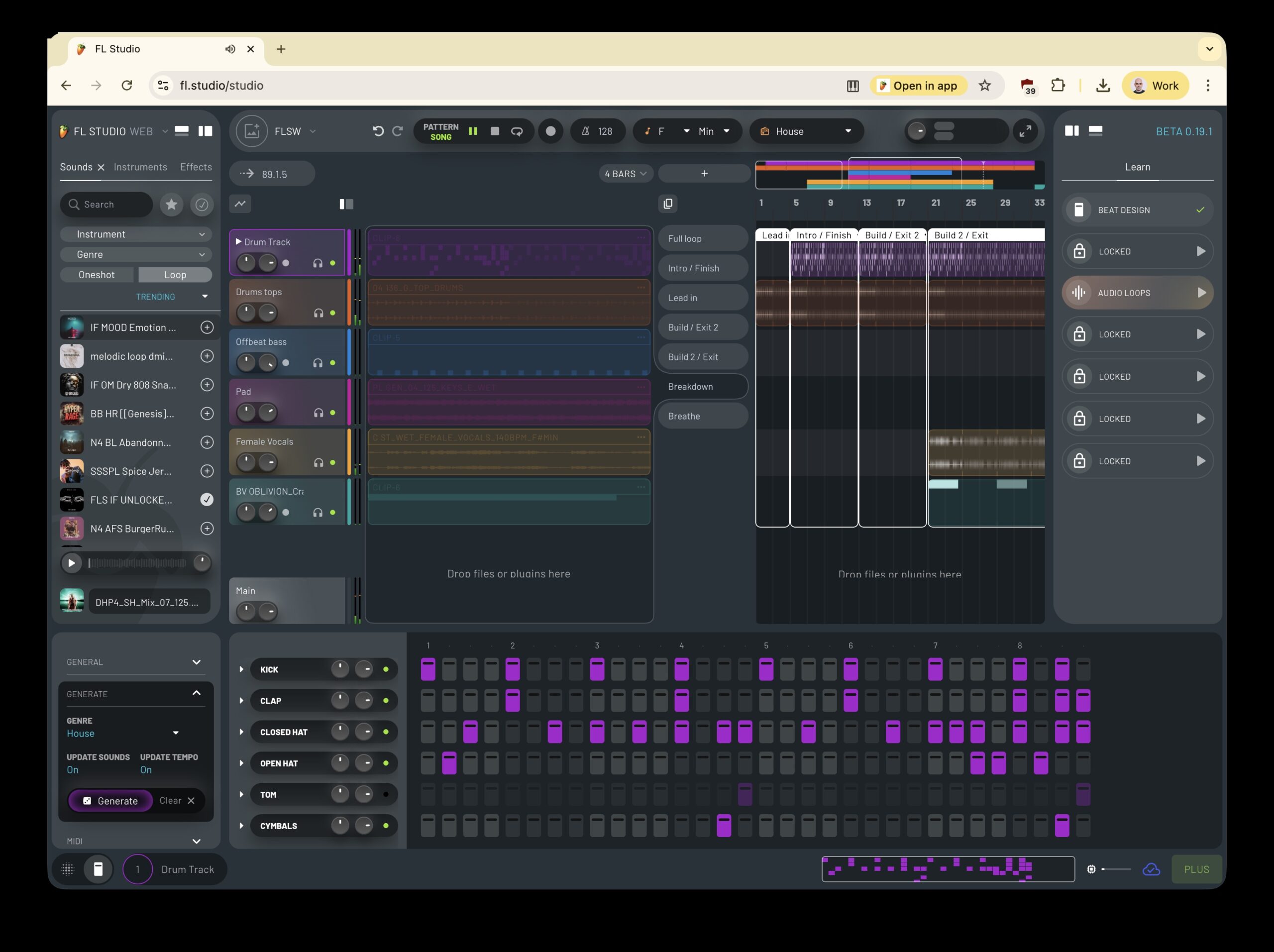
First, I’ve been testing the Web version now — it caught me by surprise when it launched. It’s fairly basic, honestly: it’s more like a sketchpad for starting ideas. You can make some quick arrangements — the signature step sequencer we’ve known from Fruity Loops v1 is there, as are basic multitracking features.
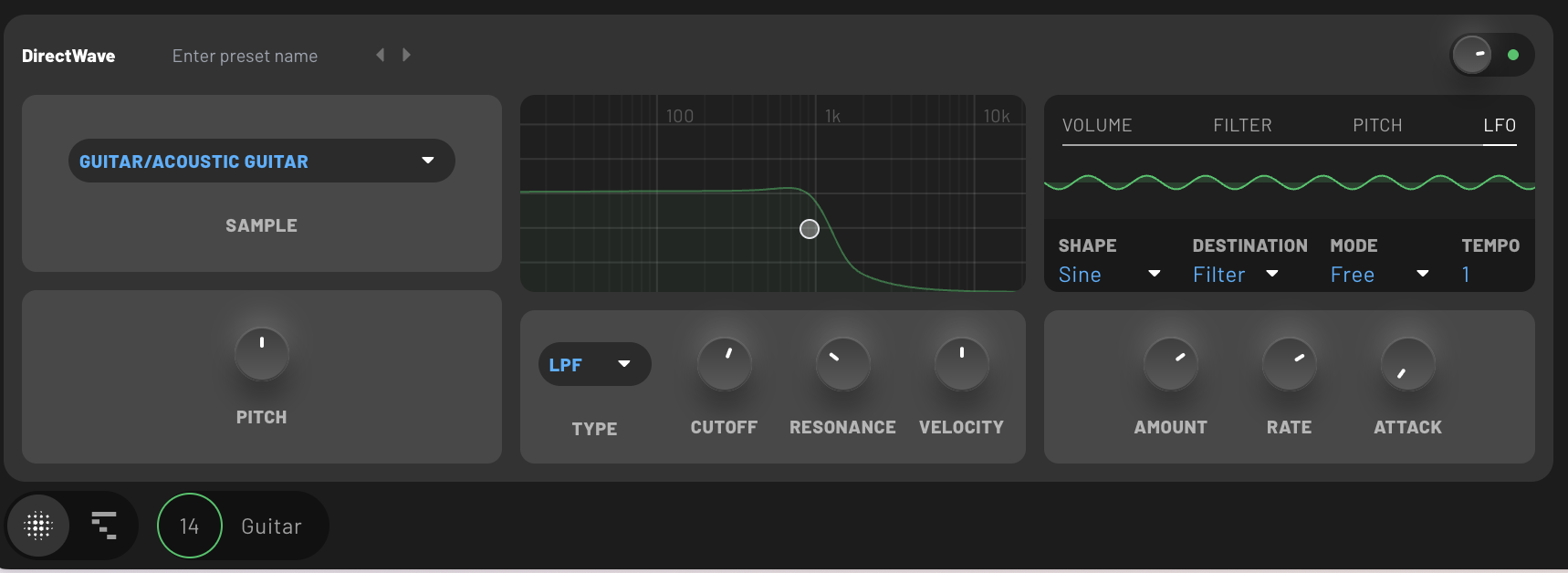
Probably the most impressive element is the inclusion of native FL devices. Even in this “early days” beta, there’s a decent array:
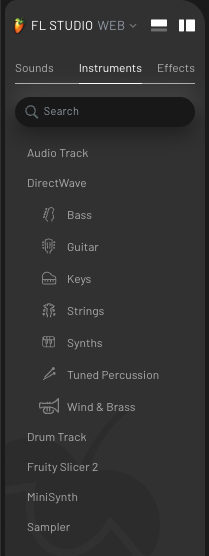
- DirectWave with various presets (bass, guitar, keys, strings, synths, tuned percussion, wind & brass) — which also means some basic synthesis is covered
- Drum kits
- Fruity Slicer 2 (with Simple, Elastique stretching, mapping slices to computer keyboard, etc.)
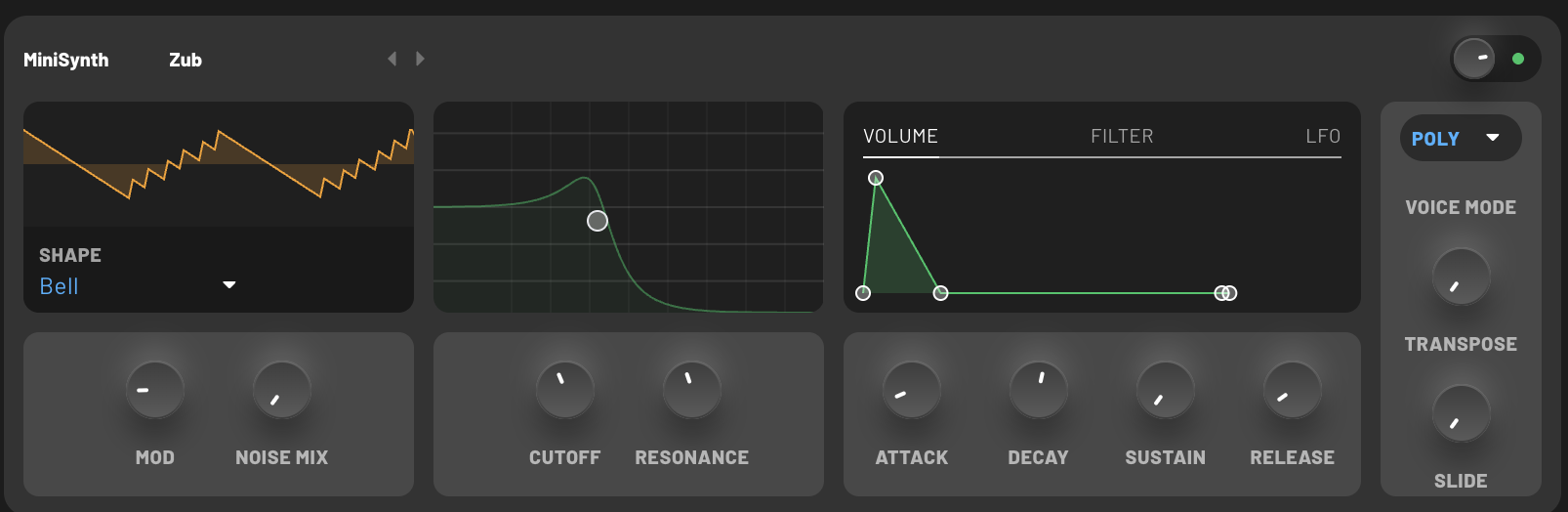
- MiniSynth
- Sampler
- Bit Crusher
- Distortion
- Filter
- Fruity Balance
- Fruity Compressor
- Fruity Delay 3
- Fruity Parametric EQ 2
- Hyper Chorus
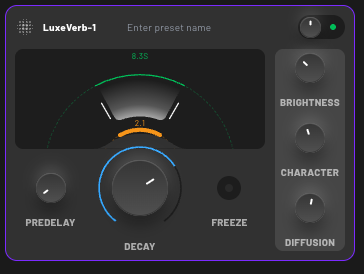
- LuxeVerb
Now, obviously, that’s a subset of the vast features of FL Studio itself. That puts FL Studio Web a little closer to projects like Ableton Note vs. Ableton Live than it is “FL on the Web.” But it may grow, and I still maintain this is useful in environments like schools where Chromebooks and locked-down labs are the norm. Actually, my only real disappointment so far is that the “drop an audio file” feature supports sounds from the FL Cloud sound library but not external files — but see their answer below; that should in fact be on the way. (Again, you’re in a school that bought Chromebooks instead of other computers, and maybe they even have a ban on students bringing in their own smartphones. If they can implement this, then you can teach sampling. You get the idea.)
But it is all really nicely executed, especially for what I understand to be an early build, and it’s a showcase for what browsers can do. It strikes me that when we first started talking about the Web, the main question was how to “replace” desktop software. Ironically, even as the capabilities of Web apps now are closer to desktop tools, it seems our understanding of what the browser can do has shifted. It is more a way to start a project or teach — or, in the case of FL, to have an arrangement environment that can work with their Cloud sounds offering. And most of all, it’s a way to reach new users without them having to get through an installer. That’s more fun than just watching a product video.
I asked Image Line to clarify a bit more, especially with some of the confusion I was reading online. Here are their responses, via a spokesperson.
CDM: I think people may have misunderstood what this is — that it’s not a full FL Studio in the browser, so much as it is a way to start real FL projects with native devices, right? I know you’re getting feedback on this, but how much of the native FL world do you want to try to take here?
Image Line: FL Studio Web’s main goal is to establish an encouraging and inspiring space where beginners can easily begin their journey, experience quick wins, and stay motivated long enough to explore their interest in music creation. FL Studio Web will include all the necessary production tools; it achieves simplicity not by oversimplifying, but by concentrating on the features most relevant to users at this introductory stage. When users are ready to deepen their skills and have mastered FL Studio Web, the full Desktop version provides a natural and logical next step for advancement.
All that said, FL Studio Web will also be an excellent platform for capturing and sketching out ideas to be finished later using FL Studio.
Before people read too much into this, presumably part of what this does is allow FL Cloud users to quickly try out samples in actual projects — with more functionality than they might expect — before heading to the full FL, right?
Yes, FL Cloud is a cornerstone of FL Studio Web’s feature set. You will have access to the full sound library, and later on, also your own samples, directly through FL Studio Web.
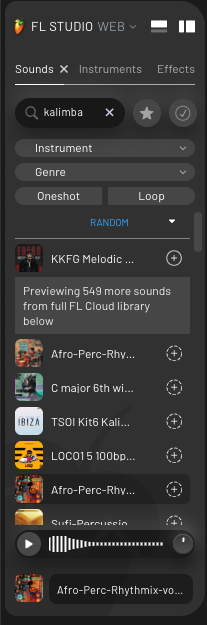
So I know it’s early days. Should we expect more instruments and effects to appear during the beta? Are there more editing tools on the roadmap?
Yes, the current set of plug-ins and editing tools is just what we felt is enough for a first public beta milestone – a lot more variety to come here in the future.
Let’s talk about instruments. So some folks may be disappointed that it’s a small selection, but — it seems like there are some really nice Fruity Slicer and Sampler features, right? Is one expected workflow kind of grabbing samples on the fly and dropping them in there? (I only tried this on desktop, but I imagine even on a Chromebook or when you’re away from your machine, that could be great.)
You can currently use any sample from the FL Cloud Sounds library by dropping them into your projects. User sample import via FL Cloud will be added later, allowing you to upload your own samples and access them from any device using FL Studio Web in the future.
The “Generate” button, what is that doing, exactly (is it machine learning powered, or just pulling from presets, or some other mechanism)?
The drum pattern and chord generation functions in FL Studio Web utilize the same machine learning event generation model that was initially developed for the Chord Progression Tool and Loop Starter in FL Studio.
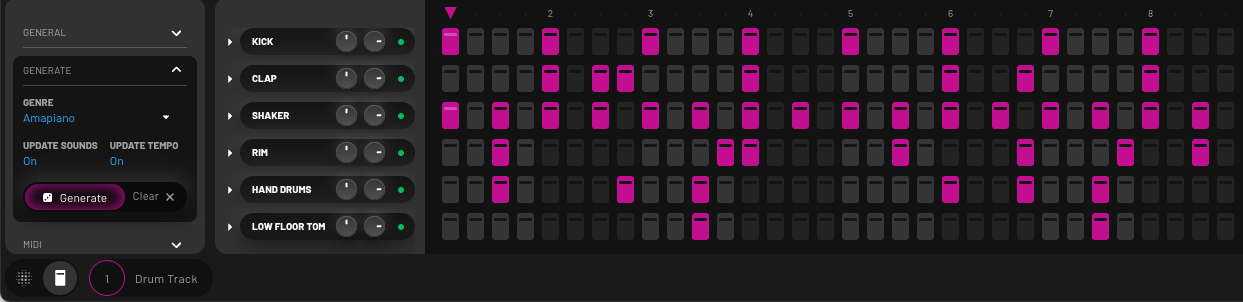
I’m enjoying the Amapiano additions [South African music genre]. How did those come about? Was that important to include a different community instead of just the standard techno, hip hop, trap, etc.? (Nothing against Chicago or New York or Berlin, but to add another city?)
FL Studio boasts a huge following across Africa, South America, and India. Genres like Amapiano are as interwoven with FL Studio, its workflow, and its sound generators as Trap or EDM. Therefore, we wanted to ensure these styles are also represented as starting points within FL Studio Web.
I was curious about browser compatibility, since there’s Chrome and then there’s … Chrome. So many variations. Is Google Chrome/Chromium still the preferred option?
We focused on Chromium-based browsers for our current testing. FL Studio Web should also work well using Firefox or Safari, although we have not validated these platforms as thoroughly yet, so you might still encounter issues.
I have to say, I was really pleased with how fluid and accessible everything was, plus silly things like — yes, when I add an instrument, my qwerty keyboard plays it right away, and FFT visualizations appear, etc. Can you talk at all about what enabled this development? Is there some WebAssembly in there, too, or are we just talking Web Audio API, JavaScript, the usual?
FL Studio Web’s core is built with WebAssembly, which allows it to scale very well, even on low-spec machines like Chromebooks. The user interface is developed using JS/React.
You can sign up for a waitlist for the public beta now.
But yeah, let’s hear from an amapiano producer about working in that genre with FL — back to desktop. (Actually, this is a good case study: a lot of what he does in this tutorial can be done in the Web version, in a much more streamlined UI. So while it’s good to eventually have that depth, beginners — or even you, focusing on sketching — benefit from the simplification. I know it helps ease my own brain back into FL, since I switch DAWs too often. It reminds me of a lot of the first times I used Fruity Loops, when it did far less! The evolution is great, but it added complexity! Uh, meanwhile his track is so much more chill than what I was doing while I was messing around with the beta…)