FFmpeg, the free multimedia toolkit, is so powerful that, honestly, it’s entirely possible not to know all that it can do. For audio, the new FFAB offers a graphical front-end on Mac and Linux, with real-time preview, drag-and-drop filters, parallel processing, and useful visualizations that even command line lovers won’t want to miss.
FFmpeg may be best known for its video capabilities — see my link to some recipes below. But right away, you’ll find out that it’s equally adept at batch processing audio.
FFAB is my kind of front-end. It’s not enough to just stick things in a GUI that you could easily do in the command line. No, you want the GUI to justify itself by making functions more discoverable and allowing you to work faster.
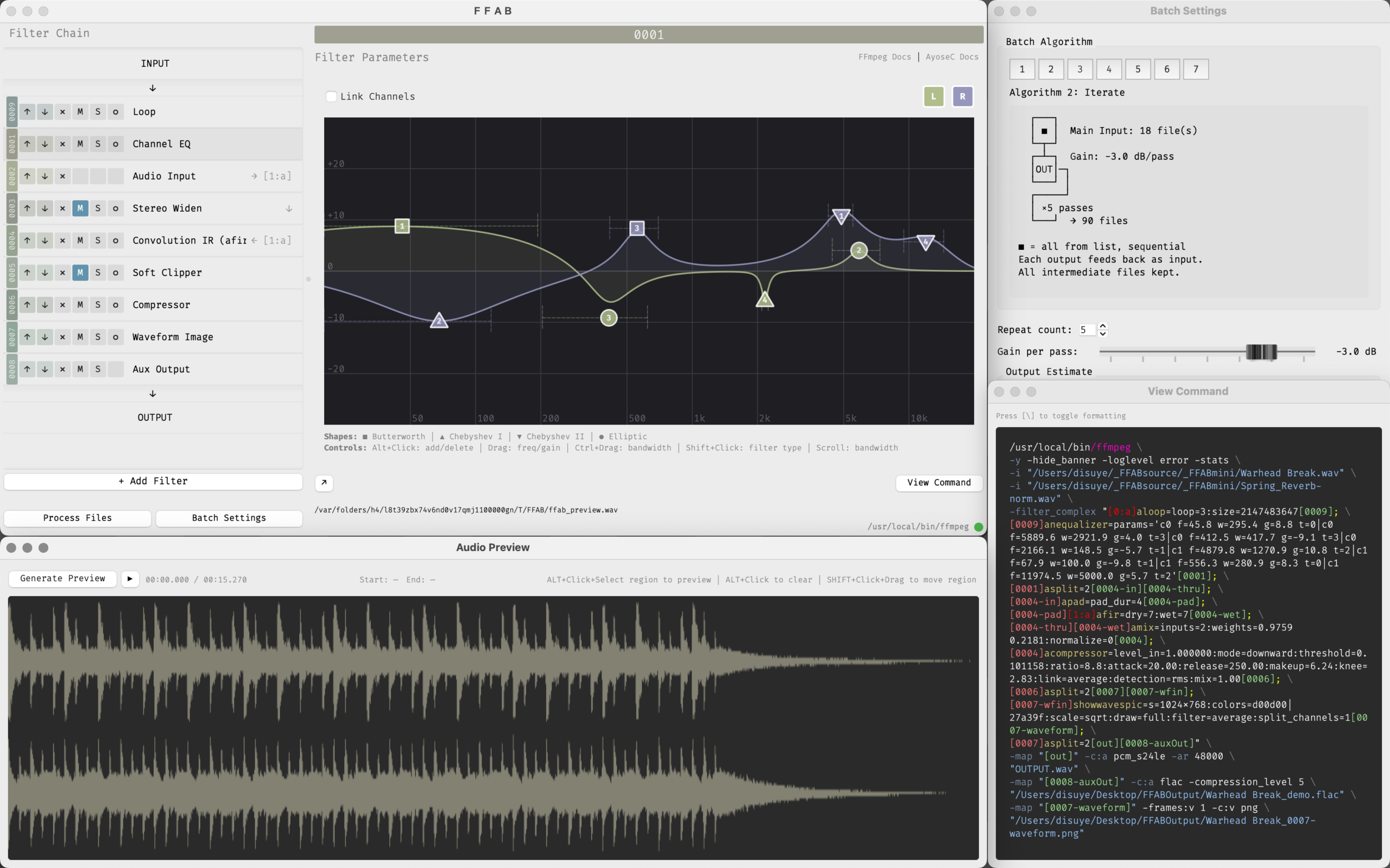
This sure does that:
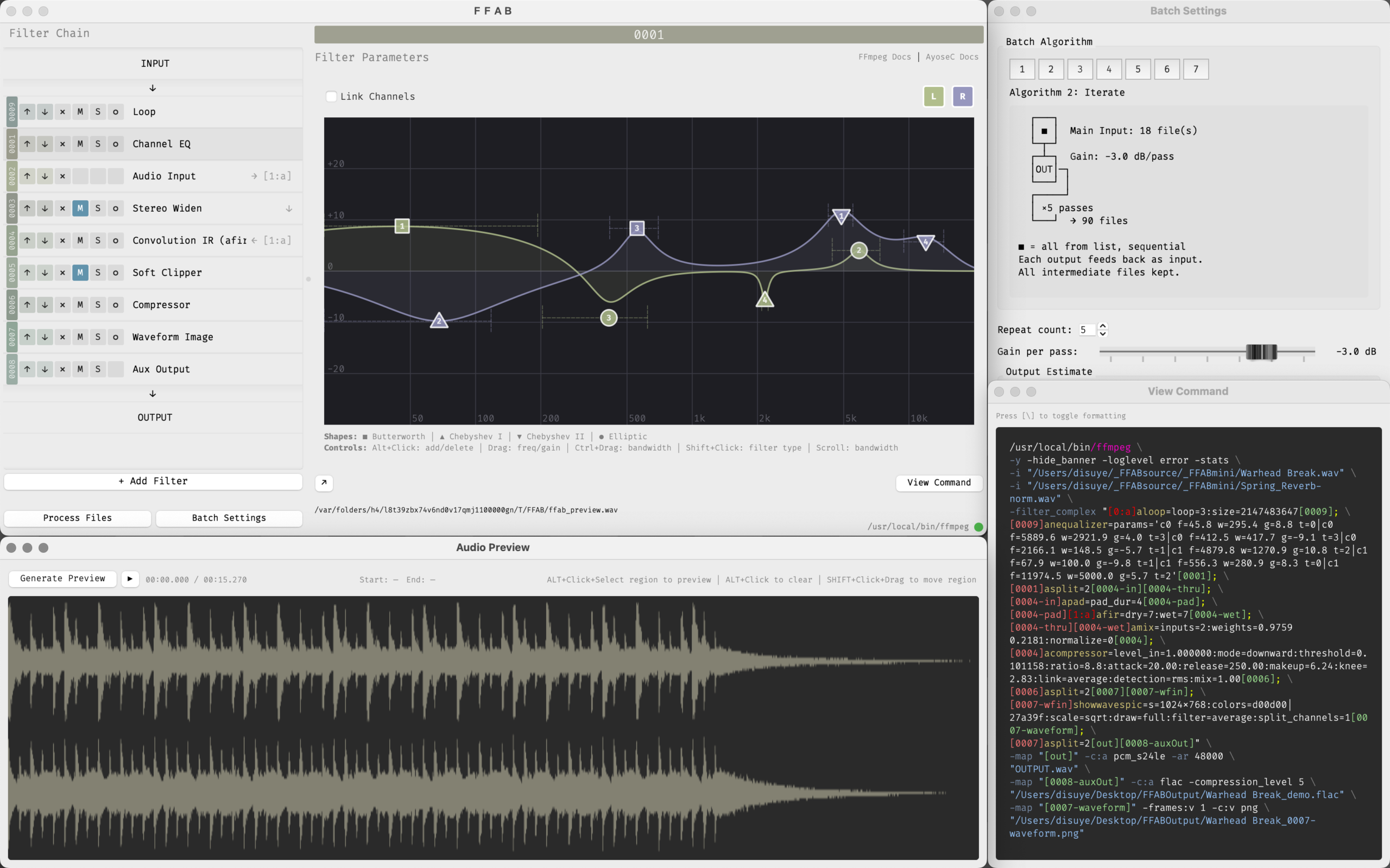
- Build filter chains visually with drag and drop, via a vertical “effects rack”
- Load sidechain files, convolution IRs, and save outputs to multiple formats simultaneously
- Real-time preview with waveform visualization, playhead with scrub, playback region select
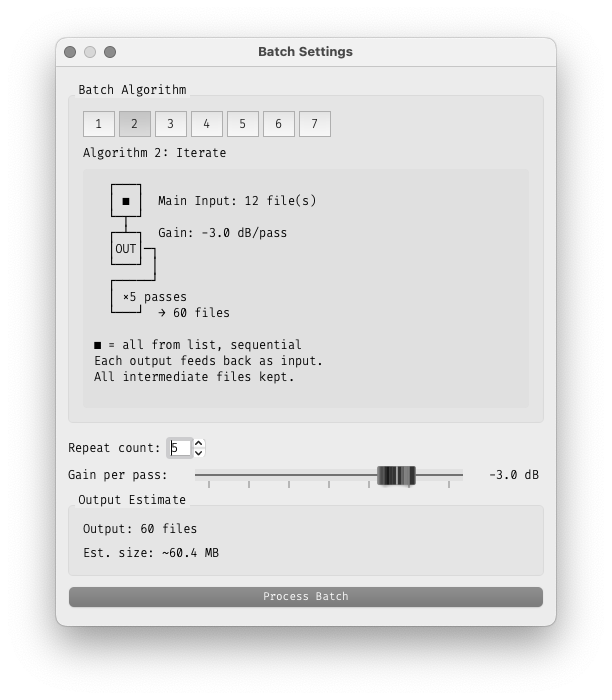
- Batch processing with seven different algorithms
- Video passthrough — so you can use this to process just the audio from your video files (which is also really useful — probably reason enough to use this tool for this alone!)
- Preset system (for everything!)
- FFmpeg audio filters — analysis, utilities — truly, I didn’t even realize it could do this much
Oh yeah, and you don’t have to give up the command line, either. You can build the command and run it in FFAB, copy it into Terminal, or copy it into scripts or other code.
The algorithms are really fascinating — you can apply chains in different ways to different files, with different iterations, and all sorts of use cases from broadcast to experimental.
And then there are the sound capabilities. Some sample filters from FFmpeg from their site:
Sidechain Input
Convolution IR (reverb), Compressor, Gate, Merge, Mix, CrossfadeDynamics
Compressor, Limiter, Gate, De-esser, Loudness Norm, Dialogue EnhanceEQ & Filters
Channel EQ, Parametric EQ, High/Low/Band/Notch Filters, Shelving filters, Tilt EQ, 18-Band EQHarmonics
Soft Clipper, Bit Crusher, Psychoacoustic Clipper, CrystalizerModulation
Chorus, Flanger, Phaser, Tremolo, VibratoStereo & Spatial
Channel Splitter, Widener, M/S & Stereo Tools, Crossfeed, SOFA Spatializer, Surround UpmixTime & Pitch
Rubberband, Loop, Trim, Fade, Echo, Tempo, DelayRestoration
FFT Denoise, Declick, Declip, DC ShiftUtility
Volume, Resample, Silence Remove, HDCD Decoder, Set RateAnalysis
Waveform Image, Volume Detect, DR Meter, ReplayGain, Audio Stats, Silence DetectFFAB Routing & I/O
Sidechain Input, Aux Output, Audio Split, Smart Aux Return
It just goes on and on. I imagine this could be of use on Windows, too, if someone wants to dive into that build (you’ll definitely want to have a handle on dependencies). Dan tell CDM: “FFAB uses C++ / Qt 6.7.3 so it can be cross platform.” This was built on a Mac, so Linux users with different distros, feedback welcome!
On Mac and Linux, though, it’s an easy install — you just need to grab FFmpeg first.
Public beta now. The code isn’t available, but it’s coming, and I get that — it can be counterproductive to involve other people too early.
Dan, the work is brilliant! Now I’m off to check out your music! (that’s a good way to donate, if you feel so moved!)
There’s even more I’m not saying, but it’s all on the site.
Oh, yeah, and … after you generate a bunch of audio files with those Unreal sfx-generating tools I just mentioned, welp… someone out there is going to have a fun weekend this weekend!
Previously (that explorer tool remains great, but you may have other trusted visual tools, too):