With deeper support for Linux and high-DPI rendering, NAP, the expressive, low-latency, efficient framework for control and visuals, can now awe audiences anywhere. Visualization, sound, running electronics, whatever it is you want to throw at NAP, now you can do it better on Windows and Linux, including embedded platforms. And did we mention it’s free and open source?
I’ve been covering NAP from the start — in the beginning, it was more like a niche creative coding thing used by artists. It’s just as good at doing that, it’s just doing more — and the people who were doing creative coding need to do more, too. So now is a good time to check in with NAP again.
When we last joined NAP last year, it had just gotten a spectacular visual update — and went to a new non-profit status, befitting the free and open-source plans. Previously:
Now, at the time, we all poured one out to lament the loss of macOS support. But wait — it’s not, like, the 1990s, so losing “Macintosh” support doesn’t mean this isn’t of interest to Mac-based artists. This week, we get the payoff: robust Linux support that makes this portable anwyhere. So you might well be typing in Python code on your MacBook Pro; you’re just deploying to Linux, which now means NUC and RasPi and all kinds of ARM platforms and more.
From a technical standpoint, then, we get a bunch of keywords. Wayland. SLD3. Thread-safe applets.
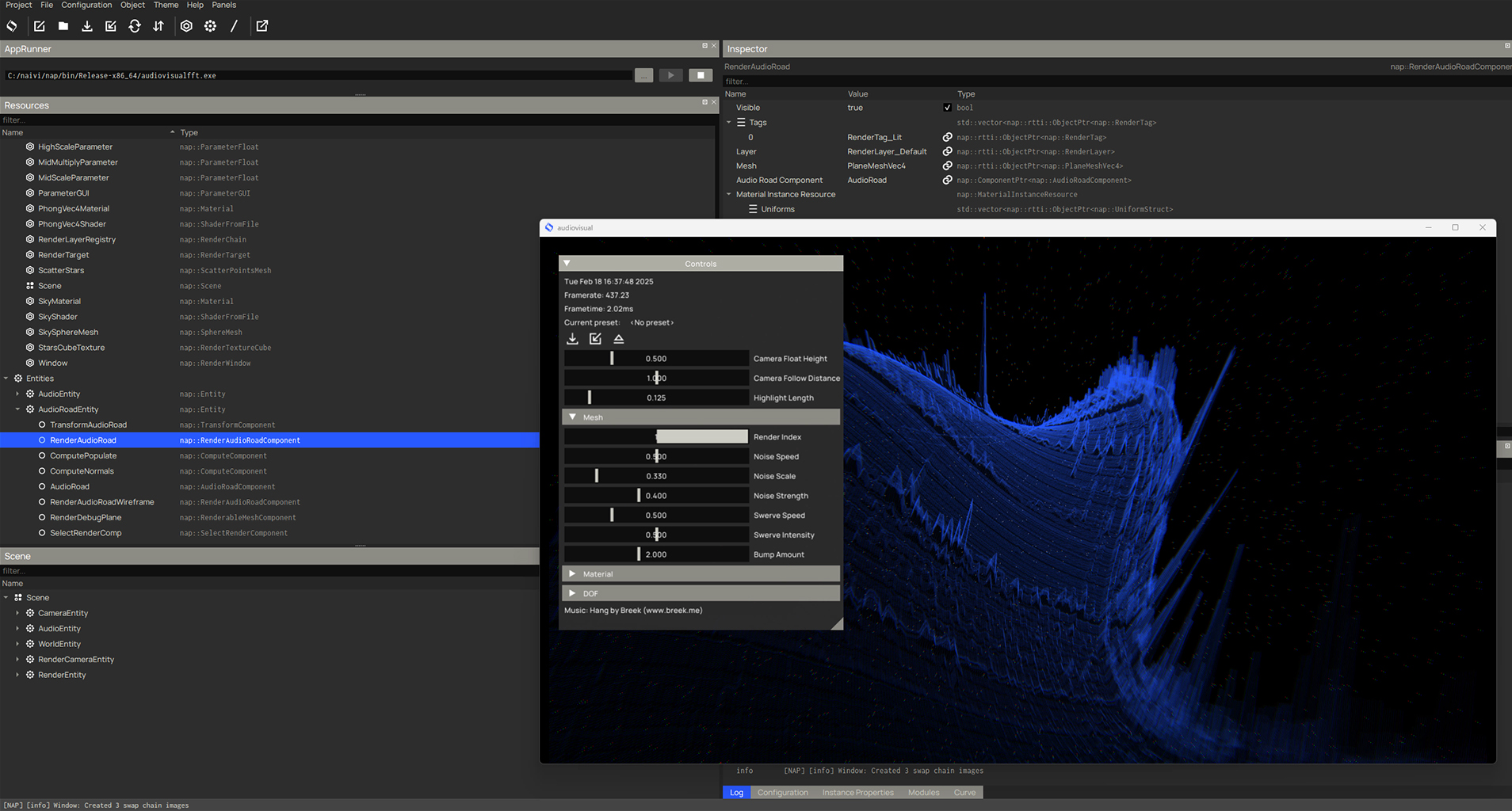
But if I just mentioned that, I’d be missing the point. This allows you to work across a wide arrange of control and visualization applications on a broad set of modern Linux-powered devices, because in the embedded space, there is no operating system war — Linux won.
NAP is talking about automation and product work. But just as we’ve seen on platforms like Unreal Engine, that doesn’t mean that these changes aren’t just as relevant to artists and people making installations and performances and experimenting with expressive devices like new musical instruments.
On that note, I’m thinking about the example NAP sent — digital car environments that use Wayland so that they don’t need multiple controllers for multiple screens. (They demonstrate this on a BMW.) Now, my other car is, like, the S-Bahn, but that efficiency in an auto is equally important in, say, an art installation. (You also have far fewer human hours to commit to the task than Bayerische Motoren Werke Aktiengesellschaft can.) You might also be surprised how many components in music tech come from auto, but I digress. We all share the same tech platforms.
NAP is also a sign of things to come, and one I hope other creative app developers notice. Migrating to Wayland, the modern replacement for X11, means you can finally use a bunch of displays seamlessly. I get why some legacy node-based and live visual tools (okay, all of those) aren’t yet on this platform. But it’s very possible that Linux devices running Wayland are eventually the future for a lot of the work we do, leaving the proprietary OSes behind for a lot of use cases.
Or as they put it:
This allows you to, for example, render to many displays whilst simultaneously controlling a grid of robots and with nano second accuracy (that’s what we want right? ..) from a nuc or raspberry pi; or create tiny embedded devices that handle everything, from audio, to rendering to custom circuits.
Hot damn. Well, that’s more fun than our expensive Mac and PC laptops sputtering through audio and failing to recognize one LED wall, then randomly dropping frames. (We still love you; we do. It’s astounding how much we do get out of these machines. We just need other tools for other jobs.)

Okay, having gotten that rant/explanation out of the way (still with me?), here’s what’s new in technical terms:
- High DPI rendering thanks to SDL 3 support – that’s the Simple DirectMedia Layer.
- Wayland support (and X11 is still there when you need it — you can choose explicitly which you want to run)
- Applets: NAP apps run inside another host process alongside one another — thread safe! (And they did some core work on threading and so on, so it now loads faster on Linux and Windows.)
- Texture Preview Applet. (Yes, I need to see if my Terminator T1000 Teapot is really looking as liquid metal-ish as I want!)
- Zoom and Pan Controller.
- Module Descriptors.
And there are a bunch of changes, fixes, improvements, and more.
My only complaint is why they’re not called Naplets. This is also how I stay productive during the workday.
You know what to do:
https://github.com/napframework/nap/releases/tag/v0.8.0
I mean, also, we could all pivot to whatever this industrial automation stuff is; I’m kinda tired of music and art anyways. Let’s play with industrial robots. (Okay, some of you found a way to do both at once — hello, Sougwen Chung.)
And now, have a Naplet. (Uh, until someone makes a new video for the framework.)