FL Studio, the everlasting DAW that the uninitiated think is way less powerful than it is, just got more powerful again. And if you were perplexed by it in the past, it has a new AI-powered chat to help you out, called Gopher. The good news is, you’ll need help less, thanks to in-Playlist audio editing and Mixer tracks finally working the way you’d expect. FL continues to be underrated, overpowered, and seriously fun, so let’s take a look.
Maybe the reason FL Studio is misunderstood is that it has one of the weirdest learning curves ever.
When you start it up:

Like, fifteen seconds later:
And this, in turn, meant that people who did get past the learning curve “sheer dropoff” now have a frakkin Space Shuttle.
I mean, granted, I may have just encapsulated the entire music software industry. Part of the power of FL, though, is that it does things differently. That means powerful things are hiding where you don’t expect them, some functions are flipped from how they work in other DAWs, and some features seem to be entirely missing. (Sometimes, that’s because they are.)
So, yes, as if to pretend that this isn’t the issue and double down even more, Image-Line has added a feature called Loop Starter that populates the child-friendly Channel rack with easy features. And, hey, why not? But… this is a little like Apple adding a giant picture of a guitar to their Logic Pro start screen. Y’all. We know what’s behind the curtain.
And fear not. FL Studio isn’t a toy. It’s a deliciously powerful environment that’s fun to get lost in. You just don’t want to get, you know, actually lost.
The 2025 edition brings some potential breakthroughs. One, audio clips and the mixer finally work the way you want them to. Two, there’s an AI assistant that promises to help you navigate the software when you get stuck. And as in each upgrade, they’ve packed more value into the package.
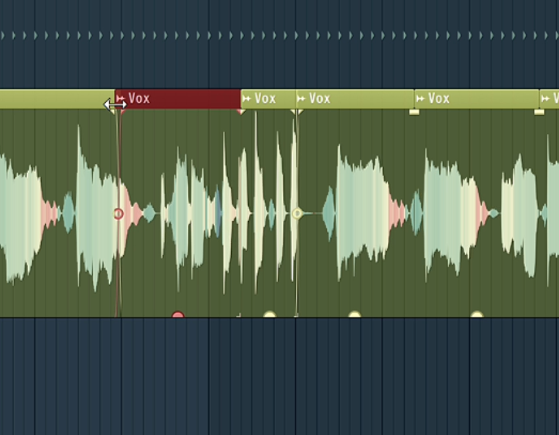
Audio editing happens per clip, finally. Stretch, pitch, reverse, etc. from the clip (alt-/cmd-) in the Playlist. This reason alone is enough to give FL another go, as it was always a little annoying to work in there.
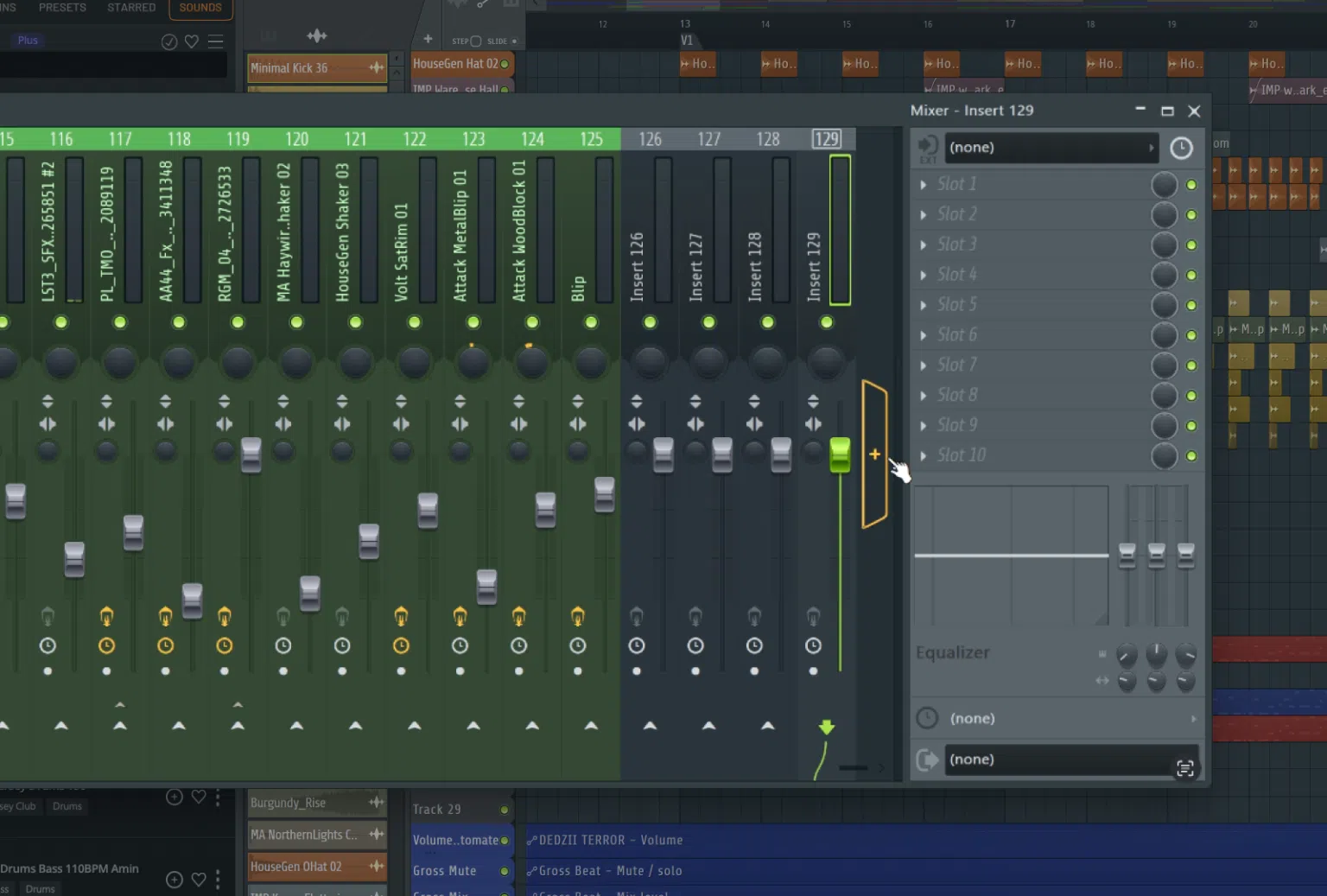
Add and remove Mixer Tracks. I did say things could be weird in FL. This was not weird in a good way, so now you get a mixer you can use freely. (Yeah, I know. It’s caught up with Cakewalk 4.0–kids, ask your great grandparents–but I’m there for it.)
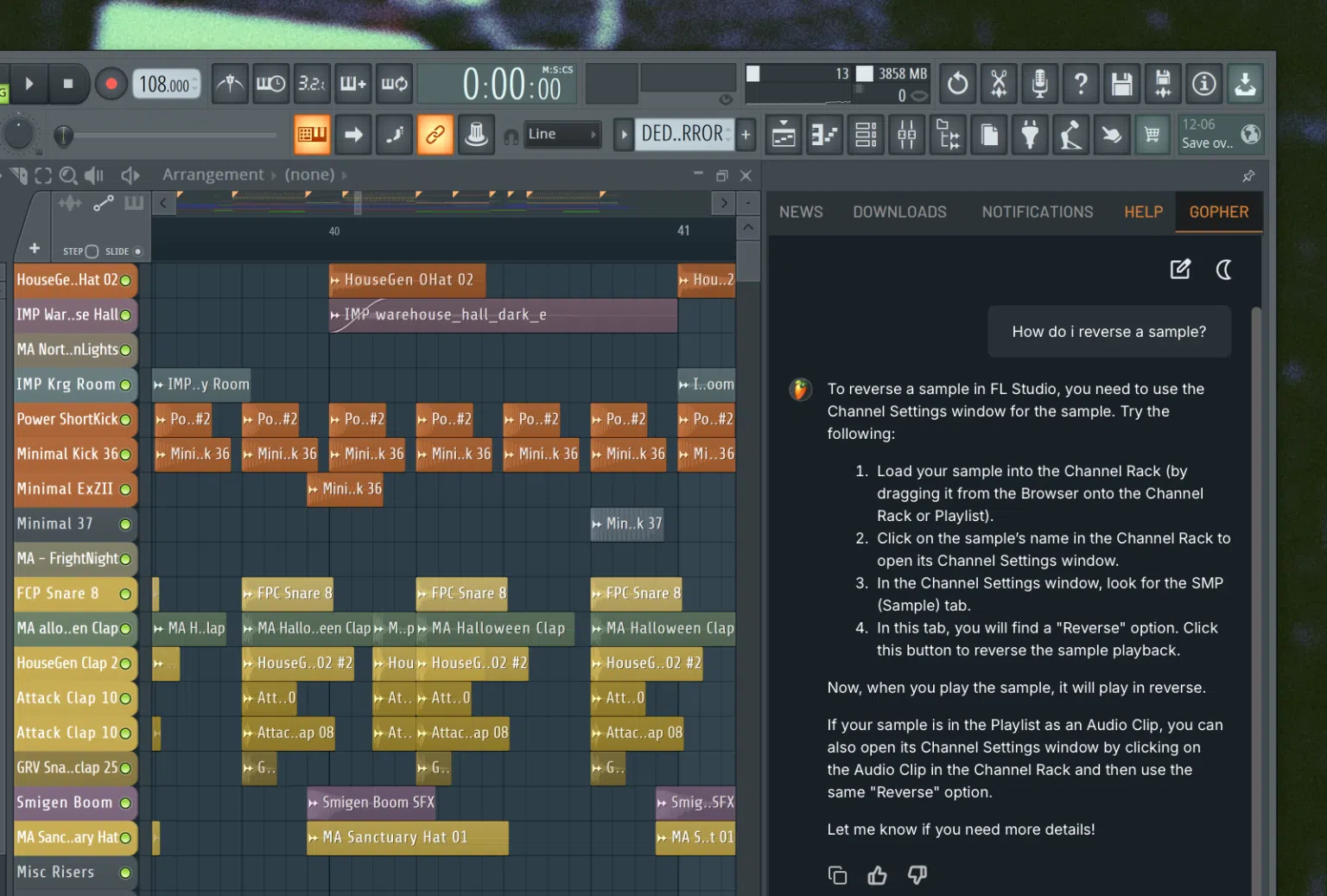
Ask an AI? Well, in a feature you’re sure to start seeing everywhere, yes, Image-Line built a Large Language Model-powered chatbot you can ask for help. It’s not just a generic LLM, though; they’ve constrained it to the Knowledge Base and Manual, so you can really think of this as search you can use with natural-language queries.
What it is not is a big ChatGPT-style thing that’s trained on my site, other sites, forum posts, copyrighted production books, and so on. And that means it won’t try to give you advice on how to make music, which in my tests usually doesn’t work well anyway. I’m curious to tet this to see how it works, especially as I’m a little rusty on FL and use other software.
Update: Waiiiiit I’m not so sure about that. It does seem that this is enabled for generalized LLM, which means it can be used for broader purposes. That could, in turn, impact results. Basically, I need to test this one more.
And there’s a lot more in this edition, too:
- Deleting Mixer and Playlist Tracks has an undo (!)
- Dynamic Mixer Tracks – up to 500, plus Insert Mixer Menu Options, more
- Improved browsing
- AI-powered Deverb option on clips and in Edison
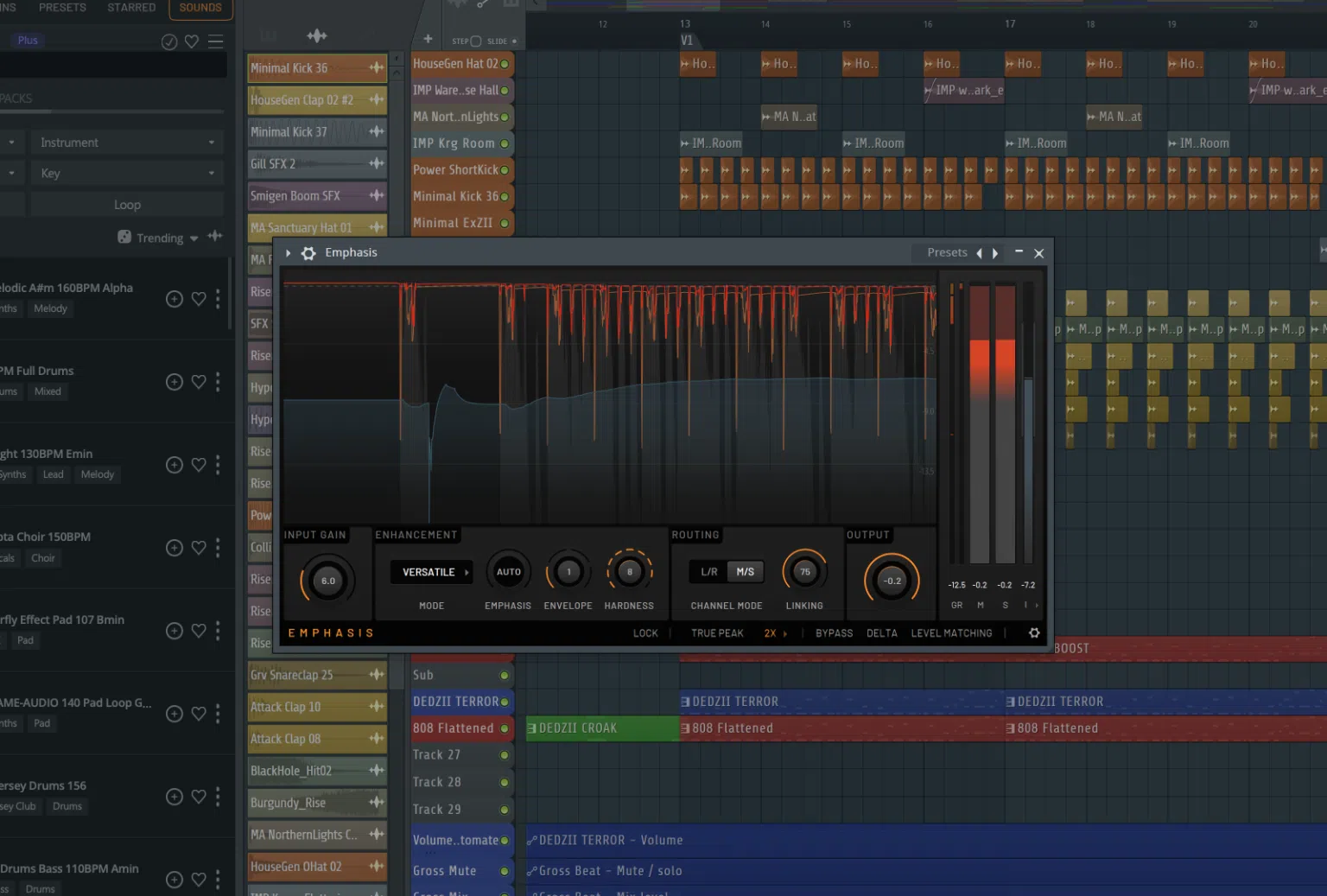
- New Emphasis multi-stage compressor/limiter for mastering (all editions, surprisingly!)
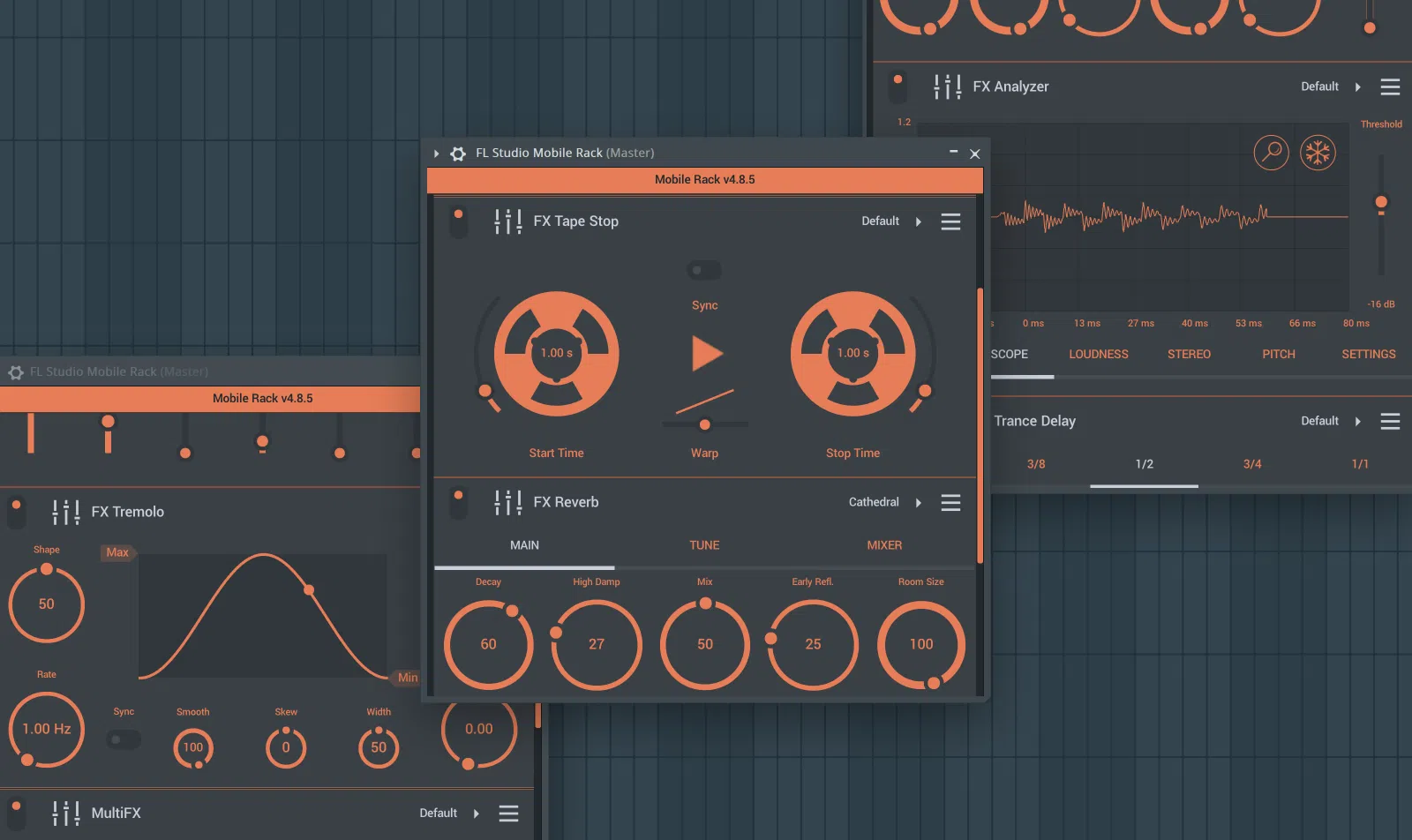
- FL Studio Mobile Rack brings the low-CPU mobile instruments and effects from the mobile app
- Fruity Granulizer and Fruity Slicer are now full FL Studio plugins, which means they works in Patcher
- Transporter, FL’s real-time relooper, adds side-chain transient detection, tempo-based triggering, and has an Ignore bias knob that determines the probability of loop updates.
- Updated UI: High-DPI vector-based interfaces for BassDrum, Sakura, and Drumaxx.
- Bassline mode in Chord Progression Tool.
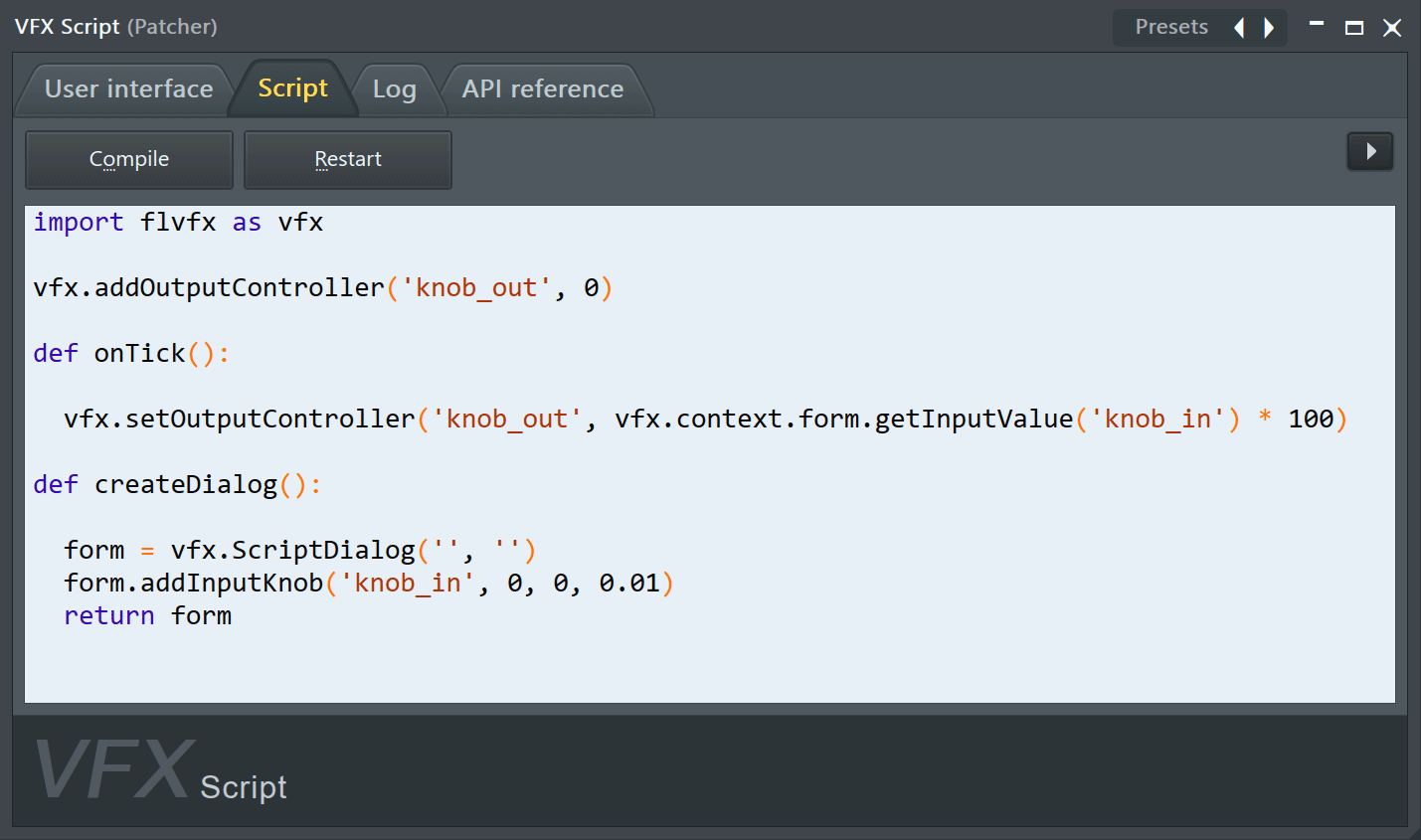
- Patcher VFX Script lets you use Python to manipulate MIDI notes and automation parameters, and you don’t have to be a coder–there are presets to mess around with, too. See the video.
Mmmmm, VFX Script. So as if this week in July wasn’t unexpectedly nerdy enough with livecoding in Renoise, now we get Python scripting in FL. Hell, yes.
This is the older video for Transporter, but you can see how sidechaining and BPM-based triggering get really cool:
Well, I’m excited.
Maybe you don’t feel up to the task. Maybe it’s too much to really delve into the full power of Transporter and Python scripting in VFX Script on top of all that stuff I just mentioned in Renoise.
Here, Space Shuttle crews–let me use the power of music to motivate you [callback time]:
Training montage I guess is the most appropriate. (How can you not feel confident, in that uniquely 80s way?)
Now, would an AI reference tragically-timed 80s movies about NASA’s Huntsville training facility? They would not. (Lea Thompson! Joaquin Phoenix! Tom Skerritt! It’ll get referenced here again, so next time you’ll have seen it. Back to Mission Control.)