If you haven’t tried Ardour in a while — or if you’re new to the idea that a DAW could be free and open source — you might be surprised. Major updates and a lot of listening to users means you don’t have to sacrifice features like clip recording and editing (including looping), piano roll windows, and more. Plus you get things a lot of tools can’t do, like region effects. Ardour is worth downloading on macOS, Windows, or Linux — any of them.
Ardour offers some serious advantages to podcasting and radio production (source list!), plug-in hosting across all three platforms (including LV2 and LADSPA, plus VST2 + VST3 + AU) with sample-accurate automation, extensive hardware support, and mixing, production, and composition workflows. It does advanced signal routing (meaning it can even be your virtual mixer/patchbay). It can easily work with video with extensive video and sync capabilities. Basically, it’s a wonder people don’t talk about it more. It doesn’t have to replace your DAW to make it worth trying, though it really probably could replace your DAW. So let’s talk about it more.
Having spent a long time following open source and community-driven projects, they often don’t evolve exactly the way commercial and proprietary ones do, particularly the larger commercial endeavors. That can mean a lot of energy spent focused on particular features or building a proper foundation for later growth.
So if you tried Ardour a few years ago and weren’t impressed, now is a time to try it again. It’s not going to be for everyone, but it’s looking and performing toe to toe with other DAWs, and you’ll find a level of detail in editing that you may have even missed in a lot of production software.
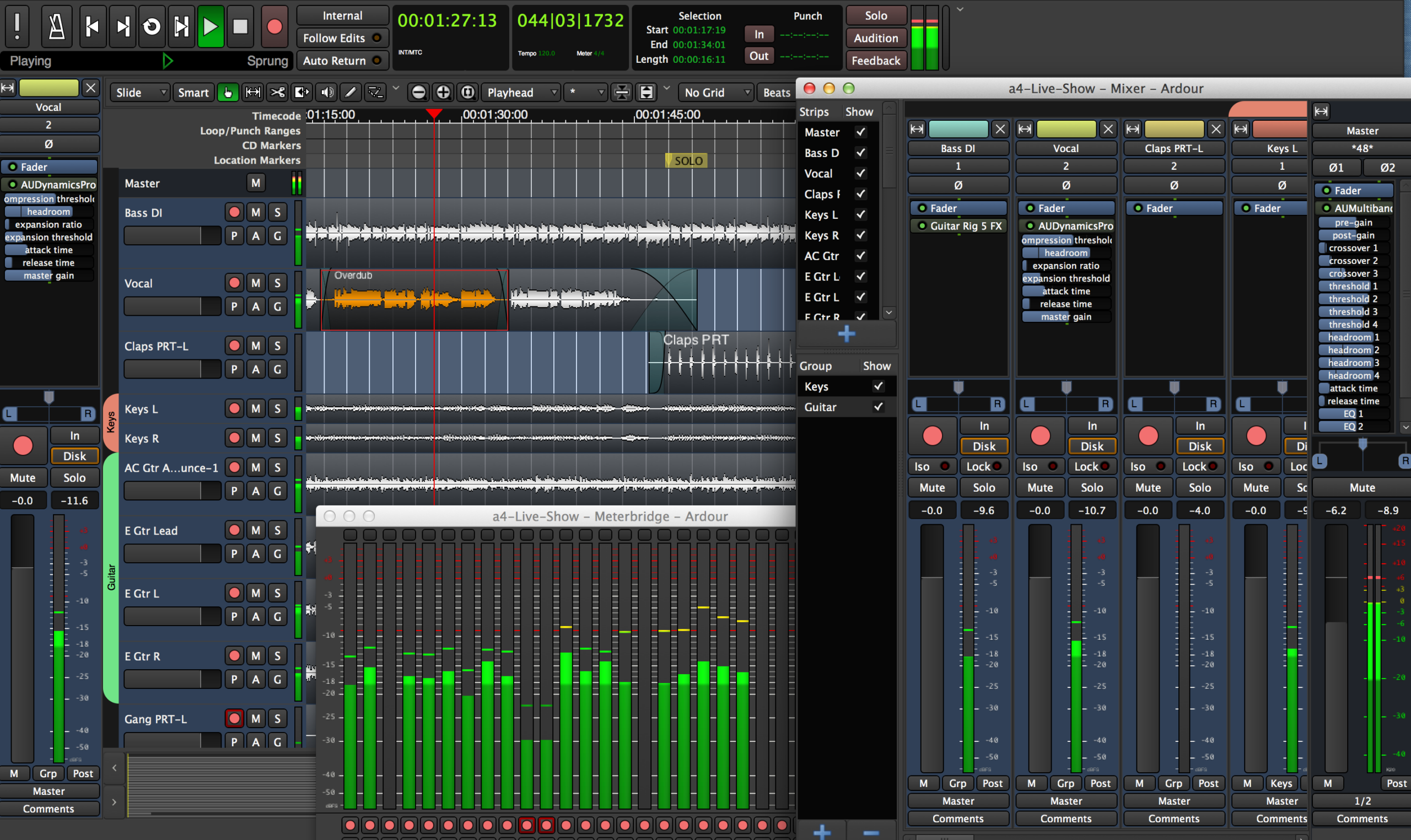
And we need Ardour. It’s important to the entire music software ecosystem that there be something like a reference DAW that’s open source. Credit where it’s due: Ardour has often been first to features, as well as serving as the basis of Harrison MixBus. It’s been a cornerstone of development on Linux, even as DAW developers have largely shied away. (Bitwig Studio and Renoise are among the rare exceptions; Studio One also has a Linux beta. But of course, you need open-licensed software if you want to package the tool with a distribution.) And music technology suffers if it’s overly dependent on one or two private vendors, least of all to have those two vendors be US tech giants like Microsoft and Apple. With so much of our future in embedded hardware and Linux, the entire industry, frankly, should have someone running a copy of Ardour and tipping generously. (Links for that are on its download page.)
Of course, if I’m talking about a wider audience — not just the people who diligently did all their production on Linux for the last twenty years — then, yeah, you have a long list of UI features you take for granted. And that’s where Ardour 9 comes in. Now you get an environment you can use more easily alongside tools like Ableton Live and Bitwig Studio, among others. That means the ability to work with projects that might benefit from Ardour, explore this environment, and/or work in projects you can interchange without having to worry about whether your colleague has a license.
Ardour 9 is a few weeks old now, but Ardour 9.1 (Friday) and (today) 9.2 delivered some important fixes and tweaks, so if you’re just grabbing Ardour 9.2 today, good timing.
What’s new
Apologies to Paul and team; I’m going to shamelessly steal their screenshots as I’ll otherwise be at this all day and the results will look horrible anyway. Check the 9.0 feature list and changelog for all the specifics, which are very carefully written.
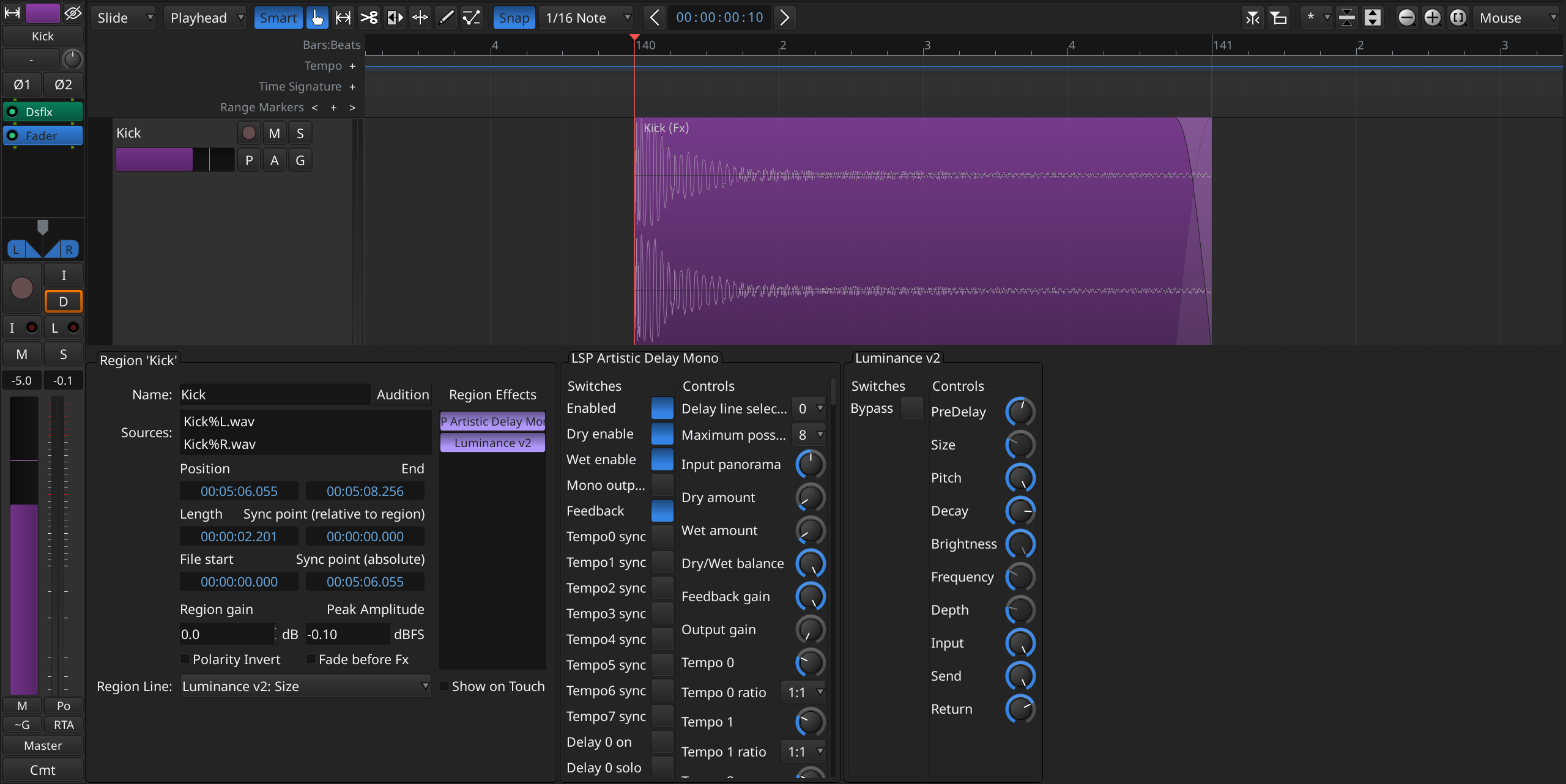
Region FX. I’m going to just start with this, because — wouldn’t you like this right now? (Shout out to Sinevibes’ wonderful plug-ins, which are available natively on Linux!) Select an audio region, apply effects to just that region.
And look at the way Ardour has adjusted display of the parameters for plug-ins to the bottom pane, plus the region information — both of those also new in Ardour 9. That’s a layout that’s related to what some other DAWs offer, but in a more sensible way. So yeah, you might be convinced to download Ardour from this screen grab alone — go for it.
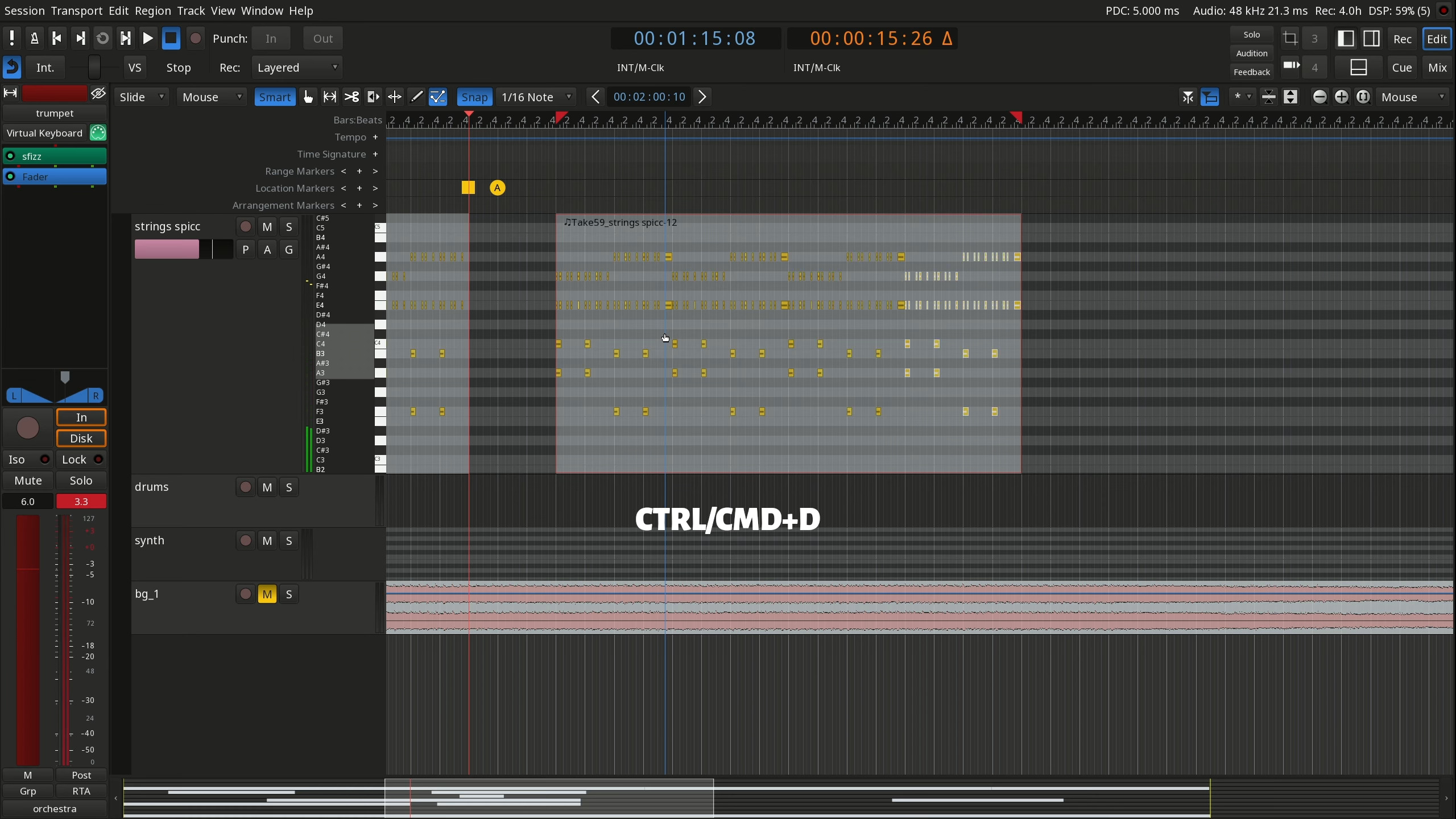
MIDI note chase (notes start with the transport, if in the transport is mid-MIDI note), MIDI note duplication (ctrl-cmd-D). [9.1]
Drag and drop two mono audio files into stereo. (See, this kind of workflow stuff is just cool.) [9.1]
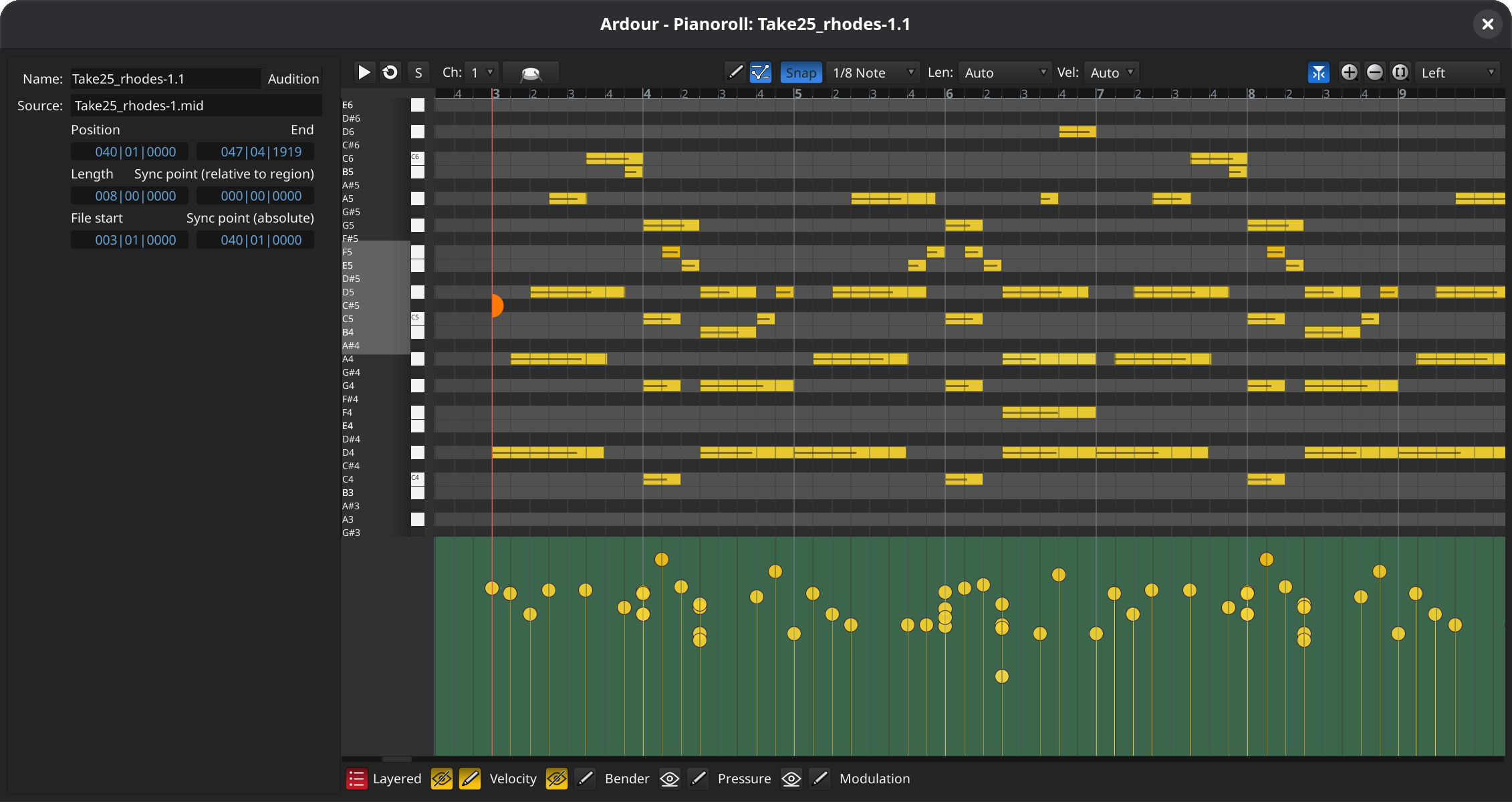
Piano roll windows. This will be a familiar view and answers a major user request. You can bring up a separate window or a pane for MIDI regions, and you get a precise, clear set of tools. The developers acknowledge that there’s some work to be done to achieve feature parity with a tool like, say, Cubase, but there’s surprising depth there already. They tell CDM the rest will likely arrive this year.
I’ve been having a lot of conversations lately about the similarity of DAWs, and I will say in this established paradigm, you really do want tools to learn from each other’s progress — especially when asking users to migrate between environments.
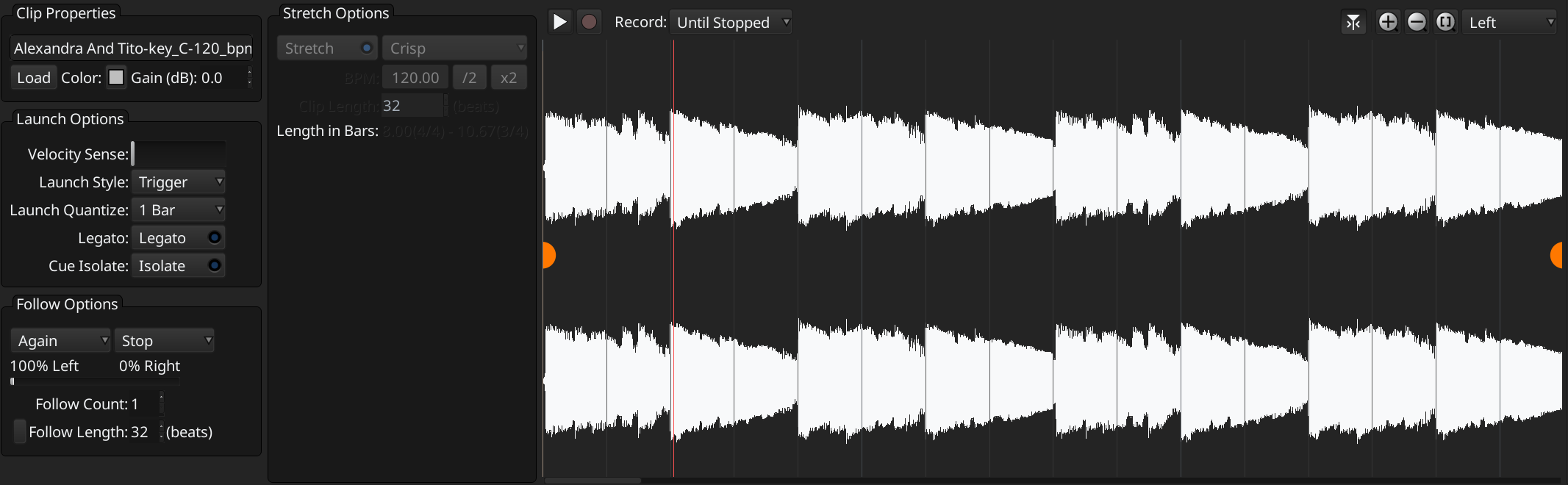
Record into Cues/Clips. Okay, first it’s important to acknowledge that what Ableton Live calls Clips, grouped into Scenes has an equivalent in Ardour called Clips and Cues — with some differences; see below. That’s important, because sometimes you want a conventional DAW paradigm like Ardour’s, but still want to record a quantized length (live or pre-set to a duration like four bars). These also support quantized playback as you record, meaning you can use Ardour as a looper. It is originally a Live concept, presented the way that it is, but that’s now something we expect of other tools (Logic Pro, Bitwig Studio, etc.).
Required reading on Cues for Live users:
Clip Launching Differences between Ardour and Ableton Live
One key difference: Ardour lets you sequence clip scenes directly on the timeline. (In Live, by comparison, you can live-record scenes in sequence, but that’s it; you can’t rearrange scenes in Arrangements. And I know Live users have been asking for that!)
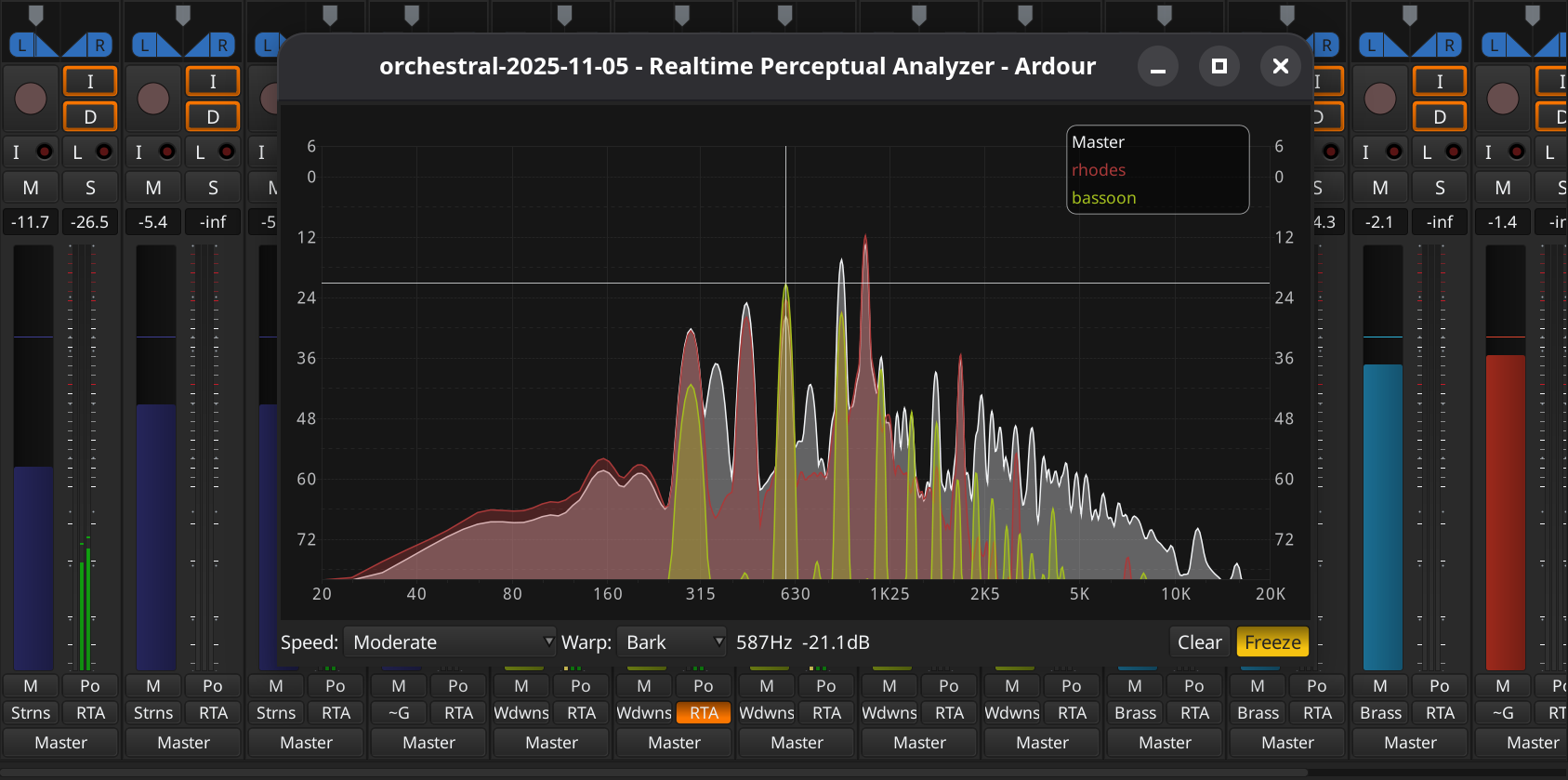
And this pretty Realtime Perceptual Analyzer. What’s nice about this is you can just toggle that “RTA” switch on each channel strip and overlay tracks and buses to compare. A lot of spectral views can’t do that, and plug-ins would have to be manually routed, so it’s another great reason to download Ardour. It might even be the tool you want to mixdown in, even coming from another environment.
And more:
- Note “brushing” (paint with shift-drag and you fill in MIDI notes at the current grid setting)
- Keyboard shortcuts for automation editing
- Mixer strip import/export
- Multi-touch GUI support (Linux and Windows … since that’s not meaningful on macOS yet)
- Improved Application Bar, Pane Control, Editor List UIs; New Session Dialog; Ruler; Library Manager … and other UI/UX tweaks
Check the full 9.0 description, and the What’s New page with 9.2 hotfix and 9.1 improvements:
https://ardour.org/whatsnew.html
On Linux, building for free is easy (on top of a stable version that’s almost certainly in your package manager already). On macOS and Windows, it takes a little work. So before people ask “why is this not really free,” it is free as in freedom, and you should consider even a small donation to support the team.
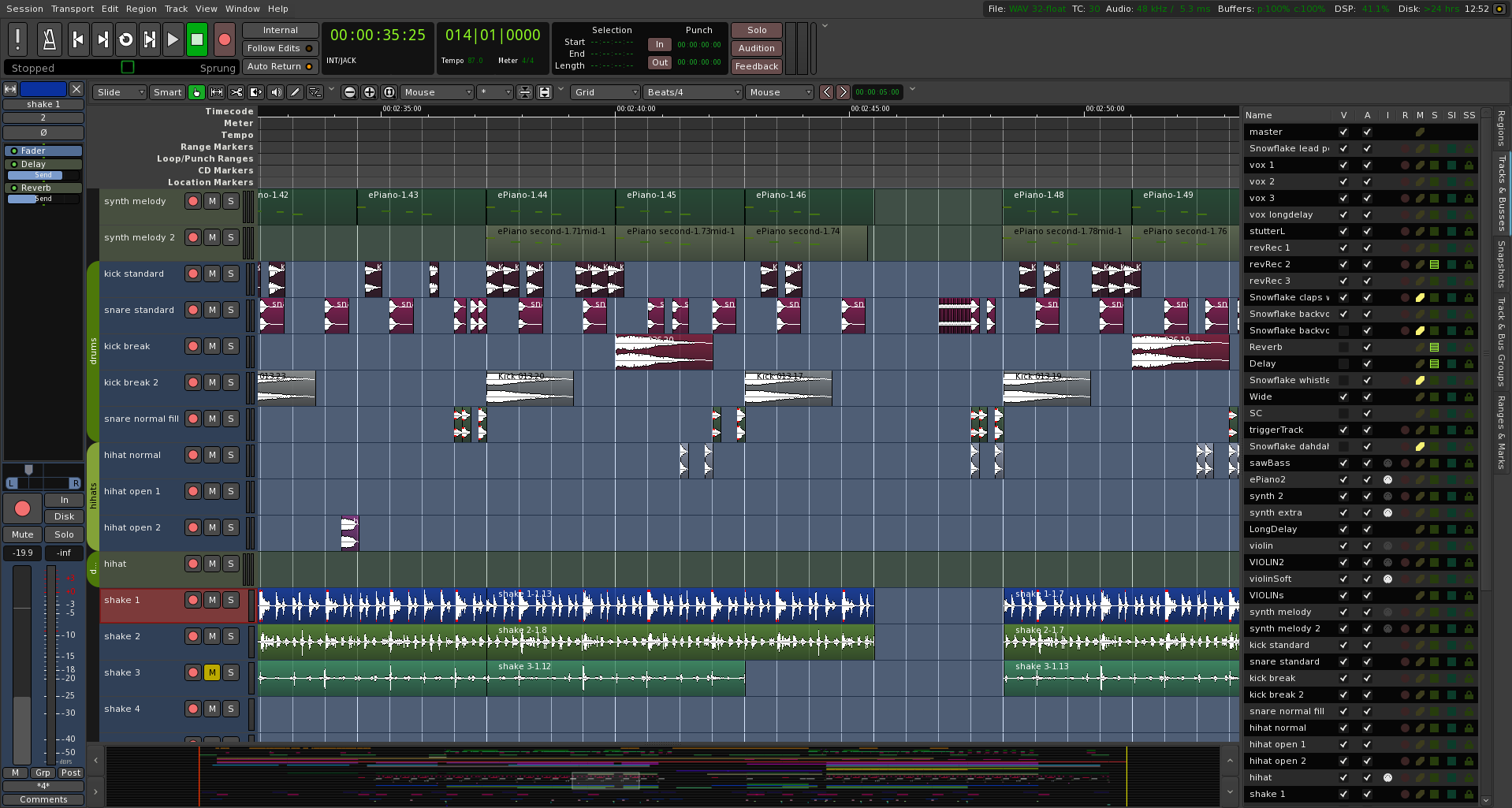
Ardour’s ideas for the future
All of that is well and good, but it’s even clearer in a new document Paul Davis and the Ardour team have posted:
The most important goal is right at the top: “there should be no objective reason why anyone should not choose Ardour as their DAW.“
But some quick highlights of what they’re thinking:
- Finishing out the Cue functionality
- Advanced click features (like different sounds/accents) on different beats
- “Stretchy” and “loopy” audio
- Freeze MIDI to audio
- Advanced modulation
- Folder tracks and per-region plug-ins
- Panning and even ambisonics (now we’re into brainstorming/what-if territory)
- Other open source integrations
- …and more
Best to read the document. But I’m intrigued by the idea of Ardour really thinking through what non-Western and non-12TET functionality would look like. Even in the current best-case scenarios of MTS-ESP, Ableton Live Tuning Systems, and Bitwig Studio’s Microtuner, we’re still talking about grafted-on functionality in tools that retain their western bias and common practice limitations.
Oh, and before anyone’s heart sinks, they’re joking about AI. (We’ve really killed irony; I was also afraid they were serious. AIrdour? PaulGPT? JACKbots? Anyway, don’t worry — this is all still human-made stuff, which is why, once again, you should consider even that one buck a month subscription!)
Stay tuned.