Time to dust off that TI-82, TI-83, or TI-84. The graphic calculators that a lot of us used in school can become ingenious chip synths and even run trackers. And that translates to a surprisingly powerful graphing calculator-inspired synth — one that instantly became one of my favorite plug-ins.
At the heart of this is the iconic graphing calculator of the early 1990s, the TI-82 and its successors. Texas Instruments adapted its high-end business calculators to make them affordable and friendly to students, complete with a clever plastic side-on cover to protect the device. It might seem improbable that you could use this as a handheld computer, but inside was the Zilog Z80 — the same brains that formed the CPU of the Sega Master System, the TRS 80, and the Pac-Man arcade cabinet.
Obviously, you were supposed to work on your math homework with these, not make chip music. But these calculators had a data port. Drive the data port fast enough, and you can send on/off voltages fast enough to synthesize 1-bit audio, percussion, voices, and all. That 1-bit sound is beautifully crunchy; I’ll take this over a lot of fancy soft synths.
Composer and educator David Hilowitz digs into this and explains this part of the idea (more on the trackers below):
They’re beautiful devices, and that lo-fi screen now looks strangely appealing. But if only you could listen to the plotted equations you see on the screen!
David ran with that idea, and the result is the incredible Equations Synth. It’s essentially a wavetable synthesizer with an expression editor (accessed via TI-style buttons) and graphing equations. But — that’s awesome.
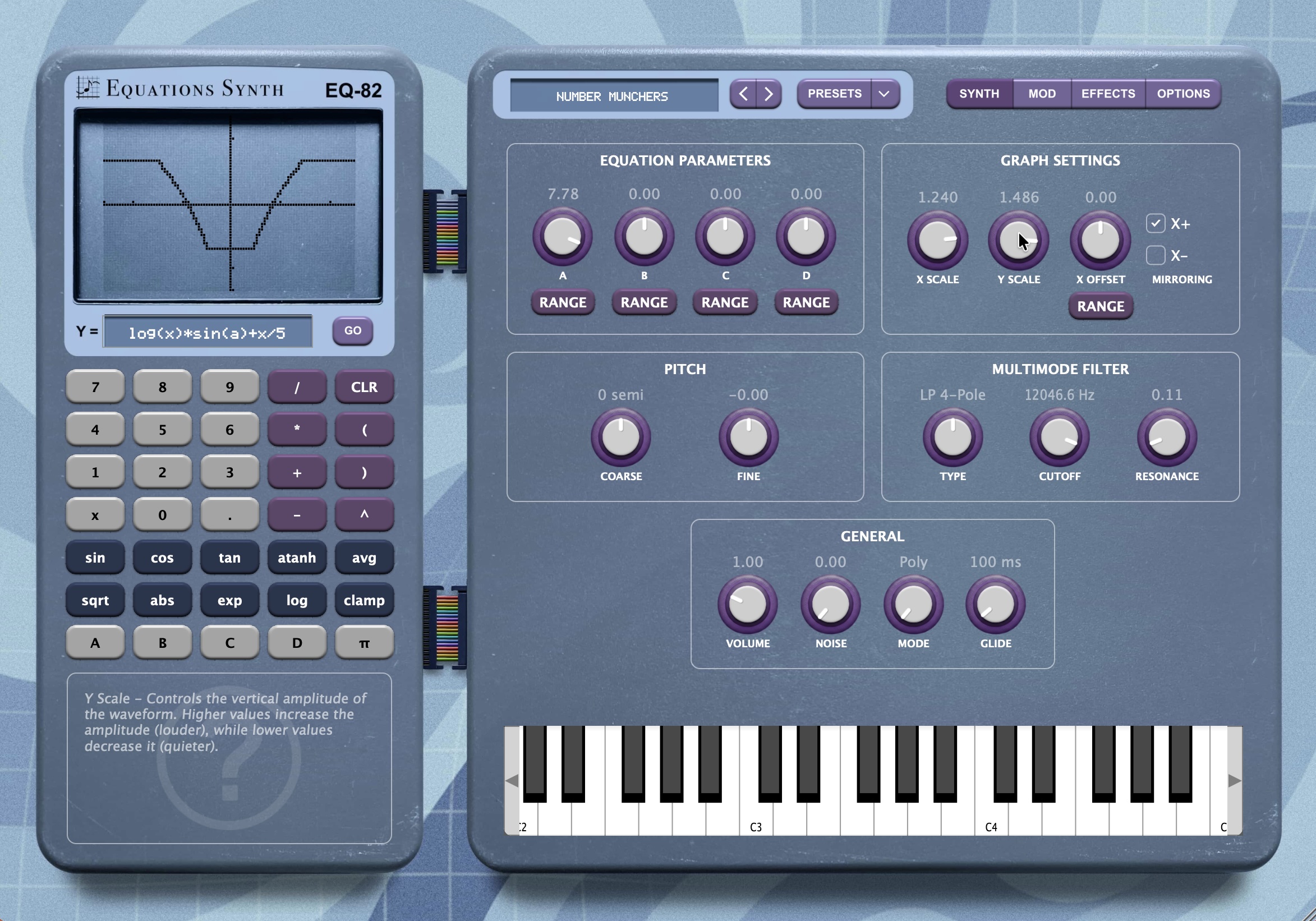
David nailed the look of the calculator display, in particular, so just using the TI-82 simulator part of this is a joy. The beauty is, you can change the algebraic equation (including trigonometric functions) to “draw” the wave cycle. The A, B, C, and D variables are mapped to knobs (each with configurable ranges), allowing you to add tweakable parameters inside your equation — and modulate them in real-time with one of three LFOs.
Normally, x and y scale and offset or mirroring just control how an existing waveform is visualized, but not how it sounds. Here, you can transform the sound itself by adjusting those controls.
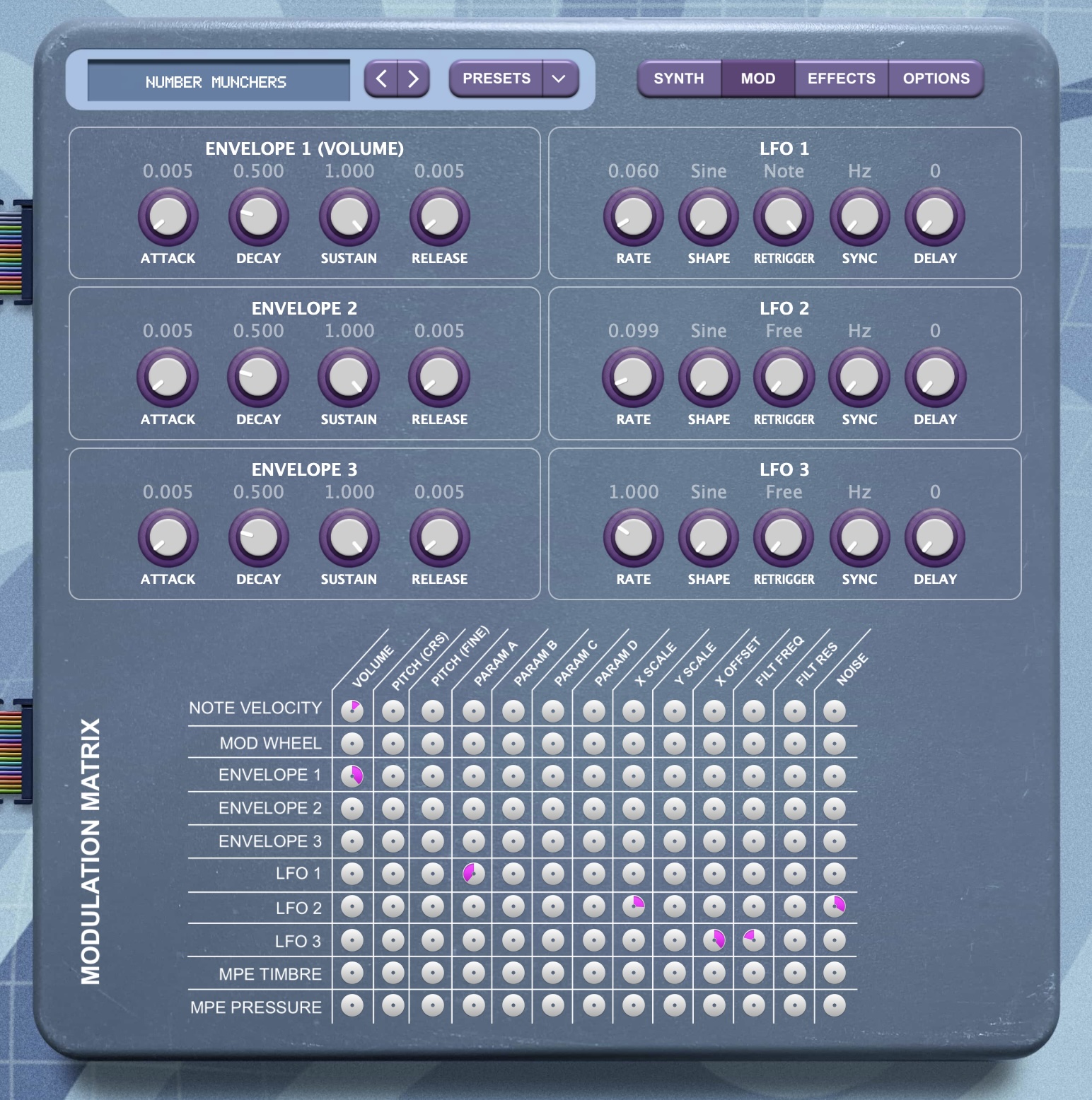
All of this comes with a lovely-sounding master effects section with delay, reverb, chorus, and a unique tape simulator, plus a powerful modulation matrix:
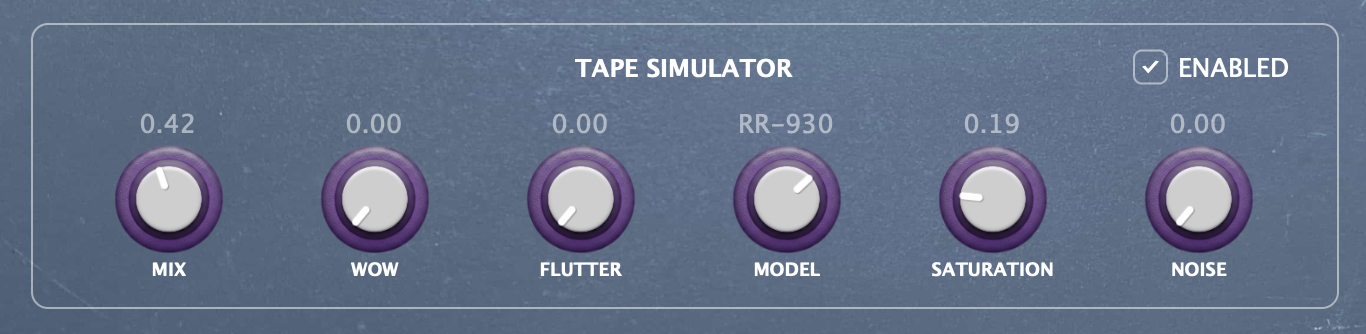
The tape simulation section alone is full of character: there’s a handful of vintage tape models rendered here as impulse responses, giving you some radical coloration options:
L8-bit did a nice hands-on video, saving me the work, and with a much more interesting accent than I have.
The truth is, the equation editor is an intuitive and powerful way to edit sounds. I mean, sure, you could also do this via a number of other means. But it’s just adorable doing it via that interface, and the UI and all the features of this architecture give you immediate and deeply satisfying results.
Here’s me messing around with it. Watch what happens as you add noise and modulate the equation itself. Awesome.
And David has done a mind-blowing job of this. The display is uncanny, and the voicing of the equation and . There are great presets in there, but it’s thoroughly fun to go do it yourself — it’ll come back to you, I swear! (If not, you can hilariously follow along with a bunch of school-age TI calculator and math tutorials!)
It all runs in the Decent Sampler engine — which, by the way, is an alternative to tools like Kontakt with a far simpler interface, a freely downloadable engine, and even a shop where you can sell your libraries. (Unlike NI, there’s no upfront cost, making this more ideal for independent developers — Decent Sampler just takes a commission from the store.) That adds additional features like MPE. Equations as an expressive 1-bit instrument is a trip.
Equations on sale now for $29. This is not a paid partnership and I don’t have an affiliate. I am biased only in wanting other people to come on this math journey with me. Let’s send equations back and forth. Honestly, if this was how you taught me math in school, I would have been way better at it!
Equations: Graphing Calculator Synthesizer by Decent Samples
(more to cover both from David and Decent Samples, so here’s hoping I get to it and don’t just make equations all day!)
Prior art (and more tips)
As various readers have noted, the now-discontinued iOS app BitWiz from Kymatica also used this approach.
You can’t get BitWiz if you don’t already have it installed on an older, compatible iOS device, but reading that documentation alongside this one could give you some extra ideas. Speaking of which, it’s worth going back to a 2011 blog post that also detailed this idea:
Algorithmic symphonies from one line of code — how and why?
Keep digging, and you’ll find an incredibly detailed guide to how the formulas generate sound — so an alternative to just mashing calculator buttons. (Even if randomly mashing calculator buttons definitely was my school experience.)
I think there may be many more examples, actually, but more in the case of individual code patches or approaches to generating wavetables (i.e., not live and interactive synth interfaces).
I’ll stop, but you could just keep rolling on and wind up, for instance, in the 9th century with Al-Khwārizmī.
More math and calculator fun
So, if you’re curious, the HoustonTracker by artists and legendary demoscene act Irrlicht Project has its own following — and could be reason to find a compatible calculator on your local curb or garage sale.*
Houston, we’ve had a vintage gear problem here. Again. Main B bus obsolete gear acquisition overvolt.
https://irrlichtproject.de/houston
The results sound excellent:
(*I’m even a little too old for this — the graphing calculator I remember is 1990’s TI-81, which had the same processor but a measly 2400 bytes of RAM. No, not kilobytes — bytes.)
TI may have left sound capabilities out of its calculators, but the SN76489 sound chip was originally developed for the company’s 1979 TI-99/4A computer, before that chip found its way into the ColecoVision, IBM PCjr, Sega Master System, BBC Micro, and others. I have a special relationship with the SN76489, as I distinctly remember it as my first encounter with digital sound synthesis — first when I heard the speech synthesis capabilities of a TI-99/4A in my kindergarten classroom, and then when we got a PCjr. (For the 80s, I was seriously living the high life!)
More on the TI-99/4A:
https://www.newline99.com/?section=viewitem&selectitem=257
Enjoy!
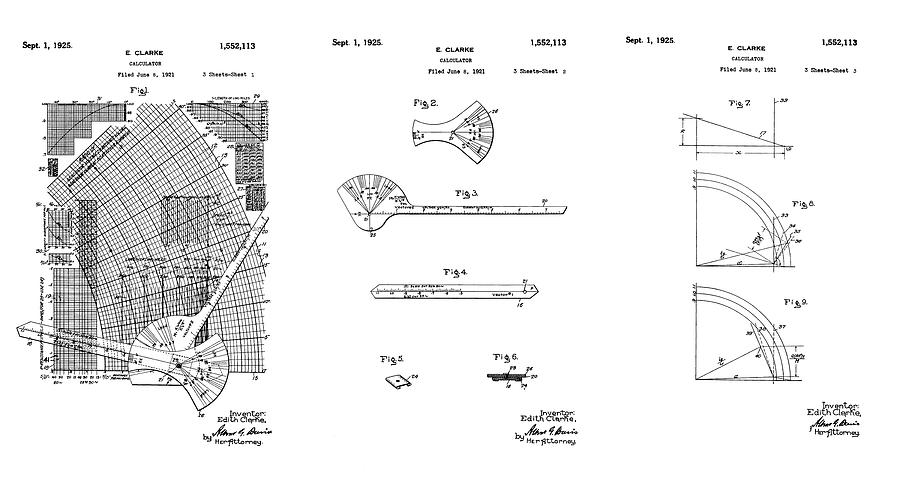
Edith Clark’s 1920s-era graphical calculator
Speaking of calculators that graph equations, did you know that the forerunner of devices like the TI-8x series was a “computer” that used a rotating physical device to solve calculations quickly? That was Edith Clarke’s graphical calculator, developed and patented in the 1920s when she was at GE, aiding in doing calculations for building the electrical grid with technicians in the field. (More on the story; see above. It’s hard to find much documentation apart from the patent, but you can read up on some of the vector math that’s named after her.)
I’m really curious to get my hands on a recreation of this device. But because of its portability and the visual output, I think it’s totally fair to relate it to what you see here. The approach is fundamentally different — the graphical calculator uses the graph to perform a calculation visually, where as graphing calculator shows you a visual representation as feedback after it solves the equation. But early calculators were devised as a replacement for tools like slide rules, and the graphing calculator’s graph is essentially a digital rendition of the earlier history of plotting; it depends on that prior work. And the Clarke calculator specifically could perform calculations that a fancy TI calculator might.
It’s also a reminder that our own brain is part of the technological equation — Clarke famously worked through brain teasers and math puzzles in her free time, too.