OpenShot, the free and open-source video editor for macOS, Windows, and Linux, got a major update in March with version 3.5. It runs faster, handles edits and audio better — 18 years into this project, OpenShot is looking like something pretty much everyone ought to at least try. And that’s especially true if you’re experimenting with AI or cloud-based video instances.
Now, on the Mac, I’d still caution you: on the Mac and on Windows, this won’t feel as polished as commercial tools like Da Vinci Resolve or Final Cut Pro. But those disclaimers out of the way, if you have a little patience as you adapt to OpenShot’s way of doing things, you may be surprised. This release feels like a foundation that will take OpenShot in some new directions; the developers describe it as “one of the biggest releases in our 18-year history.”
And the truth is, we need open-source tools as options for a great many reasons. (Plus, remember when Blender was off-putting to all but the most advanced Linux 3D heads? That sure changed.)
Linux users now have choices in video editing, a far cry from the situation a decade or so ago. In addition to OpenShot, for instance, you get the closed but freemium Pikimov and even a native version of Da Vinci Resolve (with some ways to simplify installation now, too).
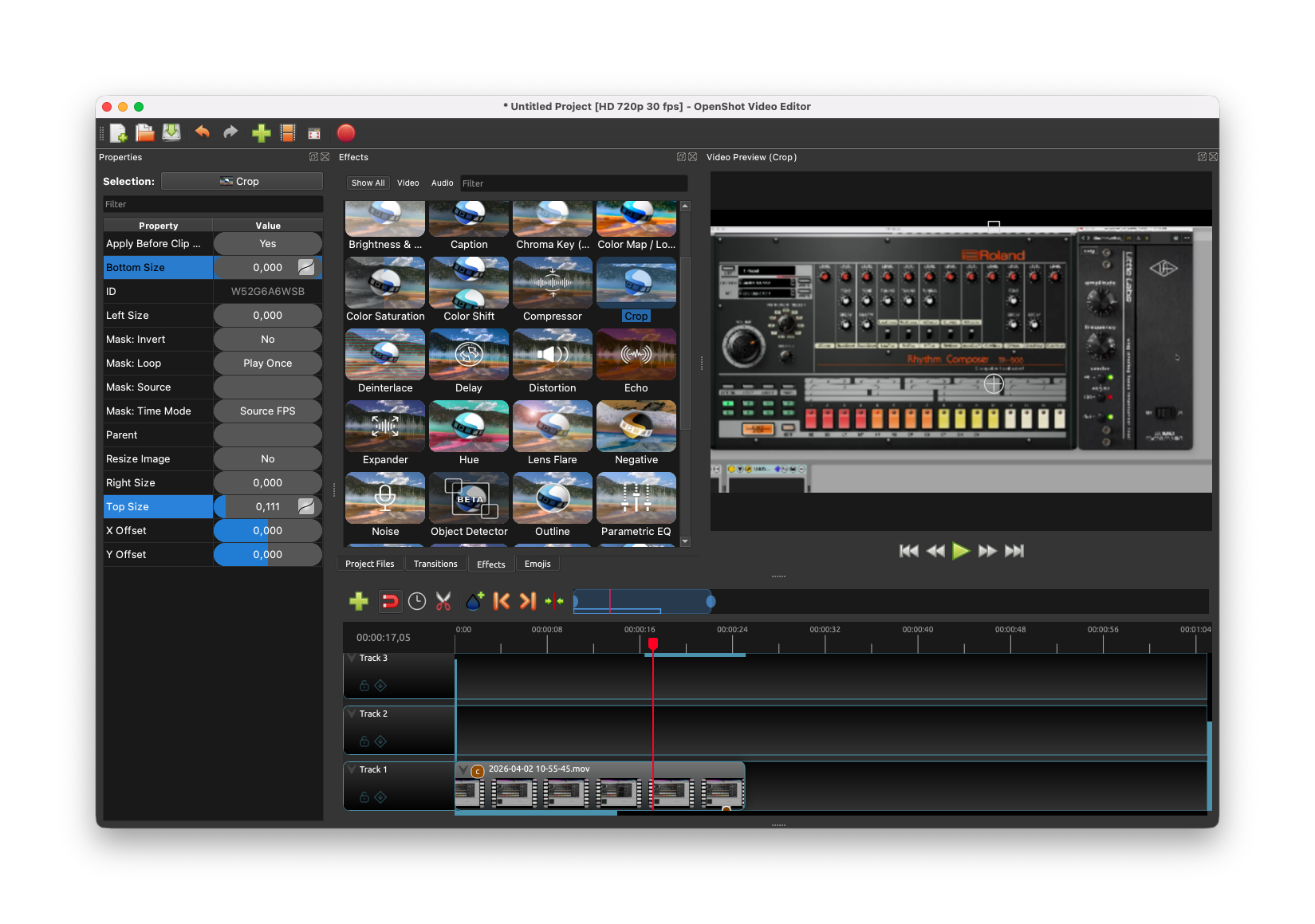
But OpenShot isn’t just for Linux users. It might well be worth keeping around, even if you have another tool, for its feature set.
(One note on the Mac: I found the new default theme hard to read, so I swapped back to the classic Ubuntu Humanity.)
Here’s an example. It is uncommonly easy not only to set up keyframes and animation, but to choose from an obsessive range of different easing options. (Cough, Final Cut Pro.) This (sorry, jumbled) screenshot gives you an idea:
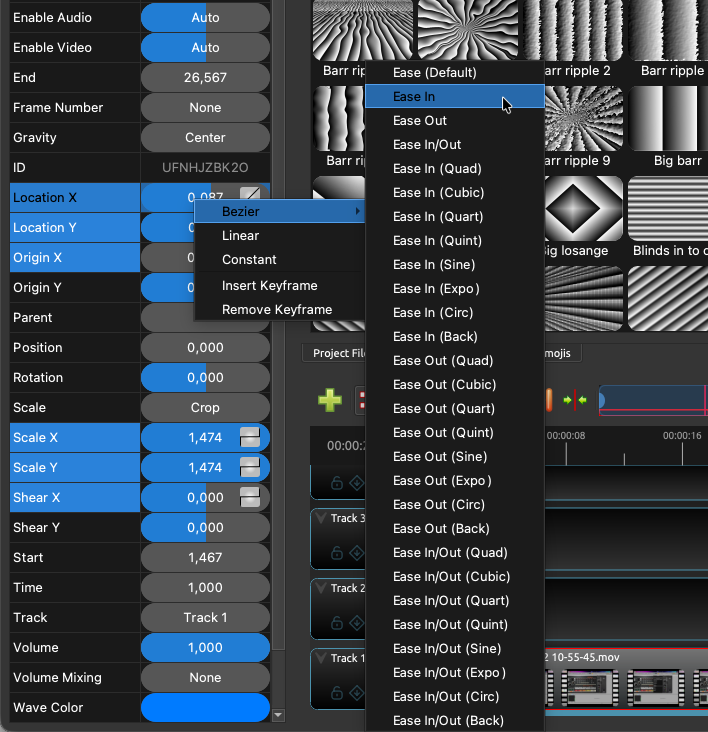
In fact, the only adjustment to make is that OpenShot will automatically create a keyframe ad start animating if you adjust a parameter anywhere mid-region — so if you want a fixed change, you do that at the start of a clip.
It’s also great how many adjustments can be made directly on the video with handles in the viewport.
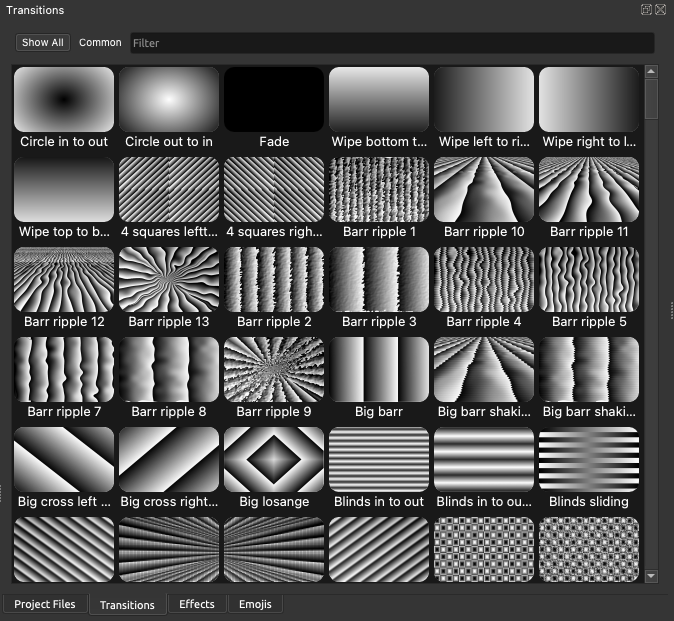
You have a unique and artistic collection of transitions and other elements.
The full feature set for 3.5 is significant — it’s a big milestone in terms of improved performance and functionality. I admit I cringe anytime I see generative AI, most of all in video, but note that this is an application where you could run a local model integration (like the open-sourced Wan2.1). It also has effects possibilities — think upscaling. So it’s scary imagining OpenShot out there automating slop, but there are other use cases, plus I’d love to see people doing experimental work with this.
From the devs:
- New default timeline with much faster zooming, scrolling, editing, and new keyframe panel
- 35% faster overall, with especially large gains in effects and frame processing
- Better exports with smaller files and higher quality
- Improved GPU acceleration for decoding and encoding
- Improved stability with expanded tests, UI tests, and full-cycle replay testing
- Audio transitions make cross-fading audio super simple
- Mask support for all effects, improved animated masks, and new mask controls
- New default Chroma Key with softer edges, better quality, and much faster performance
- Faster audio file handling and importing
- Experimental ComfyUI integration for advanced AI workflows
- Tons of bug fixes across editing, playback, caching, and platform-specific issues
We’re so used to seeing AI video slop, too, that people may miss that you could create effects and animations this way — or cropping, or other automations. For its part, OpenShot has been working with machine learning-based effects since way back at v2.6:
You can do crazy things with OpenShot, too — like run in the cloud:
And this follows some other great upgrades in the past months:
More:
OpenShot 3.5: A Major Upgrade for Speed, Stability, and Creative Control