Here’s another live visual icon with some welcome updates. Vidvox promised lots of quality-of-life refinements with VDMX6 as a platform, and VDMX6.3 adds just that. So it’s a good excuse to mention VDMX again, in case you’d tuned out for a bit.
Vidvox is a gem of a development house. Not only did they produce a unique semi-modular live visual tool like no other, but they’ve also contributed key open developments everybody can use, like the Hap video codec and ISF (Interactive Shader Format), which even runs in Max (Jitter), and Apple Motion.
VDMX6 brought Metal integration and a new framework, with a starting price of $99. (See my original write-up.) VDMX6 Plus also integrates directly with TouchDesigner and Vuo. That immediacy of VJ tools always comes in handy when time is tight, and the gig is on the line — now with the power of advanced, fully modular environments. (And not just with Syphon, either.) Artists gotta eat. Get that gig.
So, the same applies here as elsewhere. Can you do this with other tools? Yes, you can. (I mean, you can play the same piece of music with a bassoon or a DX7, if you like.) It’s all about workflow and taste — enough so that folks frequently combine tools for speed and convenience.
But let’s catch up with what this summer’s release gives you:
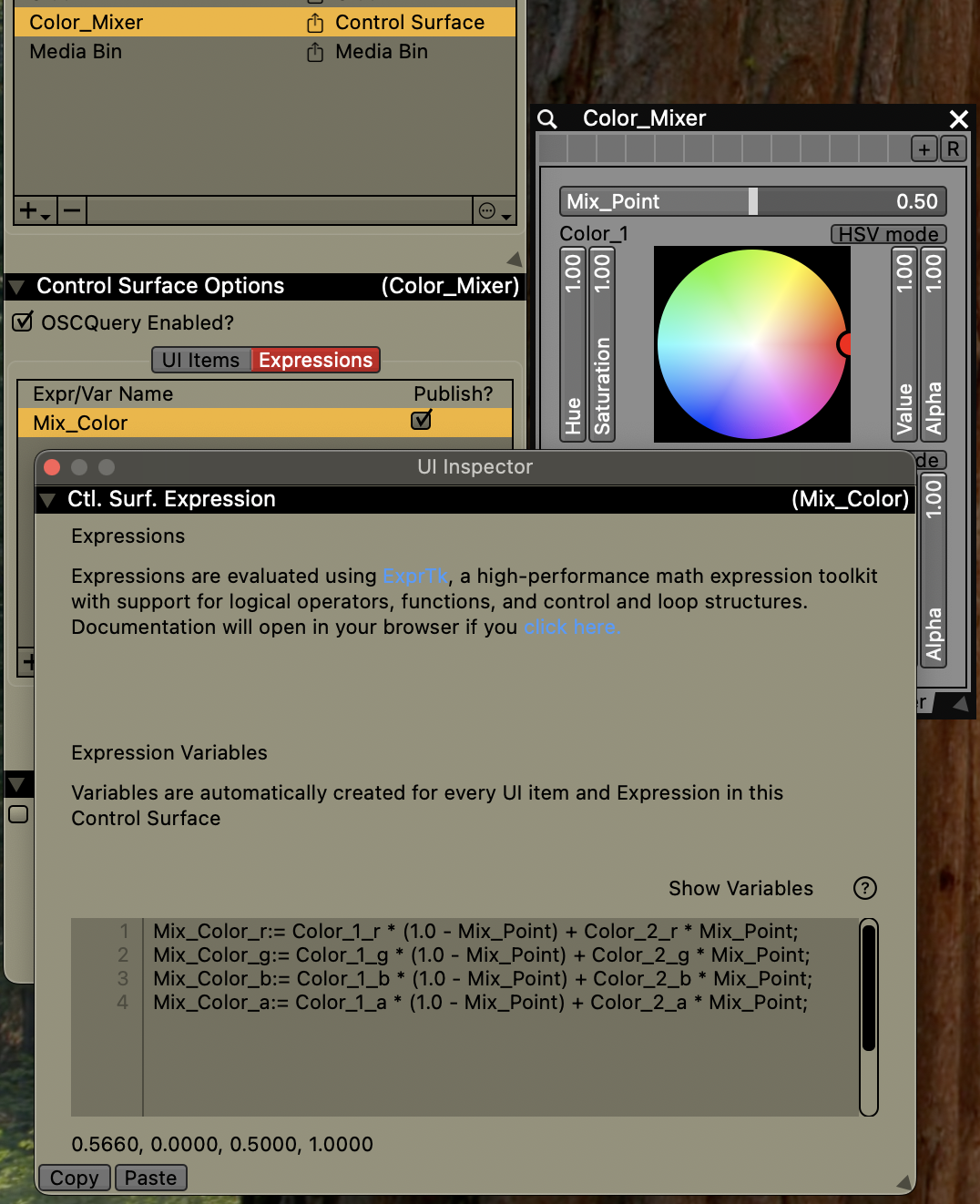
Control Surface Expressions. Quick and easy expressions to glue together different stuff, with floats, booleans, 2D points, and RGBA color.
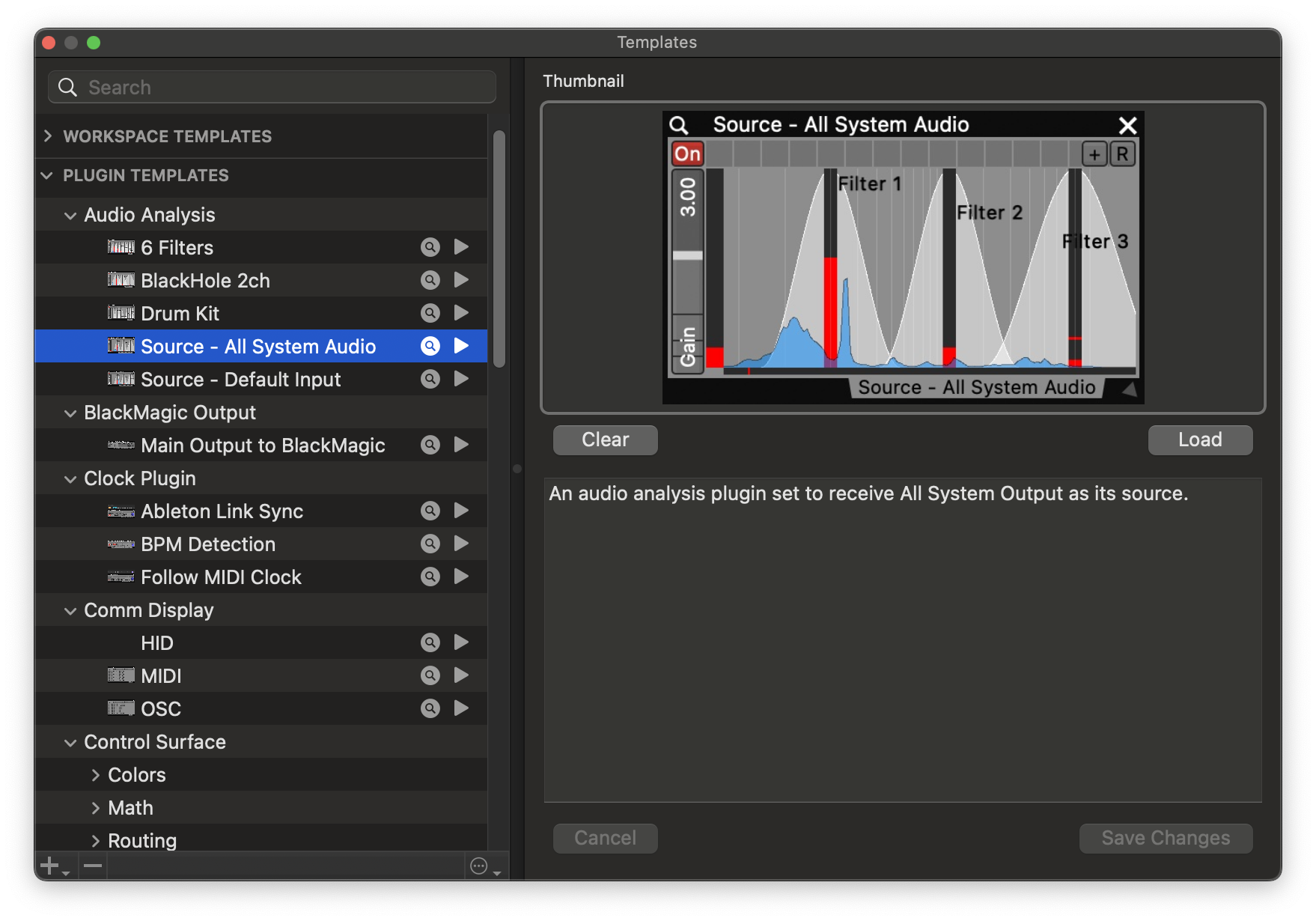
Plugin Templates for saving and reusing plugin states — that’s a big boost. (Workspaces were already available; this builds on that.)
New FX and Generators (pictured in the sumptuous feature image). That’s Chromatic Aberration, JPEG Block Corruption, and Triangle Mosaic FX, plus Worley Cells, Simplex Noise, and Ridgelines generators.
And they added a preferences pane to help you sort out all those maddening macOS permissions settings.
Let’s also catch up on a couple of useful tutorials…
First, the perfect RAMageddon tutorial: you can drive four displays at once from your existing Mac using just a $120 add-on. (Again, let’s keep that money for food!) Genius.
And here’s how to layer multiple bins with crossfades:
Thanks, David and crew; keep it up. Previously: