Escaping the rigid, repetitive grid helps to make gestures the way we would on instruments. I’ve been talking to Tomavatars as he developed this one, and the MGenBend Max for Live Device lets you create elegant, multi-point curves for notes, strumming, and arpeggios.
It makes sense to talk about MGenBend and MFA Polyfold on the same day, as they each give us new ways of elaborating time, pitch space, and gesture. And they do it in almost opposite (but complementary) ways: Polyfold expands patterns into up to 1024 steps with four independent voices. MGenBend gives you multi-segment curves that accelerate and decelerate and morph, with a single voice. Both also offer generative features, which is not a “cheat” — it’s more like a way to quickly spawn and vary patterns while remaining in the flow, which too much hand-editing might interrupt.
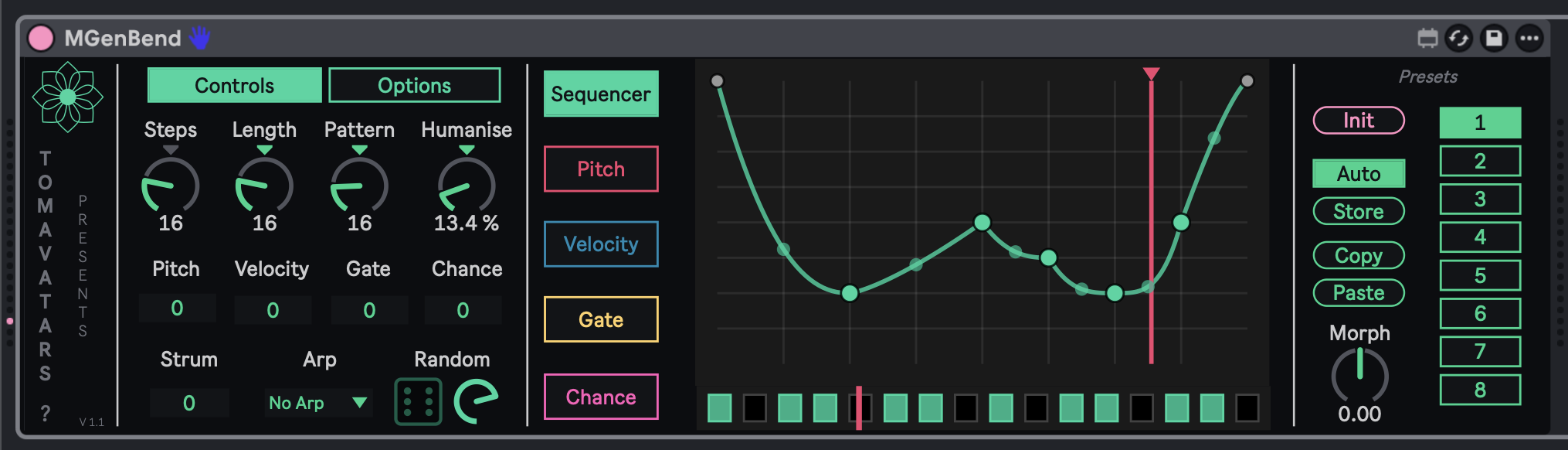
The heart of MGenBend is a sequencer curve with up to 6 points, giving you bendable splines that lets you accelerate, decelerate, and fold back over your sequence.
There’s just one voice, but multiple parameter lanes — pitch, velocity, gate, and chance. Each has its own randomizer (partly thanks to some input from me). You can play rhythm and/or melodic patterns directly from the curve, or strum and arpeggiate. It takes MIDI input, so you can also perform your pattern, too — you don’t have to just leave this one running. And there are a bunch of nice pack-in features:
- Automatic pattern generator – up to 79 patterns with steps and silences.
- Set length of loop or number of steps — that is, you can divide an equal portion of time into different divisions (for polyrhythms) or change the overall length (polymeters). Confused about polymeter vs. polyrhythm? Ethan Hein has you covered.
- Strum and arpeggiate when playing chords.
- Push control and automation. That really makes this exquisitely playable.
- Store and morph between presets. This is beautiful — you can store presets on the right, but also continuously morph between them. Play with curves all day, really…
- MIDI filter, plus quantization and other options tucked into the Options panel.
Just play individual notes or chords and let MGenBend go to work.
It’s all beautifully organized and in a single, compact, eminently legible UI. That’s plenty roomy, but there’s also this spatious pop-up editor if you want to get really up-close and personal with your splines:
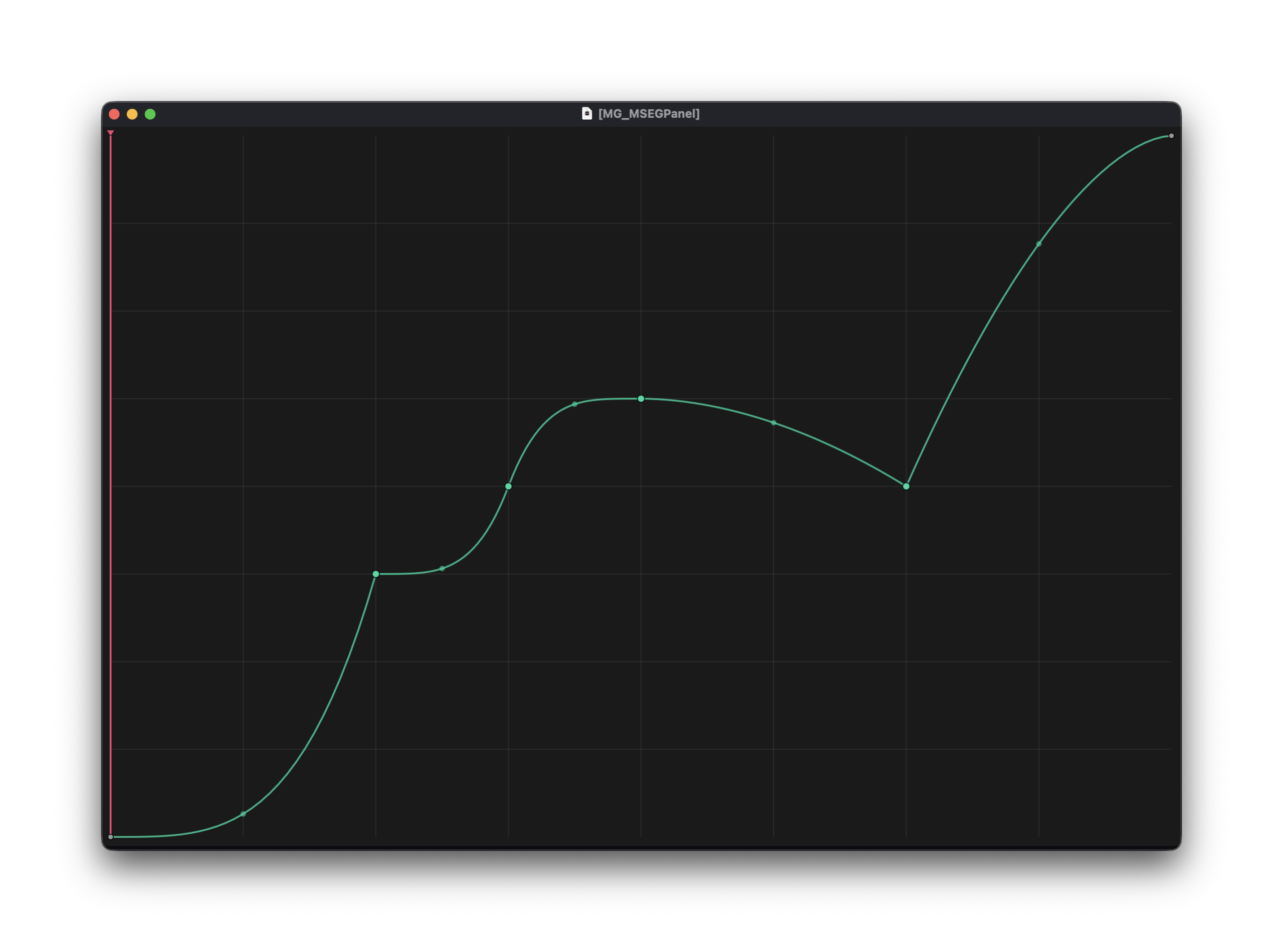
V1.1 added the new Chance sequencer, MIDI filter option (to use MIDI notes to trigger preset changes!), per-lane randomization button (with color coding), that pop-up editor, and a new Humanize control, plus other tweaks. I had advance access to 1.1 for testing in pre-release through final build.
Here’s a superb, detailed walkthrough from the developer — with some fabulous musical examples, too (release this stuff, please! sounds hyperactive-dance-floor-friendly to me!):
I hope you’re getting the picture: we can all create more dynamic sequences and live life on the edge.
I decided to pair MGenBend with the KORG phase8 acoustic synthesizer, and came up with this little sketch — but there’s a ton of other stuff to explore, now having found my way around the interface.
MGenBend is the curveball your sequencing life needs.
Available now via Isotonik Studios:
If you buy something from a CDM link, we may earn a commission.
Need Live 12 Suite so you can run this Max for Live goodness? Check Ableton’s Rent-to-Own plan
And if you’re into this, you should also totally check out SBAM, Tomavatars’ sequencer:
Let’s get wonky and bend space-time / pitch-time / make splines. Enjoy!
PS — Tomavatars’ music is must-listen. And yeah, he did make some Hit ‘Em, the genre that started out in Drew Daniel’s dreams.