This month, Absynth got two updates that refine its UI and editing navigation, freeing you up to shape your sound. Product designer Hannah Lockwood and Absynth creator Brian Clevinger join us to talk about the work they did on that. I already knew Hannah and Brian were really passionate about their craft, so let’s get our tour from the source — and dive into more Absynth sonic frontiers.
What’s new
We had two updates: Absynth 6.2 and, late last week, 6.2.1.
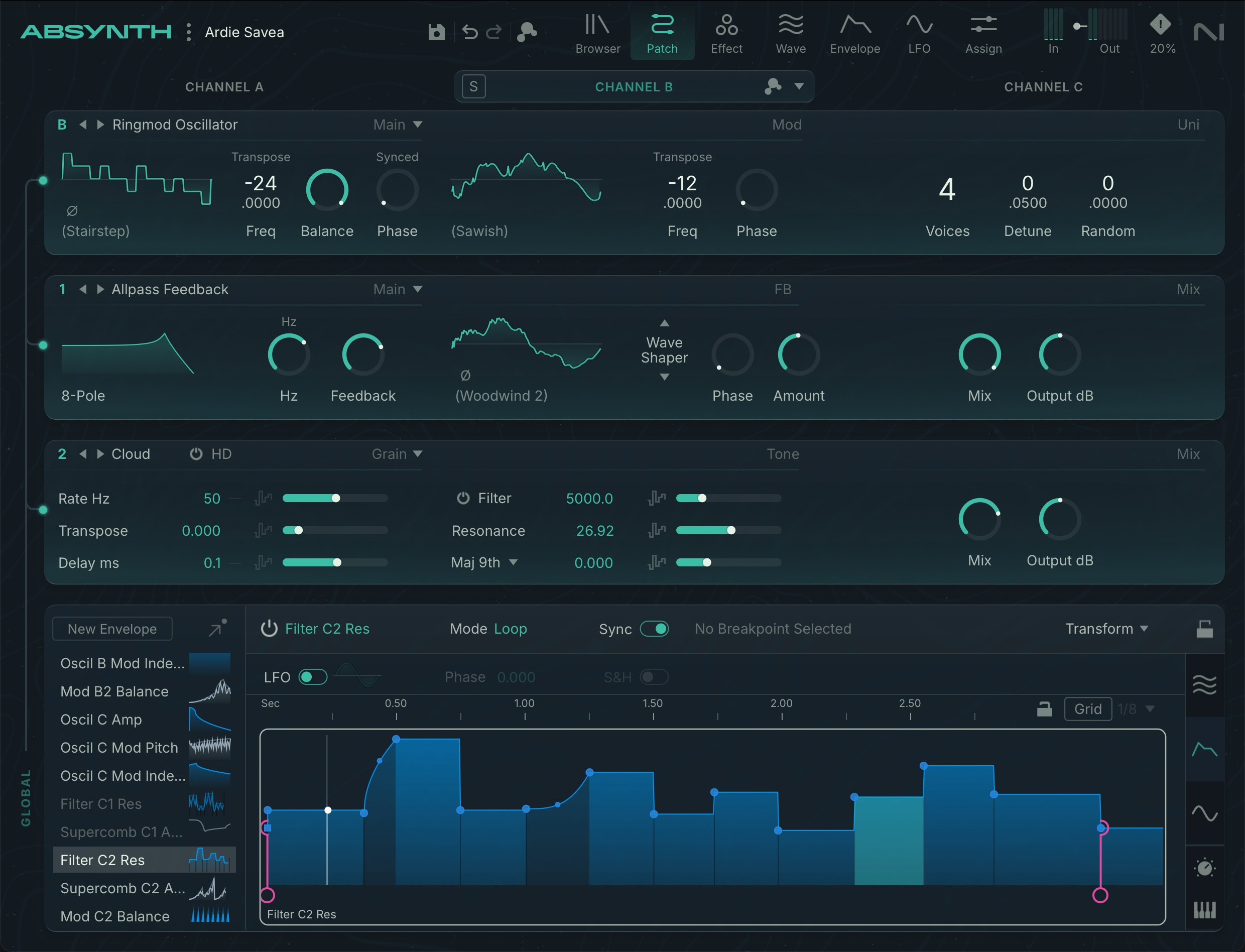
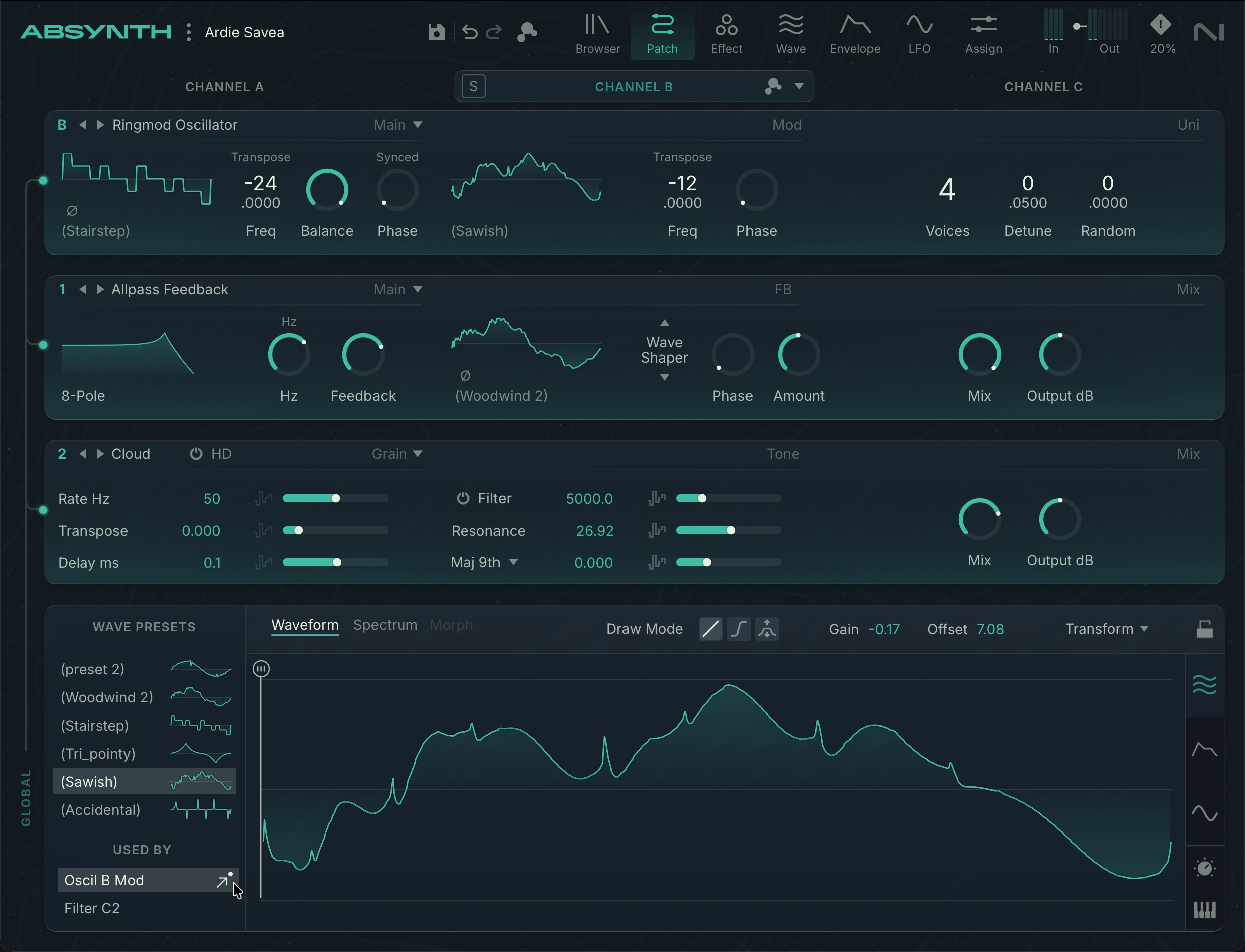
Focus Mode is the big change: you get an expanded editor just by clicking on a channel, with Wave, Envelope, LFO, Macro, and Keyboard Editors. There’s also Patch Focus, which links items in an editor to the destination in a patch. (I specifically commented in my Absynth 6 review on some of the back-and-forth when editing, and this resolves that.)
Channel headers themselves get Solo, Mutate, and Edit menus, plus a Channel Edit menu with copy, paste, mutate, retry, and subpreset settings.
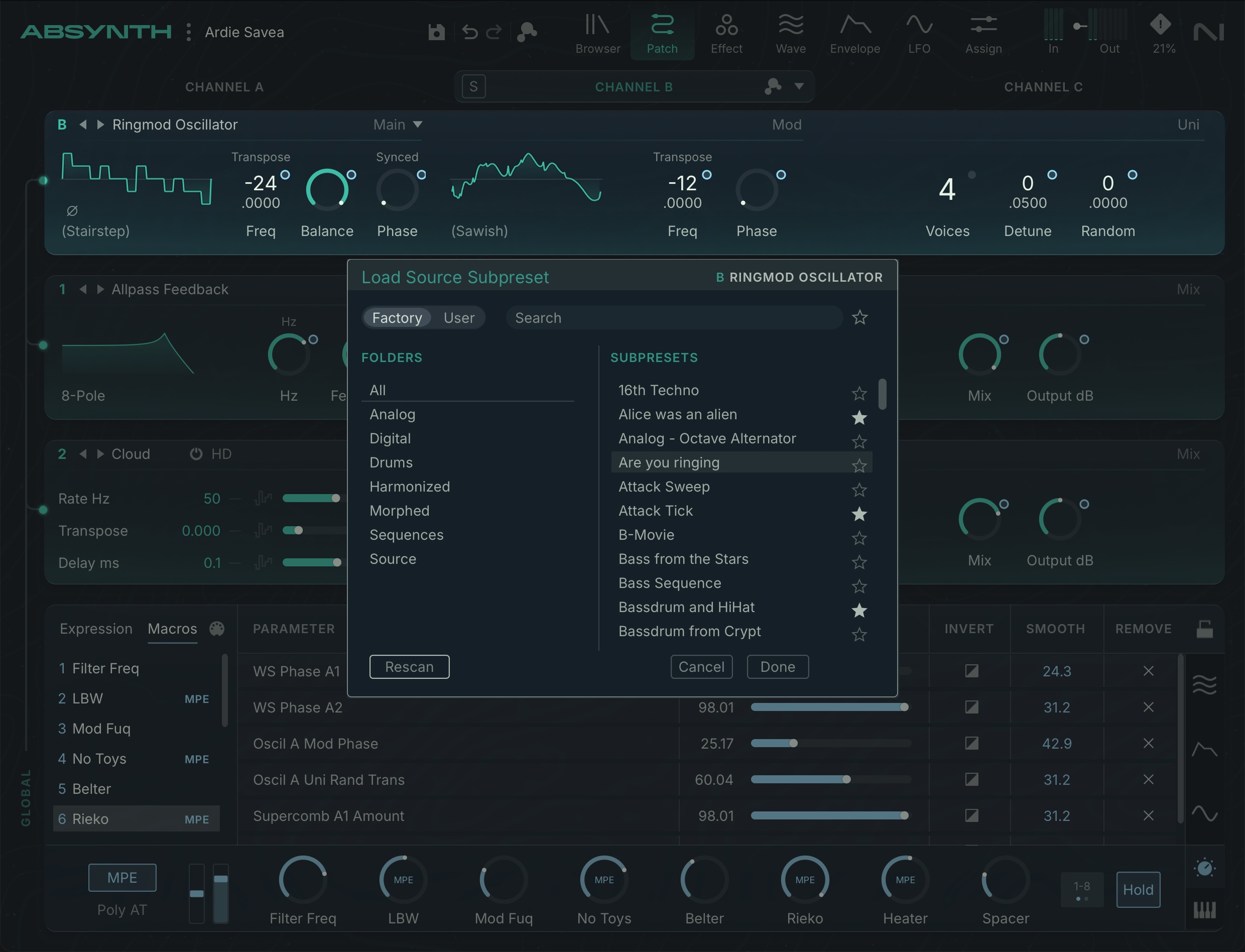
Subpresets let you organize settings for particular areas of a patch — that’s become more commonplace as a design pattern across soft synths (not just from NI), and it’s a natural fit for Absynth’s various editing areas (insert modules, waveforms, envelopes, etc.). Now you can pull that effect or envelope up in various patches, finally.
You also get graphical previews for wave and envelope subpresets, and in general there’s more visual refinement. There’s a Keyboard Editor with the Note Scale displayed. (image, top)
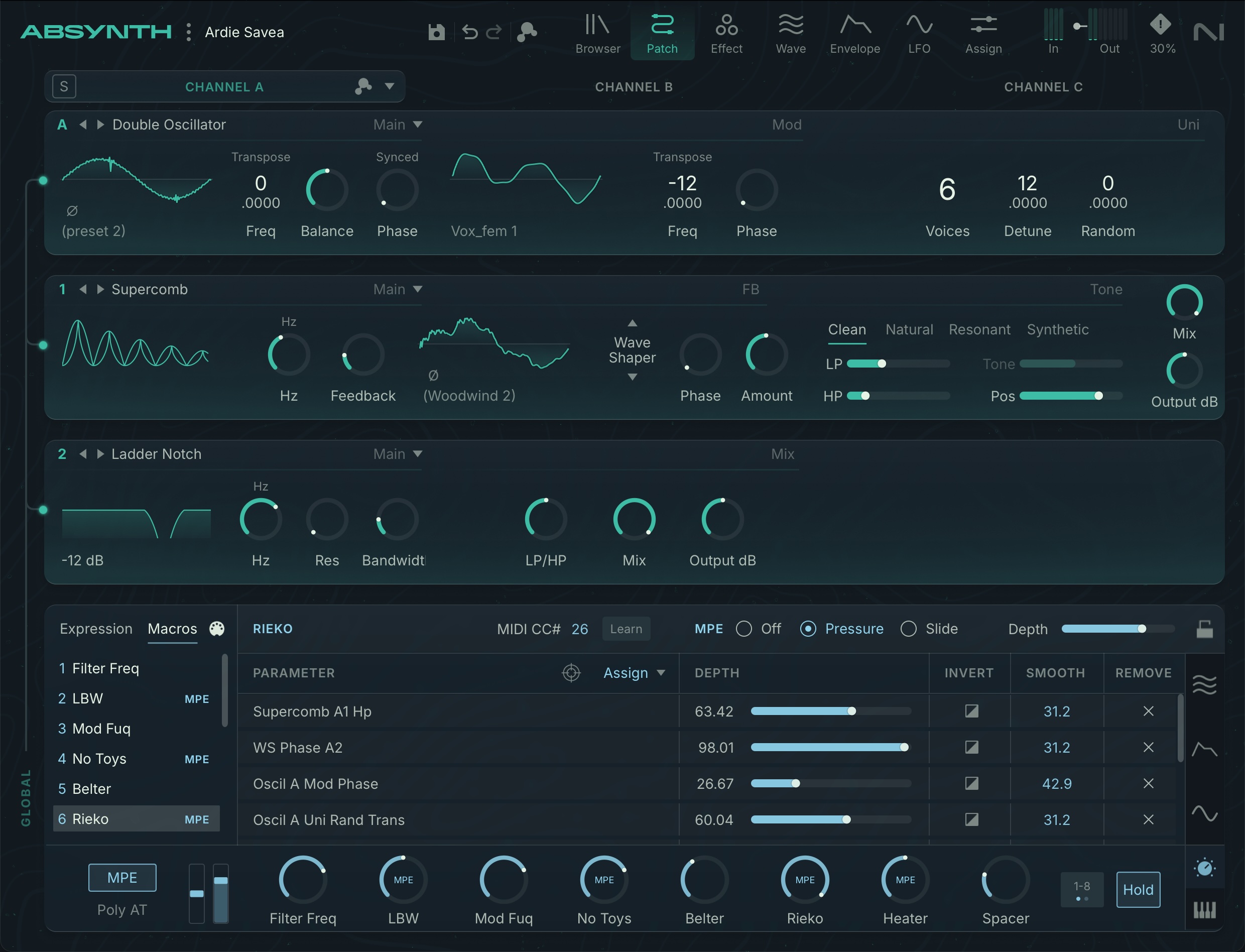
Expressive interfaces are better supported, too, with mono and poly aftertouch right on the footer (alongside pitch bend, mod wheel, and hold). Macro knobs have MPE indicators. It’s way more fun to program this for controllers and keyboards with aftertouch and polyphonic expression. 6.2.1 included some fixes, too, like preserving those aftertouch settings between patches.
And remember, this comes on top of a significant 6.1 update that had LFO Retrigger and Audio Modulator.
Hannah and Brian
Music production is generally seen as solitary, but part of why I love using software is as an excuse to get to know some interesting people and understand their ideas. Hannah and Brian got to engage crowds at Superbooth with an early look at these features; now if you weren’t in Berlin, you get their thoughts here.
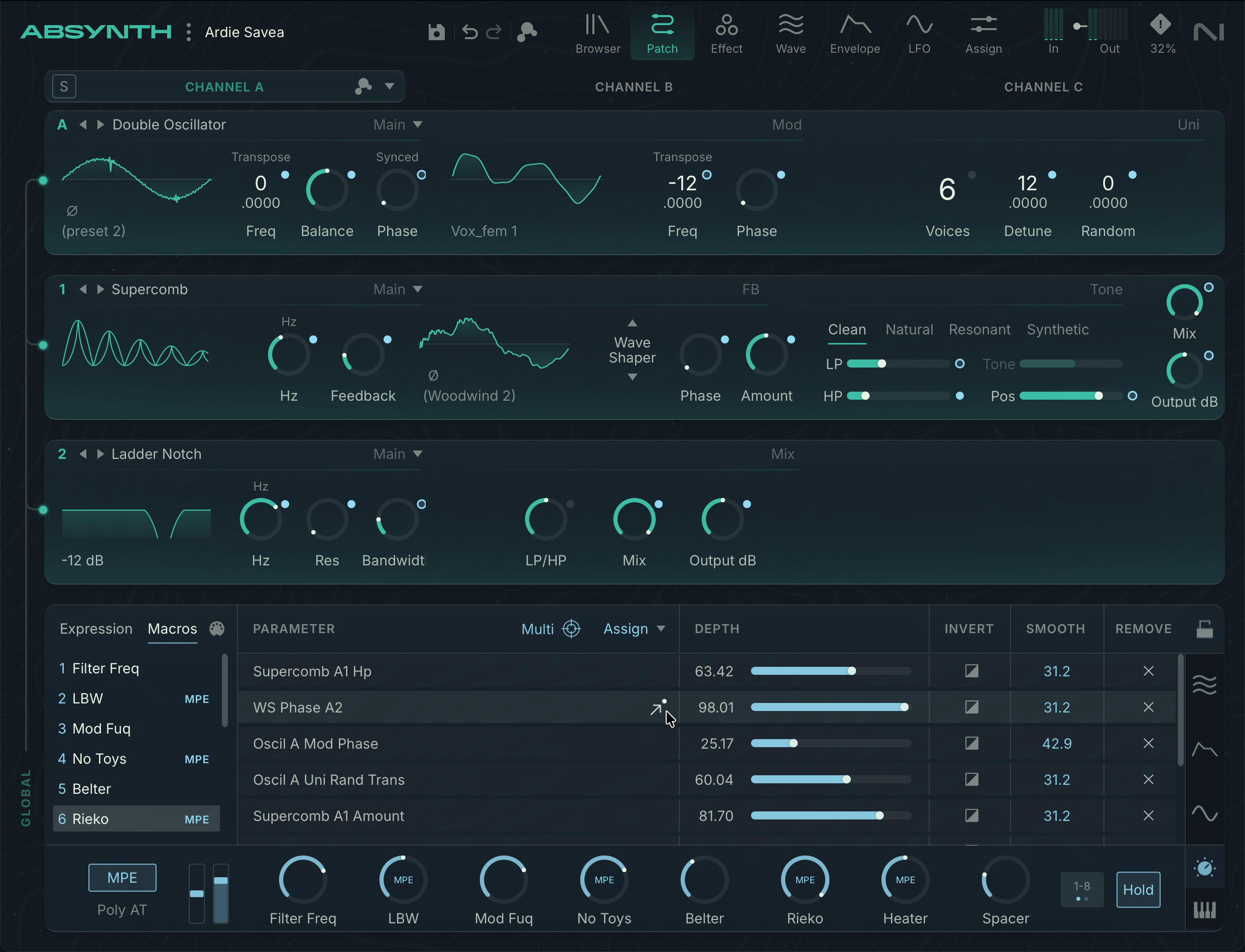
Brian Clevinger explains his thoughts on Focus Mode and subpresets and how to approach them:
Focus mode is an idea I’ve had for years, and Hannah greatly improved it. It’s a big step towards clearer visualization and access to what’s going on in the patch. The GUI has a direct influence on sound design, because if some feature is confusing or hard to access, you’ll be less likely to use it. So even though it’s not dsp we still consider this update to be a sound enhancement!
Focus is great for working on a particular channel or module, and working directly with its modulators and waveforms without breaking the creative flow. I particularly appreciate how easy it is to manage macros now.But there are still reasons to use the “traditional” Absynth editor pages too. I switch back and forth quite a bit between the full patch and Focus; it’s like moving between different perspectives. I also still use the Envelope page a lot, where you can see all the envelopes aligned like tracks in a DAW. So hopefully we’ve got the best of both worlds now.
As for subpresets, importing older files was a bit complicated to implement, especially since some of them were created on PowerPC Macs. It motivated me to dig out my G4 Mac I used to develop Absynth 2 and 3, so I’d have a reliable source of old-format files. [Suren Seneviratne Missing Music intensifies!]
I switch back and forth quite a bit between the full patch and Focus; it’s like moving between different perspectives.
Brian Clevinger
And Hannah Lockwood on design and the creative process, and using design to make us get even more wild and obscure than before. (There for it!)
Although the audio engine itself hasn’t changed, I think Focus mode significantly shifts the way we experience Absynth. Visualisation of module states, parameter sets and modulation relationships has been reworked to make the inner logic of a patch more accessible. Improved assignment workflows and the ability to move in context between modules and their deeper editors should invite you to act on those insights with greater immediacy and intention.
Throughout the development, I’ve been particularly interested in an implicit question that often arises during the creative process — at what point is an idea so wild or obscure that a subconscious calculation decides it’s no longer worth the effort of pursuit? I’m quite curious to see how meaningfully we can push this threshold by addressing points of friction in the interface.
This update establishes a strong foundation we will continue to build on. With this first iteration, more than anything, we hope to encourage bolder investigation and experimentation in sound design. I’m looking forward to the fresh perspectives that might emerge.
“At what point is an idea so wild or obscure that a subconscious calculation decides it’s no longer worth the effort of pursuit?”
Hannah Lockwood
It’s great seeing Hannah and Brian working together; it’s a significant collaboration in software instruments. And while this stuff is discoverable in the software, I bet your eyes glazed over a little when you just saw some bullets in the release points. Having the creators to guide us through this helps me, at least.
Now, off to get obscure and wild.
Previously:
Here’s Brian’s tour of v6, too: