Move over, recycled ideas and emulations: it’s been a year of reimagining entire effects categories. And ADPTR Audio’s Utopia stands out in a 2025 class of reverbs that are more than just reverbs. Here’s a look at why it’s an effect I can’t put down, why it’s so much fun to tweak, and how the developers thought about it.
Utopia is not a convolutional reverb, and it’s not another delay network. It’s a spectral effect using some of its own tricks. And it has a ton of coloration and dynamic effects, shapes, and precision tools for directing harmonic content and elements like detune and shimmer. Just listen to the way a few of these settings can be used, even at extremes (these are short initial sounds from the Waldorf and Madrona synths):
The whole idea is the ability to shape that sound spectrally, not just dump your sound into reverb like it’s a big ‘ol cave.
MVP DSP and a breakthrough season
We’ve come a long way from “everything’s a Lexicon or an EMT plate” sameness. You can think of Utopia as part of your sound design, not just a reverb, even if it does do reverb-y things. So yes, in one year, we got tools like FutureVerb and a Supermassive update from Valhalla, SpaceBlender from Soundtoys, Sonic Academy’s Vela, Walls from Klevgrand, and Utopia, among others. And we’ve had the wonderful Airwindows: the free plug-in has serialized love letters to reverb algorithms. Too many tools? Well, the interesting thing about what I just listed is that they’re as differentiated from one another as different synthesizers might be. They often aren’t even built on the same underlying processing concept (deviating, for instance, from your textbook feedback delay network), meaning they behave differently, including with different source material.
I particularly singled out SpaceBlender as a new algorithm, like meeting a new species of reverb — that one from Black Hole and H3000 veteran Ken Bogdanowicz.
You’d also want Utopia’s devs on your All-Star DSP 2025 Team. Utopia has its own secret sauce, but Utopia co-creator Geraint Luff of Signalsmith Audio is known for sharing information with talks like “Let’s Write a Reverb” and “Four Ways to Write a Pitch Shifter.” (Check interviews on The Audio Programmer and WolfSound.) ADPTR Audio’s Marc Adamo, the other half of the collaboration, is another DSP veteran, the creator of Metric A/B and the compression-reimagining SCULPT. (See in-depth interviews with Sonic Scoop and Black Octopus.)
You don’t need to know this. But if the engineer is passionate about what goes into the reverb, and thinking critically and creatively about each detail, that can translate into something that you’ll love to play. It’s a collaboration between you and an instrument ubilder.
Utopia found
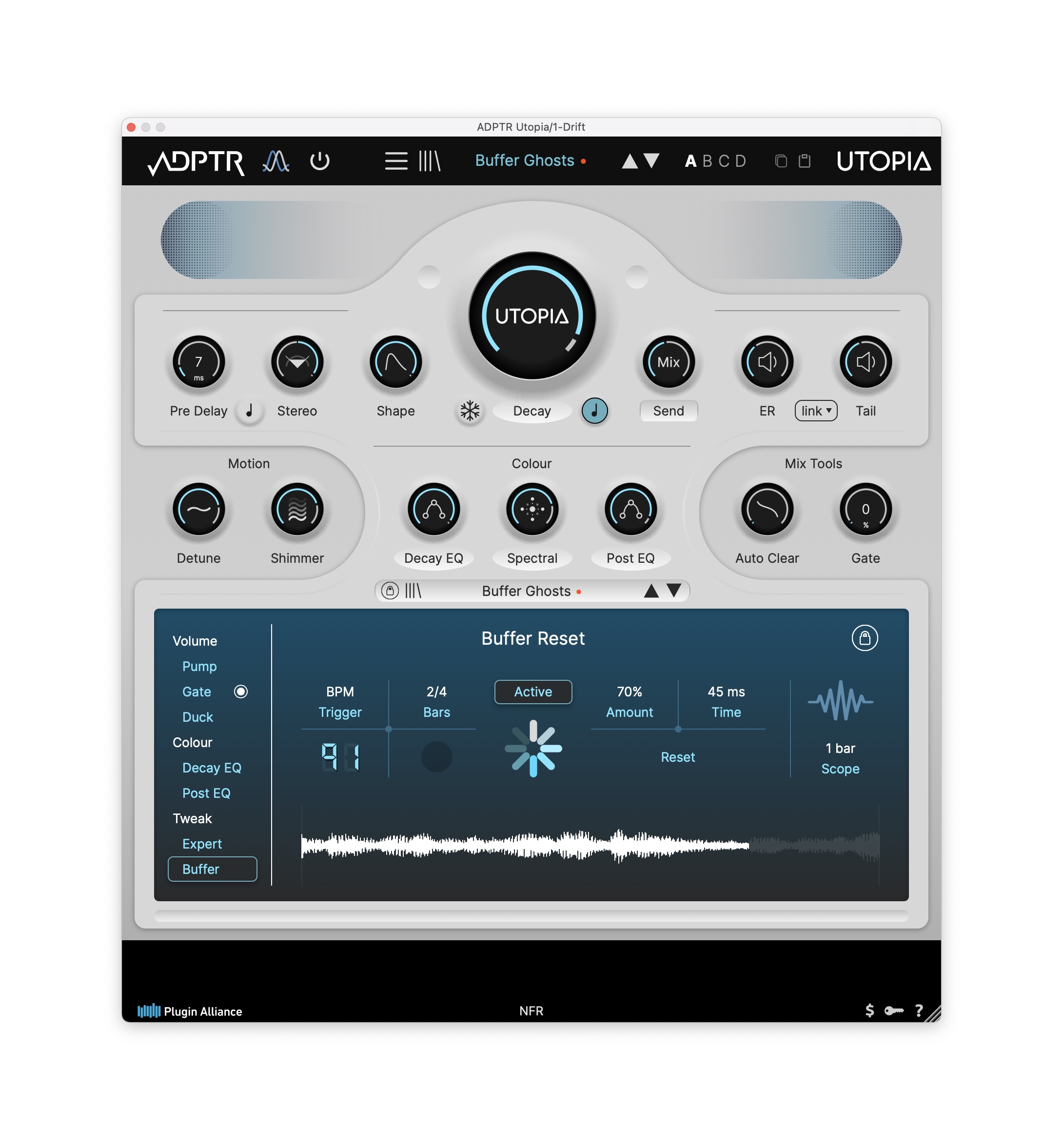
Utopia is really a spectral effect, a rich texture creator, at heart. If you want that to mean “reverb,” it can, with an uncommonly sophisticated set of tools for ducking, gating, auto-clearing the buffer, adjusting timing, and allowing the reverb to get out of the way. Or turn those same tools on their head and use them for timed washes of sound, creating the kind of experimental effects that might have relied on even granular effects. (In the example above, you can even make the buffer reset a rhythmic, tempo-synced effect.)
Marc Adamo explains to CDM the thinking behind Utopia:
I had this concept for a reverb that was not so much a pure acoustic simulation, but more of a spatial/temporal texture that combined with the source to produce a sum greater than the parts. It had to be expressive, lush, very customisable, weird and wonderful. I knew we couldn’t do this with existing approaches to reverb, i.e., delay lines or convolution, so I started looking for a developer who was taking a different approach to reverb design. And that’s how I met Geraint- he had a prototype of the spectral reverb algorithm- but it immediately struck me as a wonderful-sounding effect, whether or not it was actually reverb.
We discussed all the things we could do with this algorithm, including spectrum maps for all the parameters, node editors for simple profile sculpting, the auto-clear features for avoiding clashing harmonics, shaping the onset, and, of course, the spectral-based filtering aspects like Focus and Atmosphere.
There’s a lot of math in this, but I love that the person thinking through the math is using the math to think about emotion. No wonder Utopia acts like an instrument, like orchestration: that’s how its developer conceived it.
Here’s Geraint in a gorgeous interview from the sunny side of this year. (I’m going to defend running this now, because the dark, damp, chilled time of the year is when I go into a cave and think about reverb, uh, presumably like our Neanderthal ancestors or whoever was up in this part of Europe back in the day!)
Feature set
What I love most about Utopia is how many different — if related — effects it can become. (The marketing copy describes this as ranging “from ethereal choirs to dystopian sonic feverdreams,” but that’s using the word dystopia with a product called Utopia, and my fever dreams have their own choirs, so… let’s move on to specs.)
You can explore the frontiers of that range with the presets — I’m wowed by how much I get out of just the default preset, because it sounds so different with different sources. You can dial in the intuitive controls and shape the sound directly. That includes not coloration, “motion” (detune and shimmer), mixing tools (including auto-clear), and more, all in the main panel.
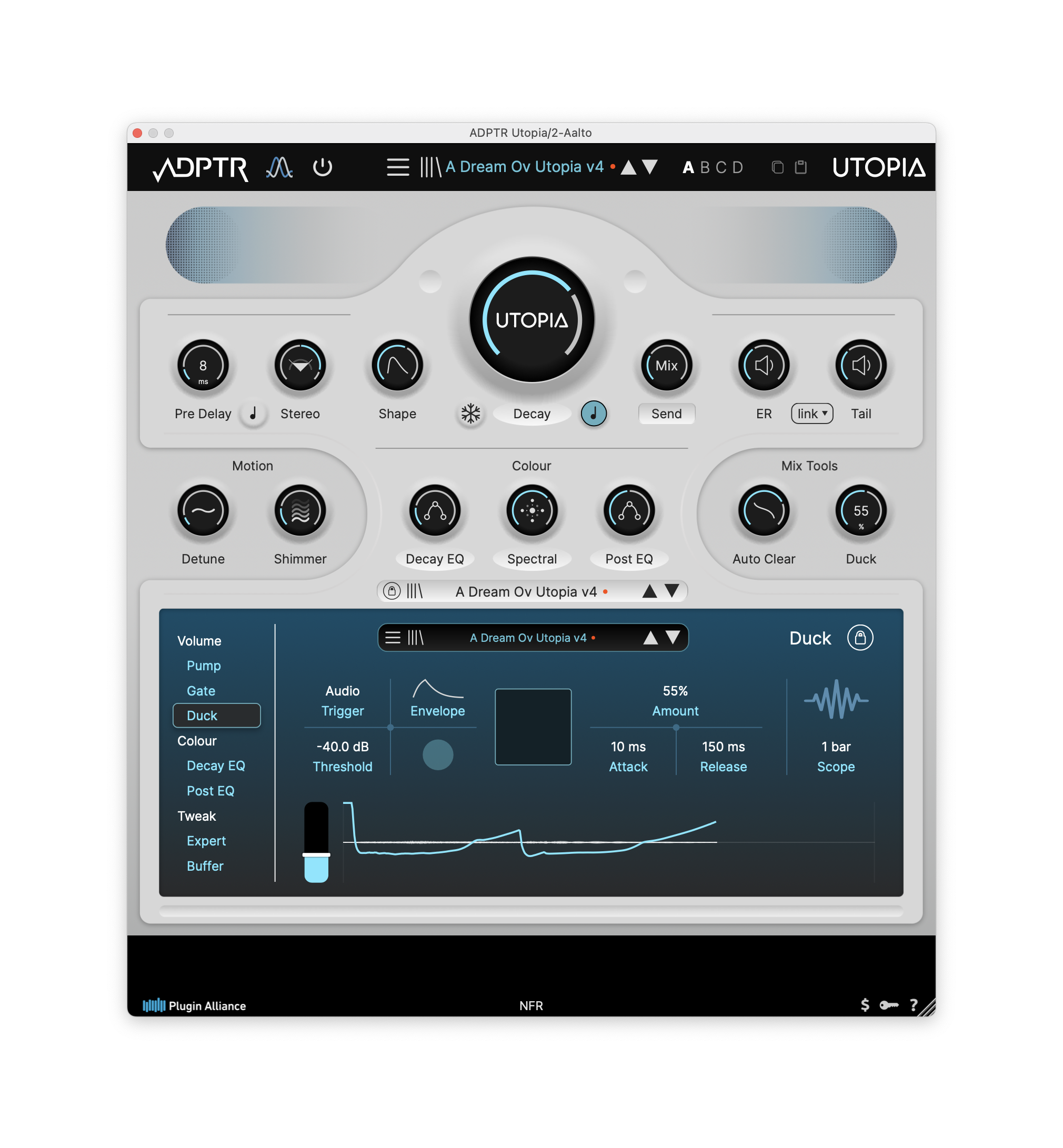
Or you can go deeper and “hack” the algorithm itself with the Expert controls, each of which includes multiple algorithms (marked A, B, and C), plus exacting controls (the fader icon on the left of each section) and other specifics.

I love that extra tweakability; I’m still holding out hope SpaceBlender can work out a way to do something similar. (Utopia’s at an advantage: different algorithm, different possibilities for what you can expose to the user in a logical way.)
You also have a complete suite of dynamic controls, each of which has free-running and tempo-synced options. There’s no delay mode, but you can use the volume and even timed pre-delay to create rhythmic effects:
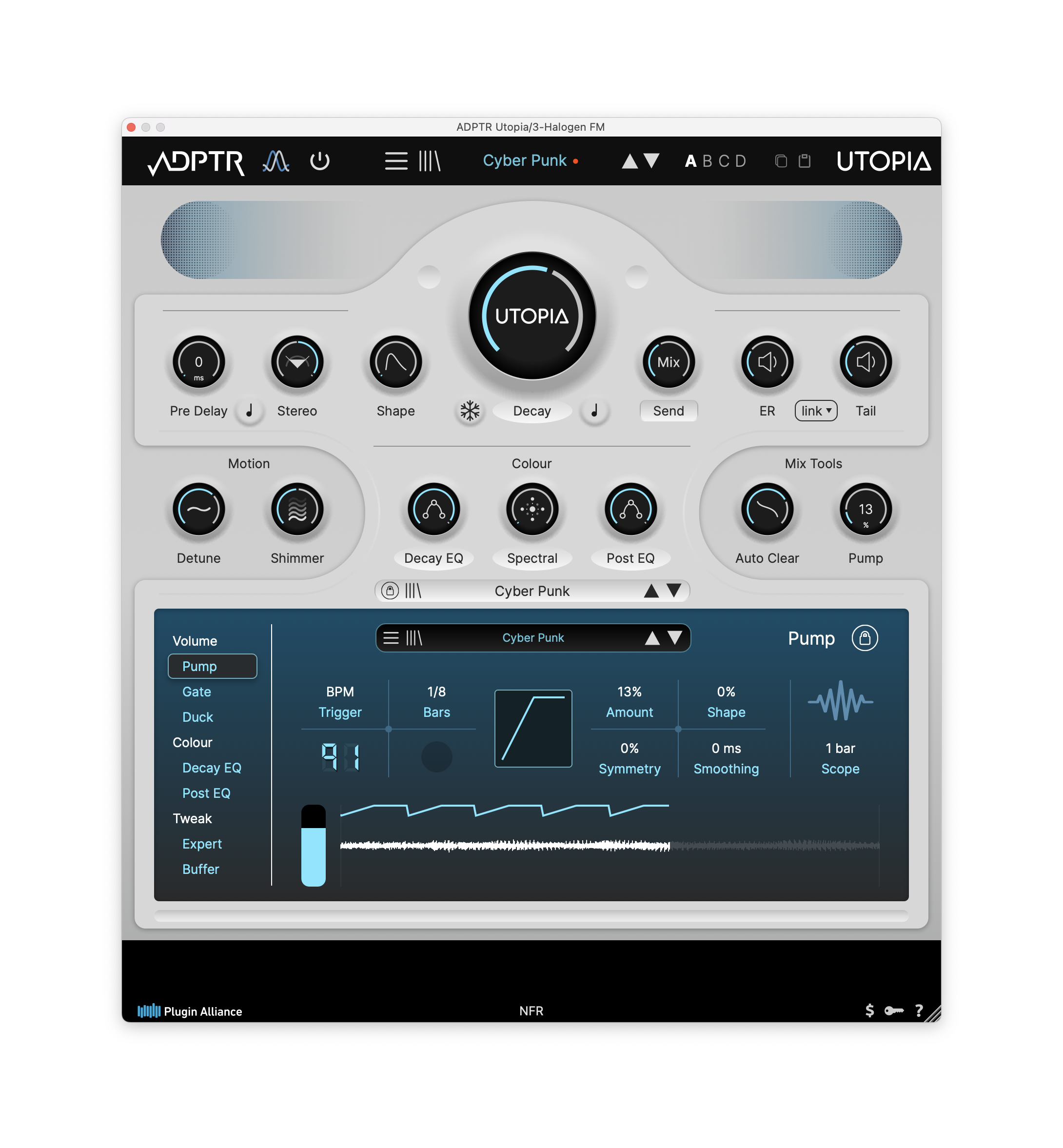
For more, here’s their full walkthrough:
It’s a winner, and I keep thinking of other things to do with it. I probably use it least as a reverb — I’ve got other tools for htat. But Utopia fits in perfectly with the other tools this year: SpaceBlender’s smeared, long-range effects; Walls for shorter, cleaner algorithms (at some both natural and artificial extremes); Valhalla’s signature echo/reverb with the option of dirtying up the signal when you desire; AirWindows for its direct access to particular reverb ideas.
Utopia is on sale now for Black Friday.
https://adptraudio.com/product/utopia
It’s a Plugin Alliance tool, so you will need their combined installer, though that worked fine for me. AAX, AU, VST2, VST3. MacOS 10.11+ / Windows x64.