Bitwig Studio 6 has arrived after an extended public beta period. A lot of Bitwig users might barely notice, since you switched full time to this release for its polish and workflow improvements — but here’s a refresher, with tips.
With all the nuances of little workflow, editing, automation, and interface interaction tweaks, you can easily get lost in the details. But what I find is that people who were curious about Bitwig in the past often found this version to be easier to migrate. (That’s a big deal for anyone who’s Linux-curious, for instance, where there are fewer DAW choices.)
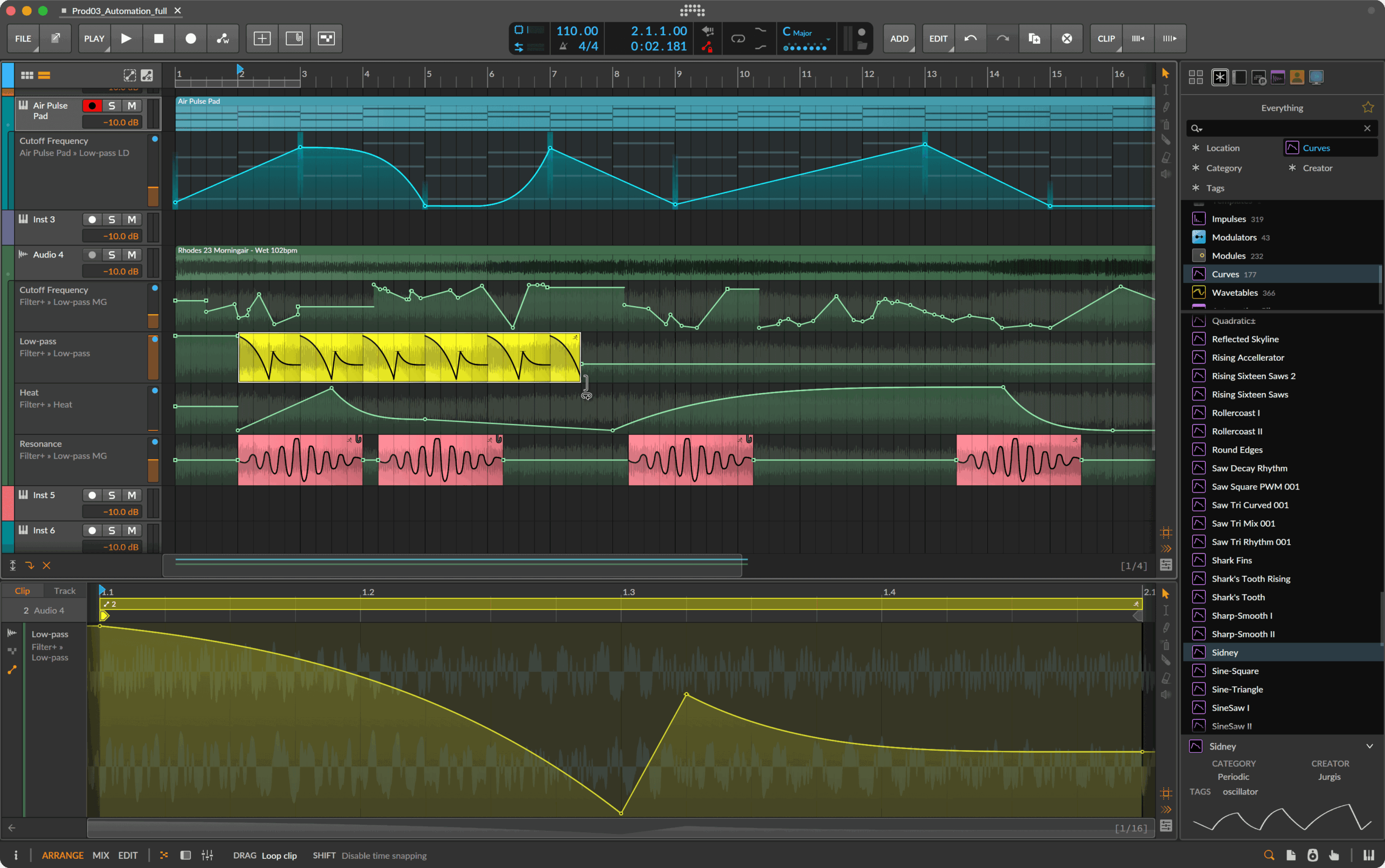
Automation Clips let you use clips for automation and not just audio and note materials. And oh, how I would love for this to exist in Ableton Live without any discussion of ghosts — or in other DAWs, too.
Clip Aliases let you make structures and sequences using pointers to audio, note, and automation clips — saving you all that copy/paste business and the compositional messes they can create.
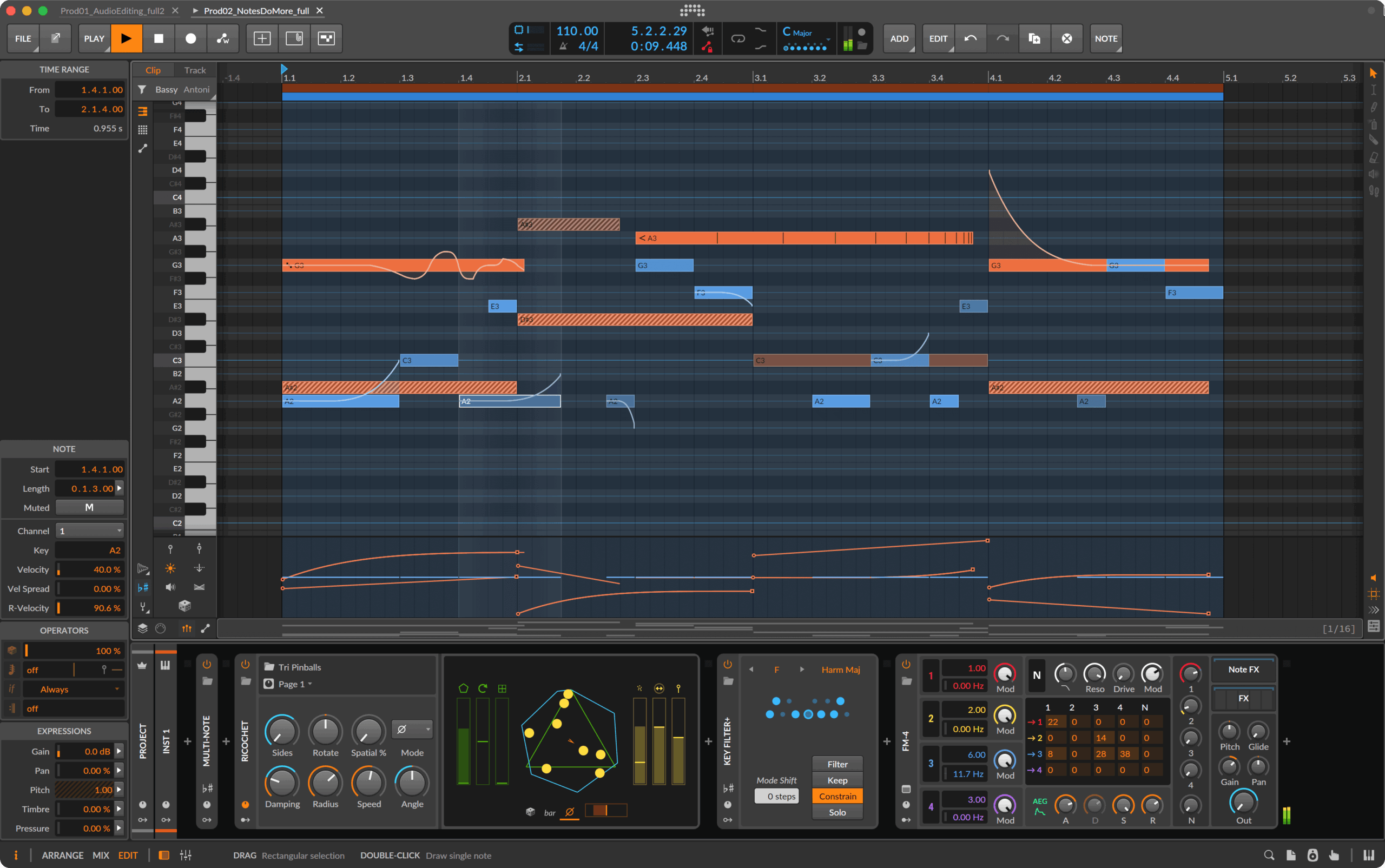
Project-wide Key Signature. Unlike some of the above, this is something that exists in other tools, but for anyone working in harmonic spaces, it’s a welcome improvement (together with scales).
Of course, some folks will ignore this — we hosted a terrific workshop on Arabic tuning in the fall, and Beirut-born, Prague-based instructor Hany Manja used Bitwig (well, and an oud — which is also worth learning)!
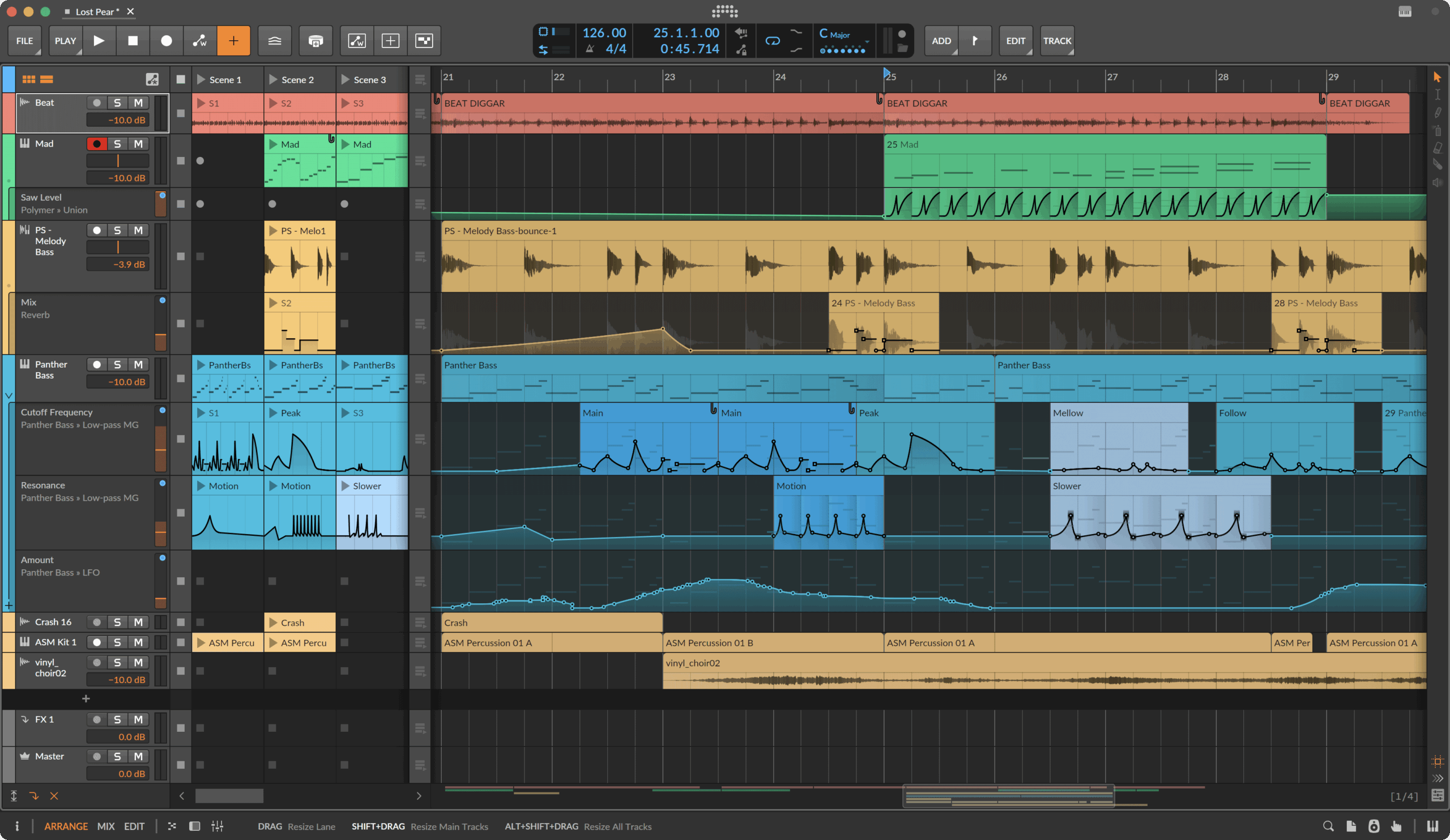
Automation gestures are improved, and automation editing in general has been enhanced. Where you click, how the behavior works — it’s just easier to edit and automate in projects. That’s a sum total of a lot of different improvements.
Enhanced expression editing and layered editing. Gain, pressure, and expression on notes continue to make this the MPE-based editor to beat — plus you get other conveniences, the Spray Can and Audition tool, and lots of other editing extras.

The UI just finally feels mature. I can’t overstate this enough. I honestly wanted to spend more time in Bitwig Studio for a long time. I do like switching around, actually, partly because of the nature of being a writer and trying to keep up to date, but also because I find that circumventing habits can be good for creativity. It’s hard to put my finger on it, but v6 is the first UI that I finally find is comfortable to live in. I think I’m not alone, based on the number of people who did go Bitwig on a regular basis since the availability of this update — I’m sure in combination with workflow features above.
This is free if you’re on an active Upgrade Plan, but new Bitwig licenses and upgrades are also available from Plugin Boutique:
If you buy something from a CDM link, we may earn a commission.
Videos to get you up to speed
Tildesounds has a deep dive on automation, and it’s a perfect starting point — plus there’s a free shortcuts PDF. You saw it here first:
I’m going to talk more about Cristián Vogel’s incredible wavetable-synthesizing tool, NeverEngineLabs WaveKitchen. Part of the joy of this is how many different synths and tools you can use the generated wavetables with. But specifically, Cristián has done a number of sound designs for Bitwig Studio, so naturally, he’s also set up WaveKitchen to be a great companion to Bitwig Studio’s own wavetable facilities. This is not a Bitwig Studio video, but you can bet I’ll be playing with the two together.
Sonic State and the iconic Nick Batt run down what’s new with guest Dave Linnenbank:
Side note: all in the details
Wondering why the wait for the beta to be final v6 release? Basically, a lot of details. Bitwig shares some examples with CDM, added during the beta cycle:
Certain parameters (such as phase and pitch classes) now wrap when modulated:
- Most parameters clip when modulated to their maximum (or minimum) values. This is still true.
- A few parameters are more circular, like phase and pitch class. These parameters are no longer clipped, but rather wrap to the other side of the parameter range (from maximum around to minimum, or from minimum value around to maximum).
Detail Editor Panel: The last ten editor states are now remembered and can be navigated
- Once multiple selections have been made in the open project, a back arrow is now shown in bottom left corner of the Detail Editor Panel.
- Clicking this arrow will Navigate to Previous Editor Content.
- Holding [ALT] flips the arrow to a forward arrow, allowing you to Navigate to Next Editor Content (if you had navigated backwards already).
- This works both in the Detail Editor Panel and its fullscreen Edit View.
- This allows you to switch between recent content without leaving the editor.
- It can be particularly useful for restoring a layered selection of clips/tracks after doing edits on the Arranger, etc.
Echo Note FX Facelift
Echo (Note FX) device got some general improvements and new features:
Now has a Transposition Feedback Behavior setting, for selecting how Pitch transposition is handled when it reaches the Min/Max edges:
Cycle (the default and original behavior) jumps back to the original note when it would pass either edge.
Reflect folds back toward the original note when it would pass either edge.
Now has an Inspector Panel options to Kill on Transport Stop (off by default) , to automatically end all notes and echoes whenever the global transport is stopped.
Got a lite GUI refresh, including a longer history scope with better low-velocity sensitivity.Group Track superpowers
- Bitwig’s powerful Group track workflows have gotten stronger in both function and appearance.