Ableton Live 12.3 is here, and that means built-in Splice support, stem separation, and… uh… well, there was the tremolo thing… and… need a guide? We’ve got you. Here are the rest of the best features to try in 12.3 (and Push 2.3 with Live 12.3), at a glance.
Black is the new orange, as we switch from the public beta to the stable version. A quick look online reveals that stem separation and Splice integration are the biggest features for most Live users, but a) you’re not most Live users, and b) you already knew that. For me, the reason I stuck to the public beta version and didn’t go back to 12.2 is easy: the new bounce features. So this is not a complete changelog, but here are other useful things to remember.

Bounce Group to New Track; Bounce Group in Place. Groups now bounce with all your processing, including returns, either where they are or into a new track. That solves the one major downside of track grouping.
Copy, then Paste Bounced Audio. Copy a time selection, one or more clips, tracks, or now track groups, and then Paste Bounced Audio anywhere you want for a bounced copy. Want some variations? Change something, copy/paste again, repeat — rather than bouncing out whole tracks, etc.
A/B Comparison on Devices. Plus copy. I wish this worked on third-party plug-ins; it does not (yet).
Updated Auto Pan-Tremolo. Most useful: Tremolo mode, which includes a single LFO, harmonic and vintage modes, and other options. Unimpressed? Well, read my Max for Live effects tutorial and do better!
Use “Set. 1.1.1 Here” across multiple audio clips. There’s a caveat, though: they need to be the same length and (uff) have the same warp marker positions. Keep going, Ableton!
Max for Live live.banks supports button assignments for parameter banks! Yeah, I did really want to use those buttons.
Max for Live API now includes Track.insert_device and Chain.insert_device, RackDevice.insert_chain, DrumChain.in_note: Get/set/observe access.
Generators by Iftah is a beautiful set of MIDI Tools — those run in the Clips view, so the “Sting” there augments the Sting device I’m always talking about. (I still use the full Sting 2 device, since it lets you easily create Clips, but there’s more in there.)
The best video guide to all of this comes from Seed to Stage (I agree with Ableton, who highlighted this, too):
I would passionately disagree with the screaming headlines saying this is a “huge” update. I mean, generally point updates aren’t huge updates. But the point is if you don’t need stem separation and don’t use Splice, you will find bouncing and other fixes and workflow enhancements well worth it.
Live 12.2 had more new devices, including the mighty Roar and updated Auto Filter. I saw someone joking in Ableton’s social comments that they’d use 12.3 as the time to learn everything they hadn’t in 12.2. I’m going to say in all seriousness, I do often do just that, so here you go:
And check the full 12.2 hands-on, as I go into more detail:
Release notes:
https://www.ableton.com/en/release-notes/live-12
New in Push 2.3 with Live 12.3
The Push update also drops today. (Move/Note are on their own cycle.)
This is all about two major layout updates:
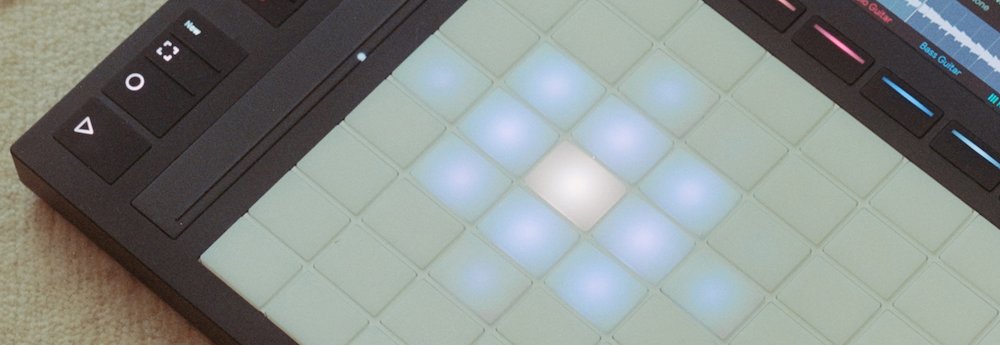
XYZ Control layout lets you map parameters across X and Y position and Z pressure. It’s a beautiful new expressive mode, and maybe the most creative feature of this cycle even including the Live additions. The default is already useful, and you can and your own mappings.
Rhythm Generator is a Euclidean rhythm generator for Drum Racks.
Also new in Push:
Touch Sensitive Step Editing lets you slide your finger up and down on the step as you hold down Accent — just the kind of multi-dimensional gesture we were promised on Push 3.
And standalone Push 3 now supports external audio interfaces (finally), plus there are changes to sync up with the Live changes. Step separation even works on Push standalone, though a high quality option is only available when you’re connected via Control Mode.
Here are the full release notes:
https://www.ableton.com/en/release-notes/push-12
And a really good guide to the XYZ Layout:
Bonus: not a 12.3 feature, but now is a good time to study up on Granulator III with this tutorial: