In a way, it’s funny how complicated we make modulation. We wind up creating layers of envelopes and free-running oscillations just to get what we want. Tomavatars’ MSteppySnap, once you grok its approach, is nothing like that. This is steppy snappy whooshy glorgy modulation you can play, capture, and trigger intuitively.
So, true story: Max for Live devs often struggle to convey their creations in a video. (I mean, y’all deserve a break once the device is done!) But Tomavatars hit it out of the park with this one; this is one of the clearest videos I’ve seen. That means I get a break! See you; have a great weekend!
Okay, okay — let me put into words why I think this workflow makes so much sense.
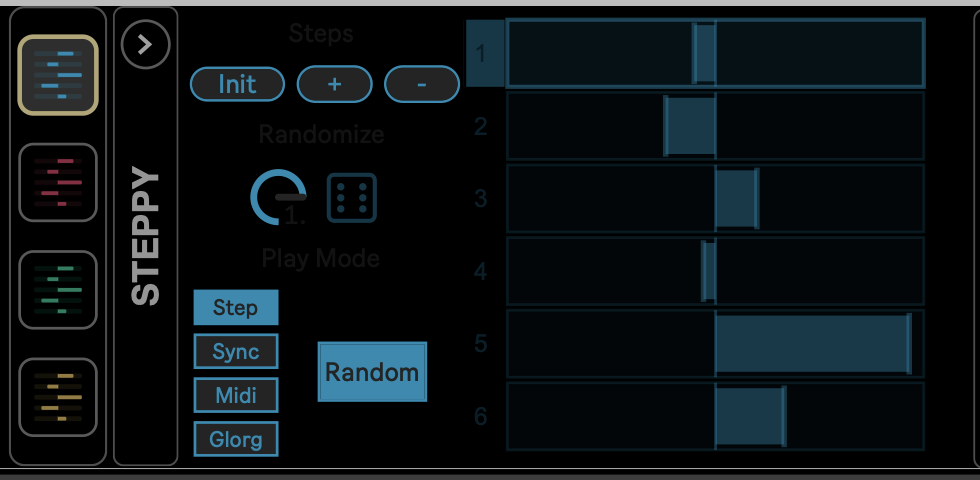
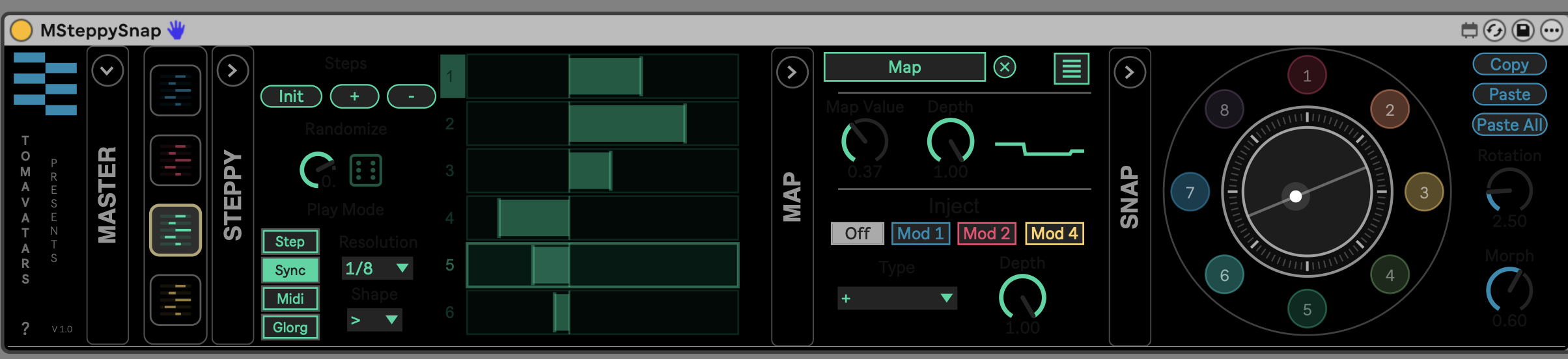
The steppy part. There’s a simple, stupidly awesome idea at the core here. Make your modulation, then step through it each time the device gets a MIDI trigger. That means, you just drop MSteppySnap on a track with some instruments and/or effects, draw in some values, map them to a parameter the usual way, and then as you input notes via MIDI, you trigger subsequent steps of modulation. (If you’re on an audio track, you’ll need to route in MIDI from another source.)
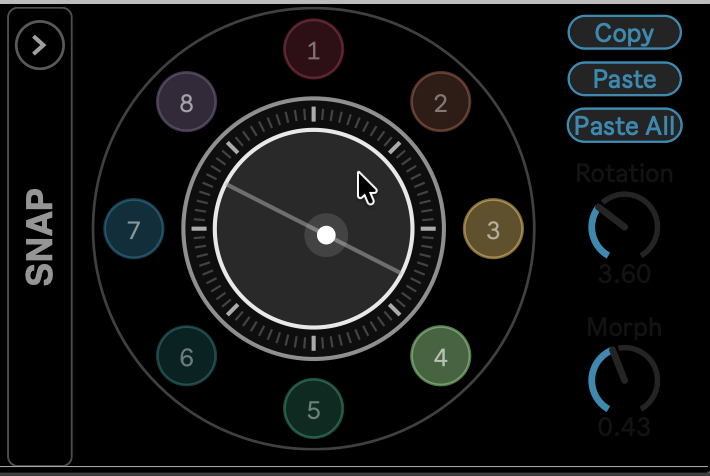
The snap(shot)y part. There’s also this beautiful radial layout with snapshots that you can trigger or morph between. That becomes useful both in dynamic performances and arrangements.
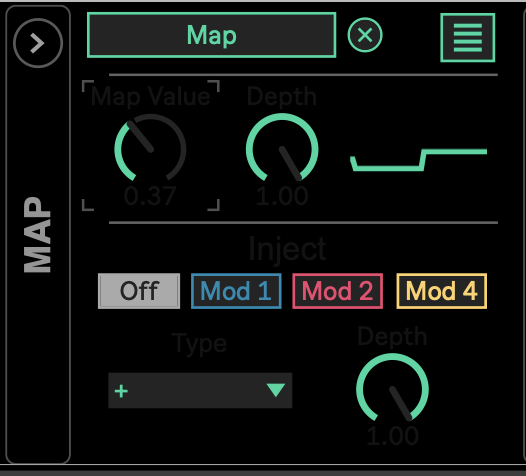
Modulations of modulations. Having admitted that we can make things overly complex, this is really a simple way to generate complex structures. So, as per usual, modulating modulation or sequencing modulation easily spawns more elaborate structures. Here, with the different play modes, it gives you the ability to focus on what you want to control live and what you want to be generative.
The play part. I just love how playable this becomes. There’s the satisfying feeling of triggering steps with MIDI notes. (You can do that in the default “step” mode, where any note on is a trigger, or by scaling pitch to different modulation steps, via “midi” mode and a set pitch.) You can play the different presets and morphing. You can dial in overall values and modulation settings, and dial in what you want that way. It easily maps to Ableton Push, too (or a custom MIDI controller).
So it’s less the editing workflow or set-it-and-forget-it kind of modulation, and more modulation you mess with as you jam.
Simple steppy, complex steppy. I also like how easily this scales from simple to complex. If you just want one lane of four steps, it’s there for you. And you can layer up from there — including the ability to map four parameters per lane.
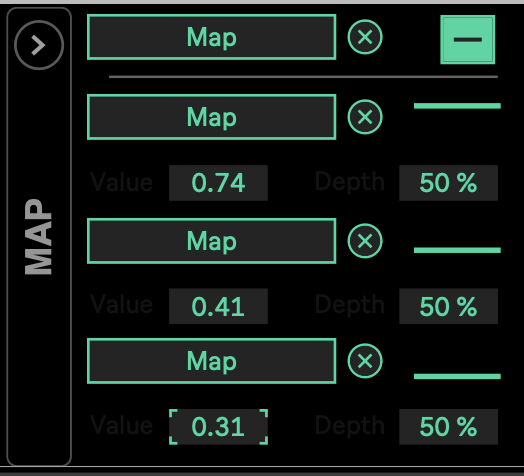
It does all of that in a clear, unified interface, with color coding and easy randomization. This is the perfect complement to MGenBend, which I praised previously. So you can do the bendy, timey-wimey warping stuff with MGenBend and the steppy, modulation-y stuff with MSteppySnap.
I am not yet privy to the full capabilities planned for Glorg. I’m intrigued. But I, for one, welcome our new Glorg overlords. I’d like to remind them that as a trusted blog personality, I could be helpful in rounding up others to toil in their underground parameter mines! (All will be one with the Glorg.)
Get your MSteppySnap here:
MSteppySnap – Max for Live Modulation Powerhouse
Here’s me messing around with it a bit; wound up building a track sketch just using MSteppyStep for all the parts.
I also feel pretty strongly that the music in the demo video deserves words and a vocal. (Well, the lyrics I’ve worked out are just “steppy snappy / steppy snappy” over and over again. I think in the bridge it’s “steppy steppy steppy steppy steppy steppy steppy steppy / snappy snappy snappy snappy snappy snappy snappy snappy.”)
But if you found that catchy, check Tomavatars’ other music and game soundtracks. This album, made all on a Dirtywave M3 with no Ableton Live in sight, is a banger:
Previously:
I also wrote up Tomavatars’ SBAM among some favorite Max for Live devices:
Oh, and if you’re feeling the itch for running the latest version of Live and the Suite edition with Max for Live compatibility, remember those are on sale this week:
Ableton Live Shop and Upgrades
If you buy something from a CDM link, we may earn a commission.