Bonkers new filters? A Play mode everyone will actually want to use? Yeah, December isn’t done with you yet, synth fans. Meet the new Pigments 7 with Rage, Ripple, and Reverb filters, Corroder effect, improved amplitude envelopes, FM modulation on the filter, and more.
She comes in colors
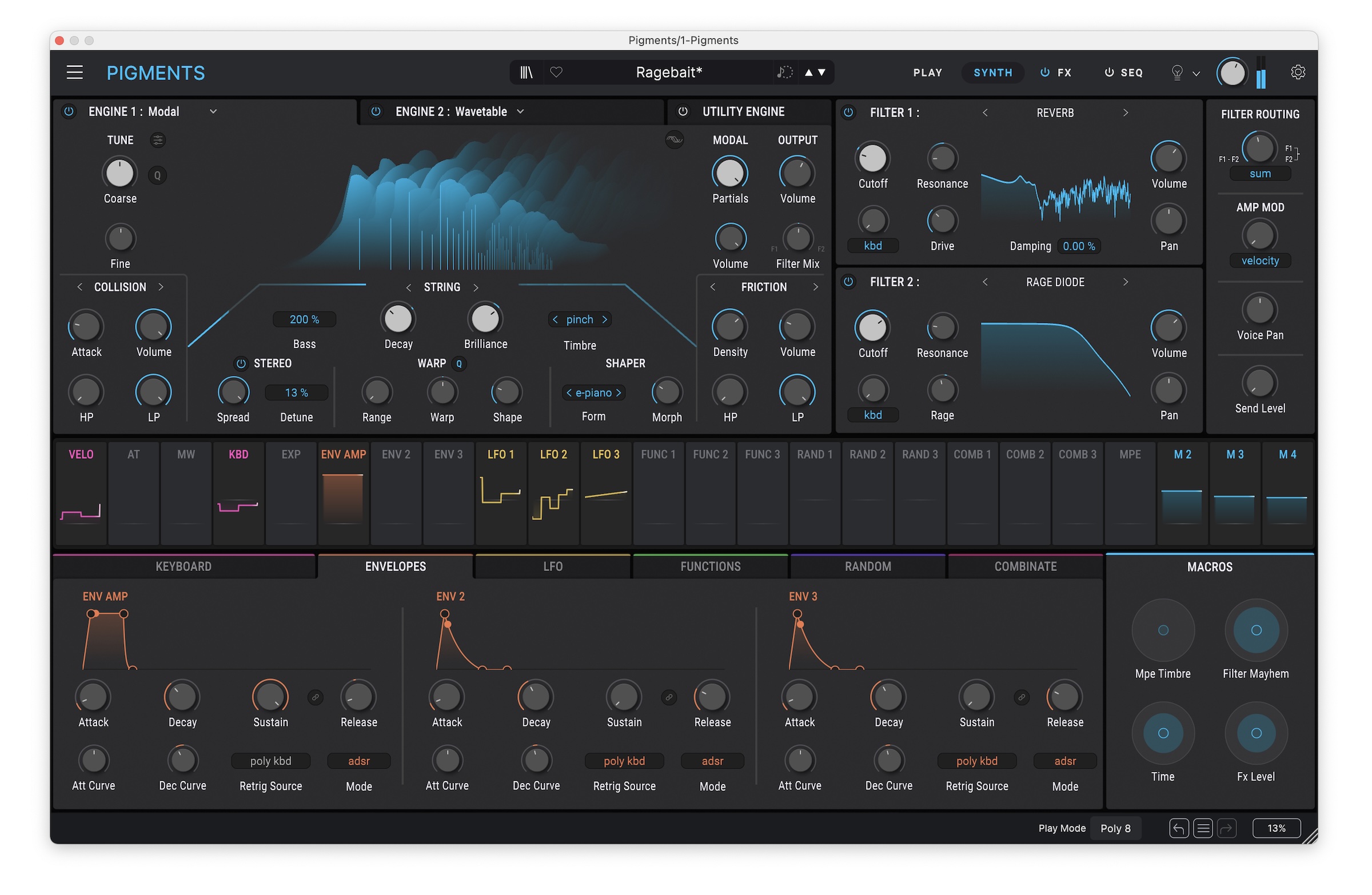
For all the polysynths out there — and the embarrassment of riches only grows — Pigments has always stood out to me. Its UI is unusually refined and focused, and the sound assets share a unique personality — using them is like opening a toybox. It’s so easy for these massive polysynths to become kitchen-sink experiences; Pigments manages to balance that with some character and direction so you can explore without feeling lost. And since recent versions, it’s had a complete selection of sound sources, with fully developed virtual analog, sample-based, granular, wavetable, harmonic, and modal (physical modeling) sources. There’s also full audio input support, even if it’s hidden under Utility Engine > Noise 2 (see my tutorial and presets from when that was added).
The challenge is, with so many multi-engine polysynths, how do you find more to say?
What’s delightful is that we’re starting to see some leftfield answers to that question. Amidst other more conventional enhancements, Serum 2 added a spectral mode. Zebra 3 makes wavetables with splines and adds vector synthesis. If this is an arms race, it’s in the form of weirdness. Absynth, back from the dead, even focuses on “weird” in the marketing materials.
For all the wild stuff you can do with Serum’s spectral mode or Absynth’s expanded granular features, Pigments 7 throws some newness at you that really paints outside the lines.
Just when you thought you’d heard it all and it was safe to go outside again, you get Ripple, Rage, and Reverb. These filters are utterly psycho. And Corroder is like having your own precision demolition team. And there’s more.
In use
I’m going to flip this around and show you first what Pigments 7 does, then explain. Because holy s***balls this thing can sound destructive. Here it is turning what seems like an ordinary single-oscillator wavetable into up-against-the-wall ear-bleeding acid:
And here’s a more subtle patch, stepping through the new filter models, starting with Reverb Filter and Rage Filter, then adding the new Corroder effect — building this patch from scratch (so don’t go looking for my silly patch names in the library, obviously):
Now let’s break those features down.
Filters of doom
There are three new filters, and they are anything but vanilla.
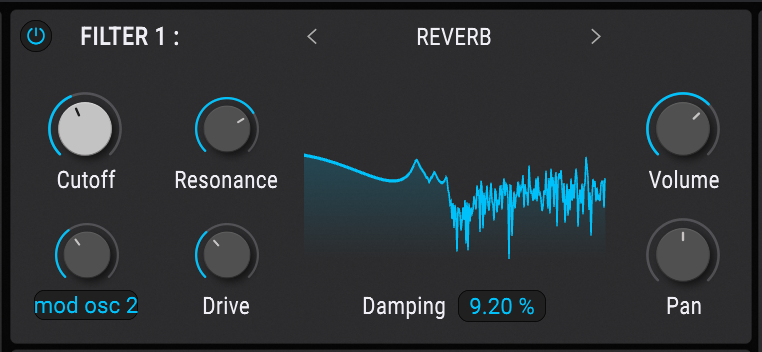
Reverb Filter adds what appears to be a convolution-based filter, so that as you modulate the cutoff frequency, a complex pattern of resonant spikes sweeps across the sound (above the cutoff). In other words, you get the tone and density from a reverb, but without the time-domain reverberation as you would when simulating a space. It’s the coloration you’re after, not the decay.
If that weren’t enough, a TS808 Ibanez Scream model sits in the Drive section. It can be raunchy and mangle your sound or carve sculpted timbral nuance into your source material, depending on how you apply it. Plus, note the Damping control.
Listen to what happens as you sweep that filter with rich harmonic content:
It’s a metallic, resonant effect, but it can also be really strange and transformative. It’s deeply satisfying to see genuinely new and experimental ideas in a world of so many ladder filters.
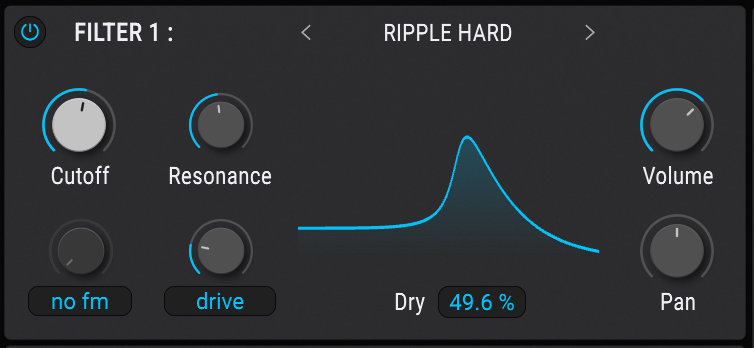
Ripple Filter, available in “subtle,” “medium,” and “hard” varieties, is based on multiple all-pass filters (hence the name — visualize ripples). You can apply frequency-based phase offset which can ring out and punch in ways you’ve definitely never heard out of a ladder filter. And it has a rough-and-ready distortion, too. Just look at what happens with its curve once the resonance is cranked up. Dry passthrough is a must, especially as you apply this to drum sounds. And it has Feedback. There are whole worlds opened up by this.
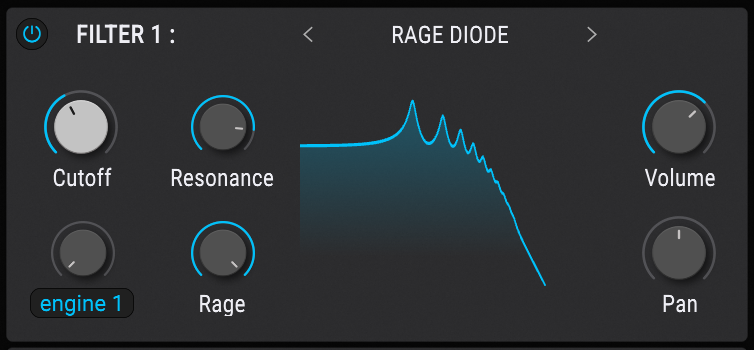
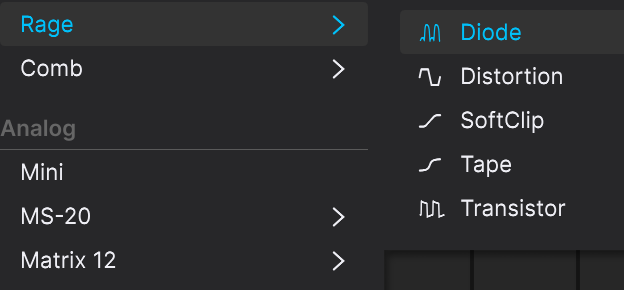
Rage adds distortion models in the filter architecture, sticking that right in the feedback path — you can see exactly what that does with the “Rage” turned up; it adds harmonics. But it does this while remaining polyphonic, meaning things you couldn’t get just by adding an effect after Pigments. There are multiple models — Diode, Distortion, SoftClip, Tape, and Transistor. (There’s strangely no Germanium this time around. Arturia — is it still you? Are you okay?) Tape is surprisingly subtle, so try these out as the visualization looks the same. But you can absolutely Hulk out with these even with Rage turned up slightly, let alone the extreme value you see.
These open all kinds of possibilities for synth design, but are just as relevant if you think of Pigments as a multi-effect, making audio processing even more important. (I wish Arturia would simply offer a Pigments FX variant, the way Absynth has for years! There’s no reason to keep making users hunt for audio input routing.)
And don’t forget, Pigments is about modulation, so all of these come alive with modulation applied, not only to filter but even (yes) resonance. Speaking of that:
More audio-rate Filter Modulation
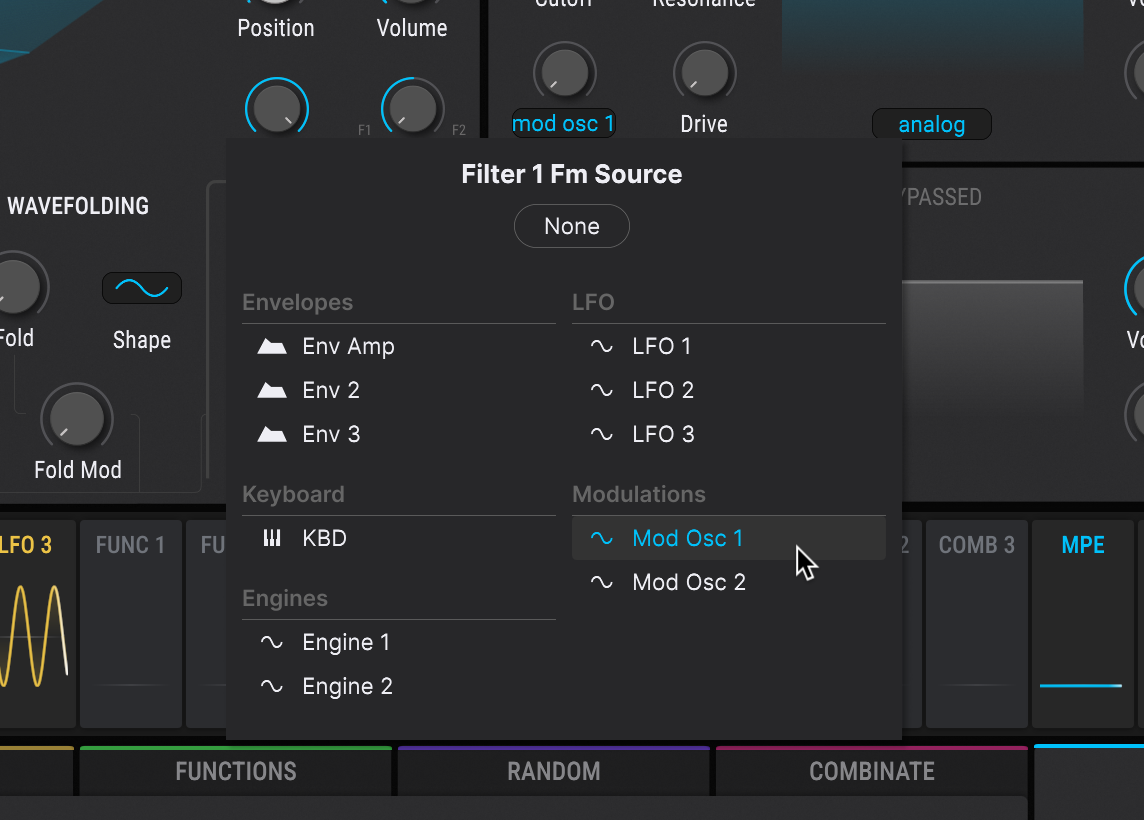
Oh, yes. You can now apply FM modulation on the classic filter at audio rate, as well as the newly arrived filters. In filter modes that support this, you’ll see additional options when you click the Filter Fm Source: Mod Osc 1 and Osc2 become available (as do Engine 1 and Engine 2) when you click the Filter Fm knob on the bottom left-hand side of the filter module.
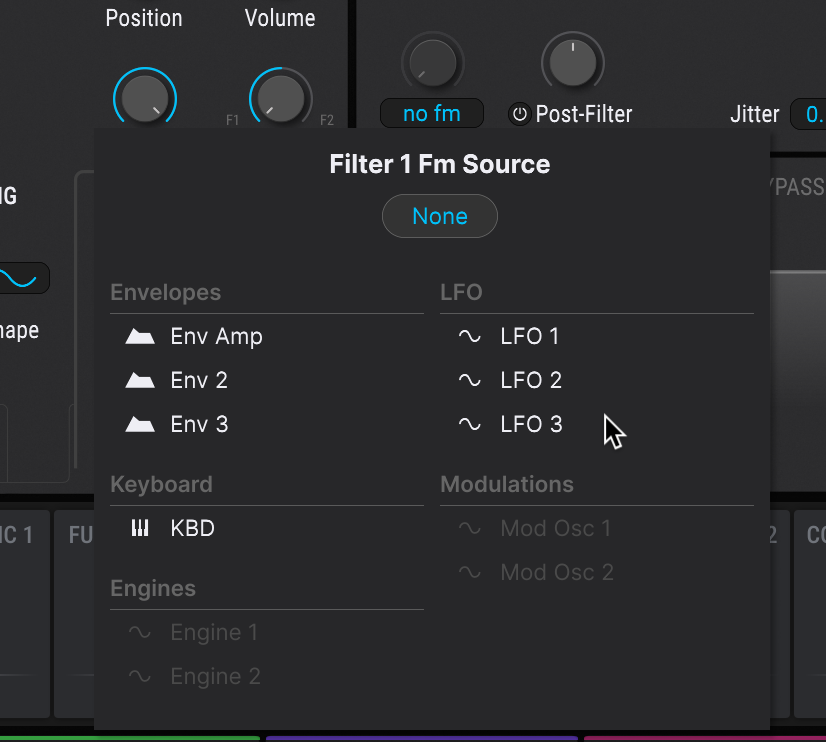
With filters that lack this support, like the Lofi filter, those options are grayed out:
Corroder
Maybe you haven’t mucked around with your sound enough with the filters. Meet Corroder.
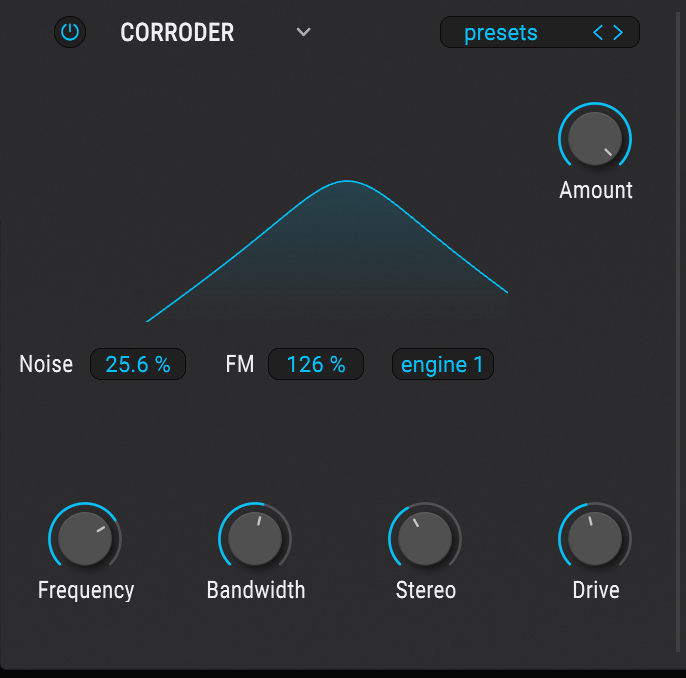
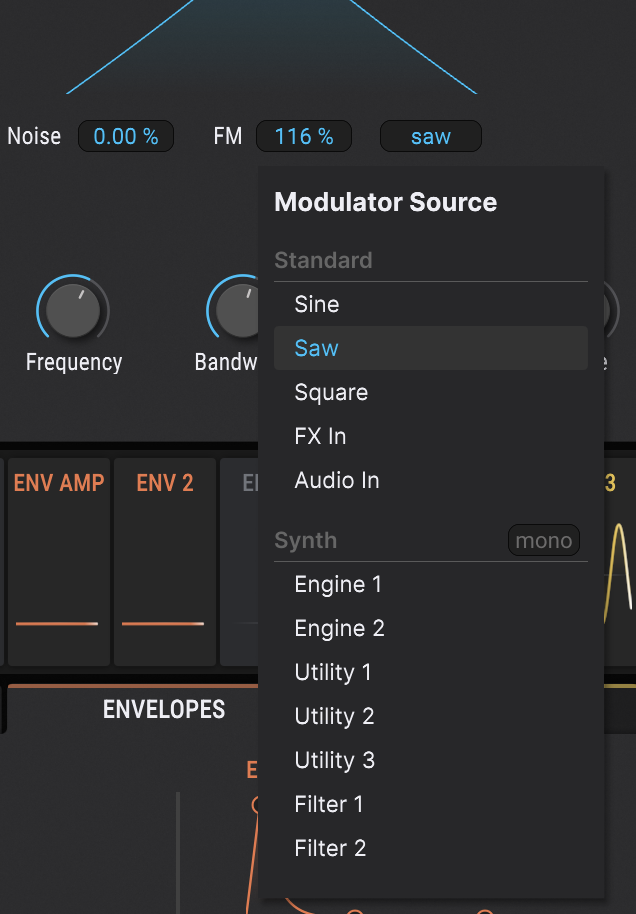
This one is deceptively simple, but it combines multiple elements. You can modulate the input with both internal sources (sine, saw, and square generators) and external sources from the synth engine and filters or external audio input. Combining Corroder with the new filter models gets especially interesting. There’s a dedicated noise source, controllable FM, drive, and crucially, frequency, bandwidth, and stereo controls
Modulator Source in Corroder:
The actual corrosion, meanwhile, is a digital erosion feature (think downsampling), but combined with the other tools here that translates to a bunch of unexpected effects.
Again, what’s unique about this is the precision you can apply here, and the ability to integrate with Pigments’ architecture, signal routing, and modulation. So, all my references to destruction aside, you can be as particular as you like about how you dial in the results, including adding subtle punch as well as more extreme coloration and transformation.
Not exaggerating: this feature alone makes the upgrade worth some consideration, especially because you can use it both in synth and effects patches. )
I am assuming this is the namesake.
And yes, it’s great to have the Pigments architecture as an effect. It’s easy to just drop it on another track and sidechain into it — and unlike other effects, you can then make use of the amplitude envelope, triggering, and sequencing, too, even before you get into layering oscillators, etc.
Enhanced sound, usability, and tutorials
There are some significant under-the-hood audio enhancements. Arturia promises “sharper” amplitude envelopes that are more precise and punchy. Think S-shaped envelopes and less clicking, all for faster response. (They mention trance, but it’s useful for far more than just that.) I’m curious if this will have implications for other synths from their stable.
The modulation UX has been updated — Pigments is about modulation — so you now explicitly see the range as it’s assigned.
There are CPU improvements, though on my M1 Max, I never had reason to complain.
The toybox also grew:
- 150 new factory presets
- 450 expansion presets
- 50 wavetables, 30 samples, 20 noises
And they’ve added new sound design tutorials in-app. I always appreciated this content from Arturia; their quality has been top-notch. But I haven’t had a chance to work through the new ones just yet. (There you go: instead, you got my tutorials above.)
Play with me
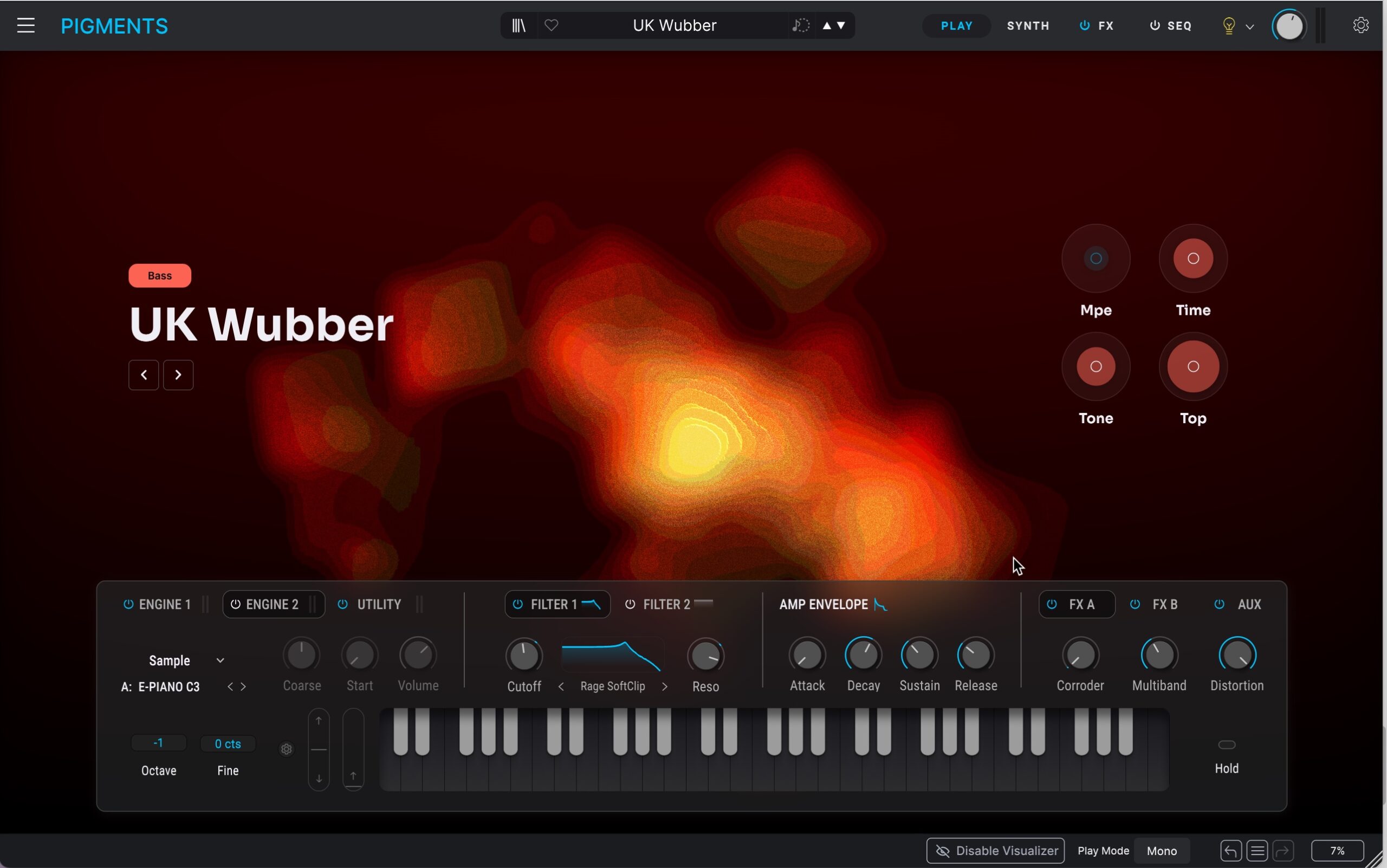
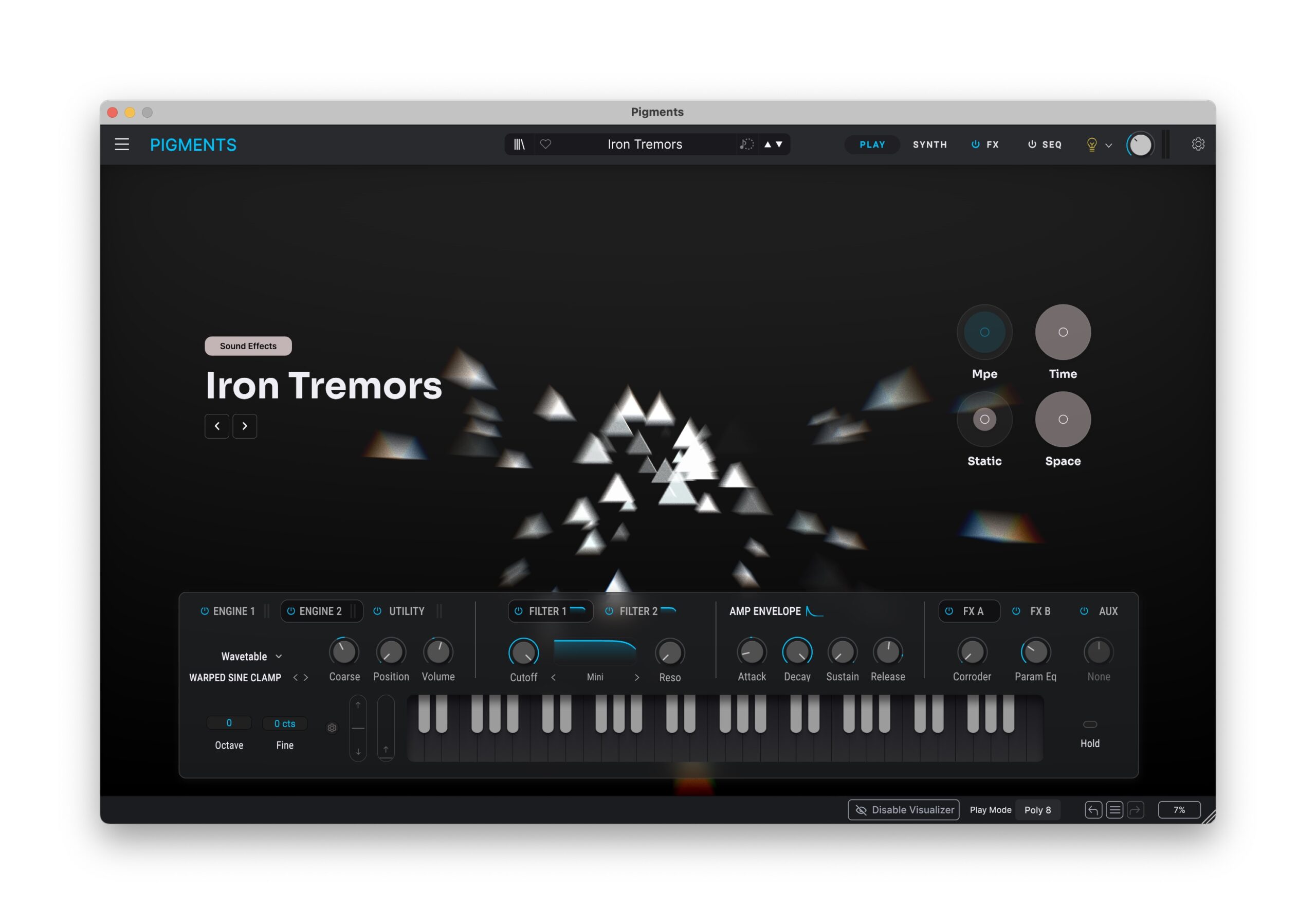
I left the most obvious change for last: there’s a new Play View. Here’s the main thing to say about this: not only is it purty, but you’re likely to actually use it, even as a sound designer. I actually found myself tweaking my own presets with Play View, and it’s a joy that you don’t have to manually assign anything.
The way to choose which visualizer displays, by the way, is the category.
Now, Arturia, add support for MilkDrop. Please. Seriously, someone do it. (Surge, you out there? Open-source project! Perfect fit!) Look, might that actually ruin our lives as we spent all our time staring into a visualizer, tweaking soft synths? Yes. But — define “ruin.” Okay, I can make it worse: two modes. One mode is MilkDrop. The other mode is Elder Scrolls V.
Conclusions
Yes, we have too many synths. But isn’t that a nice problem to have? Pigments remains underrated, despite the hype train behind some rivals. There are just some extraordinary tools here. On paper, this is a less significant update than some recent Pigments updates — audio input was huge, and you don’t get any real changes to the two (still two of them) oscillators. And yet… adding filters you can’t find anywhere else, and punchier sound, and a unique, precise distortion effect to push it all further is exactly what sets the Pigments experience apart with v7.
We’ve seen lots of polysynth updates that add more power. This one adds secret weapons. Enjoy.
Pigments 7 is available now.
Pigments 7 at Plugin Boutique – 50% off
If you buy something from a CDM link, we may earn a commission.
If you already own Pigments, your first step should be Arturia’s site — many readers have reported they discovered the upgrade was free for them!
Routing audio input
These effects are perfect for the synth architecture, but you don’t want to miss out on audio input capability. It provides an additional modulation source for your synth patches, for one — including a modulator for Corroder, even! But you can also turn Pigments into a multi-effect, taking advantage of the new filters and Corroder as a sound processor, too. My tutorial dates back to Pigments 5, but it’s still as relevant now in Pigments 7. (What I might want to update is the presets — any takers?)
And if you haven’t updated since 5 / missed what’s in 6, the combination of 6 and 7 is significant: