Quick! Your modular/synth/contact mic/pot-and-pan is making amazing sounds, and you want to capture them for fast 1-shots/drum racks. And you hate the tedious editing/naming admin! Robert Henke’s new Sample Capture is for you — and it’s free, for Ableton Live 12 and Max for Live.
I’ve been dreaming of something just like this. Hey, Ableton — you may know Robert (ahem) — it’d be great to build this Max for Live device into Ableton Move! (I think you can already run it on Push 3 standalone — I’ll check — but Move’s compact size would be even more ideal.)
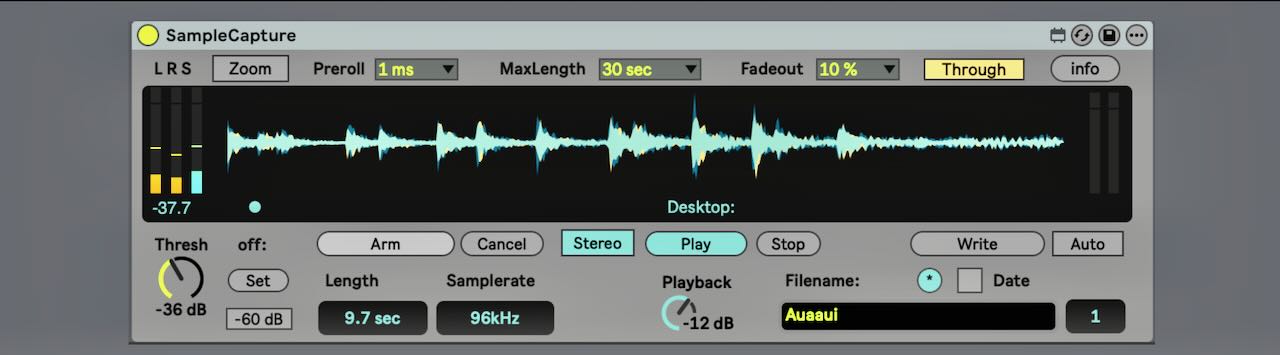
The feature set is simple. Hit Arm, and any time the input rises above a threshold, it starts recording. Other settings let you determine exactly how the preroll timing works and how it stops (plus whether you fade or pass through the signal). But the cool part, aside from the auto-record, is that then it handles naming for you.
Robert says he actually made this back in 2015, but it was just rewritten and released. It looks a bit vintage to longtime Live users because he’s using his custom theme, also linked.
When will I use this? Immediately.
https://roberthenke.com/technology/samplecapture.html
And yeah, this is perfect if you’ve got a modular or even a software modular handy. Tweak, sample, save. (Ideal when you literally have no idea how a sound is being made and want to grab it before it changes again!) Crinkling that empty bag of crisps from lunch and clanging your beer bottle? Making weird vocalizations? Dump them on a Drum Rack and play. Generating music is easy and stupidly fun!
I mean, or you could use an AI prompt and make this much less interesting, joyless, slower, and more difficult. I’m sorry, I keep forgetting I’m supposed to be democratizing music to people trying to pump their AI startup investments beginners.