Baby Audio has built a software drum machine. And it feels like hardware — tweakable, bendable, hackable, hybrid hardware. Tekno is like a blend of different classic machines combined into its own, hard-hitting personality. I’ve been cooking up a free, CDM-exclusive collection of kits and MIDI patterns, including some reimagined classics.
Thanks to Baby Audio for helping support the sound content production.
Listen
Hands-on with Tekno
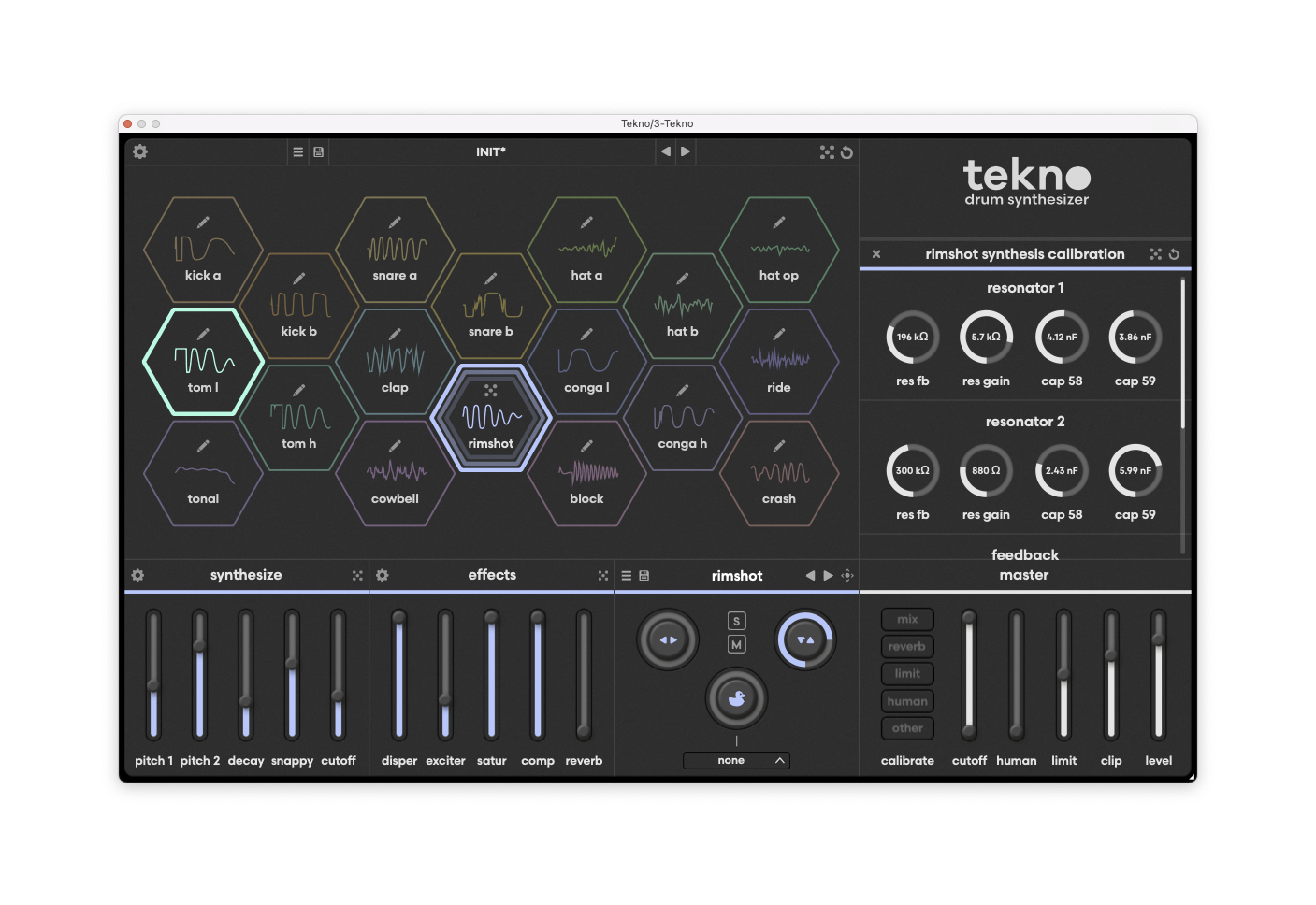
First, let’s talk about what isn’t in Tekno. There’s no built-in sequencer, for one, but… okay, you’ve got your host for that, most of which now include drum-machine style step sequencers alongside conventional clip editors. More importantly, there’s no sampled content, bucking the trend of lots of layered drum tricks.
That’s a good thing, because what you get instead is a focus on a tweakable, coherent instrument that combines analog modeling and digital sound production. And without any recorded content or layers, Baby Audio has managed to instead focus on making those models pack some serious punch, clang, impact, and life. Each sound varies with each hit, like analog hardware (or acoustic instruments) would. It’s just a pleasure to listen to patterns once you dial it all in.
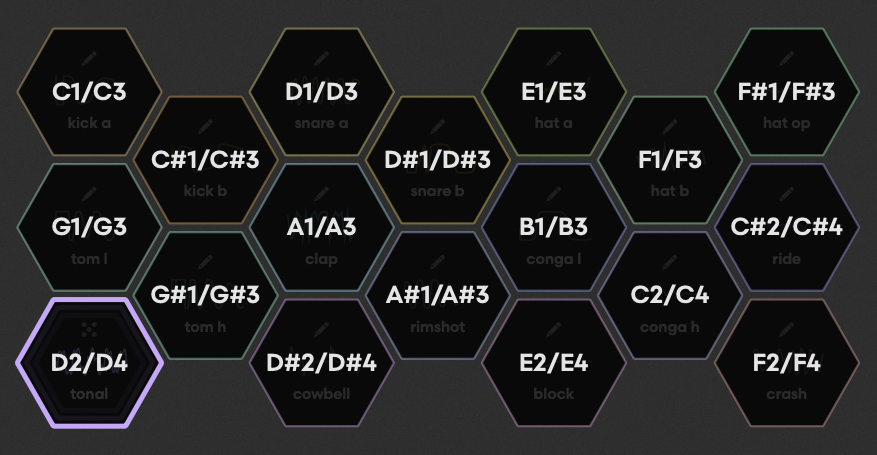
Everything is mapped across those 18 parts, accessible via the MIDI overview. The hexagonal display is mostly for show as it animates when the transport is moving — that area of the panel then swaps over to the calibration screen when you want it.
Set to “init,” Tekno behaves like a modern TR-inspired analog drum machine, though I’d say it’s more MFB than Roland. Then start messing with parameters, and it goes in other directions. I love the alternate drums in the TR-8S, the punch of an Elektron, and the brutal, ringing tones of Erica Synths’ LXR-02. This can chart all of that territory.
Each part has its own dedicated set of parameters tailored to the selected model. That includes synthesis parameters, plus effects; the effects are per-part, and vary part to part based on what’s appropriate. You also get a convention introduced with Baby Audio’s other plug-ins, and randomize parameters. (That square icon is a die, as in rolling the die.)
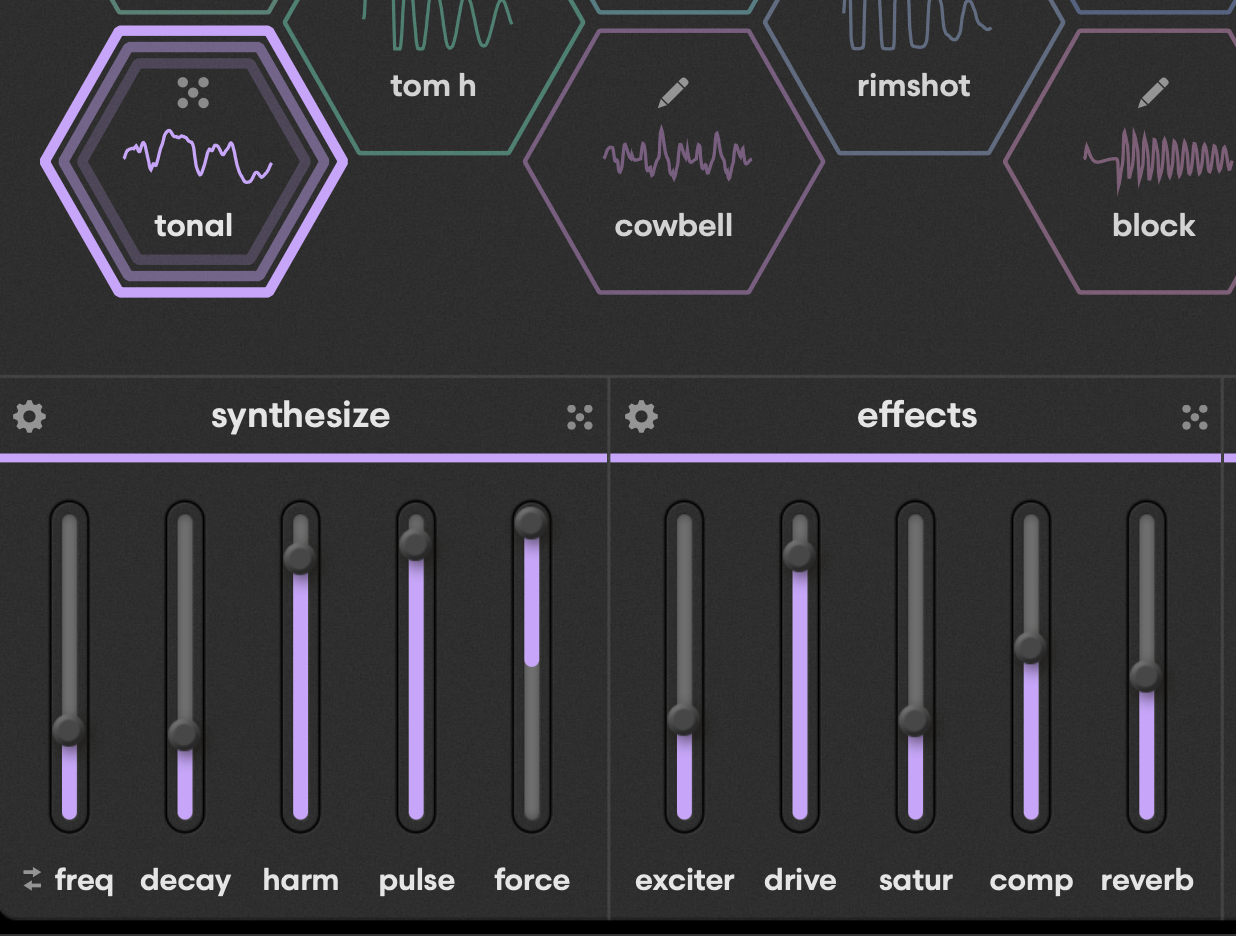
But where this really gets interesting is that Baby Audio has a second set of “calibration” parameters. It’s like being able to circuit-bend your model (in hardware) — or like they’ve given access to the underlying code. It’s a whole other layer of sound design experimentation. You can randomize this, too, for really wild possibilities – opt-click the random button in the part editing area.
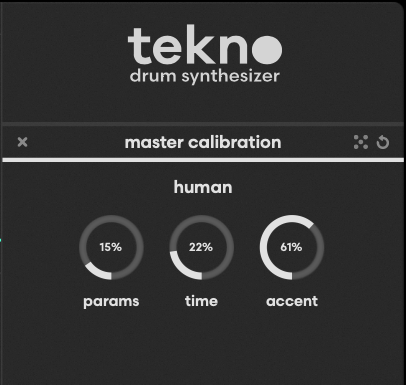
You’ll also find additional calibration parameters on the master, plus options for reverb and whatnot. That includes a welcome humanization setting, which I believe originated with Roger Linn, but here provides global access to parameters, time, and accent.
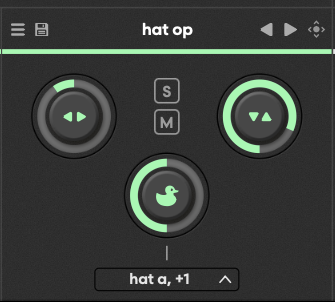
Another unique feature is that each part has a “ducking” option. You can select one or multiple sources. There isn’t a conventional choke function, and I did miss that at times, but the ducking allows for other options that a choke would not. Ducking, solo/mute, level, and panning are provided per-part:
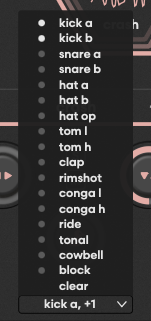
Just tick off multiple sources to duck from more than one part simultaneously:
There’s also an overview screen with your mix.
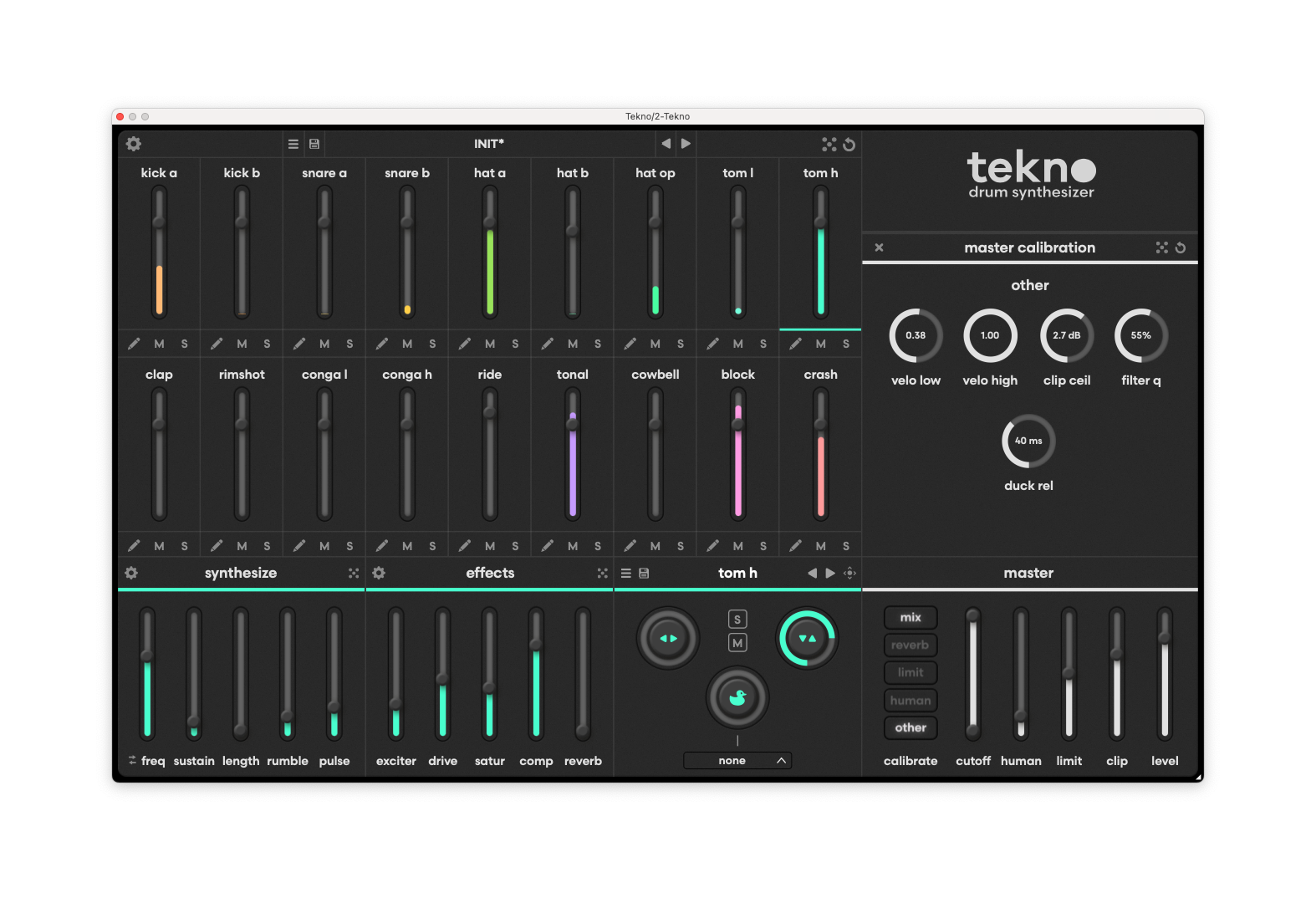
Tekno is light in the effects department, but that, too, makes it feel like hardware: you can add per-part sound shaping, reverb, and compression, and (crucially), there’s a master limiter which gives you some great pumping effects.
Now, you could ask for more effects (like a delay), but that would detract from the focused, hardware-style design. Tekno does allow multiple outs, so you’re free to patch up your own in-DAW rigs with other options.
The software also offers drag-and-drop rendering of clips with or without effects, and you can save presets both at the part level and the kit level. (I’ve just given you kits for now.)
All parameters are accessible, so when you do want to jam with this, you can create your own macros — a bit like connecting a faderbox to your favorite drum machine. In Ableton Live, for instance, you might configure up pitch for the tonal part (or the kick, if you want to use it as a tonal element):
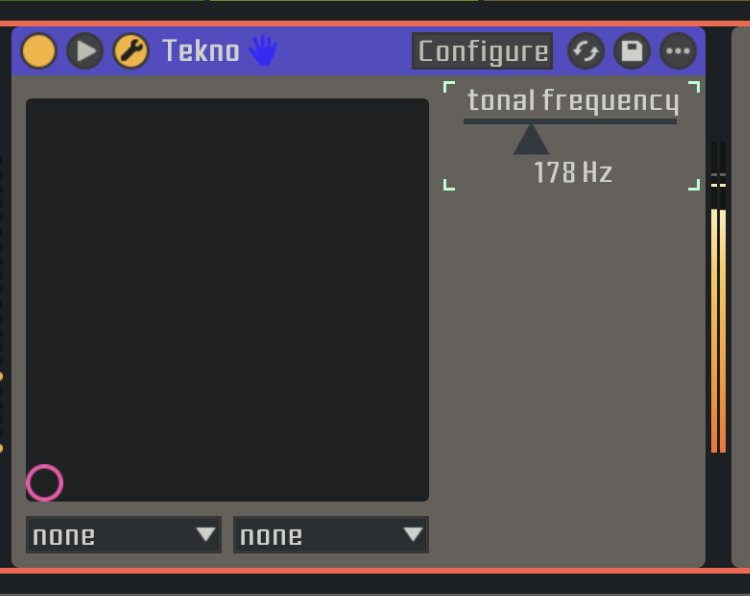
There’s no built-in macro facility, but as with the sequencer, the assumption is that you’ll use your host. And honestly, rather than add yet another such facility to learn, I’m glad Baby Audio kept it simple and focused on the sound and synthesis instead.
With 18(!) parts and the ability to radically reshape them with both the Edit and Calibrate functions, this is about the deepest analog-style drum synth I can think of. But even with all those options, it still sounds like the same instrument — like you’re bending the hardware. (Think mods for the TR-707, for instance, with the ability to tweak caps on-screen.)
It’s also richly organic in the way hardware is; Baby Audio packed a ton of subtle details from hardware that you don’t notice, because they just breathe life into your sound. You can push this device in the same way you would hardware; it’s not cold or clinical, as a lot of really good software drum machines can be. And it does that without being just one model. There are some great Roland TR and Linn drum machine emulations out there, but this manages to feel like a new analog hardware box. It just happens to come in software.
This is a 1.0 release, so of course, we’ll have a wishlist. I’ll bet you want this for iOS. Panning in the mixer would be really welcome, just so you had an overview. I’d love the ability to remap the MIDI controls from that edit screen to other common layouts. The UI is attractive, but the low-contrast colors can be a little hard to see; it’d be great to have a high-contrast option. (That’s actually more important than light/dark, especially for accessibility.) These are minor points, though; mostly I want more.
This is a uniquely powerful sound design wonder. It’s worth tweaking a machine so you’ll have it ready to go for your next gig. And that means it’s also useful to have some patterns to try out while you’re tweaking. We’ve got you covered on both points.
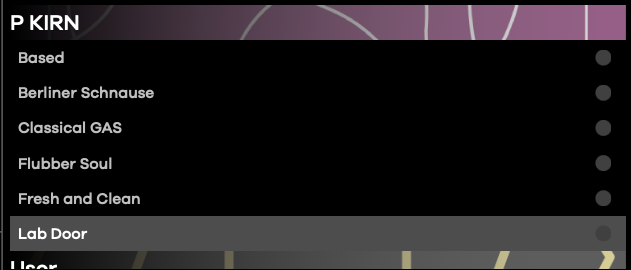
CDM exclusive kits and patterns
I built some custom kits and MIDI patterns for you. The patterns include both some originals and some that should be recognizable as inspired by classic tracks. (Keen ears will also notice some twists.) The MIDI clips will work with any drum machine with some kind of chromatic mapping, but they’ll be especially handy with Tekno as they’re already correctly mapped to its 18 parts. I use them in Ableton Live as I expect that’ll be the most common, but any DAW will work.
Download the free kits and patterns
For a bonus round, here’s what happens when you use Iftah’s Sting 2 to generate patterns — no additional mapping needed; I just dropped it in. It’s useful when testing kits.
More demos from the Babies:
Tekno is available now with an intro discount:
Find Baby Audio Tekno on Plugin Boutique, along with all of Baby Audio’s software
Previously: