D16’s kick plug-in PunchBox was already a legendary drum weapons development laboratory, full of layers of crunchy, cruel, wonderful sounds. The Polish developer isn’t messing with that formula, but they’ve packed more than just a few extras into the long-awaited V2 update. It’s just in time for us to work out any aggression with kicks.
Super Punch-Out
There are a lot of plug-ins out there that purport to solve your kick drum creation needs. PunchBox, for me, was the one I kept coming back to because it’s actually fun to use — less the sense of falling into a tweaking loop and more about thoroughly enjoying your kick explorations. That’s thanks to its modular design, filled with design tools and layers of well-crafted sound materials to add to your tops, clicks, and whatnot. Other plug-ins added some of that modular content, but nothing came close to PunchBox’s unique UI, engine options, or sound content. It looks and sounds like something you’d use to build an arsenal of kicks to go play some abandoned Polish industrial space, until the morning — or the cops — arrive.
D16 Group PunchBox 2 at Plugin Boutique
If you buy something from a CDM link, we may earn a commission.
Now, D16 could have decided to screw this up by having PunchBox 2 smooth over the idiosyncratic character of the original. Gladly, they instead kept all of the PunchBox design and just managed to pull off a great take on additional modern sounds and envelope controls.
I’ve been playing with this over the weekend, and it’s gotten me excited about this plug-in all over again. Those V2 features fit so comfortably into the V1 interface that they’ll feel immediately accessible if you’re upgrading.
There’s a new interface, which retains all of the rusty, worn module effect of the original, without changing any of the iconic original design, but adding new modes and high-definition display content.
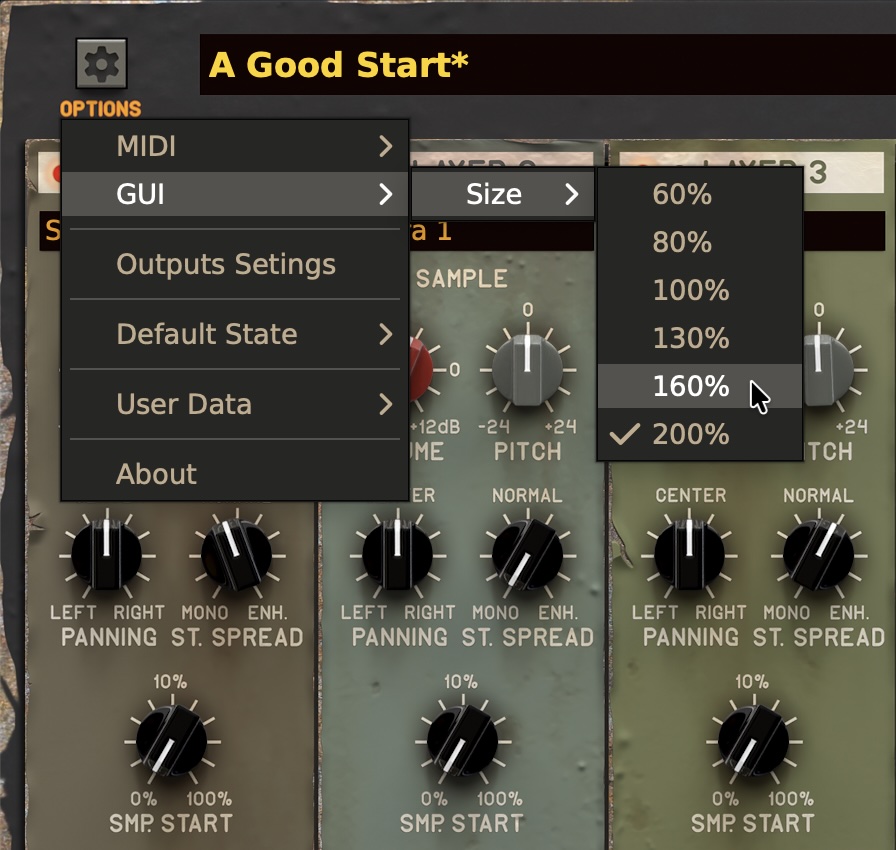
There’s also finally a zoom feature on the updated settings menu:
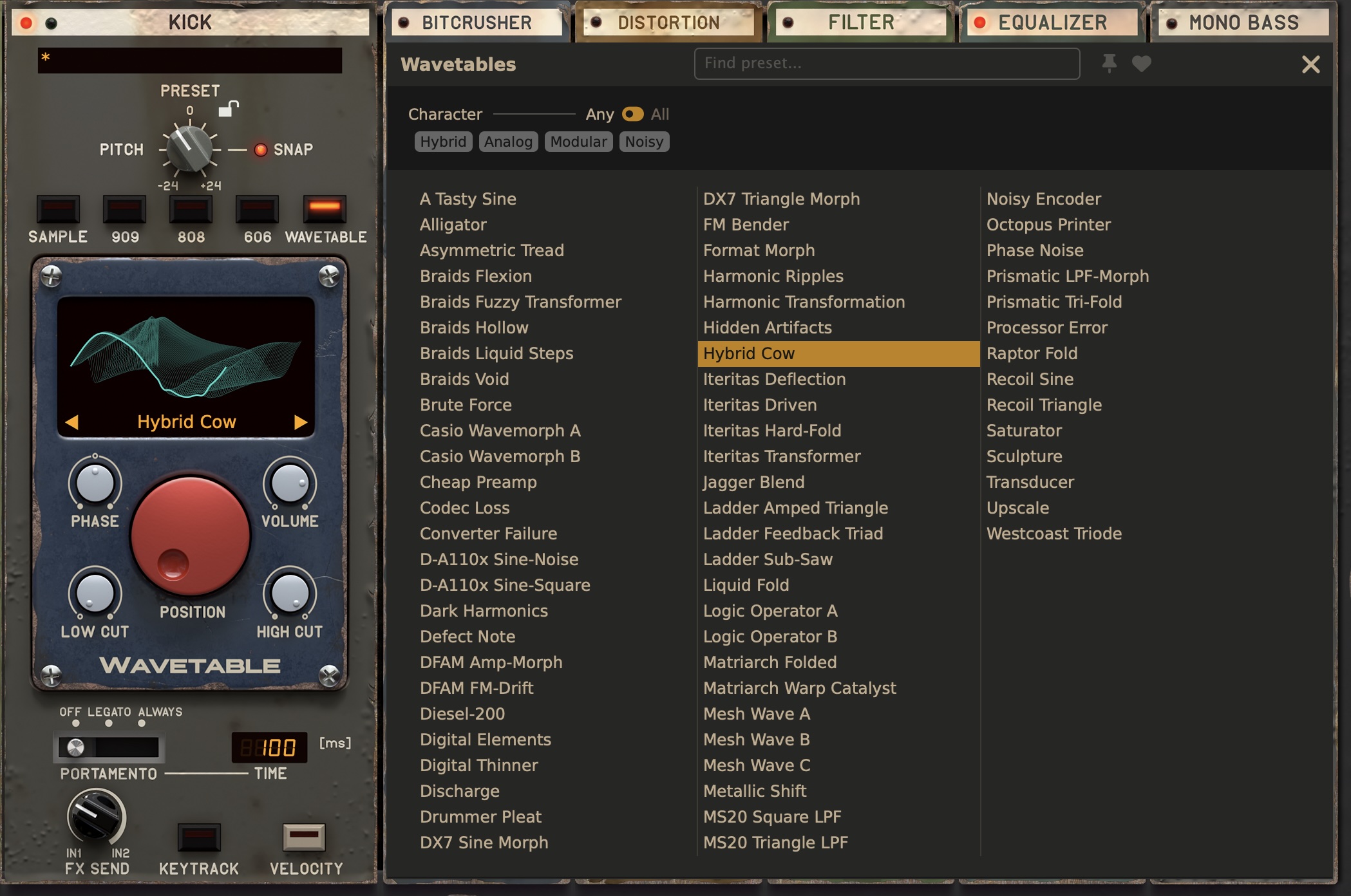
The basic architecture remains. You have three sample-based layers — the original labeled these “click,” “tops,” and “tools,” whereas V2 simply dubs these 1-3, in deference to you deciding how to use them. Then there’s the primary Kick generator, with 606, 808, 909, and sample modes — plus one new entry.
Wavetables
For sound generation, there’s an all-new Wavetable module with a position control (cutely mimicking a red Waldorf Microwave knob). That comes with a ton of new content that instantly updates PunchBox 2’s sonic personality. Braids makes an appearance again, which means for those playing the CDM drinking game at home, take a shot. (I hope that’s like a ginger shot…)
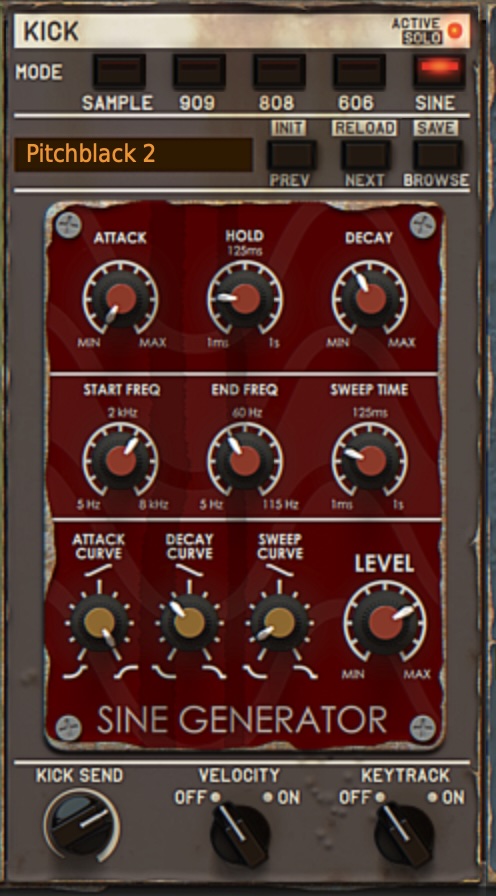
I’m a little sad, actually, that they took out the sine generator. Yes, yes, the wavetable and advanced modes more than compensate, but I might pull up this interface now and again; that’s one reason to keep V1 around.
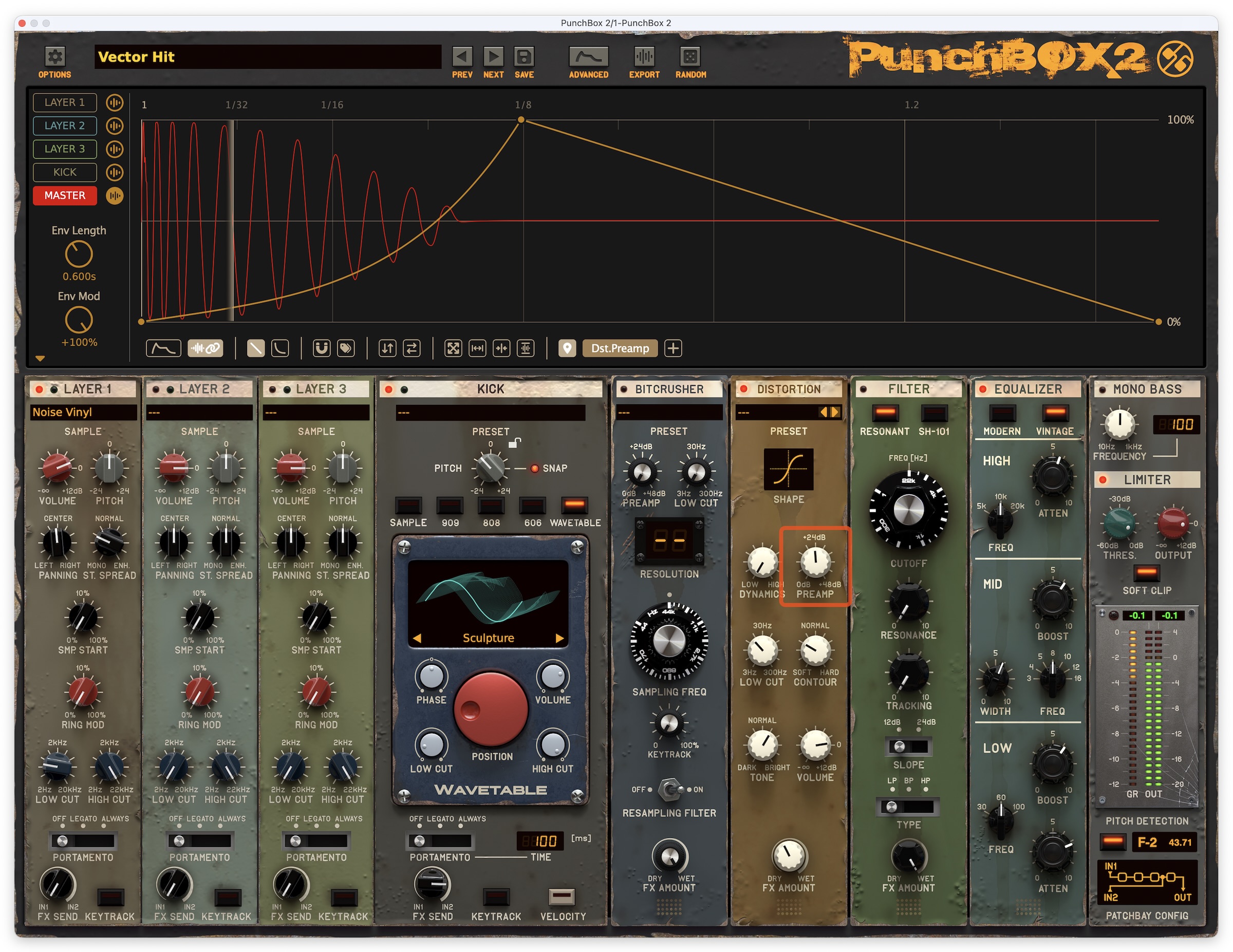
Advanced editor
This addition more than justifies that numeral 2 — the new “advanced” mode adds multi-segmented pitch and amplitude envelopes for each individual layer, the kick generator, and the master. You can preview sounds, visualizing the impact of the envelopes on each. It makes this almost an entirely new plug-in — and even, if you like, a sub-focused synthesizer.
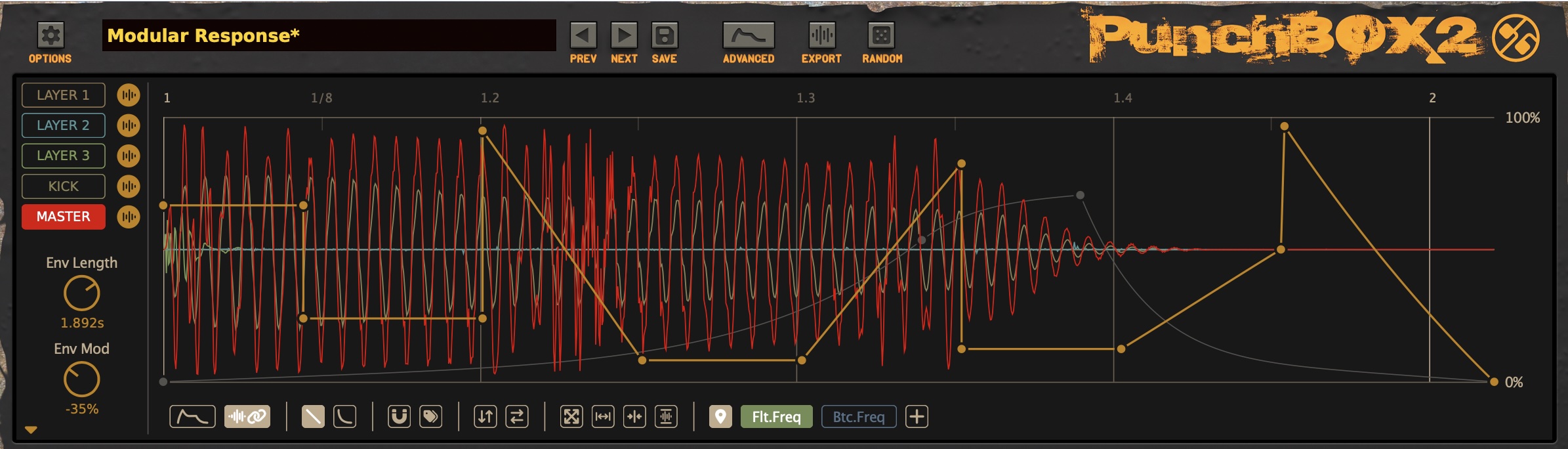
There’s a full complement of handy drawing and editing tools here, plus a menu of ready-to-use envelopes. For all the tweakability here, you still get immediate and satisfying results. You still want to just play with it, not get lost in editing.
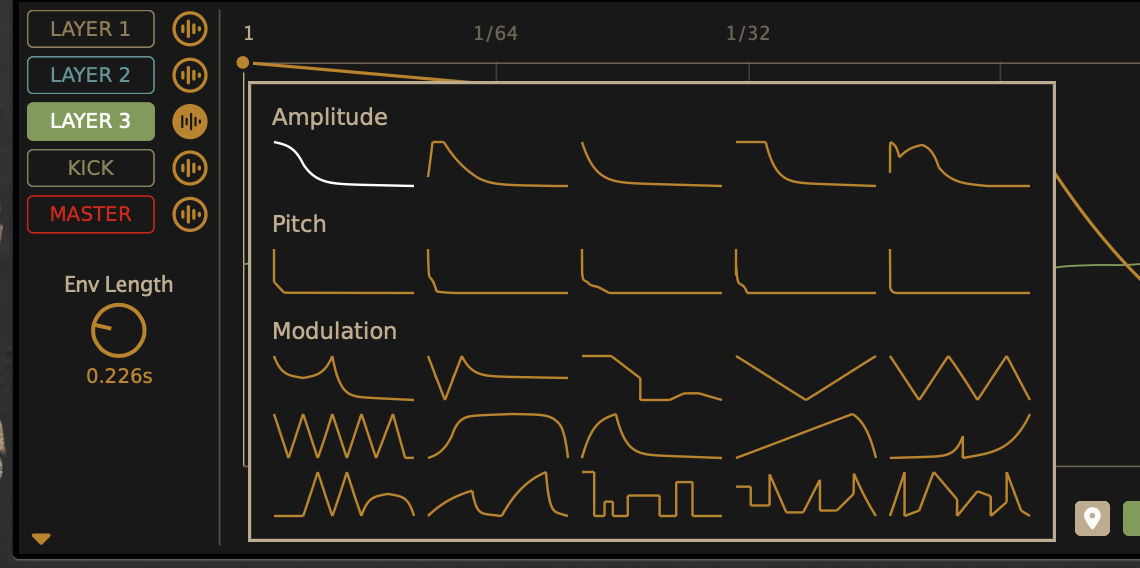
And you can use this for all sorts of interesting rumbles and melodic bass possibilities and other effects that with other kicks might require a visit to other tools. It’s deceptively simple, really; it’s another playground for wobbly bass-y things, not only kicks per se, even.
Updated browser
Navigating all the content is far easier thanks to an updated browser, borrowing some of the tag filtering and other features from elsewhere in the d16 line, but with a nice, new PunchBox style.
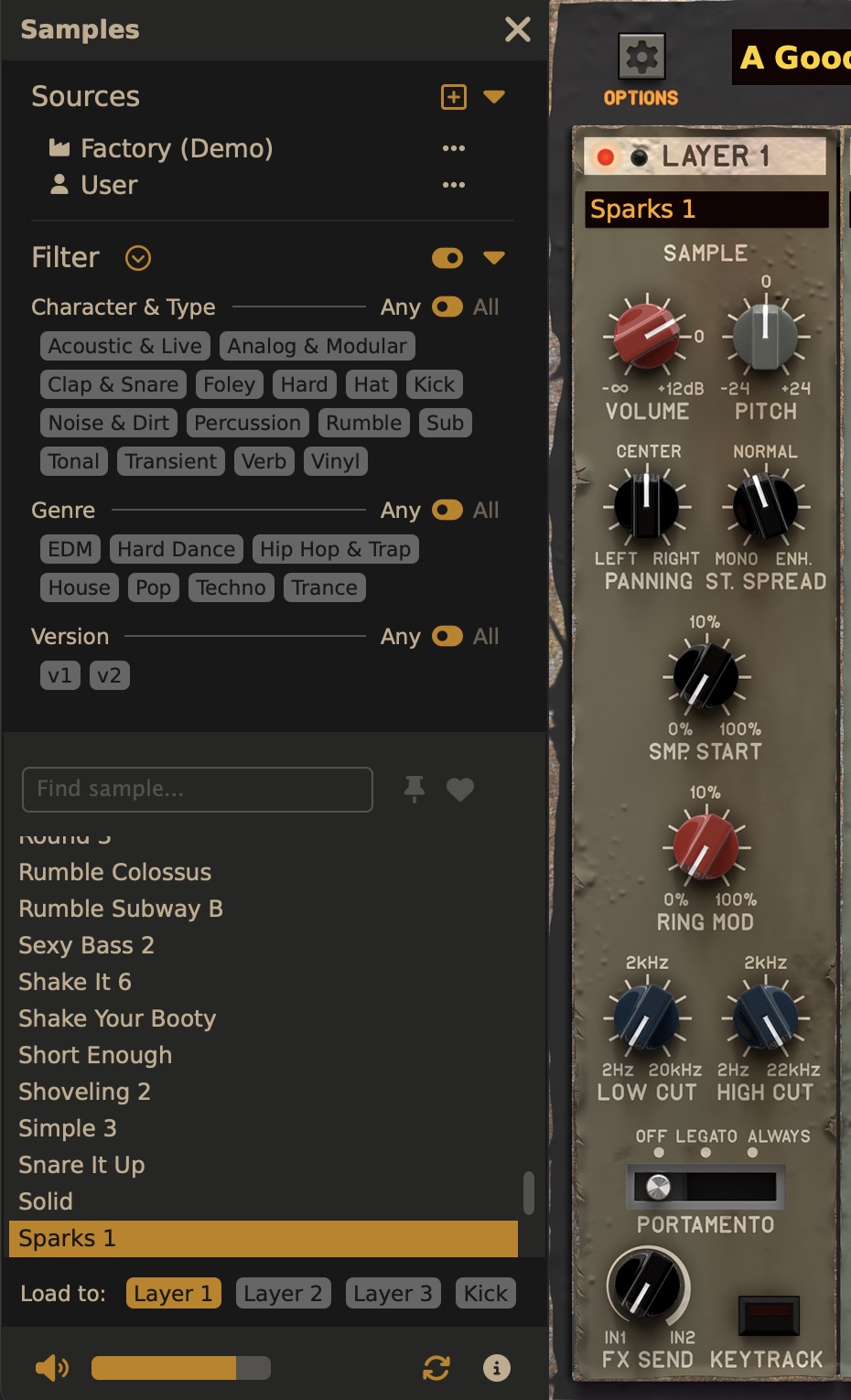
Updated randomizer, export UIs; expanded export
These features were in version 1, but D16 has made them more discoverable and usable — and there are a lot more options in export now.
The randomization has a new look, and it’s more obvious that you can select and deselect areas for targeting randomization. Now that they’ve tidied that up, I would love to see them add the ability to target more parameters with randomization, like the envelopes or other effects. It’s still useful, but we’ve seen how much fun more experimental randomization can be with Battalion and Unfiltered Audio.
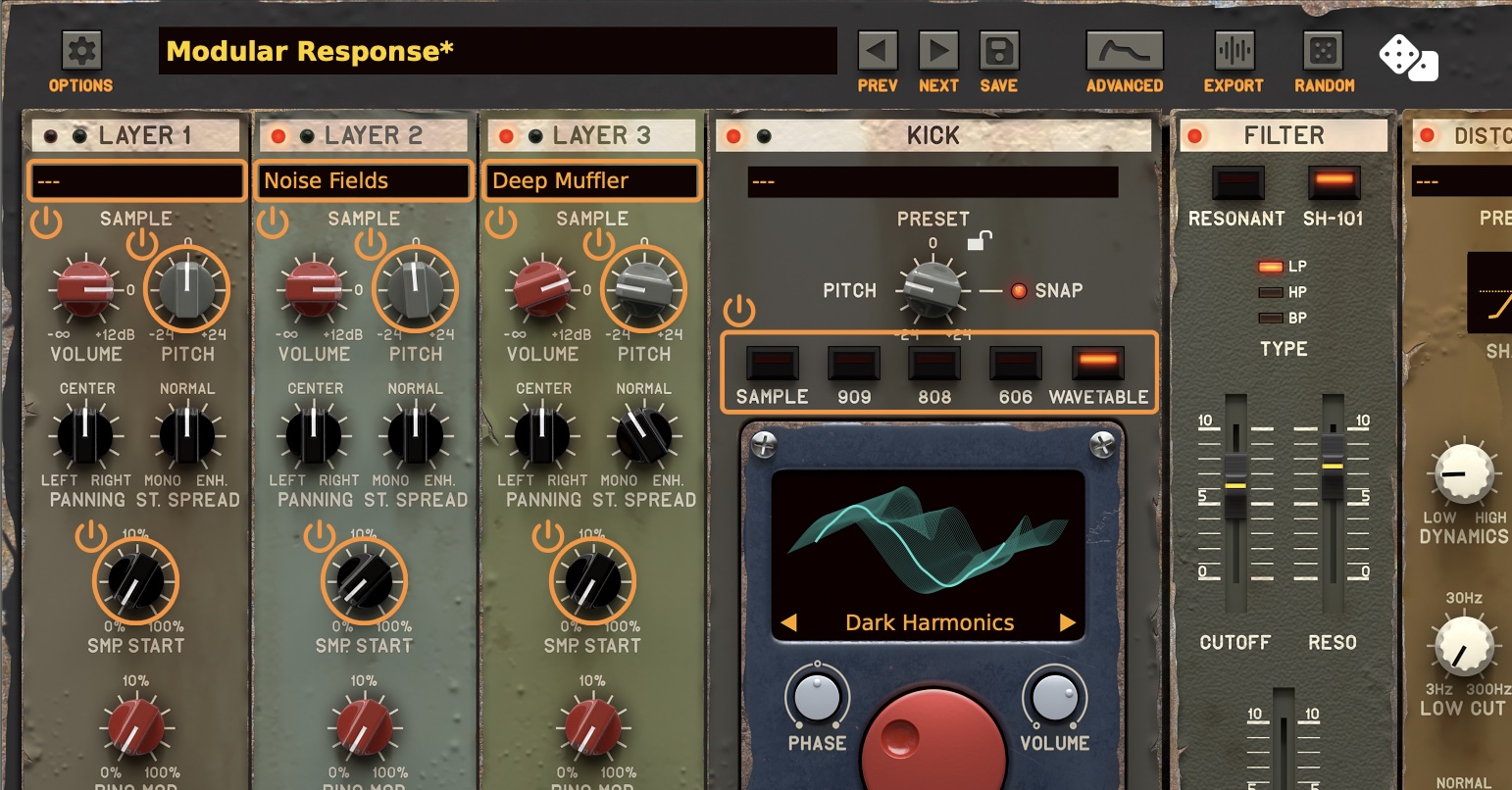
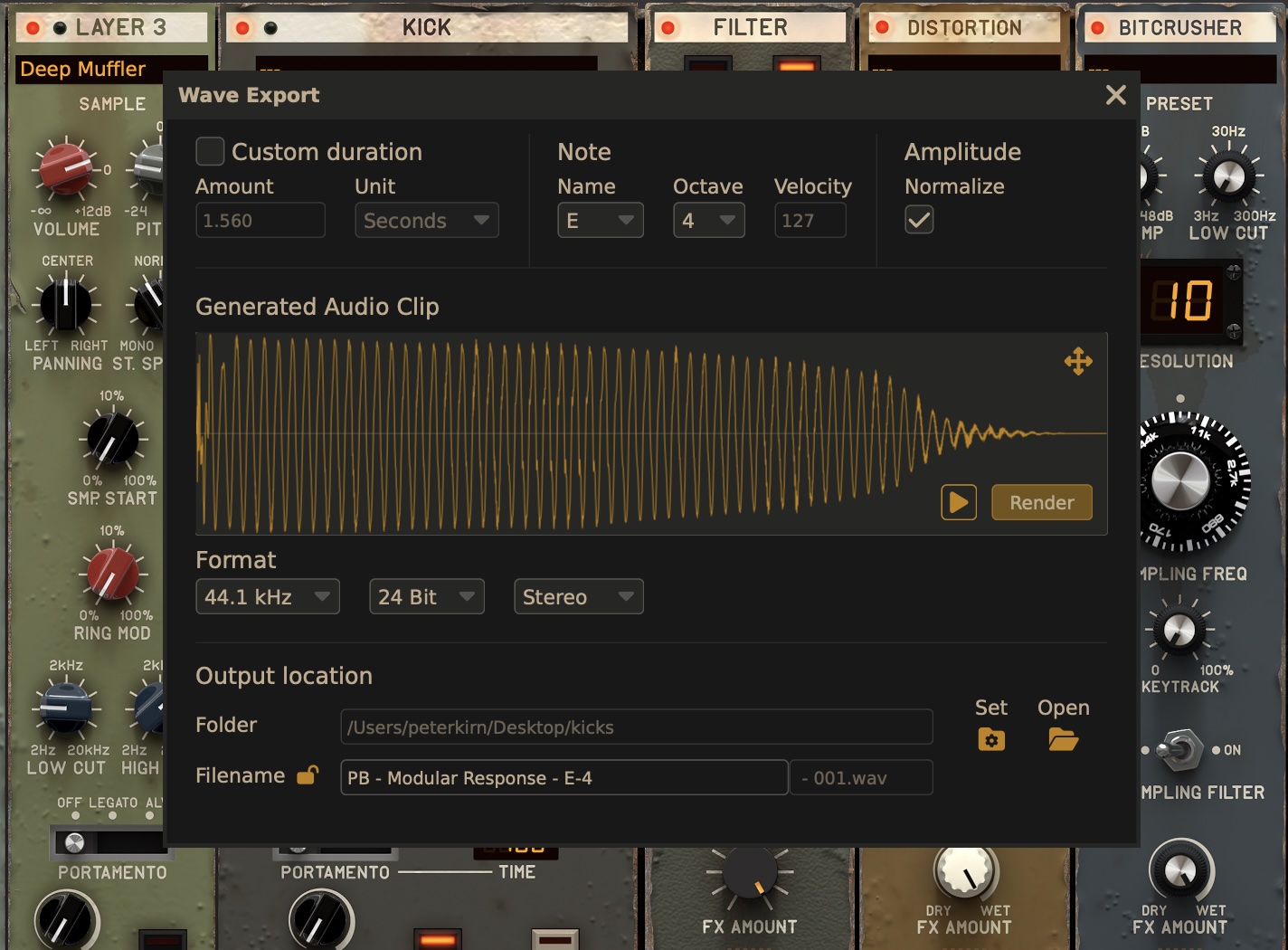
And the export feature is greatly expanded. V1 had simple export and the ability to drag and drop to a host, but V2 adds pitch, normalization, and duration, plus a target folder so you can assemle all your samples at once.
Expanded effects; patchbay routing
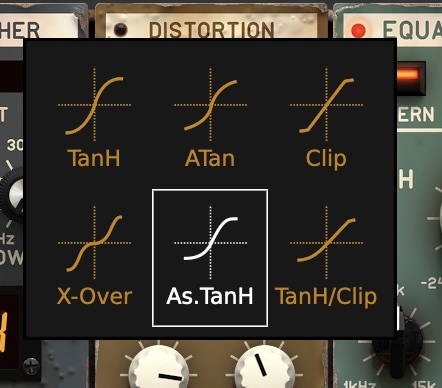
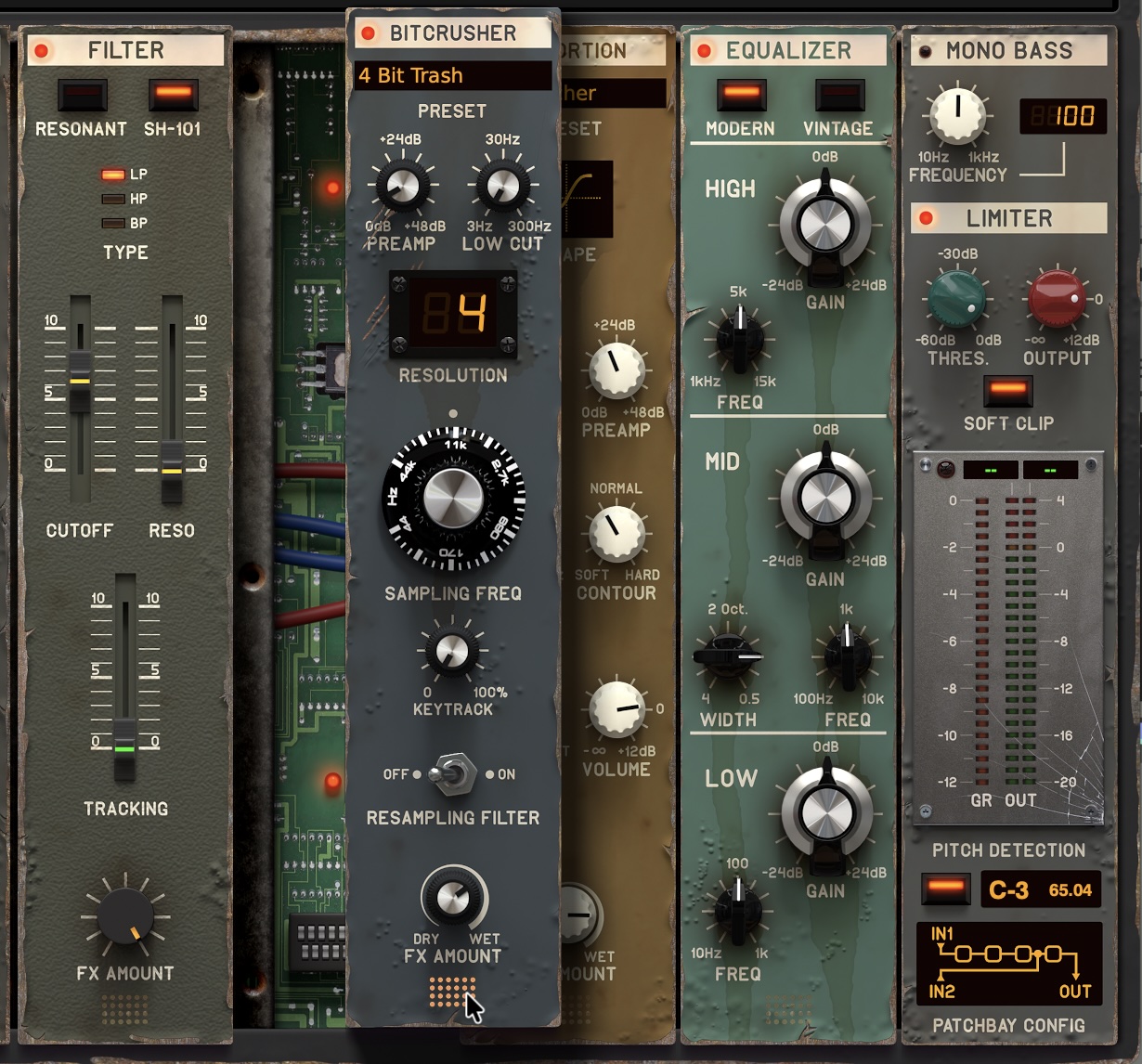
Every effects module gets a refresh — either with new feature options, clearer UIs, or both. The filter comes in resonant and SH-101 varieties. The EQ has “modern” and “vintage” variants. And you can finally see the distortion modes labeled as more than just a number:
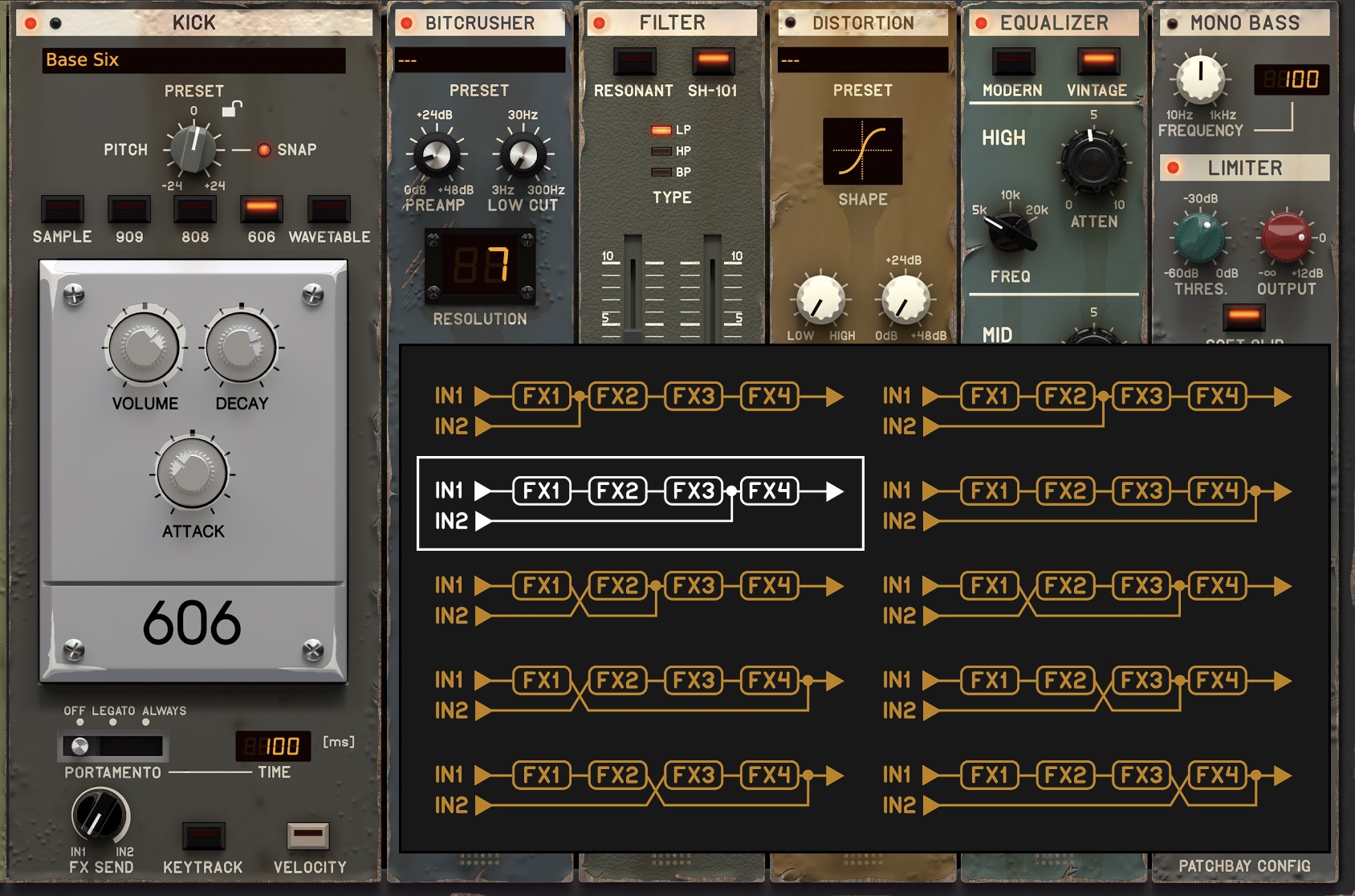
One of PunchBox’s original nice features is its ability to reorder effects modules by dragging and dropping. And V1 also had the ability to do some simple routing by choosing where mixdown occurred — at FX slot 1, 2, 3, or 4.
PunchBox 2 adds a new Patchbay Config pop-up that visualizes those options and provides new routing choices.
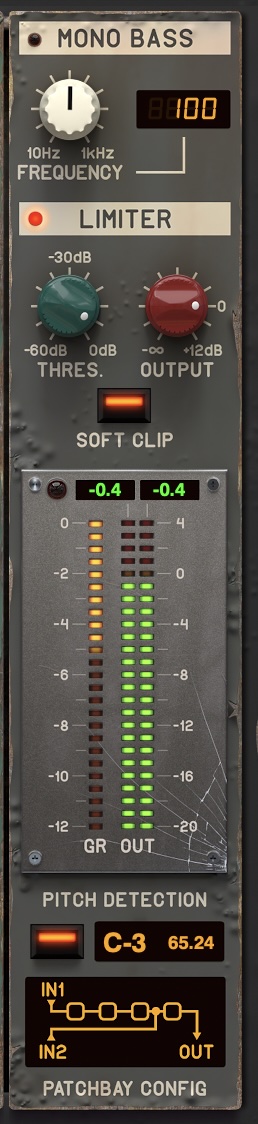
It’s one of the more minor changes in V2, but it might be the sleeper hit. The output channel strip now sports new LED metering (I will not miss the unreadable VUs on the old version), plus mono bass generator and a useful pitch detector:
Back panel
PunchBox is not for you if you hate skeumorphism, generally. But if you really hate skeumorphism, uh … shield your eyes.
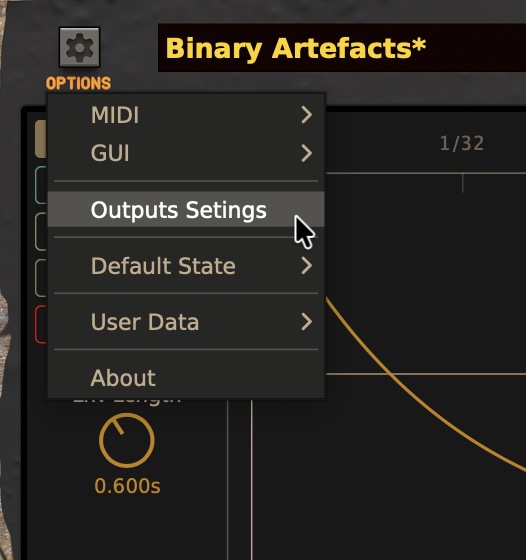
It’s hidden, but there are a bunch of new options on a “back panel” of PunchBox, which you access via the menu Settings > Outputs Settings. (I think this should have been a button on the toolbar, so if there was a D16 debate internally about this, now you know I would have taken your side!)
Here you can do the unthinkable and route multiple outputs from a single kick. Choose which layer/kick generator/master output includes effects, route to different outputs (using the multi-output version of PunchBox, in supported hosts), and trim the outs, with meters.
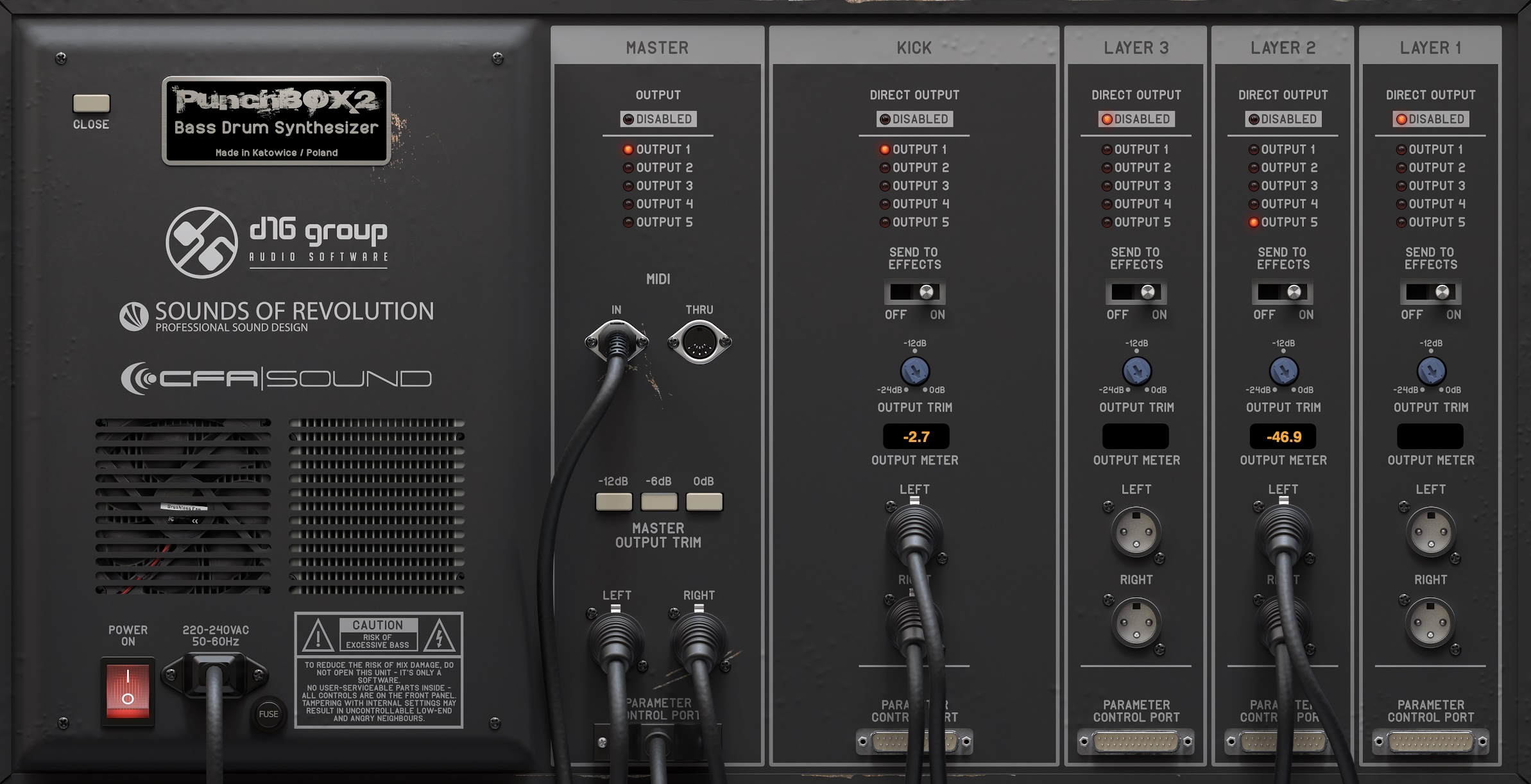
The skeumorphism goes a little far here in that “parameter control port” is only decorative, and you can’t touch the XLR jacks you see — though they do update when you repatch, which is cool. Don’t look at that screenshot too closely, either; I chose aesthetics.
But this is all deliciously overdesigned for a kick plug-in, and I’m sure with some outboard effects or fine-tuning mixing and whatnot, you can put it to actual use. Love it.
It may make you long for a Rack Extension version of PunchBox, but while D16 did try their hand at REs for Reason, only Devastor 2 and Decimort 2 are available. I ran as a VST3, though; no complaints. (I also ran it in Live, where it’s in … many, many projects.)
Here’s just me briefly messing around with it all, mid-project, as I wrap up some of that stuff I was doing in Reason. And yes, PunchBox 2 is a great companion for pretty much any workflow. It’s a great drop-in kick for a tool like Reason or your favorite modular, when other options just aren’t cutting it. Or you can use it in something like Ableton Live. Or you can use it just to build your kicks, then export for use in hardware samplers. Probably, you’ll do all of that.
Conclusions; availability
I’m biased. There are other kick drum plug-ins. This obviously remains my favorite. That’s all there is to say.
PunchBox 2 is on sale now for $89 (79€) through July 25 ($109 thereafter). PunchBox 1 users, you should find some very friendly deals on upgrades once you log in. (If it’s the price I saw, it’s a no-brainer.)
A full-functioning demo is available. Mac, Windows, AU, AAX, VST2, VST3; they even still support 32-bit on Windows.
D16 Group PunchBox 2 at Plugin Boutique
If you buy something from a CDM link, we may earn a commission.