Look past Logic Pro 13’s new dark Liquid Glass theme and updated browser, and you’ll find Apple focused on two core technologies, touch and “intelligence” — and two very different upgrades.
What’s new, what’s different
Despite the big version bump, Logic Pro 13 is not a major departure from past releases. Yes, at first it looks different, since we’ve had years of similar gray-shaded interfaces. Now, Logic sports the ovals spreading across Apple UIs, plus a dark theme that matches its stablemate, Final Cut Pro. (It doesn’t follow the system and change to a light theme, either.)
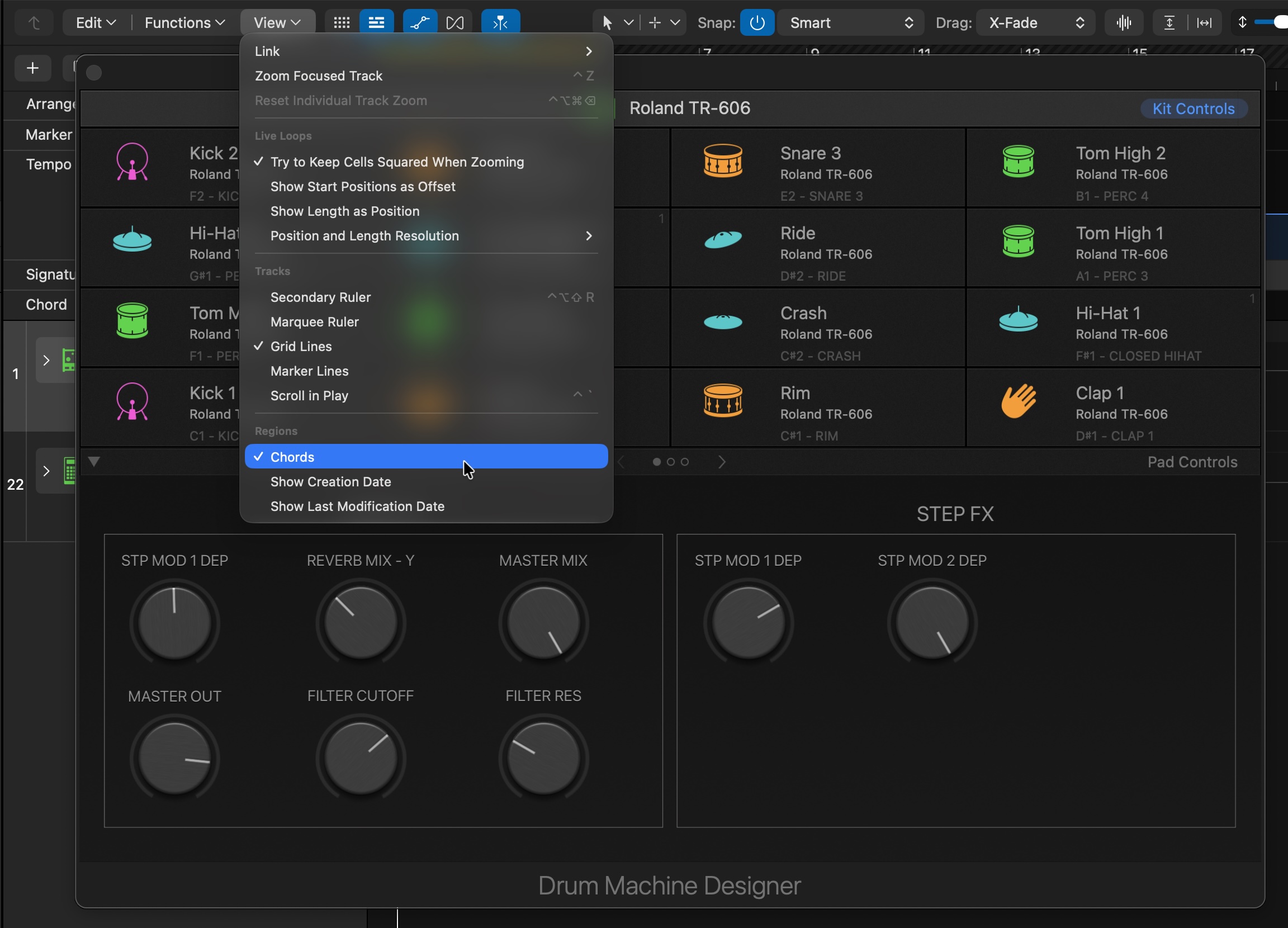
Liquid Glass adds translucency to local menus and makes some adjustments to windows and toolbar buttons.
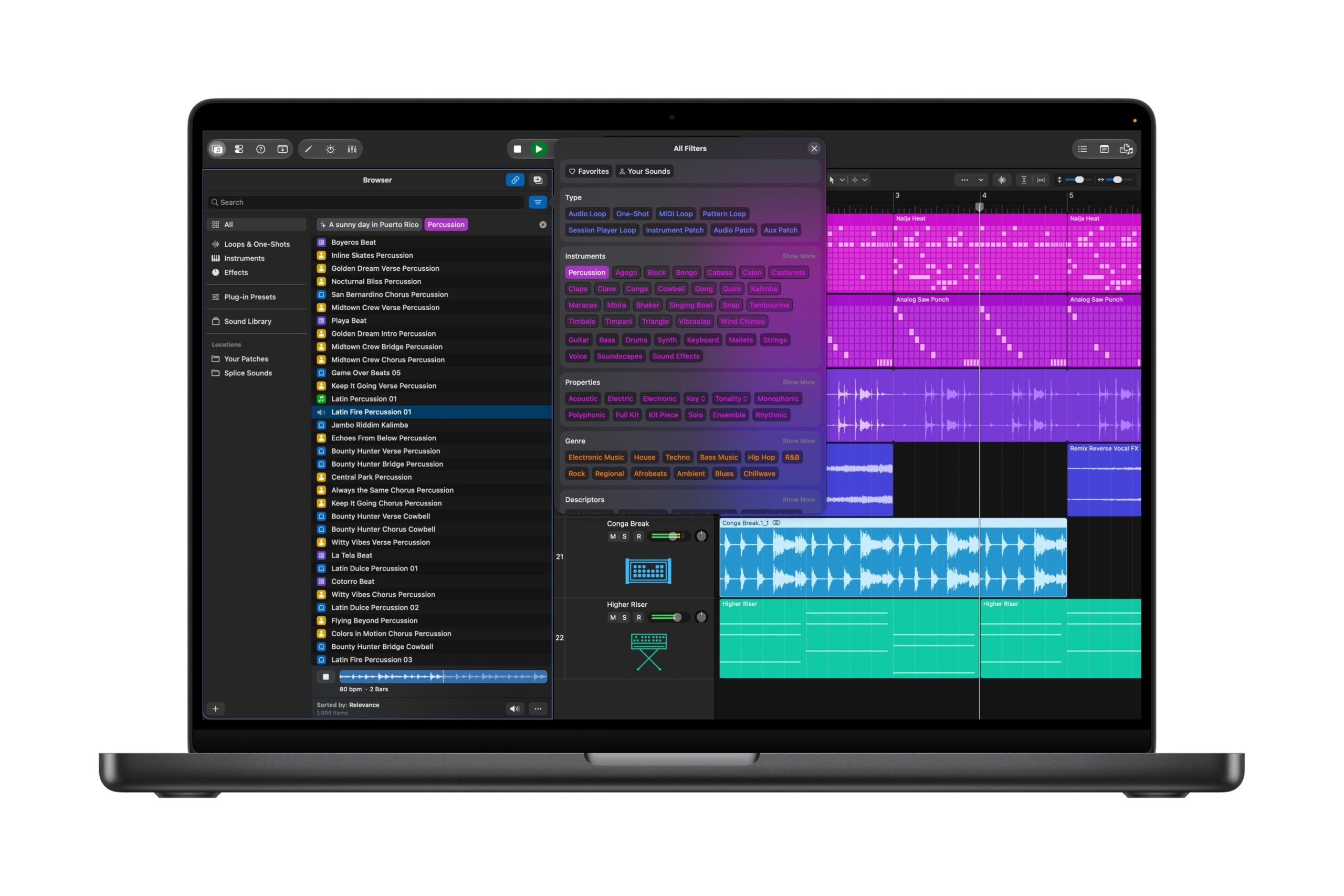
Unified Browser with Liquid Glass UI elements. Image above and at top courtesy Apple.
There’s also a new Unified Browser, which is heavily streamlined for navigation. We’ve seen that in other DAWs, particularly Ableton Live. As in Live, Logic now lets you locate sounds based on your audio samples with a Find Similar search. Apple’s big addition is a machine learning-assisted function that lets you describe what you want in natural language, though the results were hit-or-miss for me. (You can still opt for a conventional search if you want.)
Stem splitting seems to be every developer’s obsession these days; Apple has added the ability to isolate, replace, or rebalance drum parts, plus added a new Producer Pack from Sergio George for salsa fans.
As usual with Logic updates, Apple packed the release with fixes and improvements, with a particular focus on ironing out the Step Sequencer, Takes and comping, Sample Alchemy, and some of the other newer areas of the software. Part of the job of a DAW developer is working through backlogs. See the release notes for more; maybe the most important tweaks are fixing some of the video functionality and turning undo history on by default.
But for genuinely new functionality, we have two major areas:
Touch and interaction. Touch is vastly expanded in version 13, with a new Play Surface with keyboard and drum layouts and more touch gestures. Those will likely be useful to all users, whether you’re using the Play Surface with a mouse or touch gestures on a MacBook or Magic Trackpad. If you have an iPad, Logic Pro also now works with Sidecar. And if you’re lucky enough to have the new touchscreen MacBook Pro, you’ll finally be able to reach out and touch the display.
We also get to reap the benefits of Logic’s UI overhaul across most devices. Those interfaces already looked touch-friendly. Now they are, as long as you have a Sidecar-ready iPad or the new touch-enabled MacBook.
Intelligent assistant. There’s also now a chat window that lets you use natural language to ask questions (in place of the documentation) and prompt some tasks for working with tracks, mixing, regions, and editing. It’s powered by Google’s Gemini under the hood, like other new Apple Intelligence features (though nowhere in the documentation is the phrase ‘Apple Intelligence’ uttered).
Now, one of these technologies is mature, uncontroversial, and something Apple has long excelled at. The other is none of those things. You know which is which. But let’s jump in and talk about how each works.
First, touch.
Touch and interaction
Here’s a prediction: if Apple had launched this software as Logic Pro 12.5 and kept the same shade of gray, I think it would have been non-controversial.
The new interactive features work really well. You have a slew of touch gestures to try out:
- One-finger scrolling anywhere
- Touch and hold an item to drag it
- Touch and hold for contextual menus
- Hold and slide in the color picker
- Manipulate multiple Mixer faders with Multi-Touch
- Use multiple fingers to make multiple edits to the Step Sequencer
- Tap to launch Live Loops cells
- Multi-Touch in Sample Alchemy, Remix FX, Channel EQ, Vintage B3
- Multi-Touch across Smart Controls
- Swipe to preview in the Browser
It’s really what I’ve been waiting for with the iPad and Sidecar. This one feature has me sold on the whole update: move a plug-in window to your iPad, and it resizes to fit the screen. That’s it. That’s the feature. It works with third-party plug-ins, too.
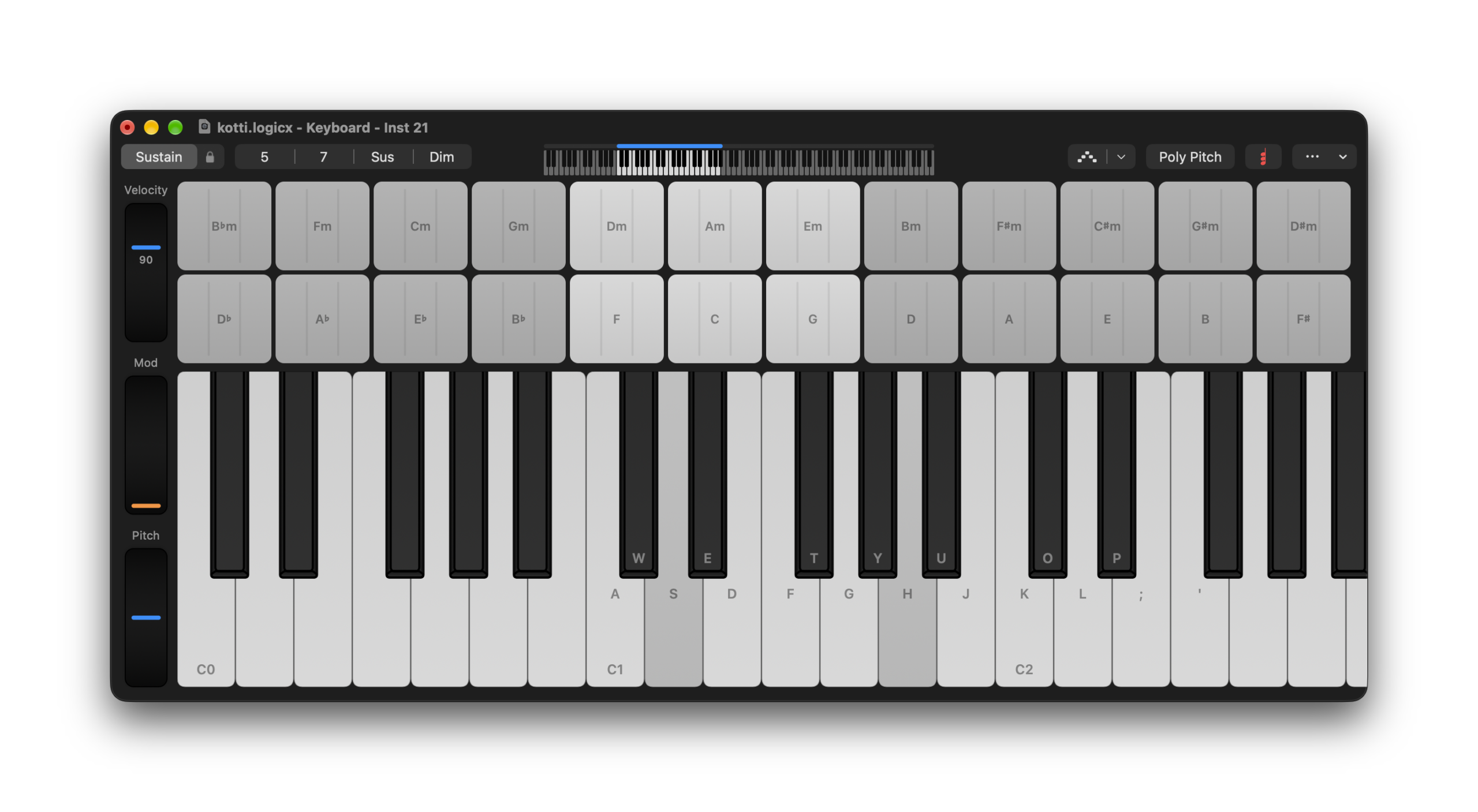
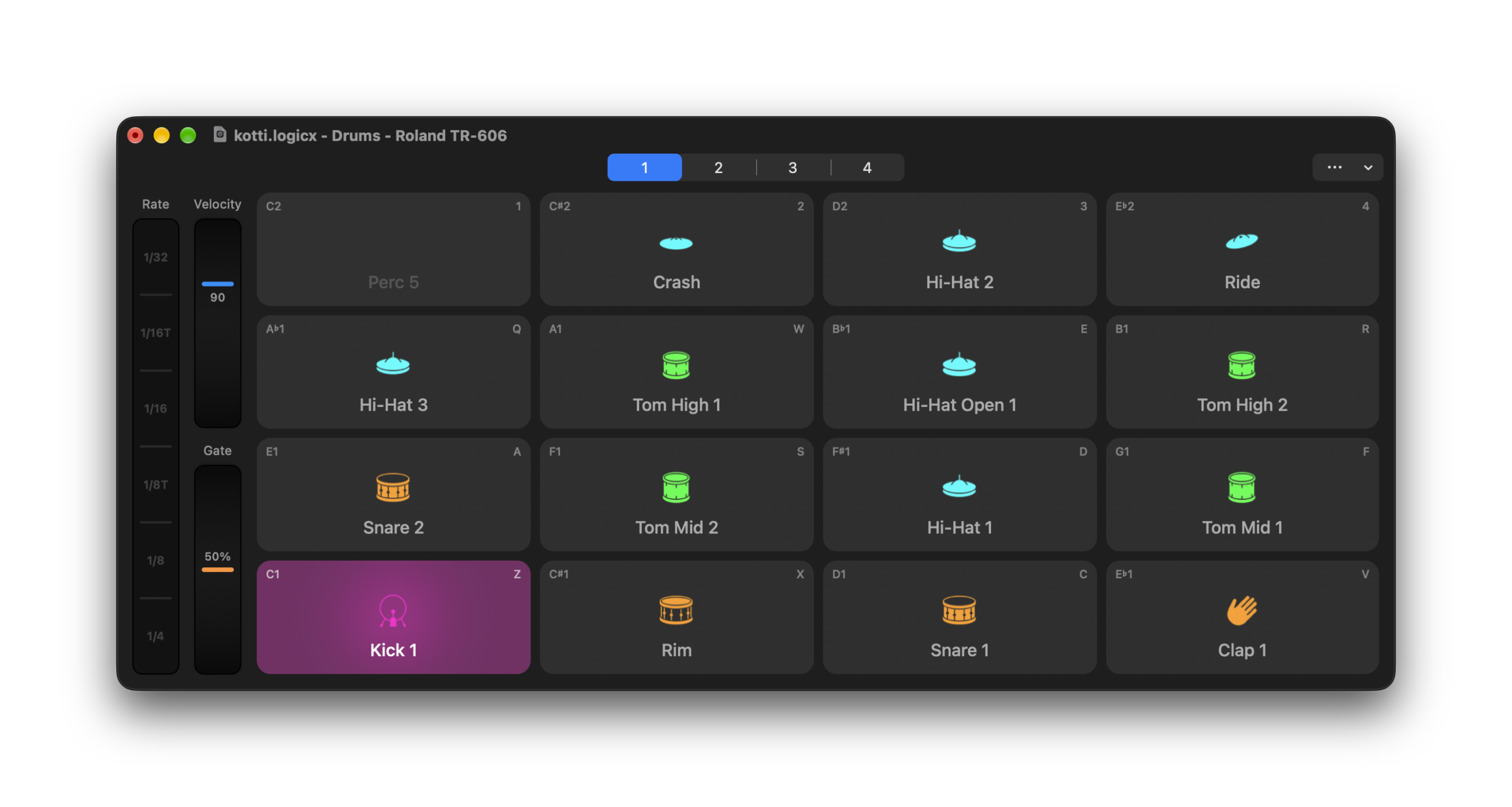
Apple has also added a new Play Surface with two modes — a piano layout and a drum grid. These effectively replace Musical Typing, including assuming its cmd-K shortcut by default, but it’s still there if you miss it. The Keyboard includes various ways of navigating pitch and chords; the drum layout includes a repeat mode (a bit like the one found on Maschine and Push hardware). Both have handy shortcuts for velocity and other options. And you still see mappings to your computer keyboard.
Move a plug-in window to your iPad, and it resizes to fit the screen.
And they’re terrific if you have the supported hardware. (In a supremely un-Apple-like decision, the MacBook Pro with touch is referred to only as the “PROLED XDR Display,” but I’m sure we’ll all just call it the “touchscreen MacBook.”)
The Play Surface feels like a first step. It’s hard not to imagine Apple will follow up with more layouts; a guitar fret and continuous pitch layout are already in GarageBand. It’d be nice to have a latch function on the repeat mode, or for the arpeggiator in the keyboard to be more accessible. But this is still easier than pecking around the keyboard in most other tools.
Honestly, this is the part of Logic that I hope other DAWs emulate. It’s not that this is a new product category; developers have long supported similar functionality on Windows, and Apple has always had the iPhone and iPad, which introduced many of these gestures to the world. But it’s done in a seamless, refined way. These are features that make sense right away, that beginners and advanced users will wind up finding effortlessly, that everyone will like.
Yes, you know where I’m going with this. Dr. Jekyll, meet Mr. Hyde.
Intelligent assistant
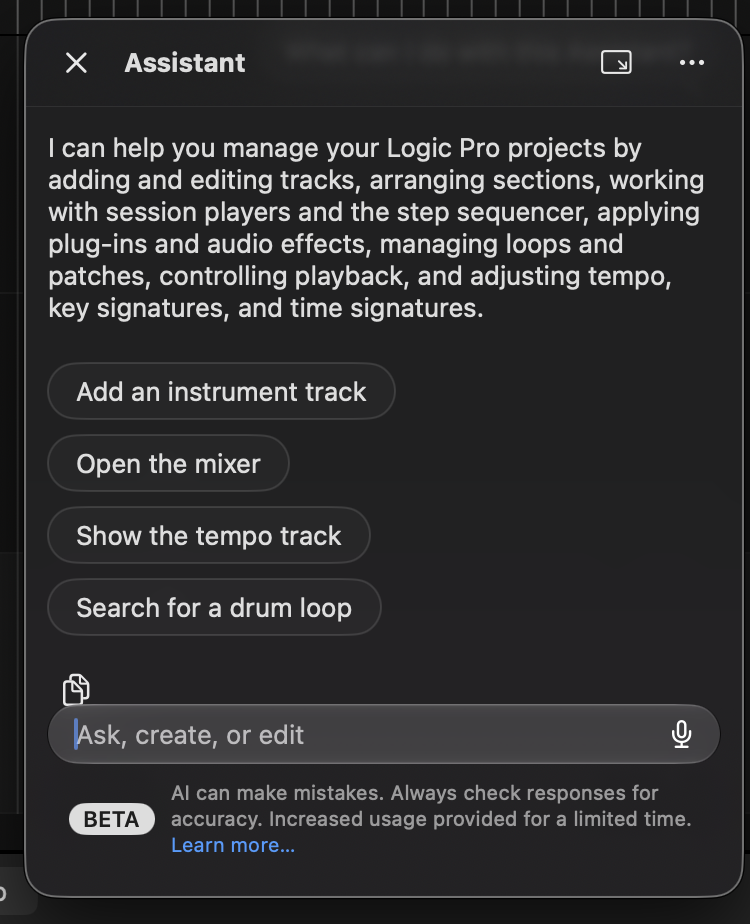
The assistant is in beta, but I was able to work with the version released to the public in advance of Friday’s release.
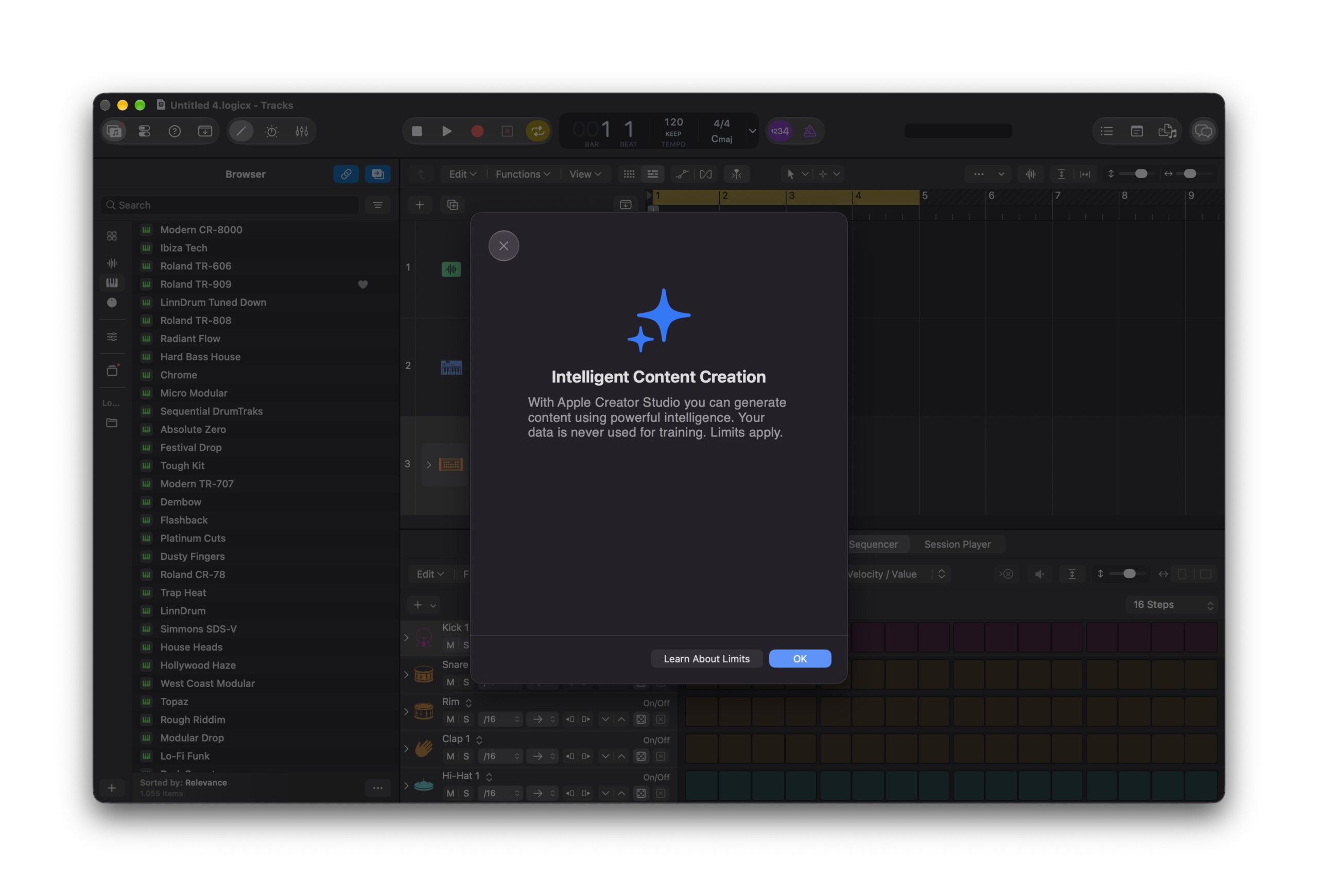
Let me just start out by saying, I’m not sure Apple is even all that married to the new intelligent assistant. They’ve labeled it a beta. They ask for feedback from users. Nothing against us and all our supremely enlightened opinions, but this is usually the first sign that something is on the wrong course. It’s powered in part by Gemini — software tech from outside Apple. They call it the “intelligent assistant” in lowercase. The entire presentation is a bit… apologetic.
Anyway, despite some of the freakouts you may have seen online, I don’t think the problem with the intelligent assistant is that Apple wants us to automate music-making and creativity. There are two reasonable problems it seems this tool is meant to solve:
- Using natural language to learn how to use the software, for those who don’t read the manual (which is … many, many people).
- Automating tedious tasks by describing what you want in words rather than a bunch of mouse operations.
So far, so good. But is this really a solution to either?
The first and most obvious application for the assistant is to type in queries to look up help. That works… more or less. But what you get is just a big dump of text that clearly came from the manual. Then you have to scroll up again to read it. And it’s stripped of images. And you can’t navigate to other sections. And the explanation is stuck in a block of text in the assistant’s window. These problems have been solved already in software, via superior designs that guide you visually and not just with text, or even interactively.
Compare, here’s what happens when you ask the assistant for help with a feature. Apologies to Apple; I chose the legacy UltraBeat drum machine.
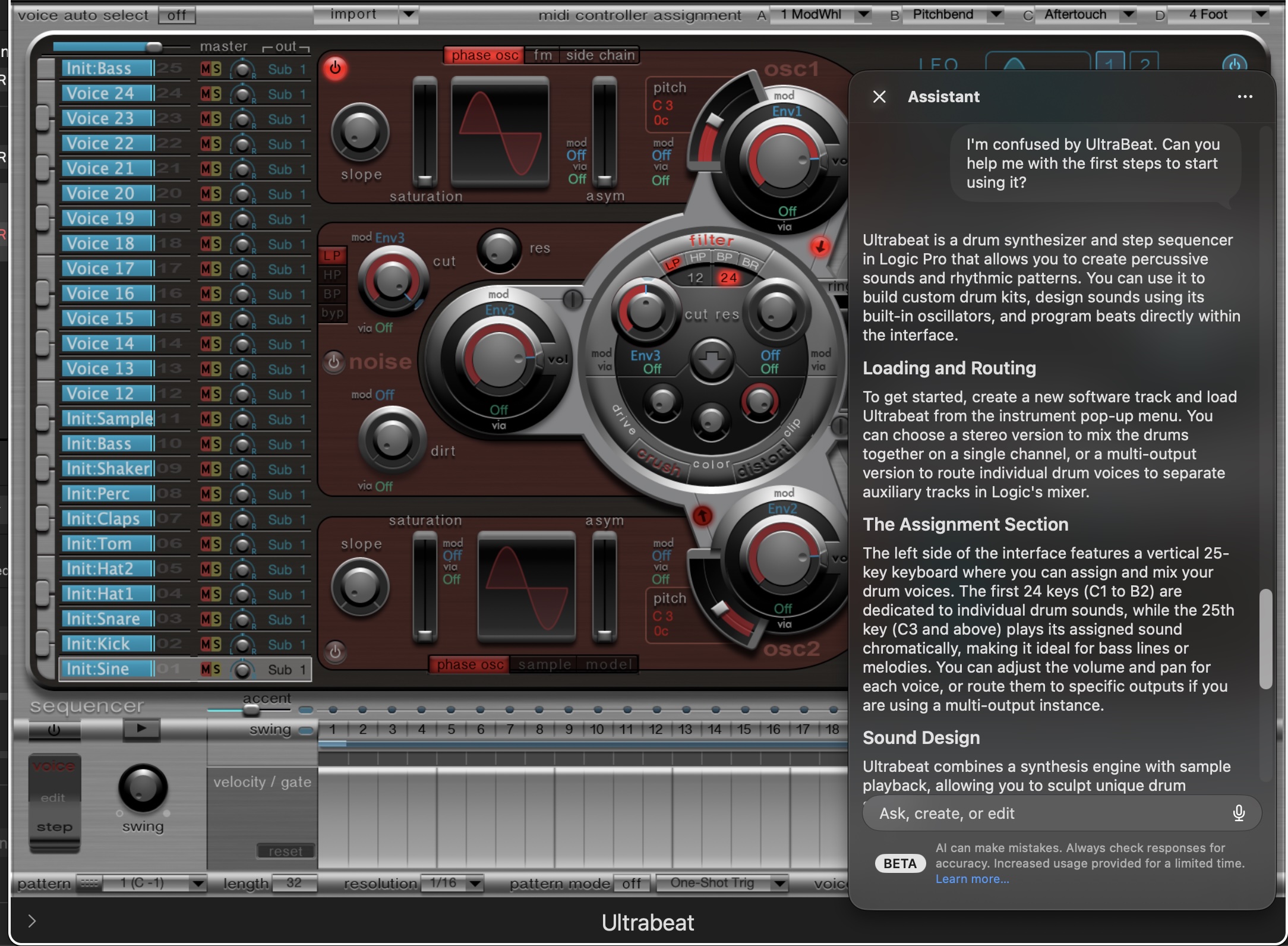
It feels a little bit like being a Jeopardy contestant. It’s the same search, but you have to ask it in the form of a question. (“Uh… what is UltraBeat?”)
Funny enough, if you just type the same thing into Help, you get more useful outputs — and some choices! These results are also near-instantaneous. The “AI” makes you wait for a while.
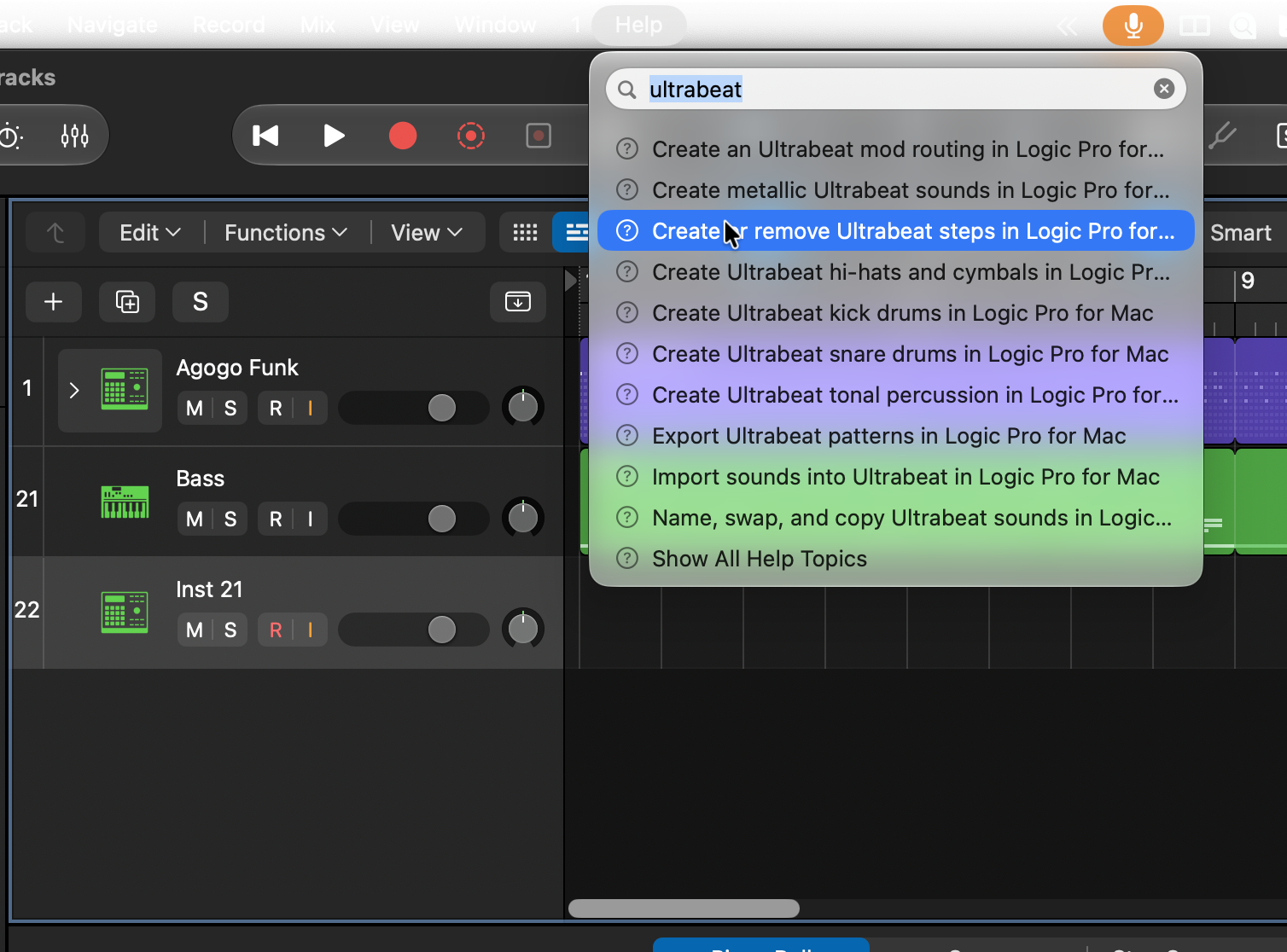
Then when you do go to the manual, the results are also more helpful, easier to scroll, and have pictures.
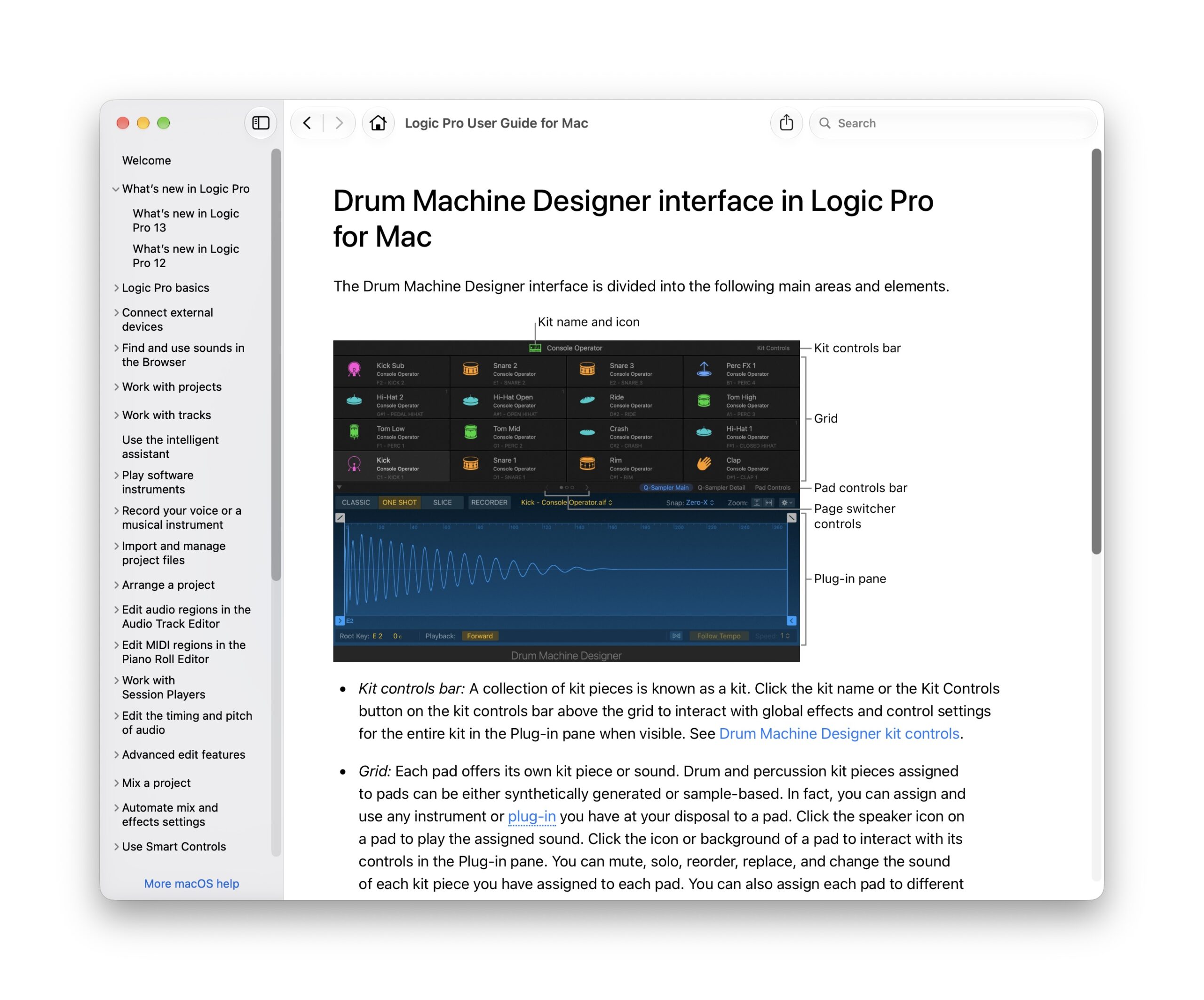
“Ah, but you’re an advanced user!” Well, yes — exactly. I’m an advanced Logic user, and even I found the intelligent assistant’s results confusing.
Okay, okay. So let’s try project and editing tasks.
Some basic tasks work reasonably well. It’s easy enough to use prompts to add parts, or create a Track Stack, or do basic editing tasks. The problem is, most of those operations can already be performed with the user interface. But then, you almost need to know in advance what to ask for. By the time I worked out how to structure the prompt, then waited a while as it parsed the query, then waited for it to work, then tried to understand what had just happened, the assistant had sort of defeated its own purpose.
I’m an advanced Logic user, and even I found the intelligent assistant’s results confusing.
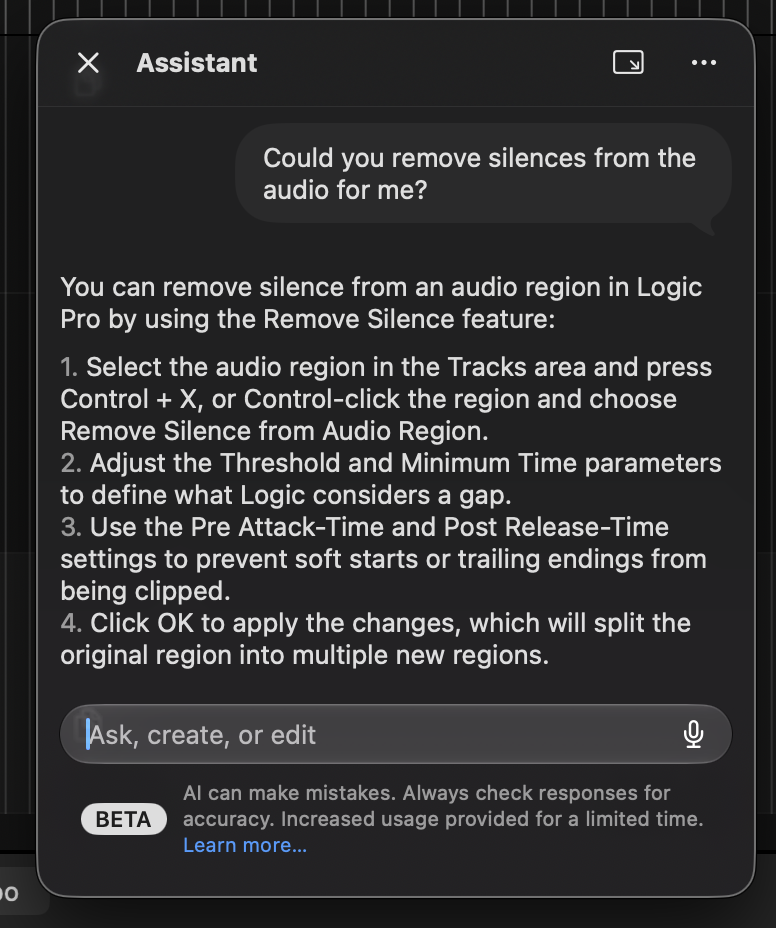
And that’s when you start with a simple query. Many queries you’d expect to do something just redirect you back to the help. For instance, I tried removing silences:
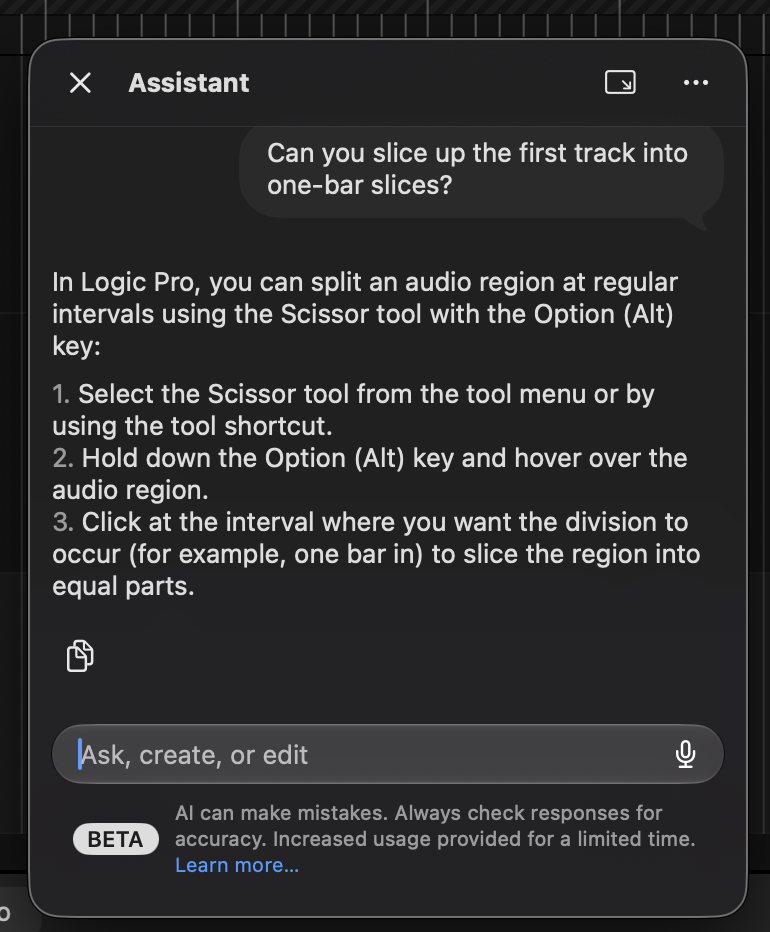
The same thing happened if I tried various prompts for slicing up audio.
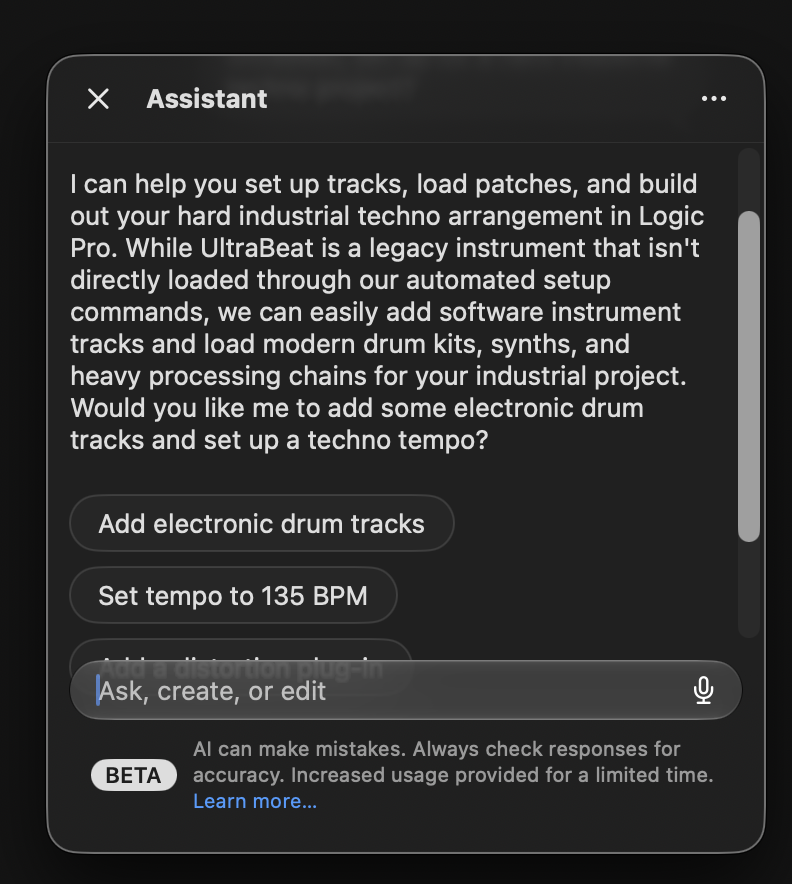
Hilariously, back to my UltraBeat example, there are even guardrails to stop you from using “legacy” instruments. This feature seems more capable at not doing things than doing things. Open the pod bay doors, HAL.
Or, as in dropping in some audio and trying to match a tempo to it, I’d get overcomplicated, near-random results. I took a stem from another project and got tempo changes every couple of beats, for instance.
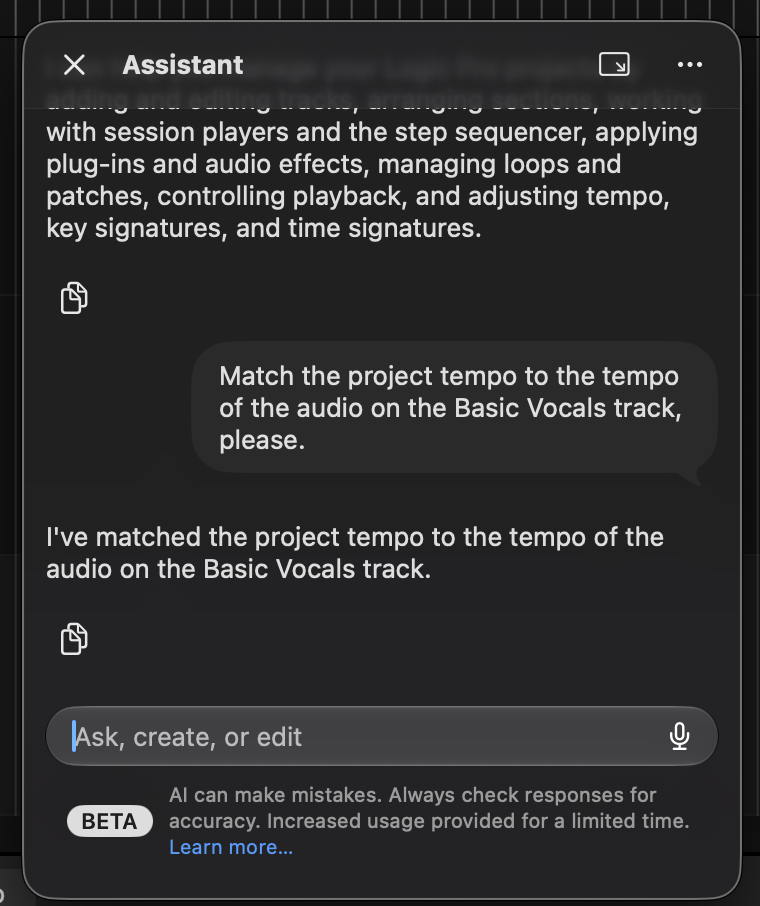
Before someone criticizes my prompts, I intentionally tried mixing predetermined prompts and prompts I constructed in a rough way as I thought a user might. I’ll spare you the details. I never did find a single task that worked effectively.
If you ask for creative advice, things get even stranger. Very, very basic tasks would give you … something. It was rarely what you asked for or musically useful. And at this point, couldn’t you just use a preset? It’s easier to connect a description with a result, and the designed presets might actually give you some musical inspiration. Using the assistant’s results felt more like using a randomizer.
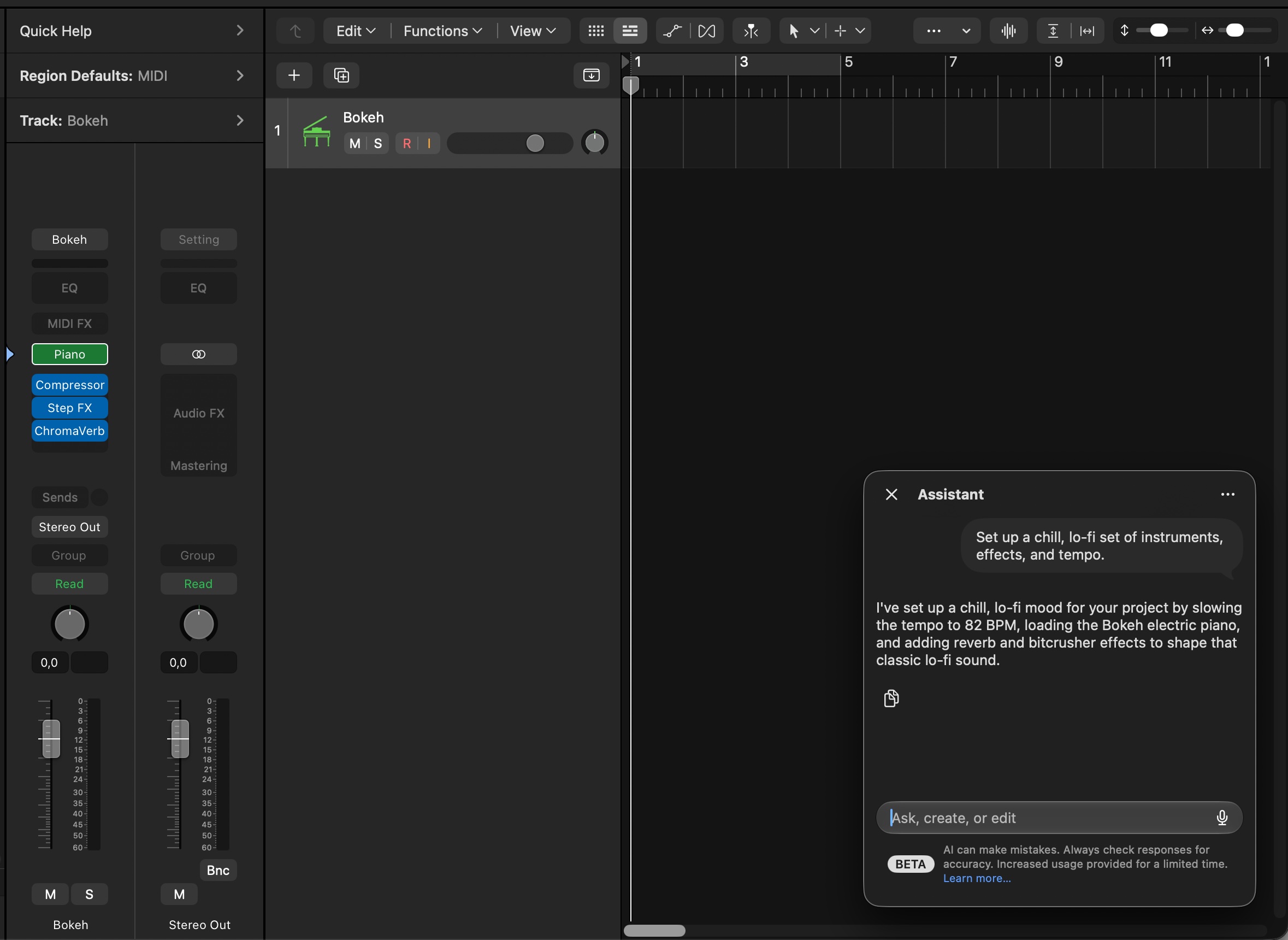
Hey, let’s set up a lo-fi project; that should work. A long while later, it came up with a piano and some glitchy effects and slowed down the tempo. Even a beginner could probably manage this better.
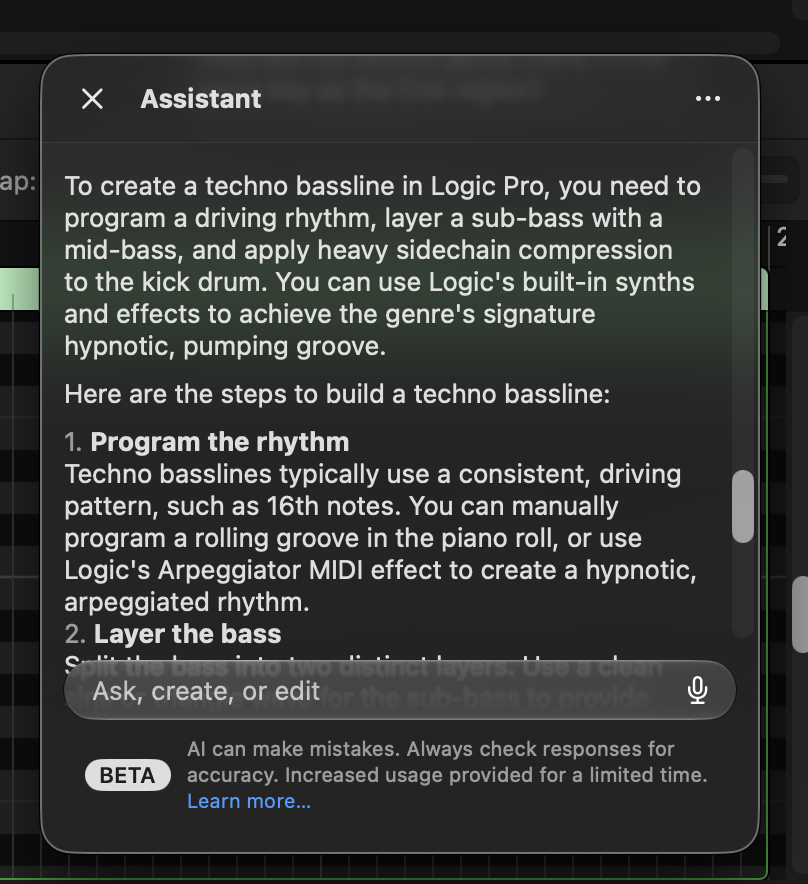
Ask for musical advice, and you got typical, boring AI slop. What are we doing here? Logic is one of the most documented pieces of software on Earth. There are tons of terrific tutorials out there. Beginners are capable of using cmd-tab and looking at the internet. Why are we doing this again?
Before I’m too hard on this functionality, it might have real potential for accessibility. Those users will also demand predictability, though, so some of these limitations are likely to be frustrating for them, as well. And I’d want to check with some experienced blind users first, which I’ll do.
It’s not just Apple struggling to make this tech useful; it seems endemic to the technology. For instance, I played with FL Studio’s Gopher and ran into many of the same problems. That in itself is telling, because here you have two very different companies with distinct implementations and totally different cultures and … honestly, neither of them can make it work.
Likewise, third-party developers who tried to incorporate this kind of interface to navigate presets and parameters often found the results unsatisfying. When LLMs aren’t normalizing everything, which is bad enough, their results are often more baffling than useful.
Oh, and it gets worse. In order to implement this feature, you have to click through new warnings. One asks you for your age. Another warns you about limits — when the AI tokens run out, basically. Plus you need a paid subscription to make it work at all. Maybe accounting thought this was a good idea.
Apple has had plenty of technologies for automation over its history — AppleScript (I’m dating myself), Automator, Shortcuts. But these have clear interfaces. You can see what they can do and can’t do.
Yes, it’s a beta. Normally you wouldn’t evaluate a beta like a finished tool. But in this case, it seems the underlying technology is what’s at fault.
LLMs wind up forcing trade-offs that don’t make sense to the user. Either you give them unlimited capabilities, and they present security problems and even threaten human livelihoods. Or you add a bunch of guardrails, and they stop being useful. It’s like trying to talk to one of those automated agents when you’re on hold.
Human operator. Human. Let me talk to a human.
Let me just use the thing.
Conclusions
Logic Pro 13 remains a free upgrade for purchasers of the download. As many have observed, the intelligent assistant requires a subscription — because it relies on Gemini’s “AI” features. All the other, more useful applications of AI — natural language searches in the Unified Browser, Find Similar, and stem separation — work without the subscription.
Take out the intelligent assistant, and this is a perfectly worthy, if generally minor, update. But Apple, please get back to the legacy of this tool. Logic has such a terrific legacy of instruments, effects, and mixing and arrangement features. Why not put the energy into those and not into cramming Google’s AI into your product?
Logic Pro 13 is available now, on its own or as part of the Apple Creator Studio subscription.
https://www.apple.com/logic-pro
What’s new in Logic Pro for Mac 13