It’s a hot Max for Live summer: here are three more don’t-miss tools for Max for Live for you. There’s a tool to bounce MIDI without the usual manual legwork. There’s a controller app that lets you play Live with gamepads. And there’s the synth follow-up to the blockbuster acid sequencer Sting! Let’s go:
If you buy something from a CDM link, we may earn a commission.
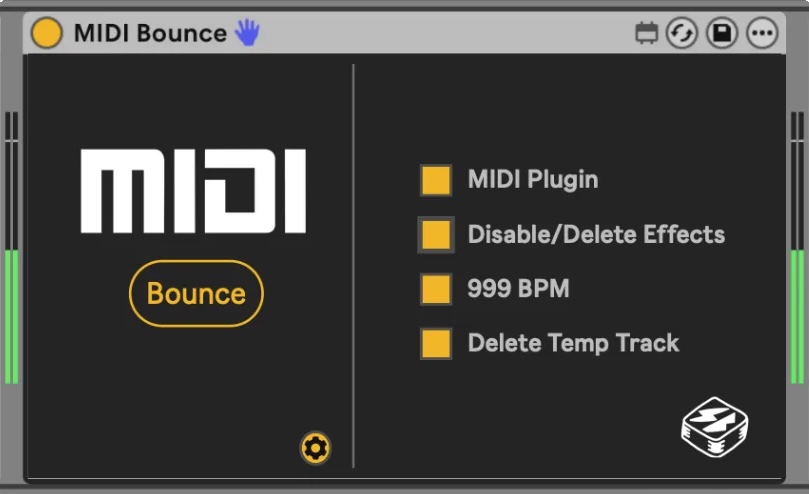
Bounce MIDI
Side Brain aka Yeuda Ben-Atar cooked this one up. It’s a huge time saver if you’re working with MIDI effects, Max for Live devices, and generative MIDI. A single device can capture and record everything with one click, from either Session or Arrangement view.
Oh, I’ve definitely made a mess of things doing this by hand. This is some welcome automation:
Use gamepads
Triggers, joysticks, motion controls — game controllers excel at many live user interactions that conventional music controllers can’t match. There are various tools that provide this functionality in Max for Live or standalone apps. But User Friend’s Gamepad utility has some particularly nice features for use with the Xbox Wireless Controller and PlayStation DualSense Wireless Controller:
- Scalable interface with a floating window, automation recording
- Lots of documentation (video and PDF), example sets, and pre-built mappings
- Instant mapping for all triggers, joysticks, buttons, and gyro/accelerometer
- Detailed integration: sample/track & hold, precise MIDI mappings, comprehensive mapping support
And there’s a ton of stuff that just works out of the box, as if Ableton Live had built-in support from the start. Map that touchpad to Ableton’s Beat Repeat automatically, for instance. And get unusual precision, like the ability to adjust exactly how far you have to depress a trigger before adding MIDI.
Support here depends on your OS:
macOS: PS4, PS5 via cable and Xbox Wireless Controller over Bluetooth recommended (limiting support for gyroscope, touchpad, and accelerometer for now)
Windows: PS4 and PS5 controller; Xbox Wireless Controller over both Bluetooth and wired (with full gyroscope, touchpad, and accelerometer support)
Note that this should mean support for anything called “Xbox Wireless Controller”; that is, Series X/S and Elite controllers for latest support. Third-party and earlier controllers might work but the nomenclature of models gets complex there, YMMV (especially depending on OS), and they’re not officially supported.
The short version is, if you want to get deep with this, you probably want a PS4/PS5 controller on the Mac and Xbox Wireless Controller on the PC, or a compatible device. But that’s a topic for another day.
I just saw the awesome memeshift playing live with this M4L device and a PS5 controller and making the dancer he was accompanying and the crowd very, very happy.
Gamepad MaxforLive by User Friendly
Slippery Slope acid synth
I was so quick to cover Iftah’s wonderful Sting 2 that I missed following up with the companion synth. Now, as I said, you can use Sting 2 for everything — even drum patterns and whatnot. But it’s great to have the acid synth, too, and CDM regular David Abravanel was just raving about this one to me.
As before, this one is accessible in both senses: it uses Iftah’s accessibility toolkit, and you can pay what you wish depending on your budget or lack thereof.
And go check that new website. I love the minimalist, clean design:
https://www.if-tah.com/devices/slipperyslope
Previously:
What M4L device have you been using (or building) lately? (Or Plug Data, etc.? This is a platform-agnostic space, despite this deluge of M4L goodies!) Let us know.