K-Devices’ Fauve is an idiosyncratic, exquisite audio effect that the developers describe as “fractured memory” — a glitchy, audio-slicing, granular-adjacent sonic fragmentation tool. There’s nothing quite like this “flawed audio reconstructor.” Let’s break down how it works, especially with the effect on sale now.
If you buy something from a CDM link, we may earn a commission. (There are no affiliate links here for K-Devices.)
Beautifully broken
K-Devices built a set of focused audio effects they call Totems, each with similar experiences and some transferable metaphors. That simplicity is great; you learn these as mysterious instruments — it feels like learning a magic spell. Of these, Fauve is the one that gripped me the most. It’s something mind-bending, an effect that leads you around unexpected corners. It has the feeling of an experimental patch, but it’s refined enough that you can push each control to extremes with confidence. And it runs as an AU/AAX/VST plug-in for maximum flexibility.
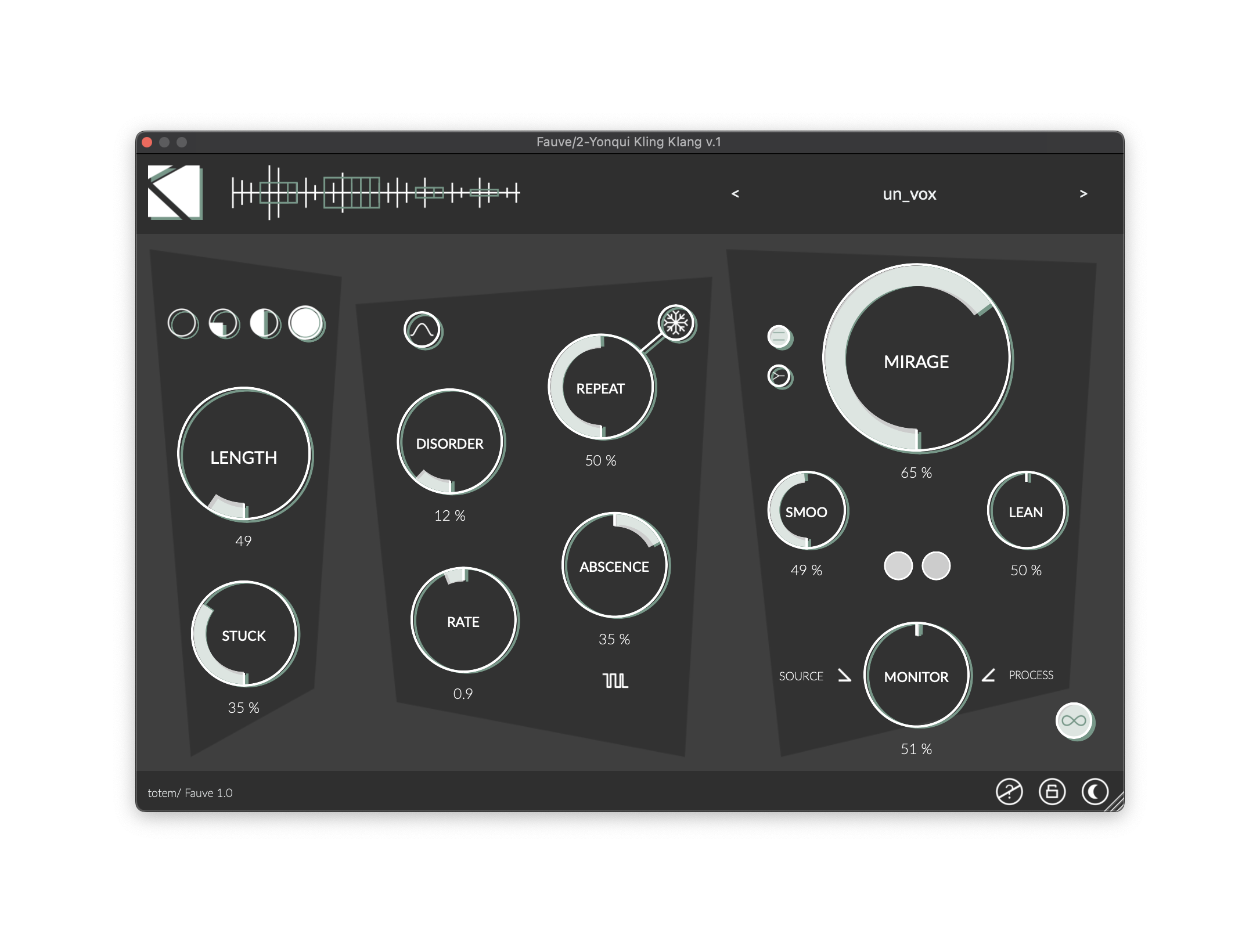
Fauve’s central conceit is that it slices up incoming audio signal by zero crossings, not by the usual evenly-spaced rhythmic subdivisions, transients, or grain windows. These pieces are assembled into what K-Devices calls Collections. Unless you freeze the buffer, the sound is constantly changing. From that set of tiny fragments, Fauve will output a continuous stream of sound in stereo with varying amounts of disorder and repeats. It does so with a degree of irregularity and instability. It’s deceptively simple, partly in that the non-conventional controls let you manipulate this replication in ways that aren’t immediately obvious.
This week I’ve also got an interview with Lyra Pramuk talking about her new album Hymnal, and she immediately brought up Fauve’s role in that story . She tells K-Devices, “For lovers of all things artfully fractured and broken, Fauve is a playground for decomposing and reconstituting your sounds that goes far beyond glitch: I’m using it to sculpt refined rhythms, textures, and totally new sonic phrases, invented in collaboration with the plug-in. This is a new go-to tool for me. I’m obsessed.”
Here, to give you a sense of what’s going on sonically, is me jamming with it. All I’m using is a clarinet/electronics piece of mine (from 20 years ago!), plus Fauve and the wonderful Klevgrand Walls.
Understanding the controls
The manual is a good read, as are the demo videos. But it can be a little unconventional to understand the first time use it. Let me see if I can condense that.
Think of it this way: Fauve is a dynamic slicing buffer, constantly being refreshed (the collections), with controls over the nonlinear way that buffer is played back. It’s really closer to a lot of experimental glitch/buffer effects than anything else.
You don’t have wet/dry, per se, but rather the Source channel (in stereo) and the output Process channel. Here’s a way to think of how to begin to manipulate that:
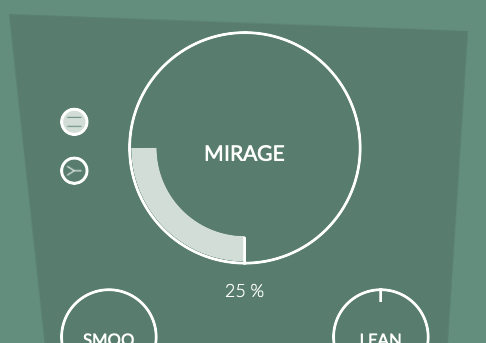
Mirage is a good place to start. Turn this up, and you increase the chance of the processed sounds playing. Next:

Length determines the size of the collections. That’s a little confusing at first. The sound is always divided by zero crossing, so the length of those little grains is irregular and determined by the source material. Length determines how many of those sound bits form a Collection. Still, short values will give you glitchier results, as usual — just depending on the source material and how often you hit a zero crossing. The Floor controls (those circles above) let you set minimums, from right to left, of 100 ms, 50 ms, 25 ms, or no floor at all for some more irregular/glitchy results.
Then you have the controls for playback/processing:
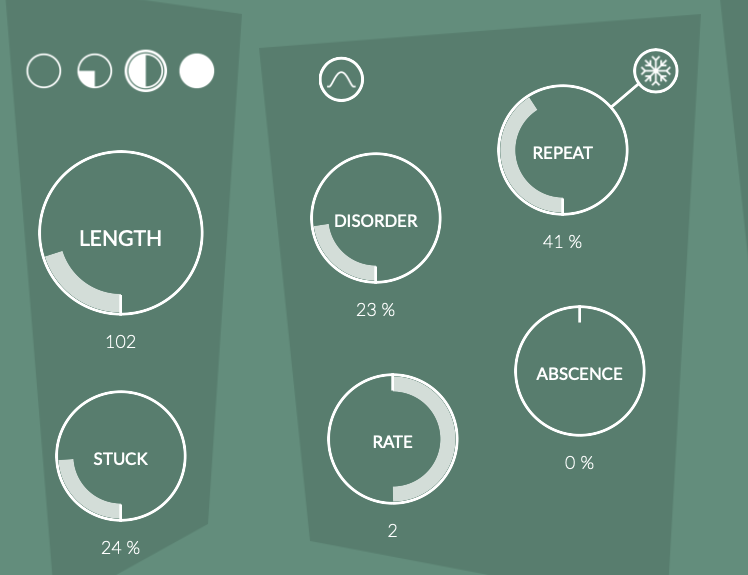
Rate is the most obvious one; it’s a speed control that also impacts pitch, scaled from 1/2 speed to 2x speed. (This is screaming out for a v1.1 with reverse controls, but hey!)
Stuck sets a probability for skipping over recording some sound units.
Disorder shuffles the playback order.
Repeat loops a collection. 100% Repeat is the same as Freeze, but you can set Freeze to a momentary MIDI control.
Then there are some extras:

Envelope adds windowing to each collection — that’s roughly akin to the windowing in granular synthesis.
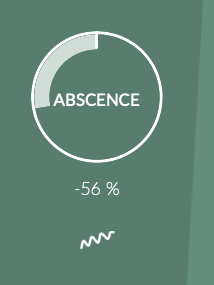
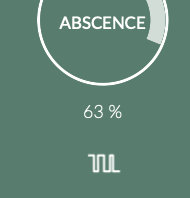
Absence is an amplitude modulator with two modes. To the left, it adds random amplitudes (like applying a S&H with noise); to the right, it silences the signal (like applying a rectangular LFO).
Finally, the output controls – keeping in mind Mirage sets the overall probability of processed sounds playing. This means a quick review is in order: remember that Fauve has left and right channels which can act independently with Mirage, and that source and process are two separate buses to manipulate, too.

Smoo shapes the transition between source and process. So yeah, it’s smoothing — as you ‘flip’ between signals, this can add some gentle enveloping, which is essential if you don’t want the results to be too glitchy.
Keep your eye on the two small circles to the lower right of Smoo for an indication of when each bus (left or right) has its processed version triggered (based on the position of the Mirage control).

Stereo controls are a little unorthodox. This does not flip the resulting sound between mono and stereo, because stereo information is retained from the source. What it does is to determine whether the mirage control impacts each channel independently or together. In “mono” mode, you’ll still get a stereo result, because the L/R information of the source is still there. But switching this to stereo will add some stereo motion.

Lean shifts the balance between left and right channels — not the panning, but how much of the signal is applied to left or right processed channel. That will impact stereo balance, for sure, but only the processed element.

Sustain keeps Fauve sounding; with it disabled, Fauve will go silent whenever there’s no new input.
Let me demonstrate just the impact of Monitor (source/process), Mirage, and the stereo controls. I actually just had this silly Ableton Live preset up to make some screenshots. Typical. Fauve makes that sound amazing, too:
Here’s the full tutorial by K-Devices:
In action
Okay, so you expect the glitchy sounds, the pretty/broken sliced up piano bits, all that. But you can do so much more with this.
Here’s Fauve paired with the awesome RANDOM Metal from Beatsurfing, and the answer to the question, “yeah, but could I make RANDOM sound extra RANDOM??”
Conclusions and sale
Fauve is a perfect cure for sound-alike effects. It really is distinct from other buffer/glitch and granular tools. And it strikes an ideal balance between predictability and weirdness, between polished controls you can learn and master and unexpected combinations that surprise you.
If you are a patcher/coder, it might inspire you both in your production and your patching. I have a Pd patch that’s a bit like this but — then I can also say how I use that patch for its unexpected rough edges, and this has the same feeling. It does things you can’t reproduce.
And it’s priced perfectly for an impulse buy, especially on the 50% off sale (€24 instead of the usual €49)
Once again, the tasteful Ableton Live theming comes from here: