A 1024-step, multilane polyphonic sequencer sounds overwhelming. But the latest Manifest Audio polymetric sequencer, Polyfold, offers a palette of various patterns and shapes that you can deploy across that vast canvas, easily and quickly. It opens up sequencing in Live 12+ Suite, free from the usual constraints. It’s a compositional playground, with full MIDI and OSC (!) support, for music and visuals alike.

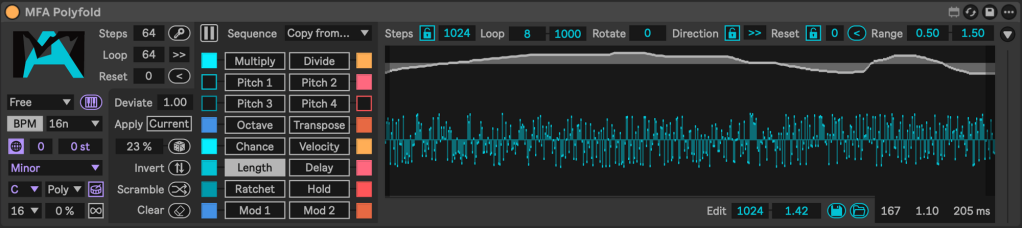
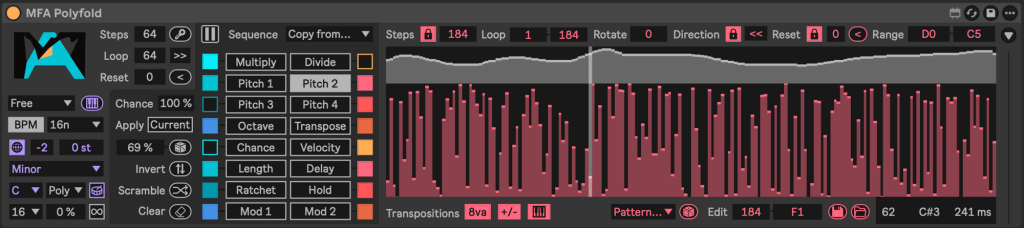
Today, I’m going to look at two separate tools for Max for Live that free you from the usual, monotonous repetition of step sequencers. That’s partly because their approach is so different. But I love that we’re finally reexamining how step sequences work. Polyfold’s depth makes it a great starting place.
And by the way, this is in Motion for a reason — this will also be fantastic with visual tools, both internal environments like the EboSuite Sesei 3D tool (more on its update shortly) and external tools like TouchDesigner, Resolume, or VDMX.
Developer Noah Pred has made a mind-bogglingly large library of step sequencers and generative tools, but while I’ve admired that work, this is the first one that really clicked for me. For all that precise control, Polyfold lets you work quickly. It’s a way to work with long-form patterns but in ways that go beyond what you can do with static clips. It’s the tweakability of a step sequencer with the open-ended depth of a pattern clip.
“But wait, do I really need my patterns to jump from like eight steps to 1024, and am I going to wind up sitting tweaking over a thousand individual steps?!”
No and no — think of this instead as a multi-dimensional sequencer where you don’t hit limits. You have freedom to produce polycyclic, polymetric, polyphonic patterns with four independent pitch lanes (for four-part polyphony), and you won’t hit limits. When you do want something to evolve gradually, it can — without the clumsy approach of chaining patterns together. That allows far more evolving, hypnotic possibilities across a range of musical idioms, without the on-the-grid, 4/4 regularity that the copy-paste methods most other sequencers force on you.
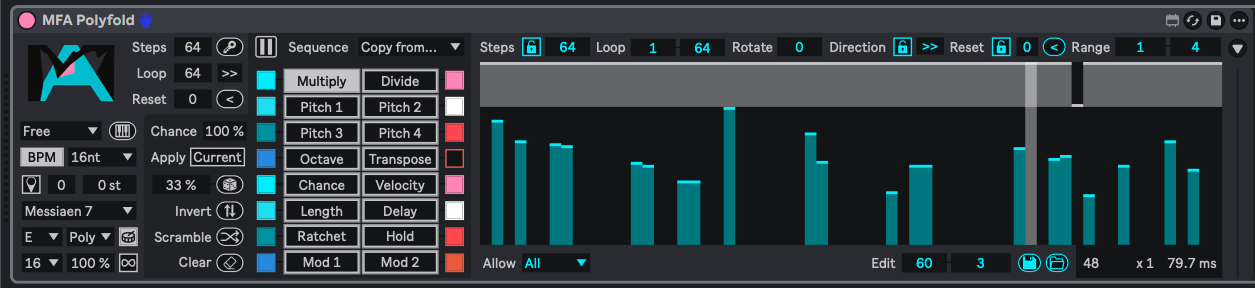
Let’s break this down piece by piece.
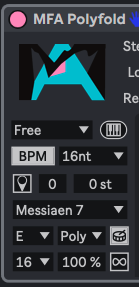
Output settings let you constrain by scale, base note, transposition, and clock and division. Tuning isn’t explicitly defined in Polyfold, but the Device is MPE-aware, so you can set the Tuning System in Live and then choose the appropriate “scale” (really, pitch collection) mapping you want — or just choose chromatic, which will also work with other tuning tools like MTS-ESP.

Global sequence controls, along the top, give you step length from 2-1024, loop points, direction, and pitch range.
Next to each of those, per-lane “lock” options that let you override those settings for a particular lane (one pitch row or length or modulation, etc.)
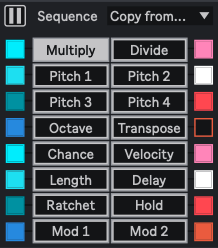
Individual sequence lanes, each with color coding and toggle switches. These are going to be mostly self-explanatory, but it’s particularly powerful having multiply and divide lanes, in addition to the per-lane overrides, for creating extra syncopation or rhythmic permutations.
And yeah, Chance, Velocity, Length, Hold, Delay, and (ooh) Ratchet!
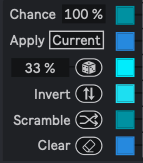
Manifest Audio has built a lot of its library on generative techniques and related ideas. Here, those become essential. For each lane, you get adjustable randomization, inversion, “scramble,” and chance.
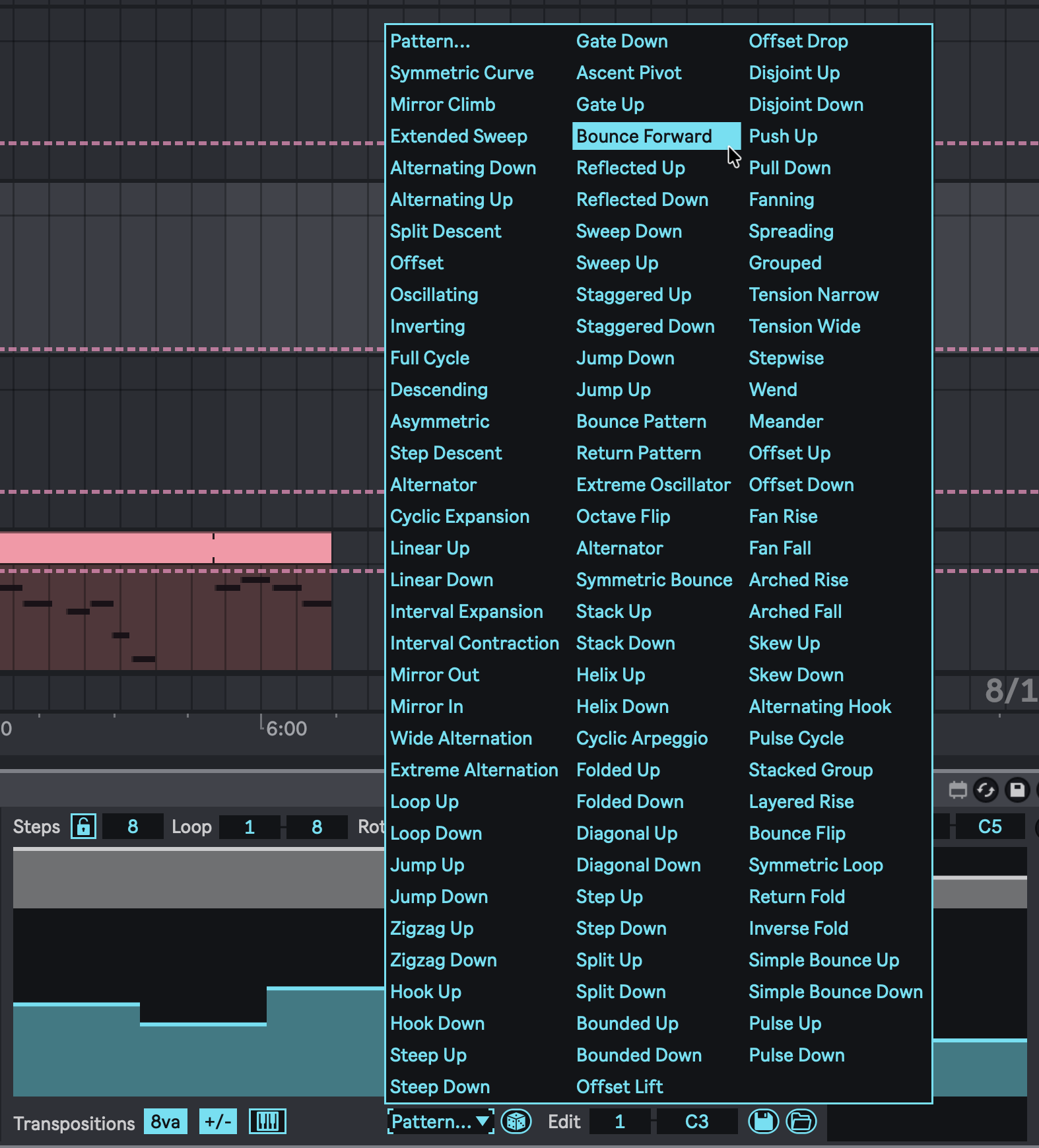
Many of the lanes also come with their own menu of patterns, with a huge and inspiring selection of shapes, each tailored to its associated lane. You can also paste from other lanes, meaning if you really want that bossa nova clave pattern from the chance lane over in your modulation, you can copy-paste, which I absolutely have been doing! (I partly wish every lane had its own menu, but perhaps that will come in a future version — this thing is already huge!)
Note that the dice icon here randomizes a menu selection; for full randomization of steps, go with the one on the left.
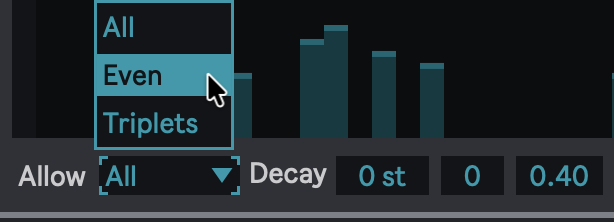

You’ll find handy contextual menus in each lane, too, including Euclidean rhythmic controls (above) and rhythmic options for ratcheting (above, top).
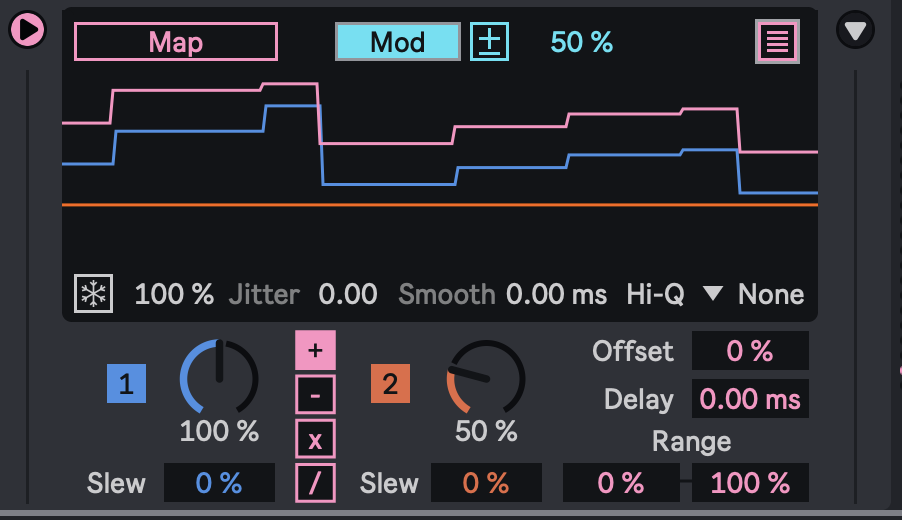
You also have an expandable modulation section with mapping and two dedicated mod lanes. If you need more, of course, just add another Device running from the same clock — Manifest Audio has its own wide selection. (I did find myself running multiple instances of Polyfold, so truly, it doesn’t need to be any more complex!)
Unfortunately, for now, you can’t independently map the output of the two mod lanes, but Noah tells CDM that adding two is high, high on the list. (OSC has no such limitation.) And you can also link this to other tools with Manifest’s X-Relay for routing between Max for Live devices. (X-Relay is part of Utility Boost, which is bundled with all MIDI effect devices.)
Put it all together, and this is a true gem. You absolutely don’t need to get out of your flow tweaking, and you absolutely can use short pitch sequences — leaving the long-form stuff for evolving patterns and the like. Here’s an example I built in a few minutes (using some of the ideas from yesterday with AAS Multiphonics CV-3 v3.1):
And here’s a longer jam/idea (Noah did ask what I was using so now I have to share). This isn’t necessarily to demo the software; it’s just how I wound up using it while exploring — which is the point; you have this broad environment and can pick and choose what you need at any time.
I barely scratch the surface — though you aren’t typically going to use all the features at the same time, at least not all the time. Noah has made a complete, extended walkthrough going feature by feature. (The manual is also, as always, detailed and useful!)
Get Polyfold
Polyfold is on an intro sale through Monday, with 35% off the usual price.
If you buy something from a CDM link, we may earn a commission.
POLYFOLD Multidimensional Sequencing System [Manifest Audio]
Don’t forget that if you have been craving these and other Max for Live Devices and lack Ableton Live Suite 12 (or want to go legit), Ableton has not only upgrade options but also a Rent-to-Own plan (without commitments, etc., and you do wind up owning the software, not renting). I explained Rent-to-Own when it launched.