Logic Pro 12 is available now. Both iPad and Mac versions are included as part of Apple’s new $13/mo Creators Studio, but this is also still a free upgrade for all existing Logic owners, and one-off purchases remain available. So let’s talk about Logic’s banner feature, Chord ID, and the Synth Players and other features that can take advantage of it. They’re deeper than you might think.
Your DAW is now a lead sheet
Chord ID is important, not just because of its analysis powers, but because of a number of features it unlocks across Logic in both iPad and Mac versions.
For all the fanfare, a lot of what Apple has done with Logic is all about continuity: they build on what’s there. Logic always had some music theory chops built into it; this software began its life in the 80s as “Notator,” after all. Since Logic 5, the transport would show you which chord you were playing via MIDI. So in Logic Pro 11, alongside Session Players, Apple quietly added a Chord Track alongside the Tempo Track. (Here’s a great write-up of how it works in 11.) And yes, Chord Tracks are also a thing in Cubase, which had them first.
These are useful with or without Session Players. But despite my music theory degree, I certainly never took the time to go through and manually enter chords. (I honestly forgot about the feature even being there.) The payoff in productivity isn’t necessarily worth the input time.
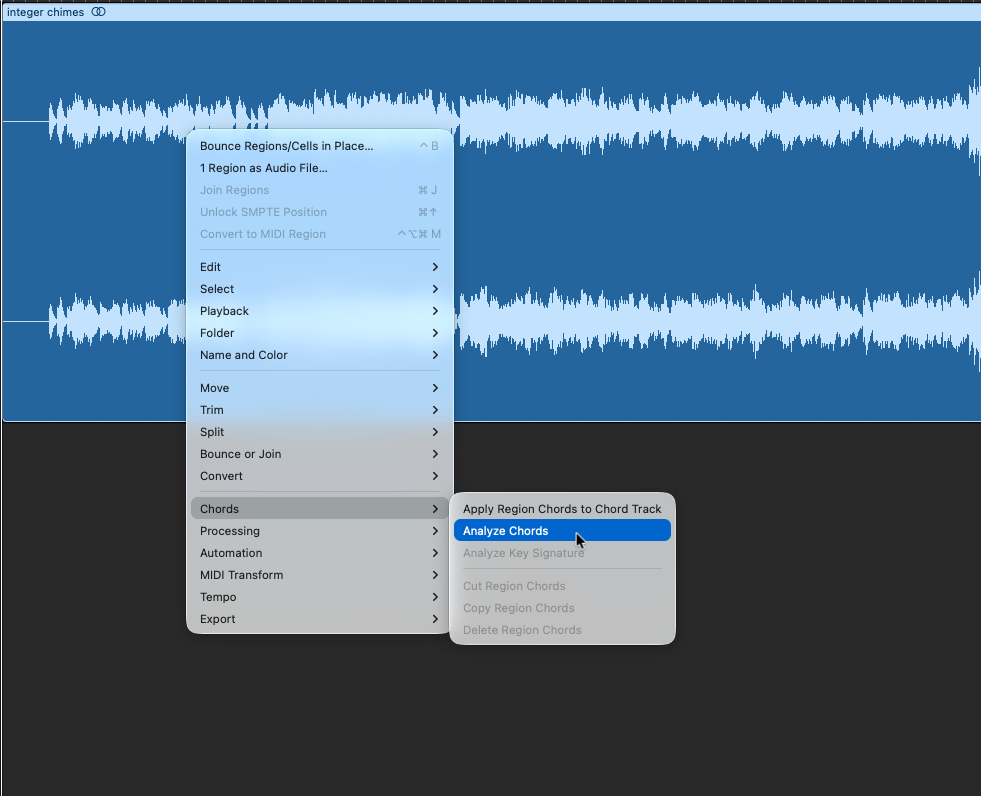
Enter Chord ID. You can drag and drop audio, MIDI, or even a recording from Voice Memos, and Logic will automatically transcribe the chord progression and add it to the Chord Track.
I’m really impressed with how good the harmonic analysis is — not only that it gets the chord right, but even the harmonic rhythm of the material — how often chords change.
It’s definitely not perfect, especially if you throw dense materials at it, but even when I intentionally tried to break it, it approximated something of the harmonies. That makes it easy to clean up even with tough material. I don’t think I’d ever manually enter a bunch of chord changes (just, why?), but with auto-complete, Chord Tracks become something to use.
And because Chord Tracks were originally built as a manual feature, you can also adjust the results easily.
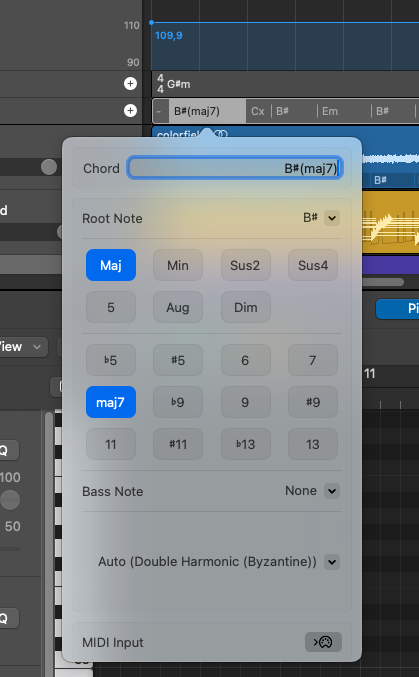
This is obviously a fully Westernized take on musical structure, though that lasts about as long as it takes for me to start messing around with Sculpture parameters. (I would be really interested to see new interfaces built around other musical systems!)
Perfect harmony
Here’s where this gets fun. First, the entire Apple Sound Library is already pre-analyzed with Chord ID. You can drop existing Logic loops — or now anything from the expanding, free Sound Library on Mac (previously iPad-only) — and harmonies are already there. I would never recommend a chord pack, but look at it this way: instead of a dozen or so fixed harmonic progressions as presets, now any audio can be a harmonic preset.
I’m a keyboardist. I have a theory background. But I enjoy this precisely because it can push you out of a normal routine. That’s useful when a) you’re on an iPad and don’t have access to a keyboard or other input device, and b) when you’re just tired/stuck/not in the mood. It’s a mood enhancer.
Both Session Players and the Logic Step Sequencer will follow the harmonic progression. (It’s also useful to those of us who do read progressions in being able to see what’s happening where in a track, especially after some adjustment for any errors.)
You can also play with harmonies the way you would other elements — cut, copy, and paste harmonies by region. (There are weird implications of this, too — like applying harmonies, but then driving a percussion pattern with it. Let’s go.)
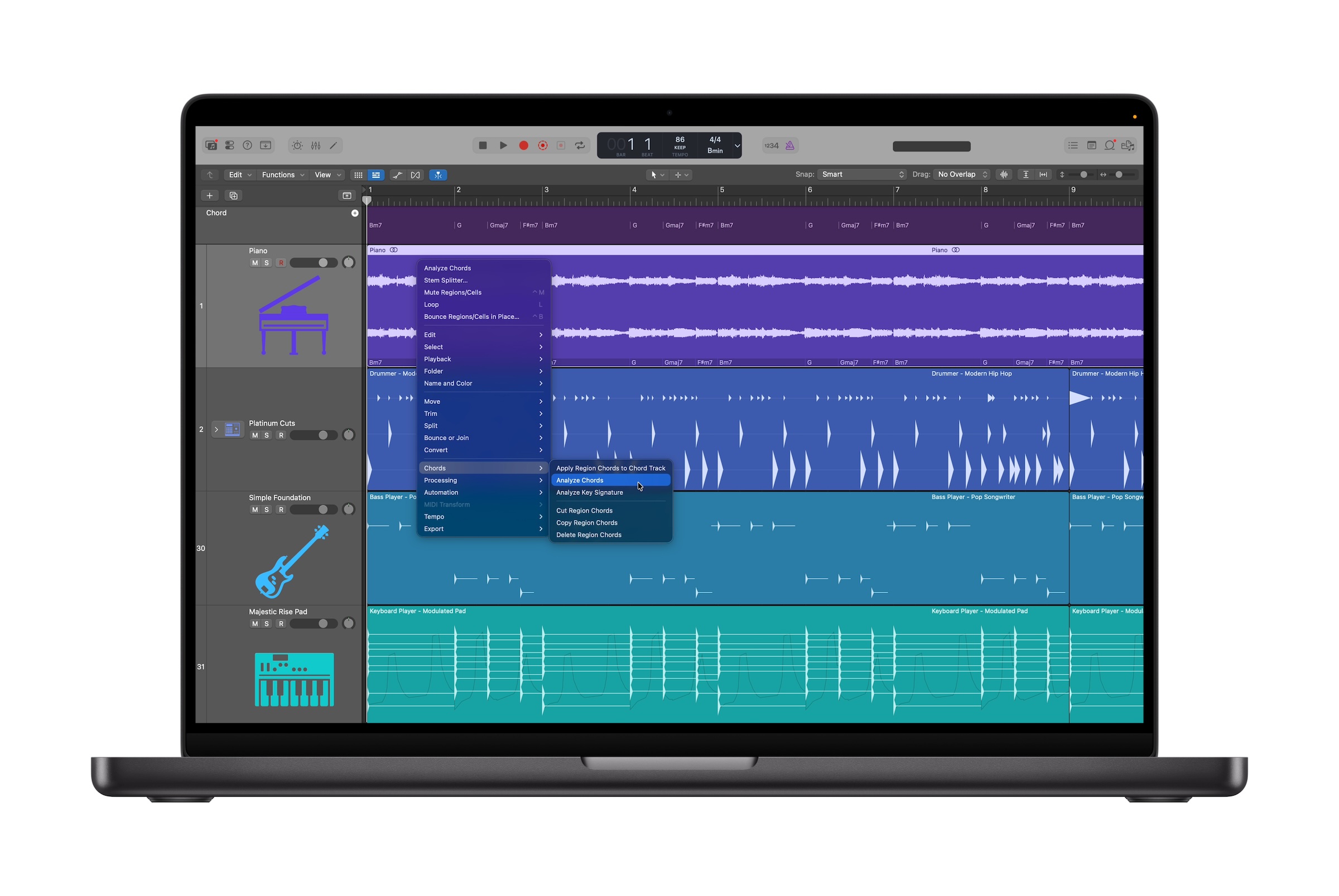
Session Players
There are some tricks to making this work as effectively as possible.
First, Apple has added a Synth Chord Player and a Bass Synth Player to its collection of Session Players. (Existing harmonic/melodic Players support this, too.) Synth Chord Player is especially useful because, unlike some the other selections, it’s satisfyingly neutral. You can really dial in ambient and experimental pads here, or just quickly layer some ambience in tune. It seems like Apple heard those of us who felt the early players were a bit too specific to be widely usable.
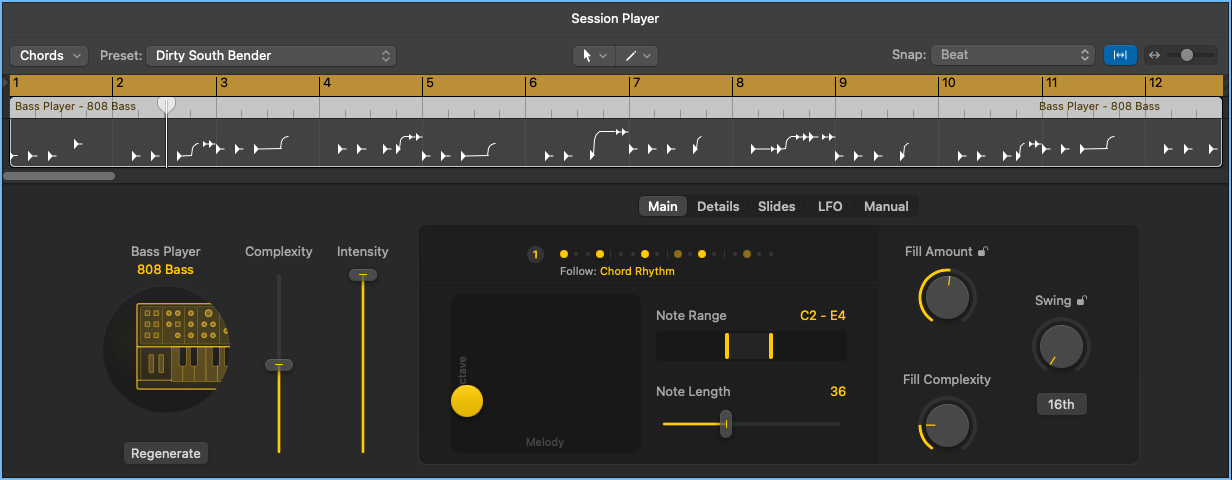
You get variations for each:
Synth Player: Simple Pad, Modulated Pad, Rhythmic Chords
Bass Player: Pump Bass, 808 Bass, Sequenced Bass
There’s a trick here: when you create the Player, be sure to untick “Use Default Chord Progression for New Regions.” (It’s selected by default.) Otherwise, this will have the Session Player just start playing its own progression, ignoring the Chord Track. (Yeah, we’ve all had session players like that…)
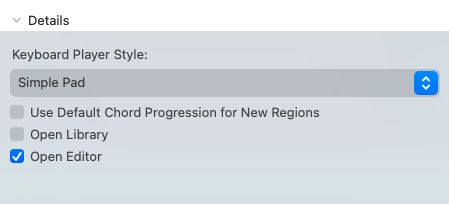
Session Players default to instruments and signal processing chains, but you’re by no means limited to that. You can use any instrument or plug-in you like — hence I’m always swapping in Sculpture.
There’s also a ton of direct control over how the Player behaves, with each giving you different options.
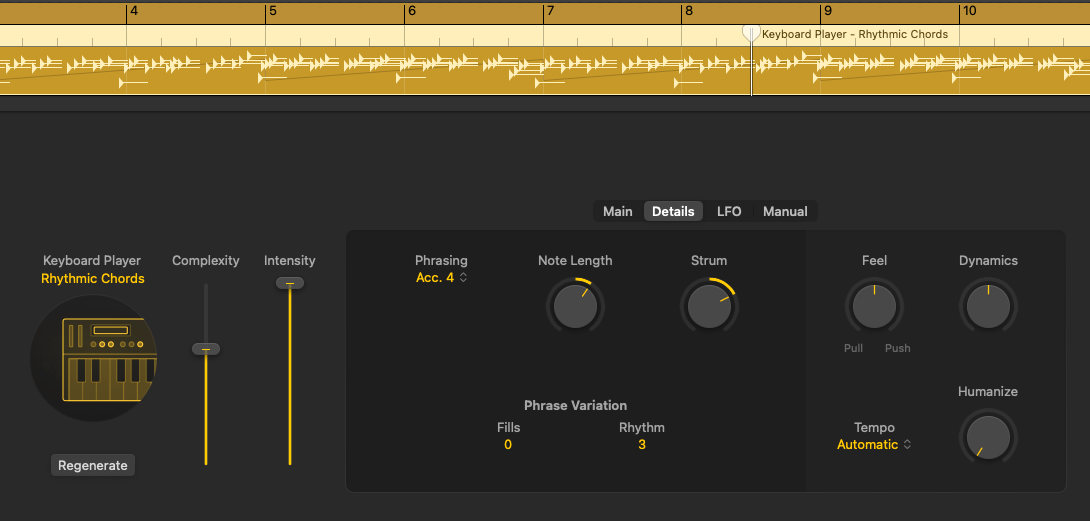
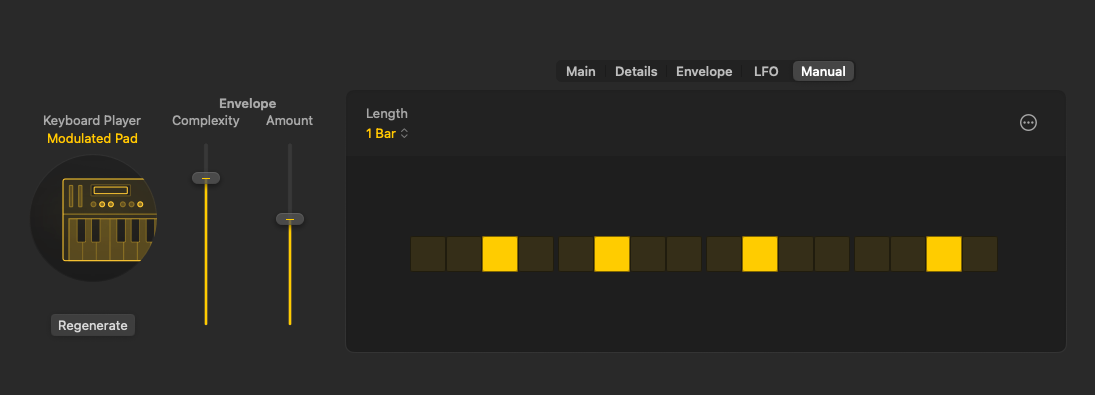
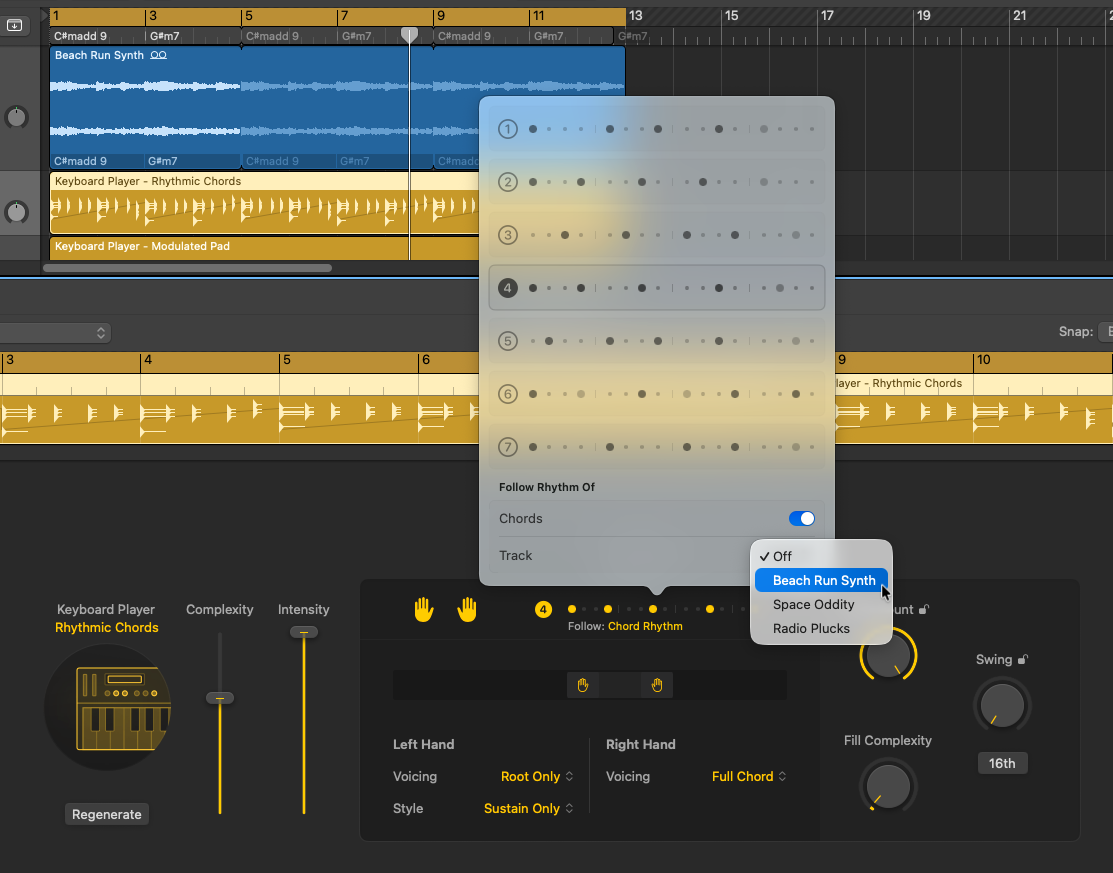
One more tip: if you’re using the Rhythmic Synth Player, you get the ability to follow the rhythm analyzed by Chord ID. I hope Apple builds on this, actually: it might be the rhythmic analysis of the harmonies that you’re most interested in. You can follow the rhythm of the chord or a specific track. For in-the-box experimentation, there’s just a ton to play around with — perfect if you’re just toying around with ideas on the iPad in bed or Mac late at night in the studio.
Step Sequencer
Session Players are an acquired taste / sometimes thing for a lot of us. But having the same harmonic awareness in the Step Sequencer is fantastic. (We’re spoiled in Ableton Live, having tuning and harmonic awareness — but that doesn’t follow chord changes like this does.)
Add the Step Sequencer generator to a track, and you can opt to follow just the Key Signature (and mode), the Region Chords (locally), or the Chord Track. (Note that this Pitch Source > Chord Track was already there in Logic Pro 11 — but now you can automate chord entry, making it more useful. See, sometimes AI can do the actual boring work rather than automating the fun and musical stuff we do want to do.)
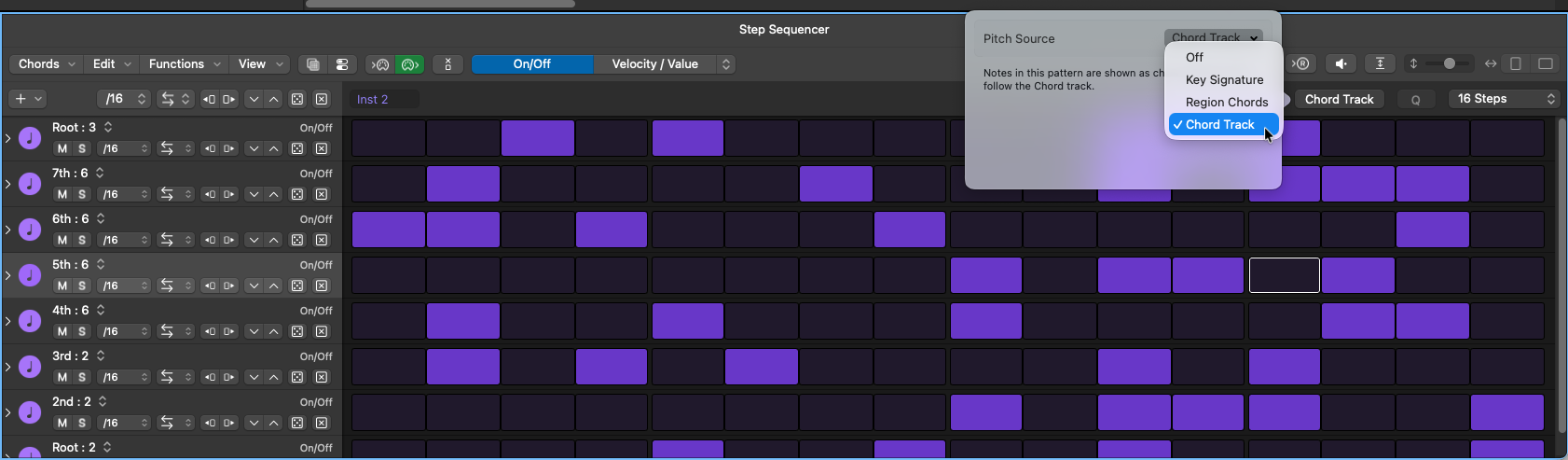
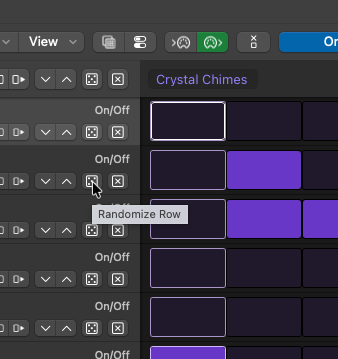
Combine this with per-pattern or per-lane randomization, and… again, yeah, like if you want to just chill out and make a whole bunch of sparkling pitches flying around, now you can.
In Use
It’s possible to get really expressive with this feature, which surprised me. I tried some experiments with the past Players, but this is one I might actually come back to.
Let’s take a stupidly simple example. I took a loop from the library that has literally only two chords. But watch how you can build on that to create nuanced, shifting textures, both with the new Synth Player and with Chord Track support in the Step Sequencer. (Alternating between using the Key Signature/mode and Chord Track as source also sounds satisfyingly modal.)
This isn’t genAI
Let’s talk in purely technical terms. Yes, what Apple is doing is loosely speaking “AI” — though these features use combinations of machine learning and conventional heuristics and other rule-based generative patterns and parameters.
What I notice is that these features remain beginner-friendly without sacrificing direct control. And they’re more open to different ways of working. Consider:
- All of this happens locally on your machine — you’re not training somebody’s model, with some of the resource consumption that goes along with it.
- You’ve got a ton of knobs! This is big. You can shift the left and right hands. If you know some theory, you’ll see voicing options that are clearly labeled. But you also get a lot of knobs and faders to move around until they feel right — useful to experts and beginners alike.
- You can use your own materials! Add your own audio, instead of having to guess what prompt will conjure it from someone else’s.
- You can use your own synths, effects, everything — it’s still Logic. Again, rather than having to type elaborate prompts to coax an AI tool into giving you what you want, you can do it.
We have a lot of debates about AI that get heated and emotional — and maybe it calls for that. But there are some objective differences to the way this technology works from the way tech like Suno does. Those tools are adapting, to be sure — I’ll talk about LANDR’s recent offerings separately. But you will notice that a lot of those adaptations mean evolving to be more DAW-like. It’s giving you back control.
What strikes me is that this approach, from this direction, still has a ton of unexplored territory. Chord ID is great, but it also feels like a beginning, not a terminus. So it’ll be interesting to see how Apple takes it from here, or what features their rivals decide to add.
I also have the usual experience with Logic which is — if they added absolutely nothing, but I just forgot about things like Beat Breaker, it would still feel like an upgrade. There’s just always more to explore in this software.
I’ll deal with the rest of Apple’s new creative subscription suite separately.
Now I’ll probably just make some chime-y sounds for a while for calm.
https://www.apple.com/logic-pro
PS — if you were wondering if there was a way to route MIDI into the Chord Track, people have developed a workaround to make that happen!
MIDI track to Chord Track in Logic Pro: a semi-automated solution
Here’s the rest of what’s in today’s Logic (and MainStage) updates: