Now, raw data can be a musical source in Ableton Live 12 Clips — for free. Manifest Audio’s Datafree shows the potential of Live’s Generators, transforming any pasted numbers into music and sound. There’s a deeper rabbit hole to go down, but here’s a great way to start. Let’s try it with freely accessible climate data and make some weather-based melodies.
If you buy something from a CDM link, we may earn a commission.
There are really two stories here. First, Live 12 opened the Clips window to a set of MIDI Generative Tools and MIDI Transformation Tools, with the ability to develop more MIDI Tools using Max for Live. That means you don’t have to start with blank Clips; you can generate new materials and transform existing materials right from the Clip window. Surprisingly, a lot of users and Max for Live developers have overlooked how cool this is. Manifest Audio’s Noah Pred has done an exceptional job exploring MIDI Tools, producing most of my favorite third-party entries — see Manifest’s full selection.
The second story is that Noah has been a great advocate for data sonification — using numbers and information as a musical source. (Check out his guide to why you might want to do that.)
Datafree combines those two stories. Now you’ve got a simple facility right in Clips for pasting in data, which can be addictive. It’s a great entry point to the full set of sonification tools from Manifest Audio, and a great showcase for how MIDI Tools can spark new ideas.
Let’s give it a try. Datafree is really simple; you just need some numbers. Climate data is a nice place to start.
Walkthrough: DATAFREE and temperatures
First, head to Manifest’s DATAFREE tool. Provide an email, and you can grab the download. MIDI Tools need to be added to the User Library — if you try to drag directly into a project, you’ll get an error message. So instead, drag MFA Datafree.amxd to User Library > MIDI Tools > Generators.
Free or pay-what-you-will, with proceeds going to World Central Kitchen.
You’ll now have MFA Datafree as an option in any new Live MIDI Clip, under MIDI Generative Tools. (That’s the icon on the right-hand side when you open a Clip.)
Next, we need to give it some data. Weather data has been widely privatized, even though many of the observations are publicly funded, and it can get expensive. (John Oliver has even covered that topic.) Fortunately, there’s Open-Meteo, an open-source API with a whopping 90 terabytes of meteorological data from around the world. Non-commercial use is completely free, and there’s a Web interface that doesn’t even require coding. Head here for an easy, graphical UI:
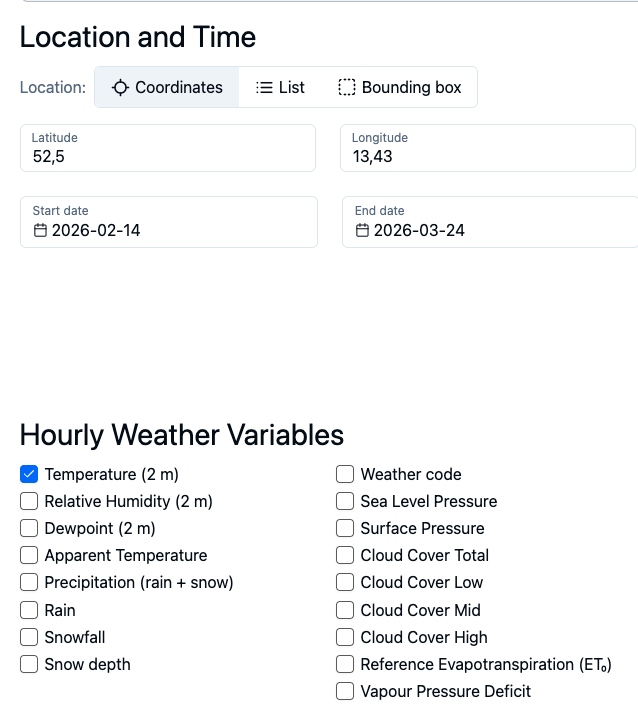
You can choose a whole lot of climate data from anywhere in the world, but I decided to start with local temperatures. The UI will guess your latitude and longitude, or you can find it online via various sites.
Datafree keeps things simple by limiting the number of data points to 256. That will give us just under eleven days of hourly data. Refresh the results, and you get this nice graph:
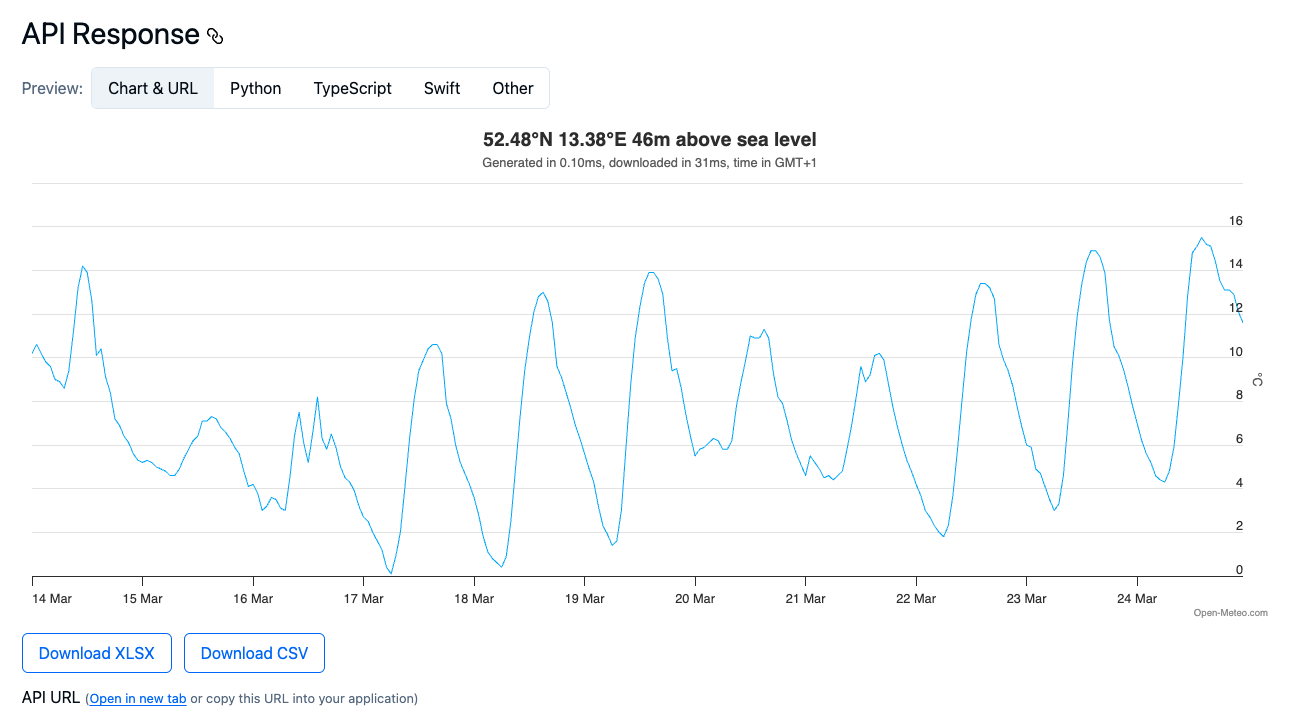
We want those sweet, sweet numbers, though. Choose “Download CSV” to get the raw data as a comma-separated list.
Datafree doesn’t parse commas or other characters, so the easiest way to get the numbers as a list without any extraneous formatting is to open them in a spreadsheet. Any spreadsheet will do; the screenshot is Apple Numbers.
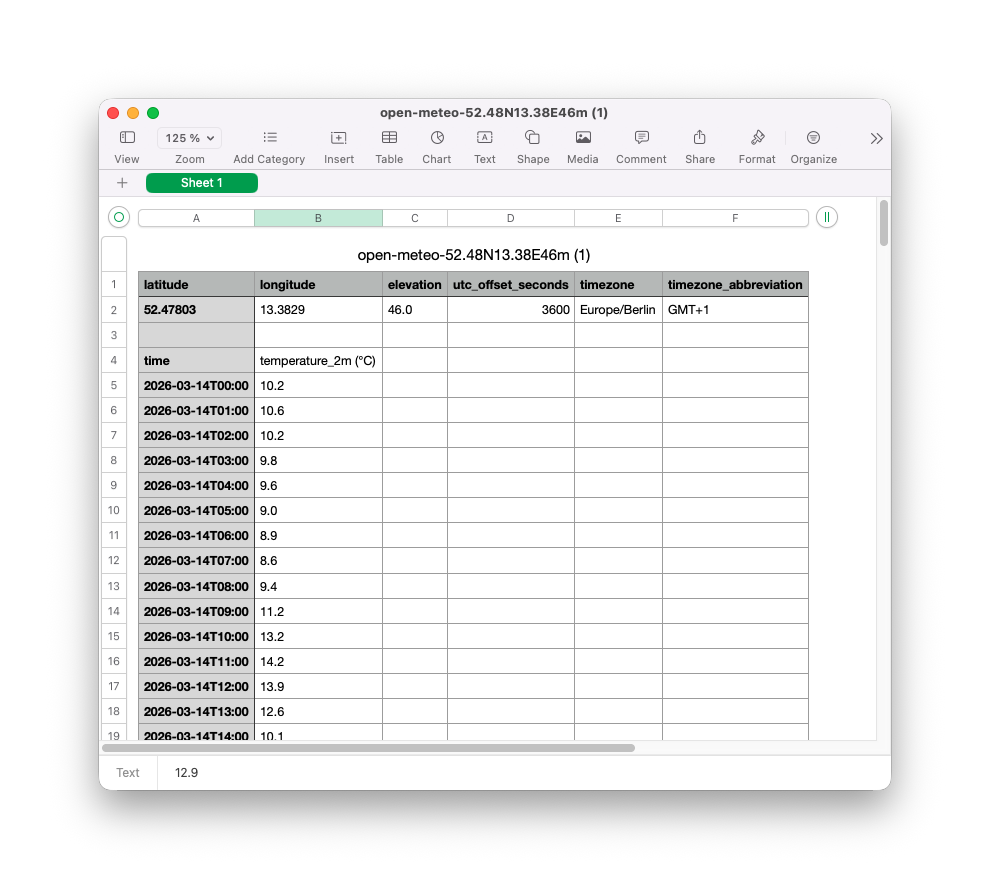
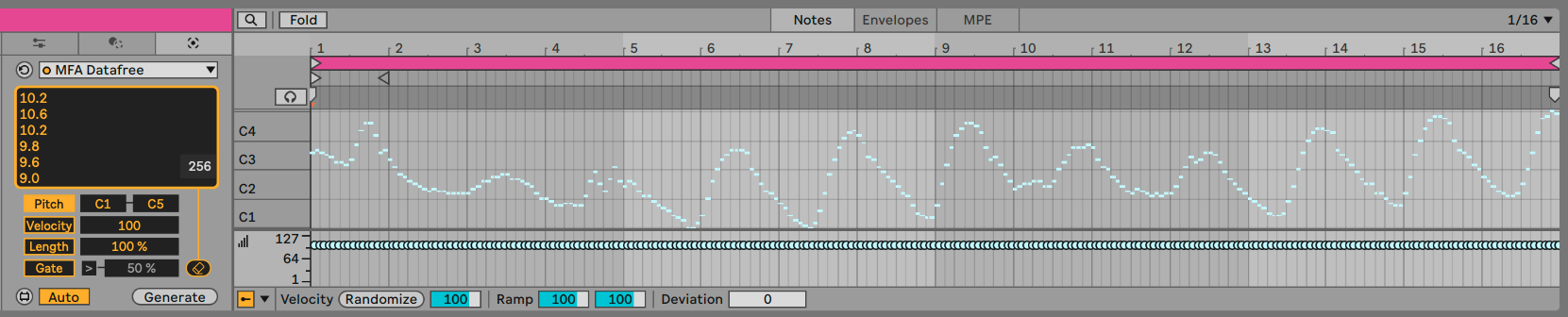
Select up to 256 rows of numbers, copy them, and then paste them back into Datafree in Ableton Live. Choose the pitch range you want, click Generate, and voilà! You’ll see it even looks like our graph above.
So what might it sound like?
You aren’t restricted to thinking of these values as quantized 12-tone equal temperament pitches. You could even map them to other parameters. In my case, I decided to select a Tuning System, just because. (Pelog 7 Tones TBN!) You’ll see in the screenshot that the degree labels in Clip View change. To hear the Tuning System, you just need an internal Ableton Live Device or a plug-in that supports per-note pitch over MPE.
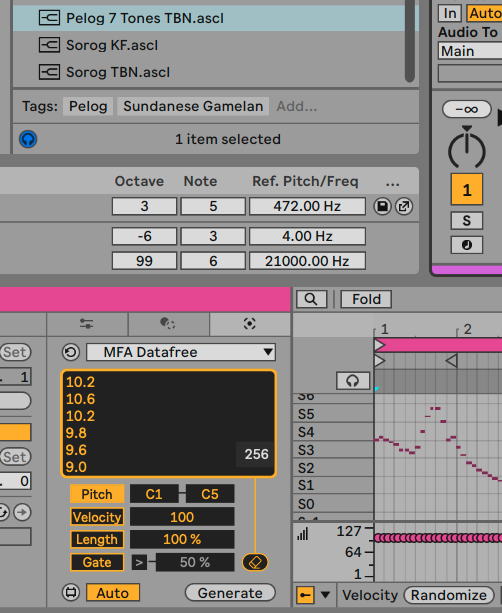
And here’s the result, with a stupidly simple but effective patch in AAS Multiphonics CV-3 plus Sinevibes Hollow reverb. (Even though it’s a mono part, switch Multiphonics to poly mode to hear the tuning!)
It’s the last ten days in March, as a melody… though now I realize what I should be sonifying is pollen counts.
Where to go from here
If this has you hungry for more functionality, Manifest Audio’s full Sonification Tools has extra features for you (including an expanded version of this MIDI Generative Tool). And this freebie coincides with a big v2.2 update for the set, including advanced rate and probability sonification controls for Data MIDI and Data Mod and more. You heard it here first. Video overview:
MANIFEST AUDIO SONIFICATION TOOLS
And other people are playing with these ideas, too. Benn Jordan made a fun module for VCV Rack this week that sonifies stocks.
That, in turn, recalls the classic Johannes Kreidler mash-up of stock market data and Microsoft Songsmith, chronicling the 2008 market collapse:
(There have also been efforts to correlate popular music and market trends, but that’s another story.)
But I prefer to think about the weather; when I was a young person listening to US public radio’s show Marketplace, we got this tune, one of my all-time favorite melancholy standards. And that’s music — it can make even depression sweeter.