Isadora for macOS and Windows has long been a powerful media art tool for those in the know, thanks to its intuitive interface and focus on live performance. It’s the media art tool that can feel at home with dance choreographers, a rare piece of software that gets dramaturgy. Isadora 4.5 adds a lot to that, but most notably flexible sound tools — and VST3 support — bring it solidly into the world of audiovisual media.
First, before anyone complains — Isadora is an investment. It’s now sitting at the more expensive end of available tools. But that’s supported the tool’s ongoing independence, and there are more affordable yearly subscriptions and rentals possible — plus you can run the full version for free, with only saving as a limitation. (Compare Epic’s Unreal Engine, which is “free” but — at the mercy of a company that’s had deep layoffs and now recommitted to a lot of AI functionality, whether you wanted that or not.)
Adding more complete audio features is a big deal. Isadora was always a beautiful environment for quickly generating advanced media interactions while staying focused on the artist’s ideas — more time on building the flow of a performance, including on a stage, with less time on tinkering with complex patching. And you can do that without making any sacrifices in technical capability.
Mark’s own background goes back to building interactive dance sensors with Morton Subotnick at CalArts to collabs with the likes of Laurie Anderson and Judith Jamison. But it’s not just Mark’s own work — Isadora has been torture-tested again and again by a community of artists.
Add audio to this, and you have an interactive, nonlinear host that responds to performance. Via VST3, the sound engine can be VCV Rack, or Reason, or Reaktor, or Pd, or Max, or whatever. And you can control them with all the interactive capabilities of Isadora, in contrast to the more linear possibilities of a conventional DAW. That’s similar to plug-in support in environments like vvvv or TouchDesigner, but in the context of Isadora’s workflow and in combination with its Actors and generators.
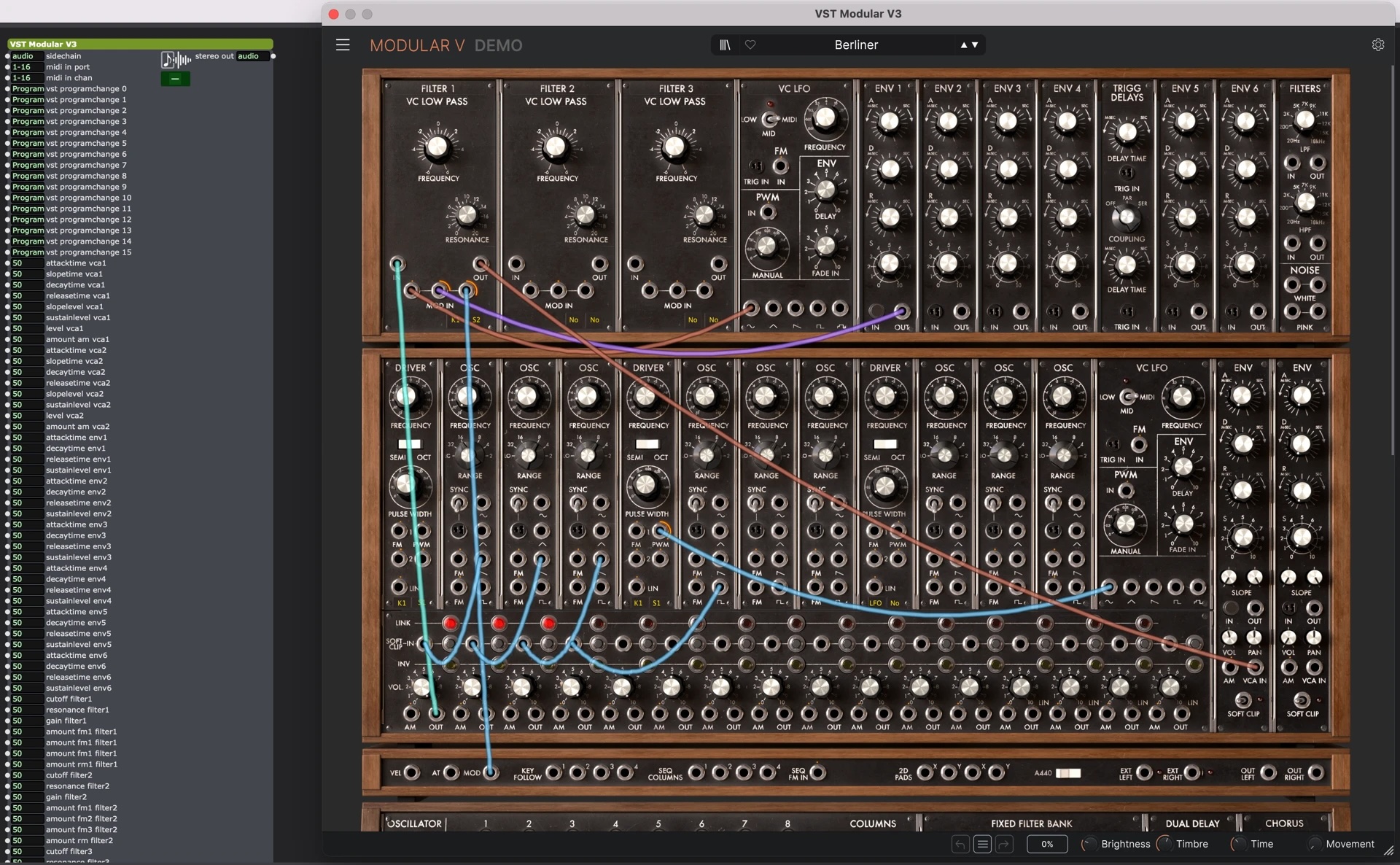
New in 4.5 for sound:
- Multichannel audio in and out
- VST3 plug-in interaction (including interactive control)
- Extensive audio playback support with real-time waveforms, loop controls (and volume, panning, and all the other essentials)
- Advanced mixing capabilities, interactive mixing
- MIDI generator plug-ins with tempo/time signature, full parameter access, and interactive control
It does all of this with full support for your plug-ins’ GUIs. And then there are the Actors — you can watch an audio level or frequency, transcribe text from audio, control a transport, and more. You can even programmatically work with routing and mixing settings.
And one more thing: you get a beautiful, advanced audio routing matrix. So, again, something you’d expect to be able to do with a mission-critical sound setup onstage, you can do interactively in the box.
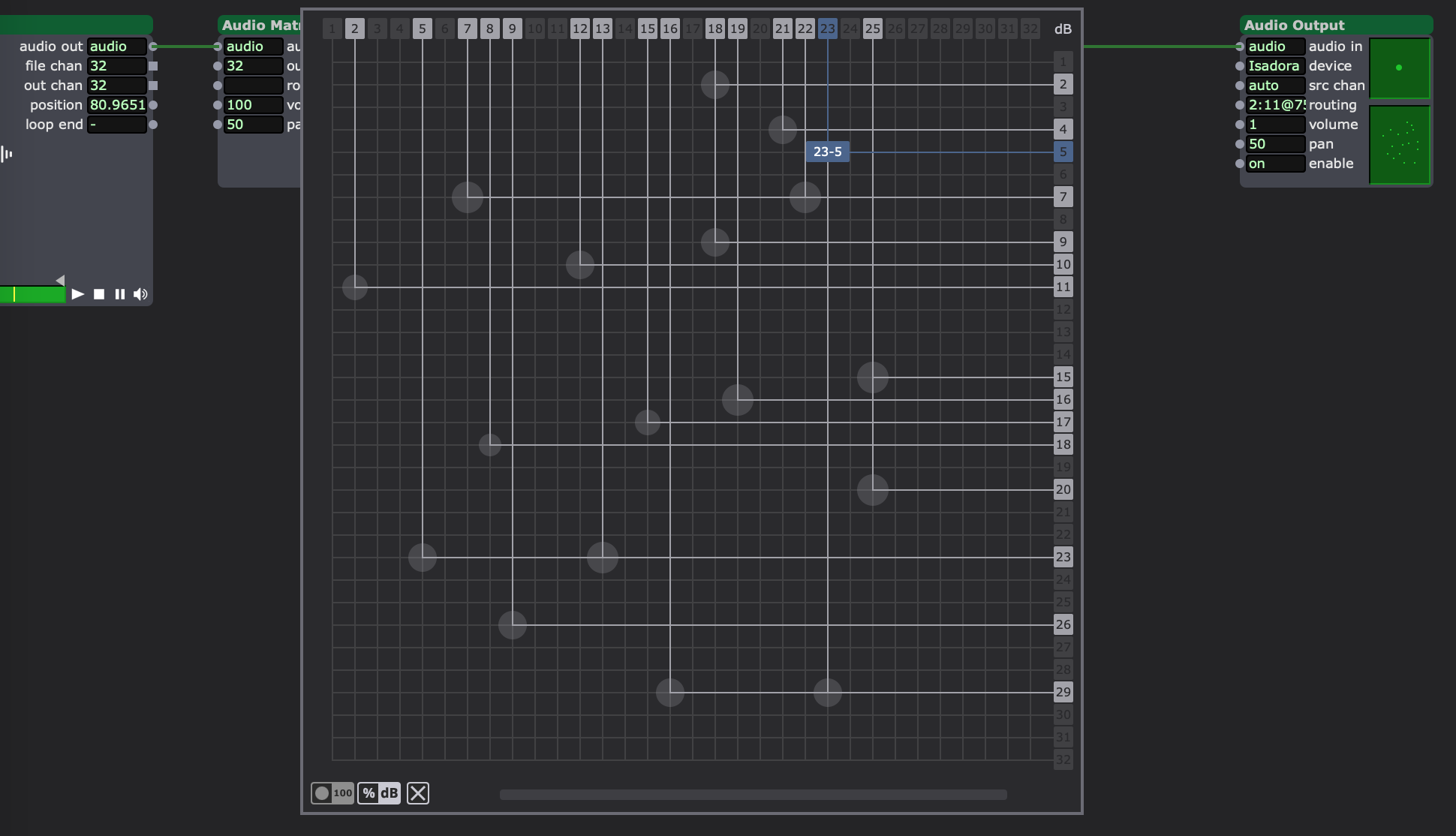
This is all elaborately explained with Mark’s cool, collected narrative on the functionality in depth, so watch the video (and check the copious release notes) for all the specifics. An incredible attention to detail went into this. If you’re an old hand at Isadora, you’ll grok it right away. If not, behold the lovely capabilities of this environment.
4.5’s improvements aren’t limited to sound. There are improvements throughout the environment, plus the debut of this gorgeous Wave GPU actor, blending rippled textures in echoing frames.
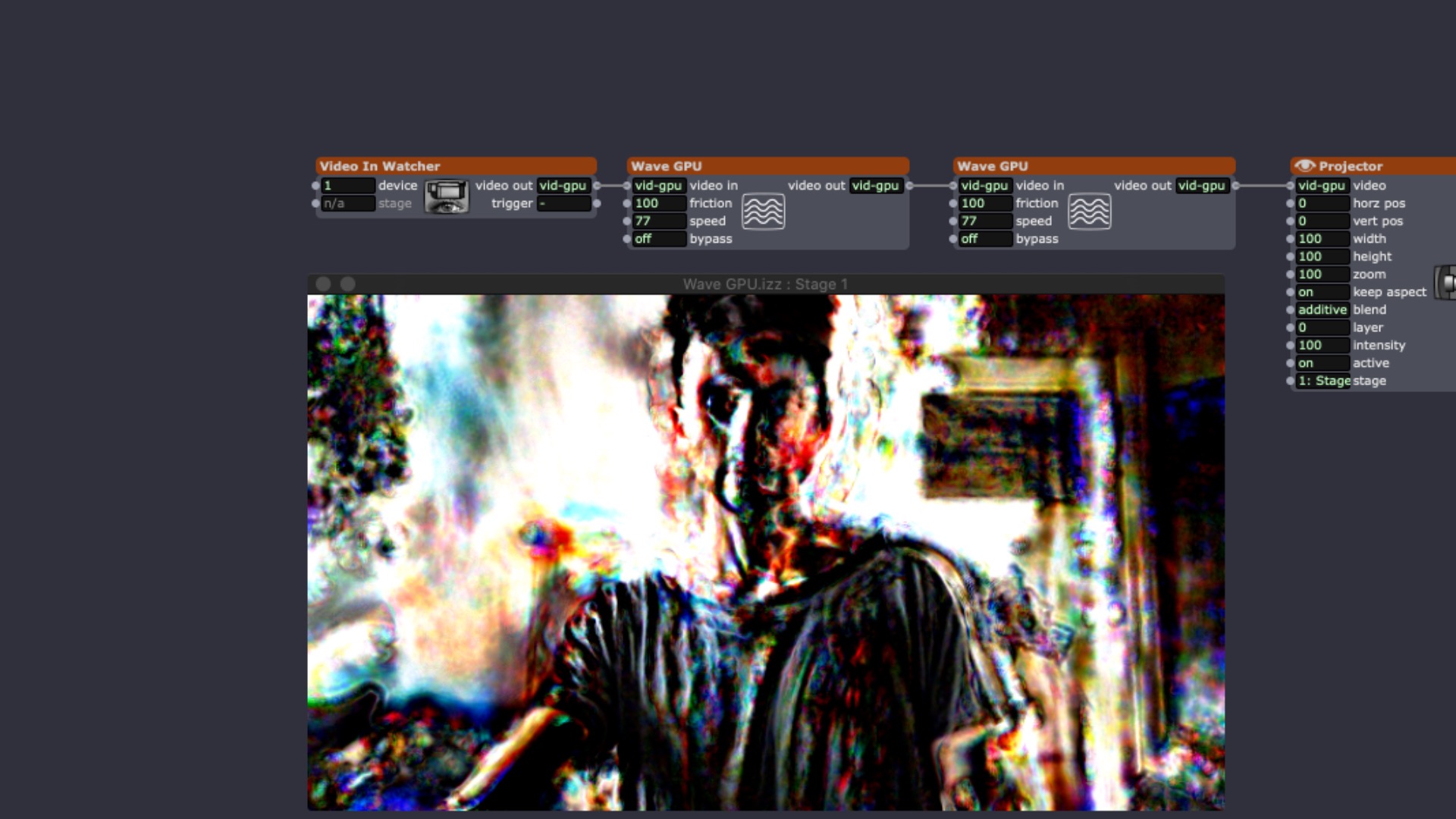
It’s not that other environments don’t do this — many do. But Isadora’s implementation is uniquely elegant. It’s frankly inspiring to look at even if I take that experience and go back to Unreal Engine or TouchDesigner or Max.
Isadora 4.5 Has Arrived: Unleashing the Power of Interactive Audio!
Isadora 4 Release Notes (including 4.5)
Back to some history
This is an obscure reference, but to me it represents a full circle from Mark Coniglio’s work decades ago, when he was studying music with Morton Subotnick. (That history is documented.) This gets really to the dawn of visual patching, inspired by David Levitt’s HookUp!, with Coniglio’s creation of Interactor with Subotnick’s input. (Mark is also an accomplished composer.) I’m uniquely obsessed with it, because it’s the first time I really got excited about live computer performance. As a high school student lucky enough to spend a couple of weeks at Oberlin in Ohio, I dragged a Mac tower onstage with a Disklavier so I could use Interactor to create performance structures, elaborating MIDI inputs into generative piano performances.
Operators in Interactor work more the way you think in planning a performance; you can set conditions based on event triggers, and assemble structures like scenes. Maybe it’s me, but I always thought the best way to think of Max and Pd was as an instrument, responding to a gesture — but Interactor and Isadora after it work more comfortably as scenes. (Grafting timelines and such onto Max always felt awkward.)
It’s the opposite of the current world of AI, because it says the open-ended generative powers of the computer are something you can use live — to play.
And it’s also the excitement of imagining dance and music as interconnected, not as separate disciplines. Here are some “vintage” videos on that idea.
Putting sound in Isadora in a fully native, interactive form means bringing together those decades of media art history in this special environment. It’s worth trying even if you only grab that free download.