The Ableton Extension SDK has only just been launched to the public, but there are already plenty of useful and fun Extensions to try right away. And that means even before you try hand-coding or vibe-coding your own, you might already find a reason to grab the beta and start extending. I’ll round up some of the best early resources.
Resources and new Extensions
Akihiko Matsumoto has written a really wonderful in-depth guide and is regularly updating its resources, maintained in both English and Japanese:
Madeleine over at Sonic Bloom has a terrific guide to some of her favorite Extensions to try so far.
Her list, just for the at-launch state of Extensions:
And there are more places to go find more.
Ableton has said they will just maintain the SDK, not user-created Extensions. But if you click through the image carousel on the Extensions SDK launch page, you’ll find a bunch of terrific samples (including many of those above), along with download links:
https://www.ableton.com/en/live/extensions
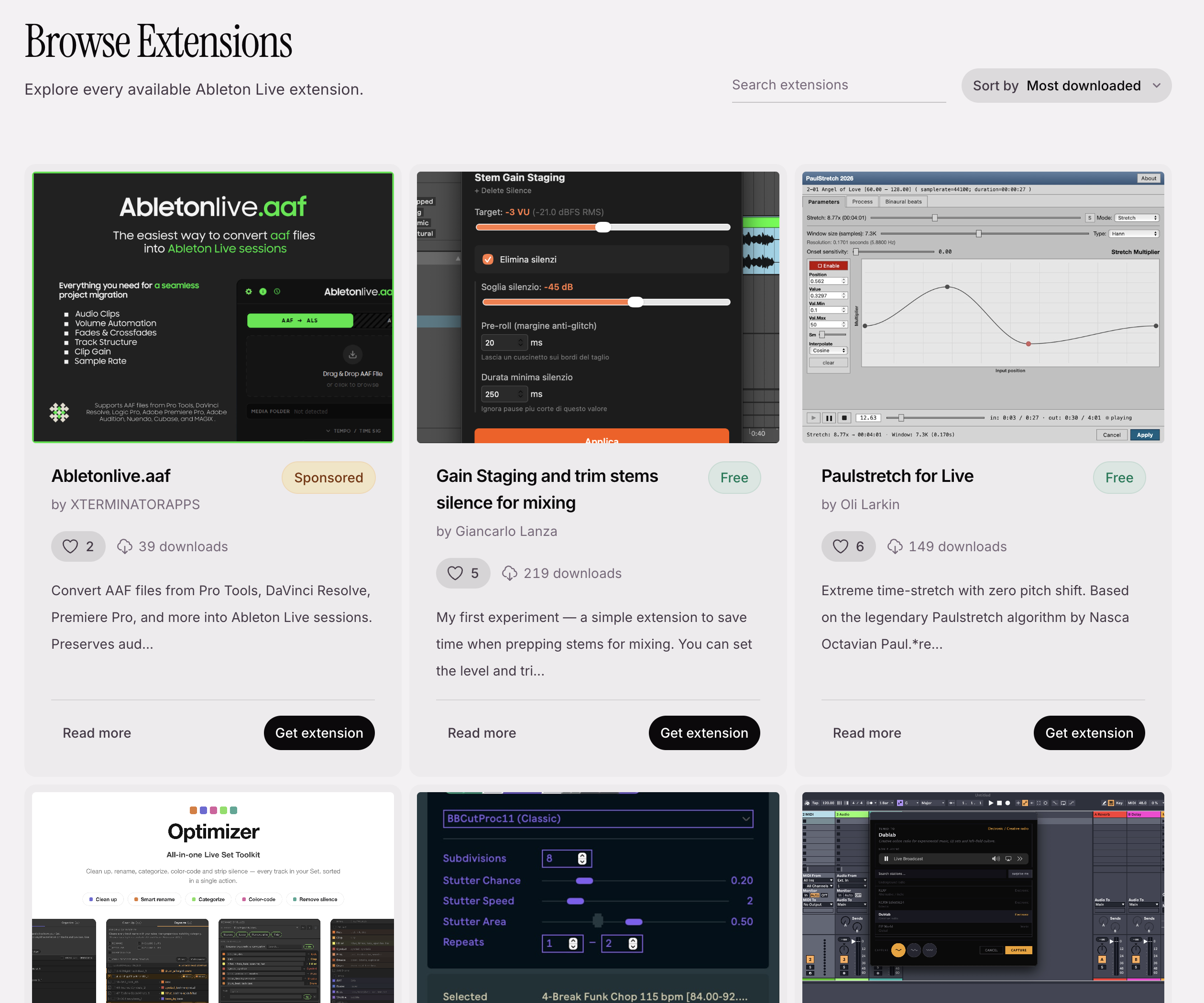
If you were hoping for an Extensions-focused counterpart to the unofficial maxforlive.com repository, someone has already created one! Music artist vikāra has introduced a growing guide to Extensions with the ability to submit your own:
So you can find, for instance, this tool for sampling the radio:
Another new entry: the always-awesome kentaro is of course all over this. He’s got a camera-based example and tour, and some reflections on the Claude Code experience.
FAQs
Let’s address some commonly asked questions. One, there is nothing in the Ableton Extensions SDK that has any explicit relationship to AI. It’s functionality a lot of us have wanted for years. Rival DAW Reaper has long had a combination of standard API and scripting engine (in Lua, JavaScript, and Python), in the form of ReaScript.
TypeScript and Node.js are in fact a terrific option if you don’t want to use any AI assistance. They’re easy to set up and learn. (I’m thinking of doing a separate set of stories on learning basic TypeScript chops with Ableton Extensions.)
That said, the reality of our current AI world is that adding any scripting capabilities opens up the possibility of people using tools like Claude Code. And the very thing that makes TypeScript desirable for human hand coding — widespread documentation and examples — means it’s also all over AI’s training data and capabilities.
And yes, all of this means that people will be able to use generative AI to produce music in Live’s interface. But even before the release of Ableton Extensions, there were already hacks that did some of this using the Python API.
Two, here’s a simple way to compare the Ableton Extensions SDK and Max for Live. Both require Suite for authoring and distribution (or at least a Max for Live license in that case). Max even has Node.js support. But they target different use cases.
Ableton Extensions SDK: load from a contextual menu item, interact with Live’s devices, sessions (including the arrangement), and file system, use a Web view as the interface.
Max for Live: loads as devices, allows you to create MIDI and audio devices (both synthesis and effects), plus now Transformations and Generators in the Clip view; slightly more limited interaction with Live via the Live Object Model (LOM), use both native Live device UIs and windows with Web view support, etc.
Basically, Max for Live gives you devices, and Extensions gives you scripts. That’s it. Scripts are useful for automation, and adding useful functionality. Devices presume signal flow and real-time event processing — synths and effects and so on. There’s of course overlap in something like the Transformations and Generators, but expect as each of these matures, for some overlapping areas to evolve.
Hopefully some of the actual API access will get more consistent across hardware and software, as right now each use case has a slightly different way of talking to the Live host software.
I remain excited to see what people will build. Any requests? Anyone other than me interested in the hand-coding guide? Let us know in comments.