Minimal Audio’s Poly Flanger is a “musical” stereo flanger — with tuning options, scale quantization, three modes, and 1-8 voices, plus deep modulation and timbral options. “Flanger” is almost unfair — this is a deep 8-voice comb resonator that you can set in key with your project or turn into a liquid, sound-transforming, even glitchy beast. Here’s a deep-dive guide to how to get the most out of it.
And here’s what it can sound like — for some examples outside the usual flanger range. (Here, with Minimal Audio Currents and Roland CR-78 from Roland Cloud.)
Disclosure: CDM partnered with Minimal Audio to collaborate on an in-depth guide to sound design with Poly Flanger. Thanks to Minimal Audio for the support.
This guide uses pre-release builds of the software, so you may notice some cosmetic differences. And those are my preset names.
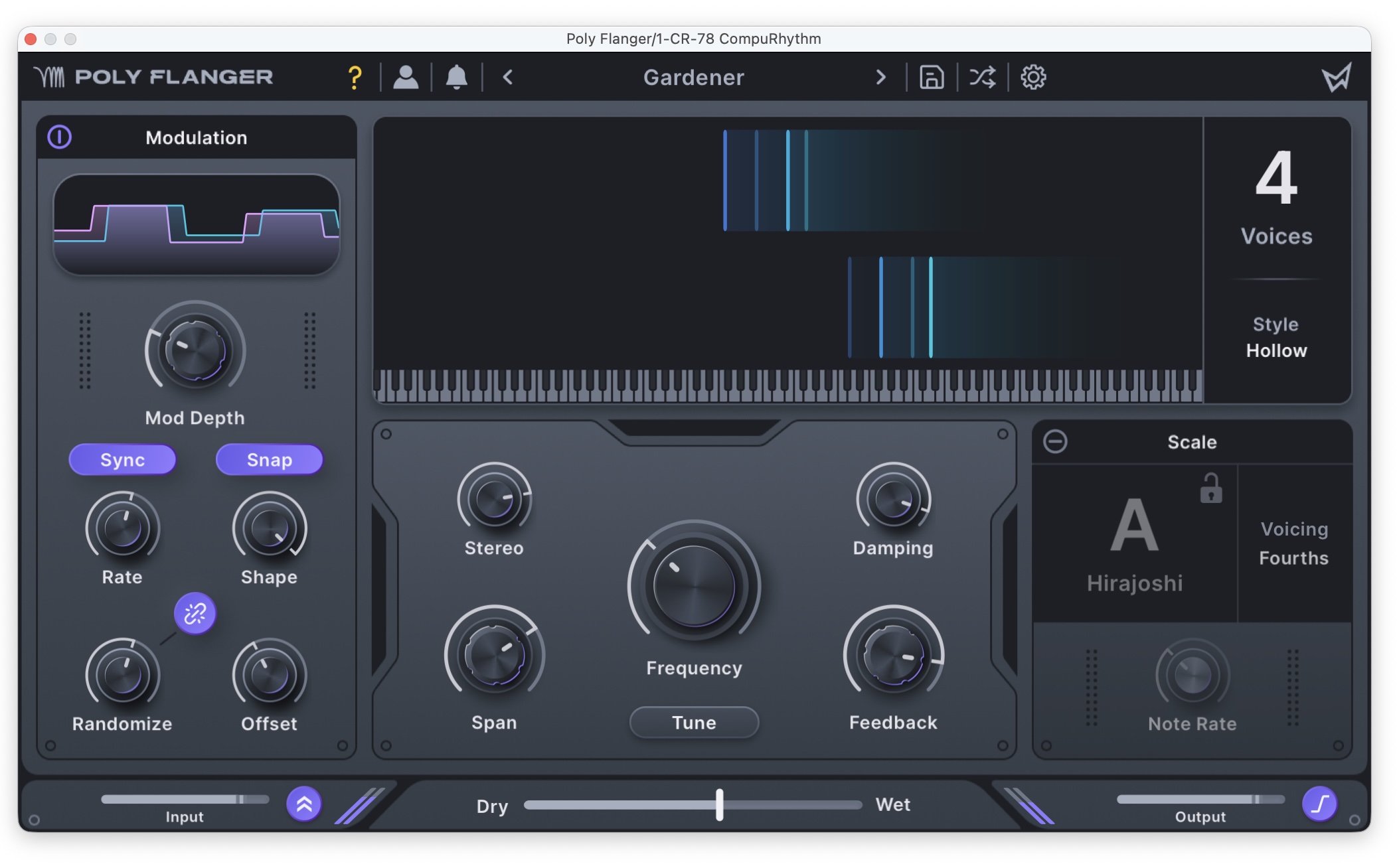
Poly wants a Flanger
You can always tune basic flanger effects manually to a single pitch — just set the frequency and feedback. The idea here is to enable tuning up to eight voices, quantizing to root pitches, scales/modes, and harmonies. With eight voices under modulation control, you can also bend those pitched effects into extreme ranges. Different settings can produce harp-like strumming, subtle harmonic blurring, and at radical settings, resonant and glitchy effects.
Technically, under the hood, this is a polyphonic comb filter, but it’s got a control layout with the immediacy of simpler flanger effects that can navigate that depth. You can scale it from the single line you might have in a pedal all the way up to 8 voices. And there are three very different-sounding models, called “styles” — Classic, Hollow, and Vapor — so you can get a huge range of variations. This isn’t just about “in-tune” flanging; I’ve gotten sounds I haven’t gotten from other effects. (I did talk about how much I love the Supercomb in Absynth and creator Brian Clevinger’s Rhizomatic Synestia. This is a perfect complement to those.)
Controls
Here’s a sense of how to build up a patch from the ground up, as you’ll find that even the copious diversity of the presets only scratches the surface.
A conventional flanger produces its comb filter by shifting one identical signal by a short modulating period. Poly Flanger expands that idea by allowing you to shift multiple comb filters polyphonically, then tune and articulate them across a scale.
A great way to walk through the interface is like this: first, set Modulation > Mod Depth to 0, so that you just hear the flanger’s base frequency (or temporarily disable Modulation).
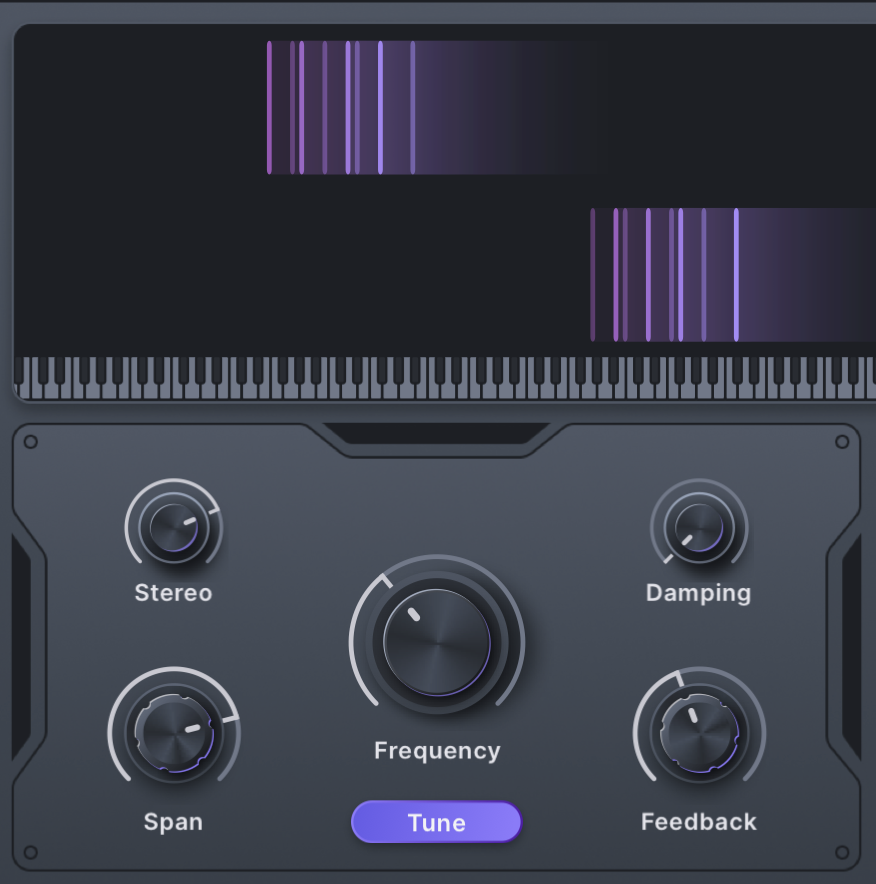
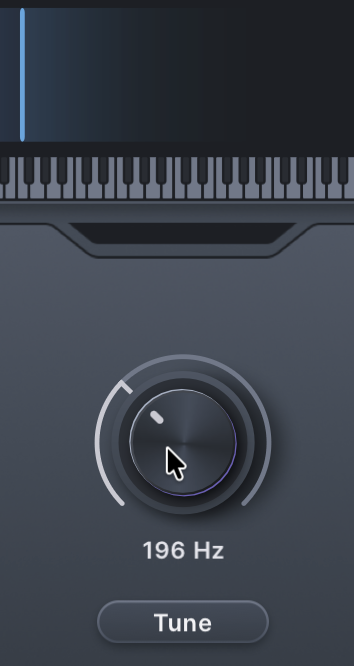
Set the base frequency of the flanger resonance with the Frequency/Pitch knob. By default (and with Scale mode deselected), it shows the amount in Hz.
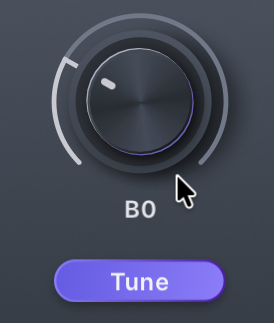
If you toggle the “Tune” switch, this control becomes Pitch and displays note names instead of freely-tuned frequency.
Increase to 2 or more voices to enable all of the controls, and then try adjusting the other controls in the main parameter section:
- Span spaces out each voice’s pitch above or below the root. (With Scale disabled, these intervals are also unquantized.)
- Stereo spreads them out in the stereo field.
- Damping rolls off the highs as your turn it up.
- Feedback will increase resonance, up to self-resonance at some extreme values.
Modulation
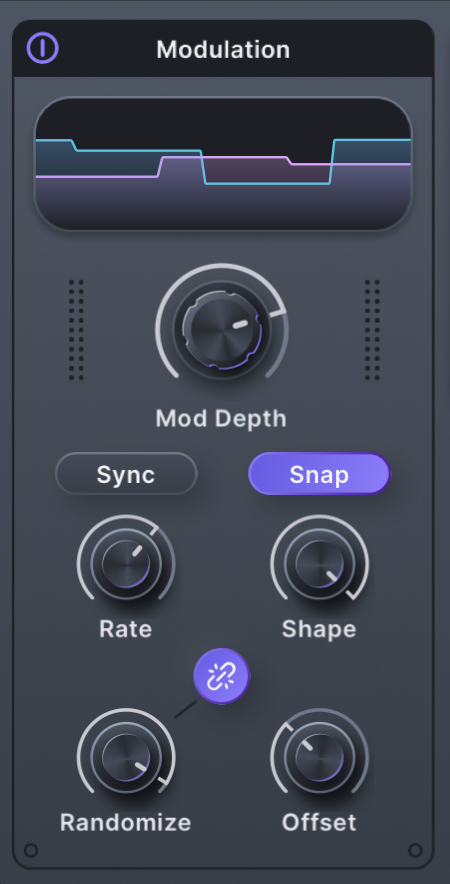
Modulation is applied to Frequency/Pitch via the Modulation section, either free-running Rate or clocked (Sync). Shape offers sine, triangle, downward ramp, and square shapes. With Snap off, this knob morphs between them continuously. With Snap on, you get just those pure shapes.
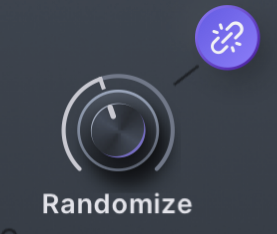
Randomize is a little different for each waveform, but lets you create evolving modulation outside of those fixed shapes. The key is that the stereo toggle here — the “link” icon, when enabled — applies randomization to achieve the stereo effect. So you’ll only hear it when you turn up the Randomization dial, which is why there’s that little line pointing between them.
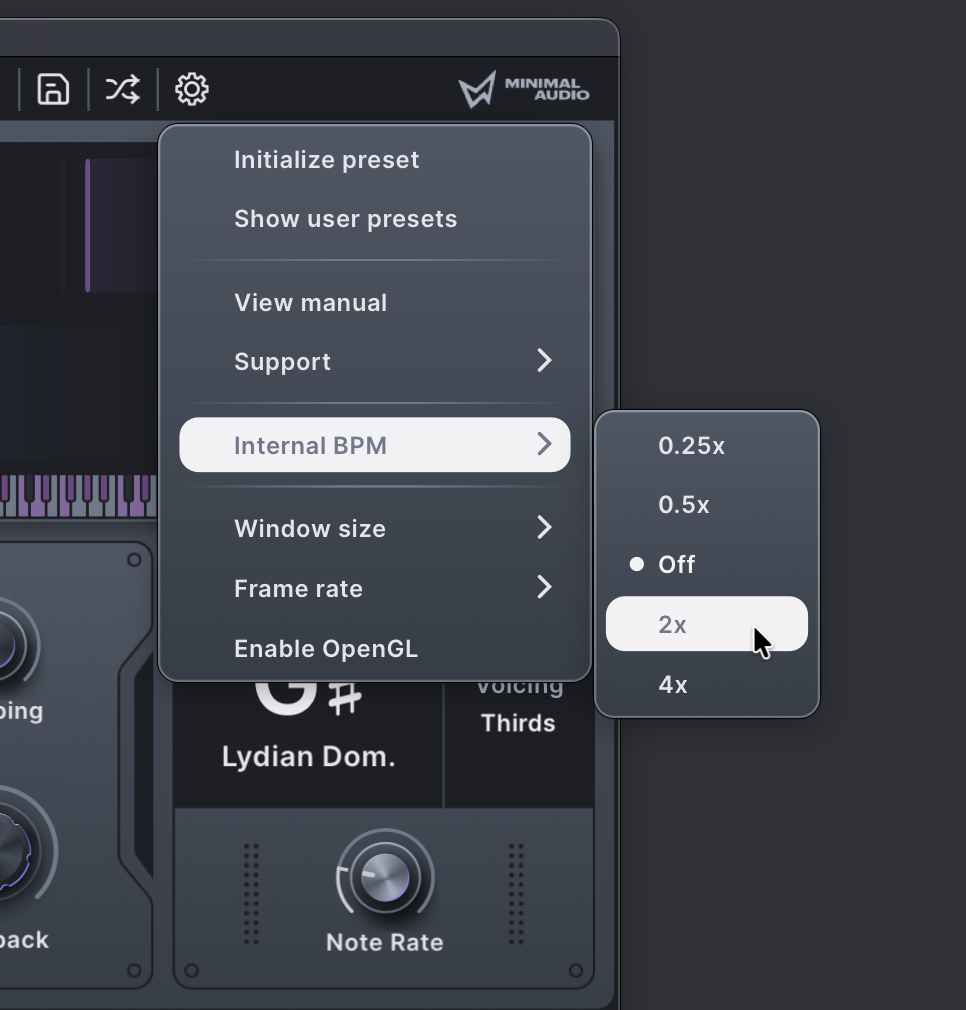
Note that there’s also an internal clock division function under the cog/settings menu at the top right. That lets you run the effect at a quarter, half, 2x, or 4x the rate of your DAW’s project. By the way, owners of other Minimal Audio plug-ins: update your effects, as it was added to their other tools in the most recent update, too!
Here’s what I mean by extreme modulation, here with a Roland Cloud TR-909. “Cutter Triplet” from Minimal Audio’s preset library was a starting point but — I get into some very different spaces.
Scales
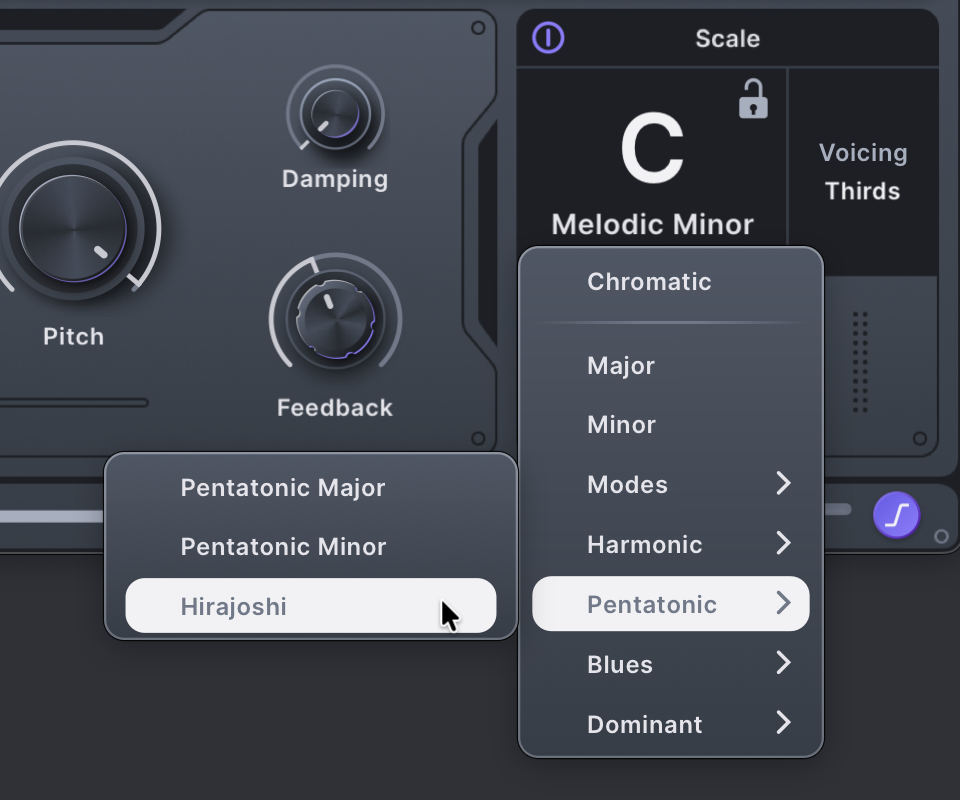
Here’s where Poly Flanger really starts to behave differently from your other flanger effects. You have a menu of modes that you can choose from, quantizing each of the voices to a particular mode/harmony. Turn on Scale to enable scalar tuning, then pick a scale/mode.
Note that these are all 12-tone equal tempered; I’m dying for a Scala import feature in the Minimal Audio plug-ins! Request noted! (MPE tuning support would also work, for compatibility with Ableton Live Tuning Systems.)
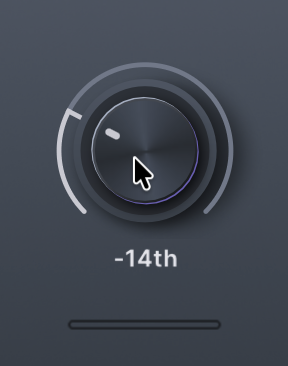
With Scale enabled, the Pitch control becomes a relative tuning control. You can of course automate this if you want the effect to follow chord changes in your music. (See my recent write-up of Logic Pro’s new automatic harmonic features; this would be a great combo. My creations were all really modal so … I have no harmonic progression to automate!)
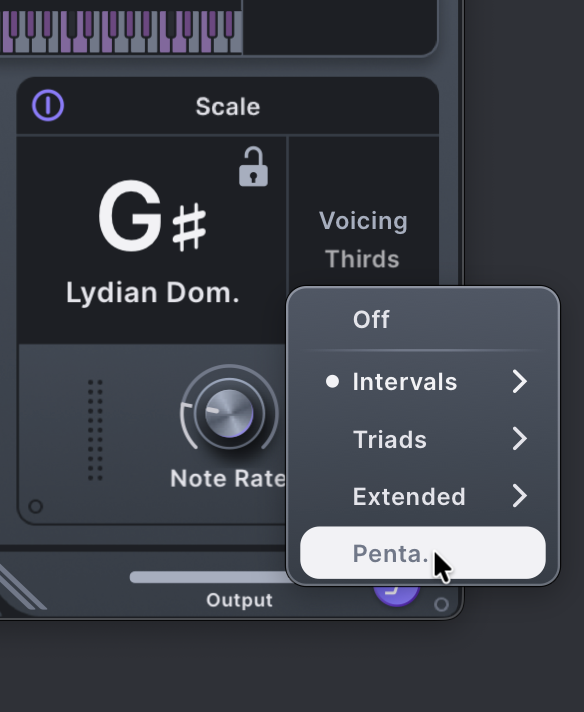
You also get this handy voicing menu. Don’t worry about your theory knowledge here — I have plenty of theory training and I just experimented. These don’t have to presume particularly harmonic music, either; they work well across modal and experimental sounds, too.
Styles
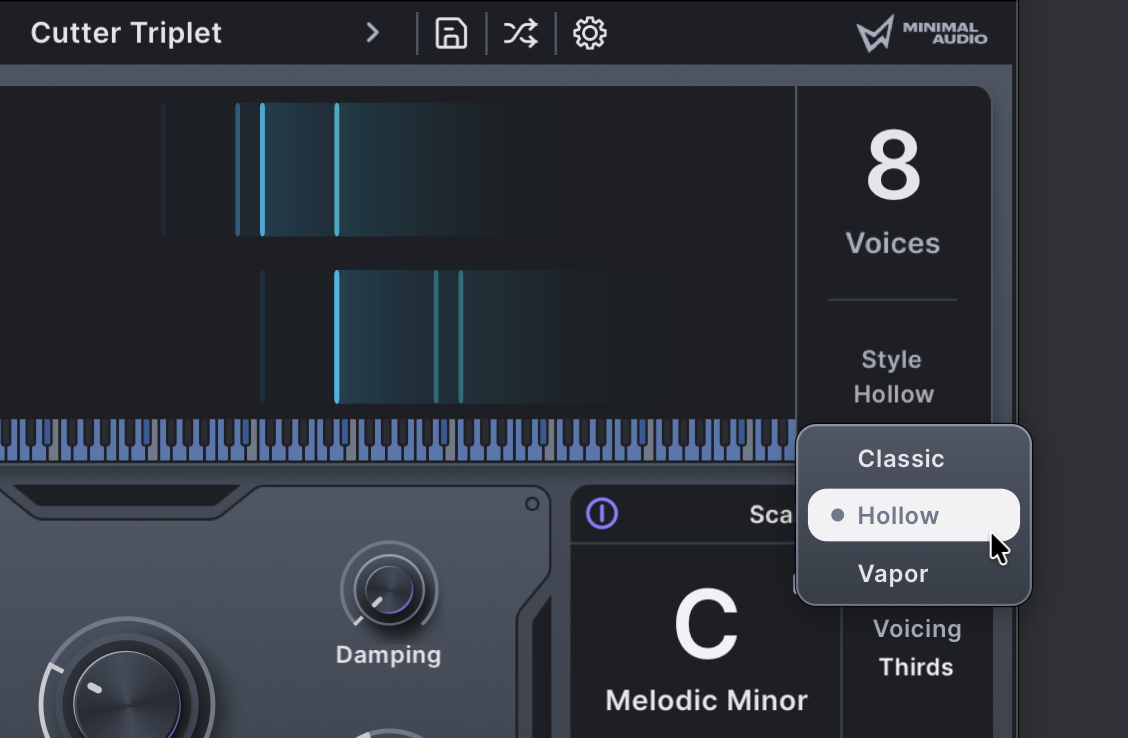
Poly Flanger also has three modes, and they’re distinct enough that it almost makes this three plug-ins in one (or more, as changing the voices and tuning options gives very different behaviors).
The draft manual I was working from wasn’t precise, so I grilled Ben Wyss, Minimal Audio’s head of development, on what these means, and he explained:
The additional style modes in Poly Flanger are there because we wanted some additional timbral control that really changes the character of the effect without impacting the scale or other control.
Hollow mode is inspired by the inverted phase options on some classic flangers. It only produces odd harmonics, which can be quite nice on some sources.
Vapor is totally unique (as far as I know) it has a different comb filter topology than the other style modes and we added diffusion in there. I think the diffusion idea came from how much we’ve been enjoying Poly Flanger on pads and other ambient sounds — so we just tried to push that use case further.
In use
Pads and ambient sounds, you say? Okay, I’ll bite! So I started with a factory M1 patch from the Korg Collection and got a bit carried away:
Poly Flanger is 40% off until March 18. VST, VST3, AU, AAX, Windows, macOS.
If you buy something from a CDM link, we may earn a commission.
Buy Minimal Audio Poly Flanger (40% off) at Plugin Boutique
It’s also available directly from Minimal Audio, and via their subscribe-to-own/rent-to-own All Access:
https://www.minimal.audio/products/poly-flanger
Got questions or other software (or hardware) you’d like to see deep-dive guides on? Let us know in comments or use our updated-this-week contact form.
Other synths:
Minimal Audio’s Current 2.0 is 50% off through February 28
KORG M1 by KORG (KORG Collection); TR-909 by Roland; CR-78 by Roland (on sale now, coincidentally)