Sting 2, Iftah’s follow-up to the acid-generating Max for Live device, is packed with new features like accessibility and Push support. But that’s not the best way to describe it. It works on acid. It works on melodies. It works on percussion. You may wind up smiling as much as its UI is. Imagine a one-click source of pure joy.
Sting was a smash hit for a reason. It’s an easy acid source, to be sure, but it’s also perfect when you’re stuck in a rut. And it works well live.
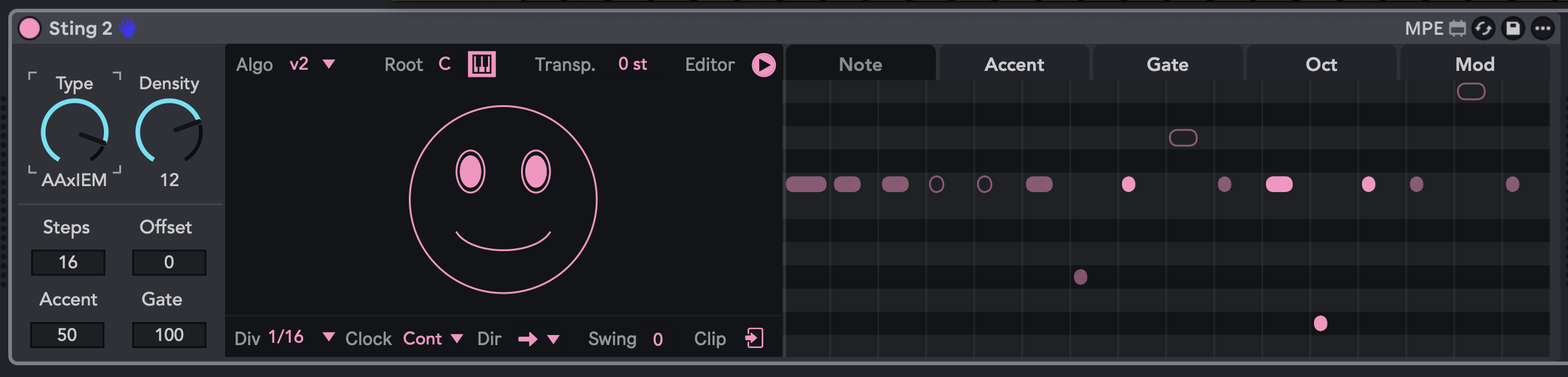
If you loved Sting but wished it were more open-ended, Sting 2 is for you. It has all that one-button, smiley-face ease, but now it adds controls, new algorithms, editing, and enhanced functionality to expand its play possibilities. It’s available in a $25 paid version, or as an identical free download if you can’t afford it. What’s new:
- New v2 generation algorithm for more melodically pleasing results (and v1 available as an option)
- Multiple algorithm settings for various melodic (or rhythmic) contour results – you can use this knob to morph results
- Acid or various random generation options
- Pattern morphing
- Editing with a piano roll view
- Accessibility for blind and visually impaired users
- Additional editing options
- Extensive modulation options including routing velocity, aftertouch, etc.
- Push 2 and Push 3 controller support for all parameters
- Takeover mode for full hands-on Push play
- Push 3 standalone support
Check the full video overview, as it goes through the interface and possibilities, and a quick overview of the history.
And it’s hugely useful just about anywhere. Here, let me quickly demonstrate jamming with D16 Lush 2 for melodies and Unfiltered Audio Battalion on percussion. The Lush 2 line is set to auto-transform, so you get new patterns every four bars. (Lush 2 is a really good alternative to acid 303s once you get bored of those. It’s modeled on the Roland SH-101, the main 303 acid alternative, but goes beyond its . And Batallion is just a great go-to drum machine.)
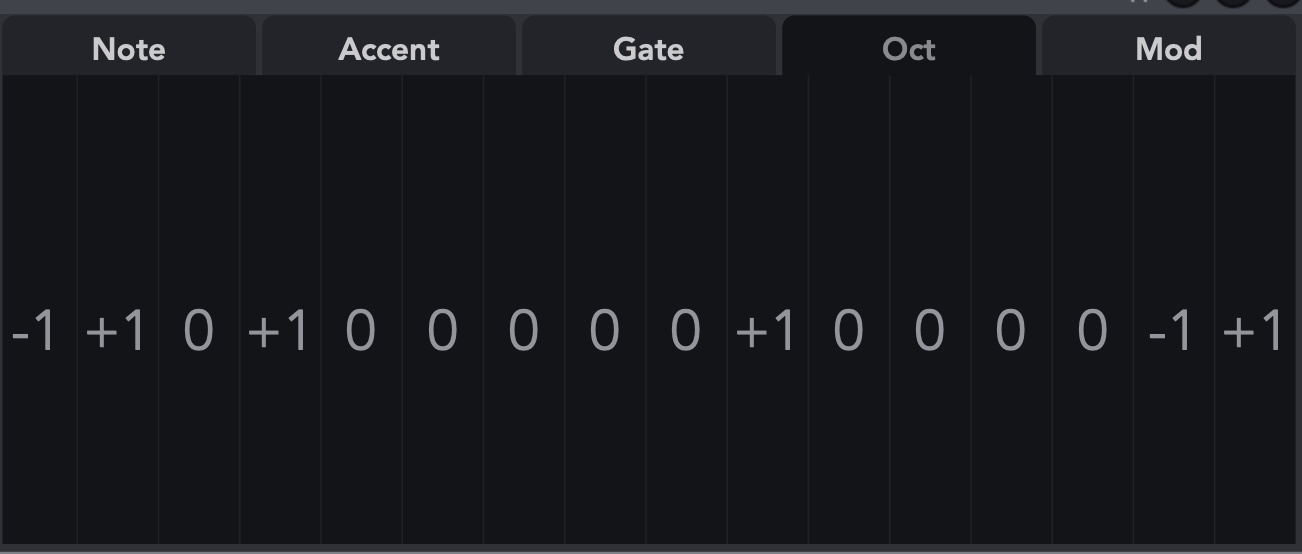
In addition to the new direct editing (and handy visualization), the editing view includes tabs for accent and gate, plus a handy Octaves screen:
And there are lots of ways to jam with this live, without that intriguing custom hardware Iftah showed. You can set the melody Root or transpose to MIDI controller; Root works well with a keyboard. You can also gate MIDI controls and transform direction.
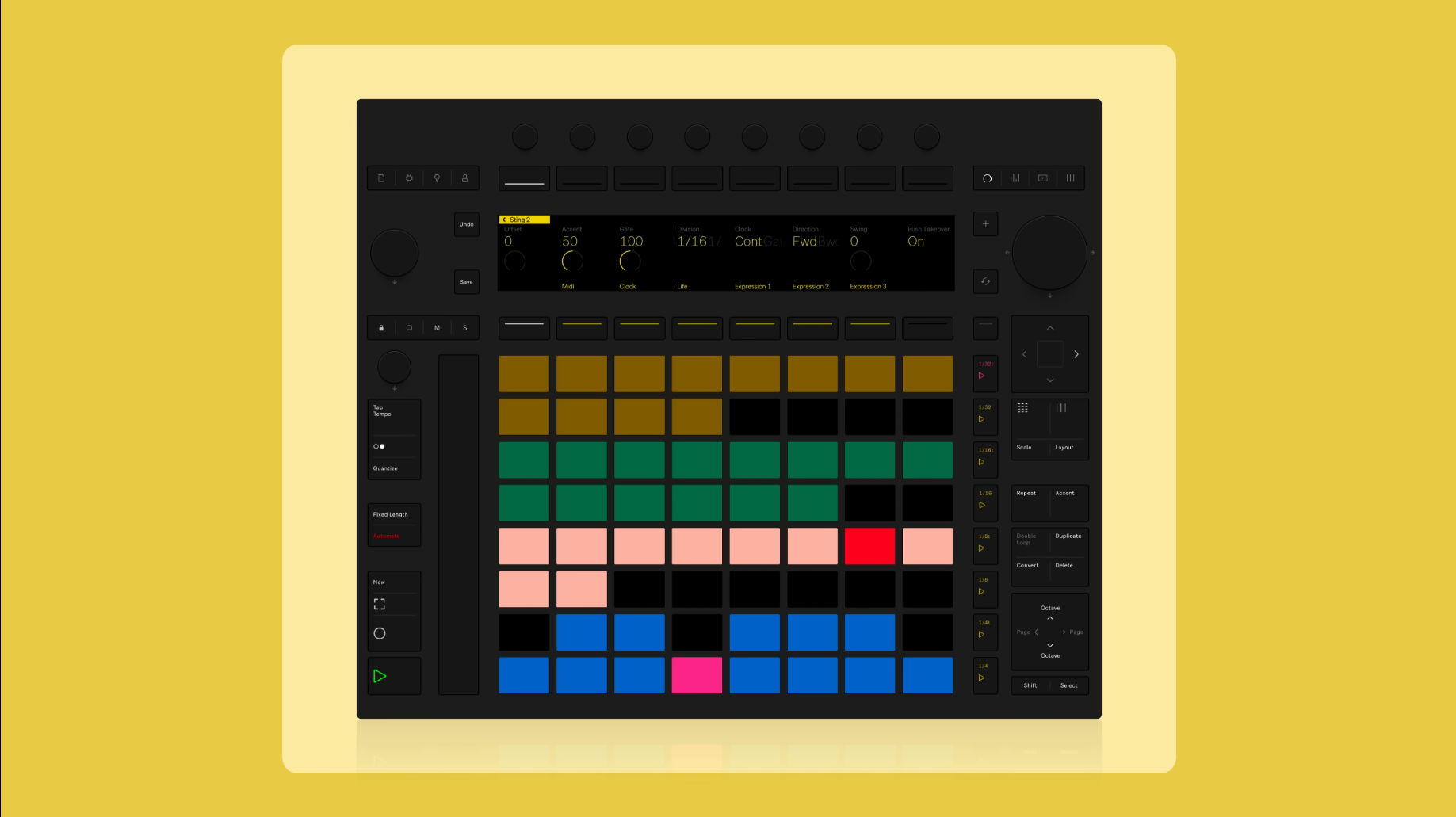
If you’ve got a Push 2 or 3, the hands-on control is fantastic. (Other controllers work, too – that Div parameter and all the dropdowns are MIDI-mappable. That’s in addition to pitch, which comes pre-configured)
With Push or any other MIDI controller, this becomes an instantly powerful jamming tool, especially as many other melody generators can be too complex for intuitive live use. It’s the usual live formula: simpler controls allow for more complex, nuanced, dynamic performances.
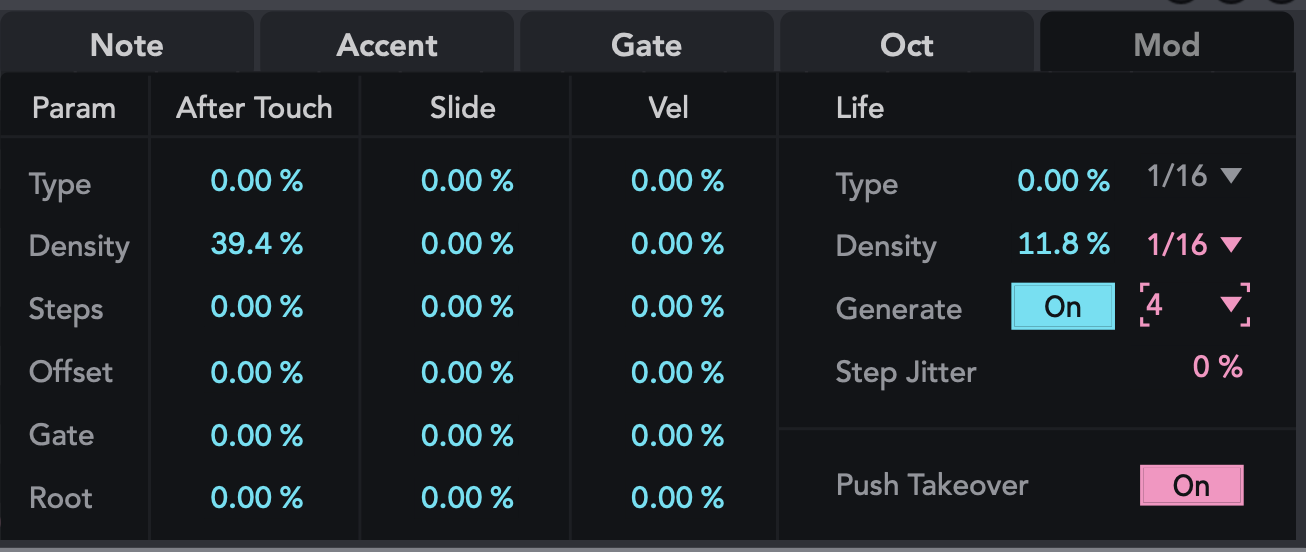
The modulation page has a bunch of additional options, including assignable aftertouch. That works beautifully on expressive controllers, including Push and Move.
“Life” gives you choices for generation, jitter, and other randomization. This can become organic in all the ways acid tends to be mechanical and repetitive (by design, but now you have a choice.)
And just to fully convince you this isn’t only an acid thing, watch this amazing video with Iftah:
Sting 2 – A Really Nice Acid Line Performance System
More is coming: Iftah tells CDM an update is coming this week, including Scale Awareness. (Tuning Systems already work, since Sting 2’s melodic output will map to any active Tuning System.) That may be available by the time you read this.
Updated – it’s here! And there’s polymeter reset, too…
By the way, layering Sting and Fugue Machine Rubato (including its Drum Trigs) is a huge trip. Let’s bring back IDM, basically.
Check the plug-ins I mentioned:
If you buy something from a CDM link, we may earn a commission.
Max for Live developers, don’t forget that you can add the same accessibility features to your work that Iftah has! And even if you’re working in another development environment, you can learn from the examples here: