What if you could drop in a bunch of stems and let a plug-in mix and master for you, subtly or radically, with no “AI” involved? That’s the latest idea from Tim Exile, and it produces such quick, varied results that it can serve as a one-click way to hear your mix creatively from a different angle. Just when everyone had forgotten about Instagram and TikTok filters, we finally see their equivalent in music. And it’s a delight.
Business in the front, party in the back
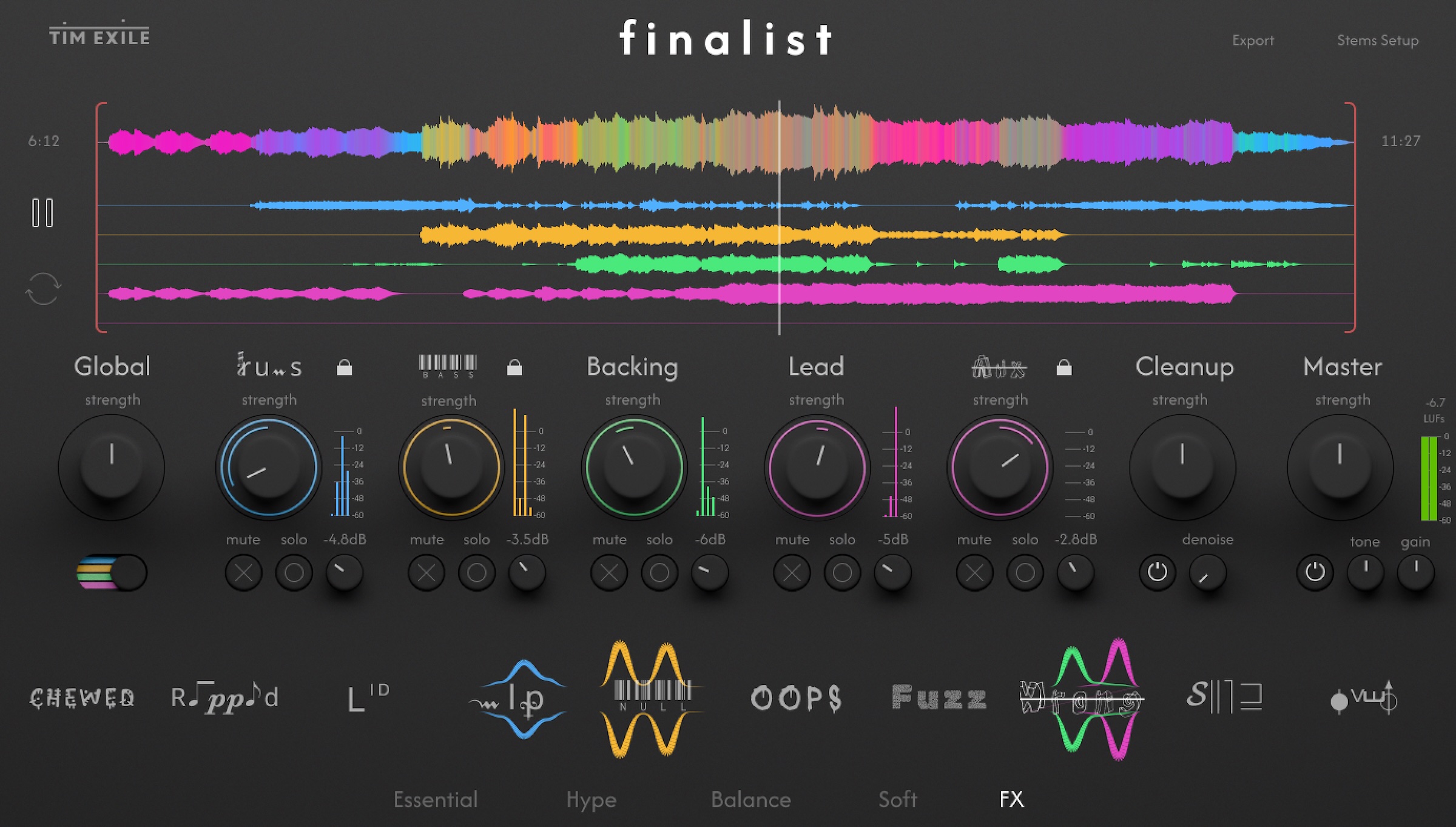
So if this isn’t AI, what is it? Like some other automated tools, Finalist performs a multiband analysis of the file, extracting hundreds of data points, then maps those to dynamic targets based on various colorful presets. (You’ll even see a four-band display on each component in the metering.)
“There are a lot of novel, weird, and unusual things in the DSP,” Tim tells CDM, as it maps your input to those relative dynamic targets. So it’s something different than what you’ve used before.
“Mixing has become very scientific these days, particularly in the LUFS war, which still rages on,” Tim says. “On the other hand, all the ‘AI’ tools feel too opaque, without any control. I like the idea of being able to twiddle in a mix with a few simple controls with the rest of the system being taken care of by some non-invasive smarts.”
The project is a collaboration between Tim and Efflam Le Bivic, also a Native Instruments veteran, who worked on design. “I ran into Efflam at Superbooth,” says Tim” “– it was great to see him after such a long time. Last time was when we worked on Flesh together 10 years ago! I built the first version with a pretty ropey interface myself. I really really like what he’s done. I can’t imagine it looking any better than it does.”
I’m just going to cut to the chase and say that, just like all those AI tools, Finalist doesn’t really remove the need for all the EQ, dynamic, mixing, and mastering tools we’ve got. There’s something to be said for sparing use of EQ, some soundstage placement with pan, and simple dynamic range management, and we have some transparent tools that do that effectively. Tim has his own take on his creation, which you can read below; he is pitching this as a way that anyone can mix and master. But hear me out, because I think a creative solution to this from the creator of tools like The Finger and The Mouth is a wonderful thing. And that’s especially true when you’re working with experimental and electronic materials — there aren’t really any rules.
What I immediately find inspiring about Finalist is that it produces one-click, what-if scenarios. Some are nuanced, making this a companion to other mixing and mastering tools in your DAW or third-party library. Some are extreme, and some turn Finalist into more of a special effect or multi-effects plug-in than just some boring “automatically finish all your tracks” tool. It can also present some bold choices that you or a collaborator might be afraid to try. So Finalist could be a way for beginners to hone their ears for a wider range of possibilities, and I suspect it could help them conquer the fears of the technically intimidating world of sound plug-ins. But for experienced users, this is a way to take that folder full of stems that’s been lying around, and instead of doing the usual, well-behaved, scientific thing, splatter some paint on the walls — in a good way.
Tim’s demo:
Save the stems!
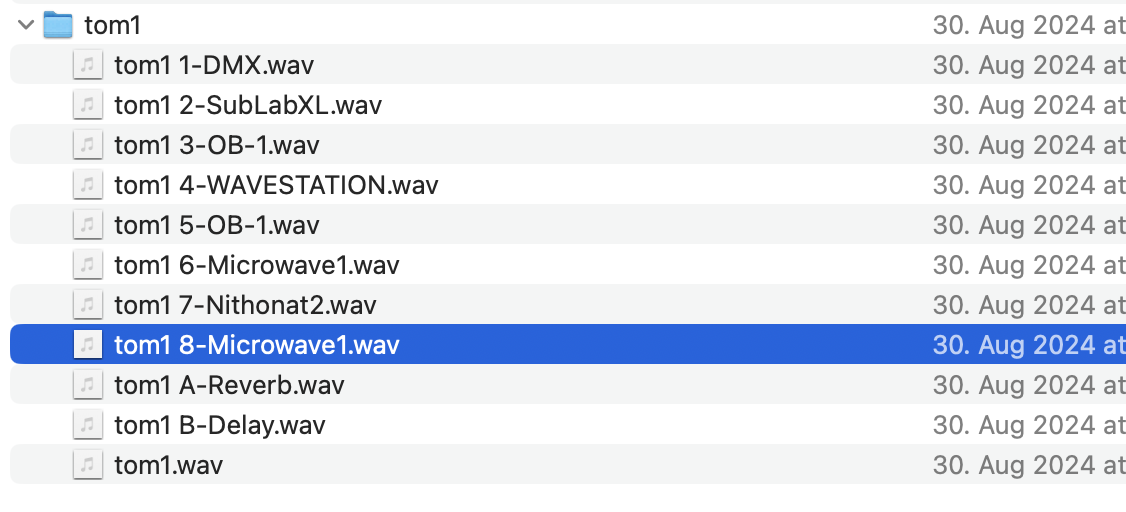
Like, the moment I wanted to test this, of course I found a bunch of bounced folders of stems. At least one project, I seriously don’t even remember making it. (Just me, or does that sound familiar?) Finalist could be just the cure for that. What’s this one? No idea. Did Finalist transform it in interesting ways? Absolutely:
There are also some options to fine-tune the results and creatively abuse the tool. I mean, it is a Tim Exile Reaktor ensemble, too, which means you know you’ll be able to push this in creative directions. And that makes it like a “finishing” answer to Scapeshift. One tool generates morphing patterns and musical materials via imaginative presets. The other tool lets you take those materials and turn them into finished tracks. Neither uses AI; both make the experience fully human. Both let you paint outside the lines (sometimes far outside the lines), with deep customization just beneath the surface.
I said this before, but it’s really a return to the kind of fantastical, artistically un-technical UIs of the era of Kai’s Power Tools and Kai Krause and Eric Wegner. (Actually, this could also be a nice companion to U&I Software’s stuff, like MetaSynth + Xx!)
Step by step
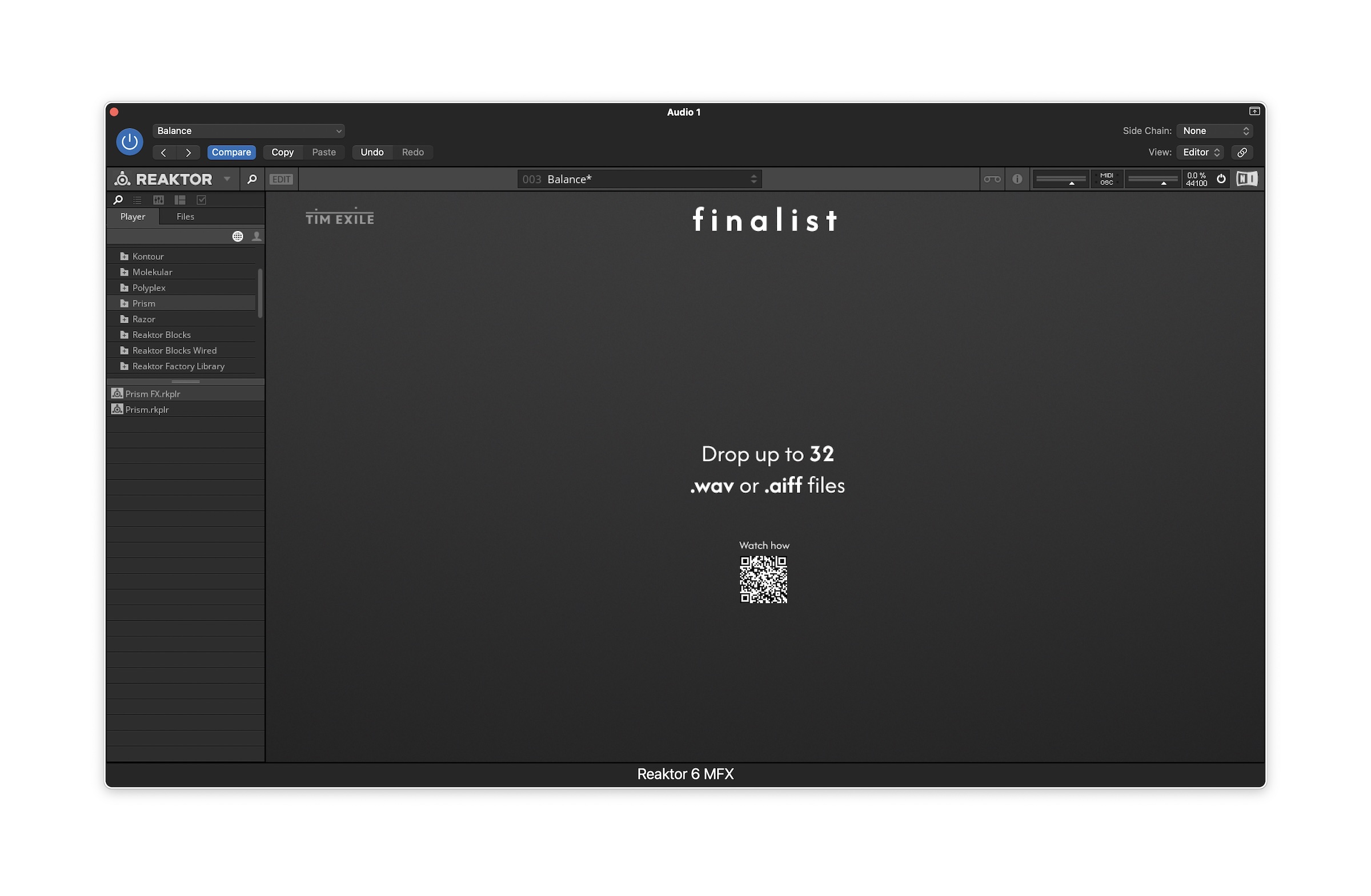
Finalist is a Reaktor ensemble, and loads into the full Reaktor 6 or free Reaktor Player, via NI’s authentication system. (You punch in a serial number and go.)
Then you just need an instance of Reaktor in your DAW — just an empty project, one software instrument track, and Reaktor, then open the ensemble. (Templates are promised, too, even if I didn’t have them in my pre-release build — but you don’t really need them. Just remember to use the Reaktor instrument, not the effect.)
Next, drop your stems — up to 32 of them.
Your stems will then prompt you to select categories; mouse over the audio to audition. (I wish the file labels were there, but as bad as I am labeling stems, it was hardly a showstopper.)
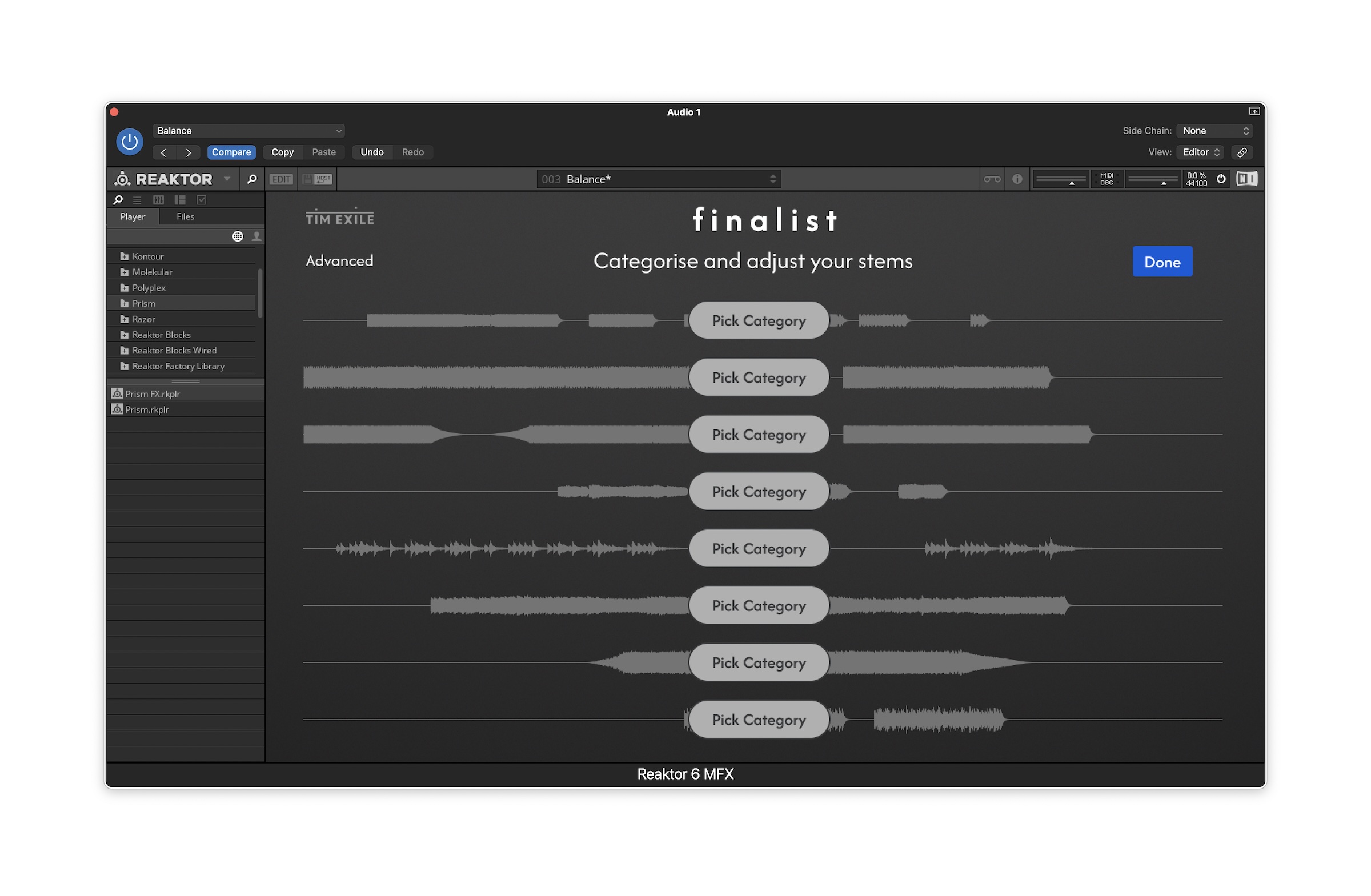
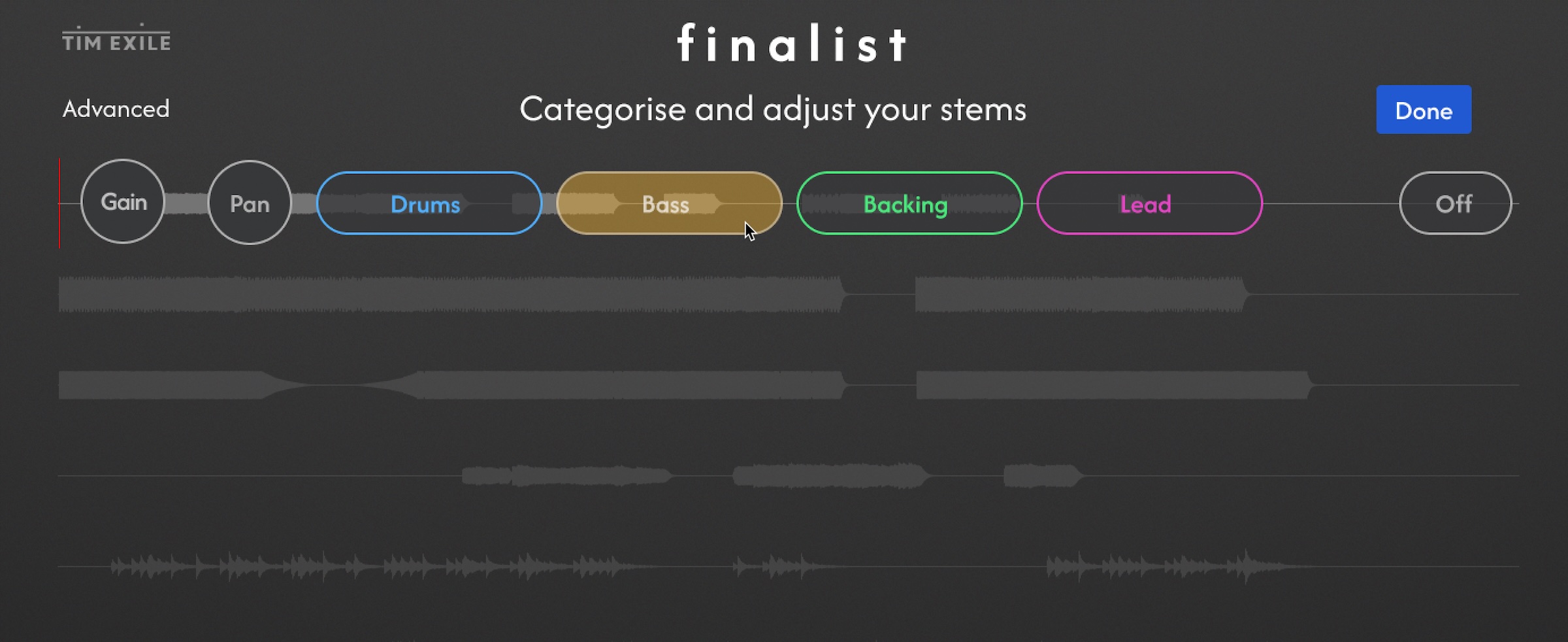
You’ll get options like “Drums” and “Lead,” but don’t worry too much about whether your music fits those exactly. These are different groups with general characteristics. Because it’s not AI, and because you have per-group parameter control later, the results work just as well with experimental results as they do more predictable material.
Actually, I can’t emphasize that enough. Many machine learning processes really depend on matching the source material, and they perform a lot better when your input is more “normal” — you may have experienced that with stem separation, for instance. Here, I actually found some of my weirder stems worked best. Not leaning too heavily on machine learning for these aspects avoids the normative demands of some of those processes.
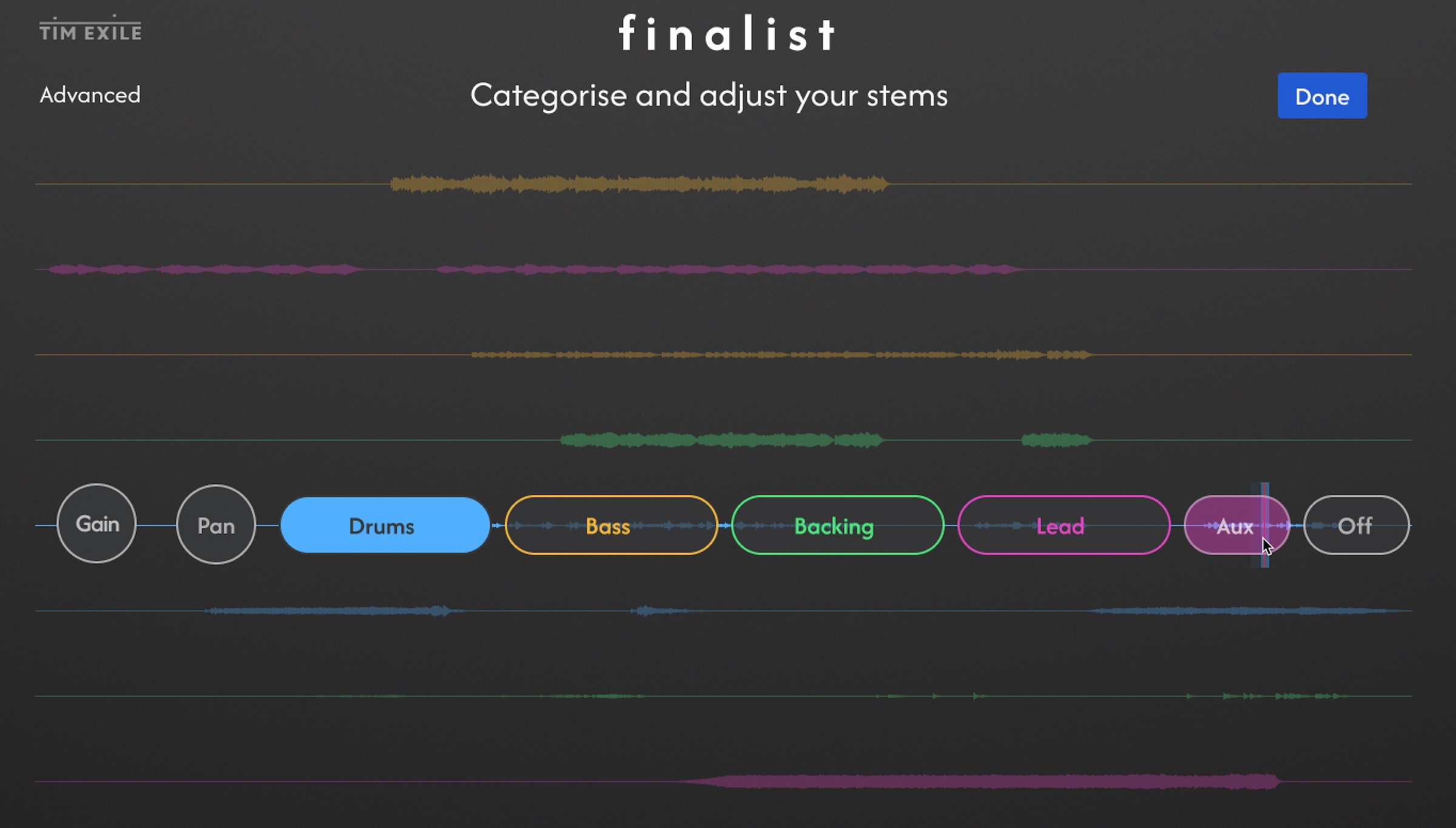
On other note: Advanced mode gives you an additional Aux bus to play with (note how as I assigned the others, they’re all now color-coded):
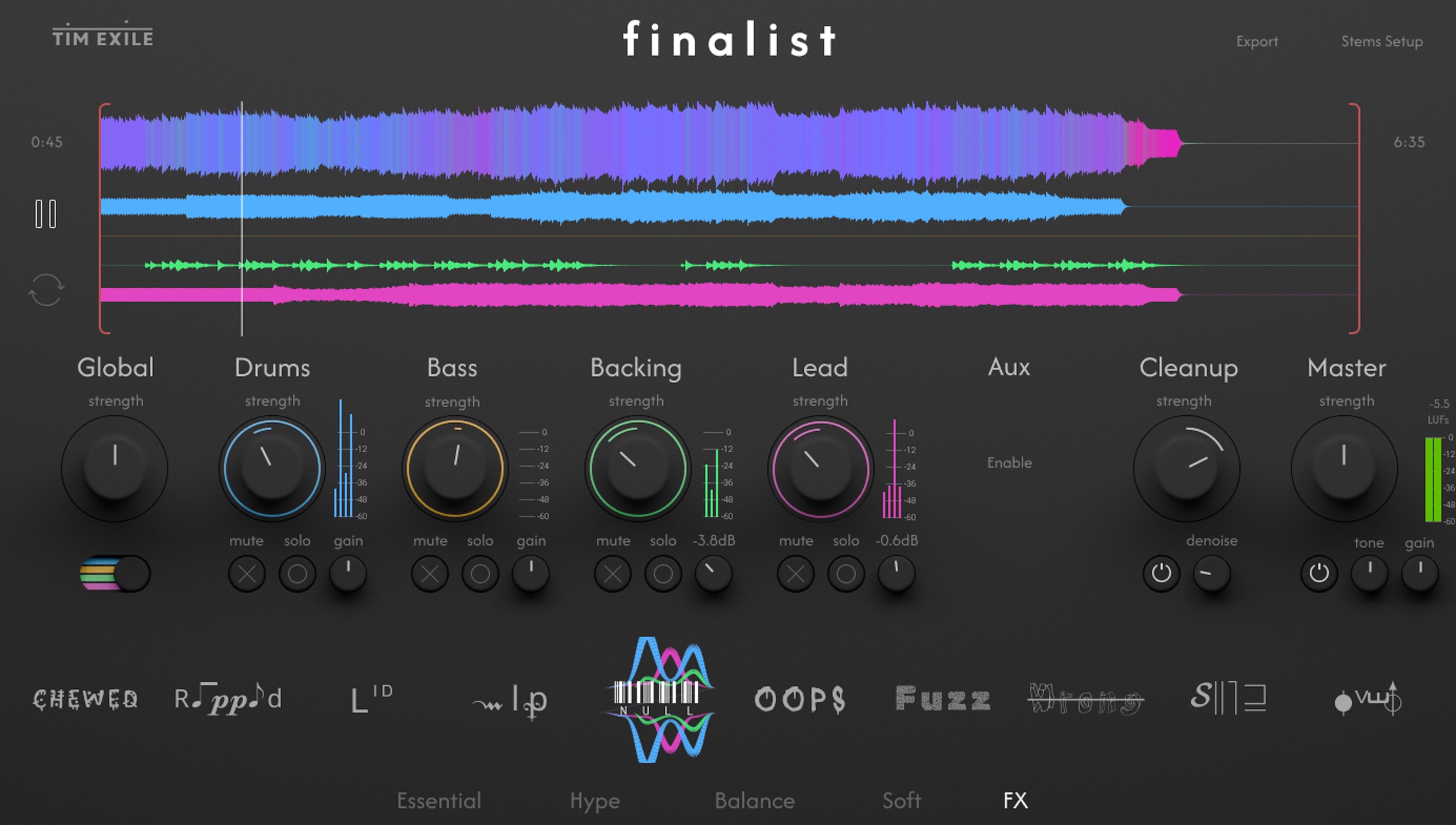
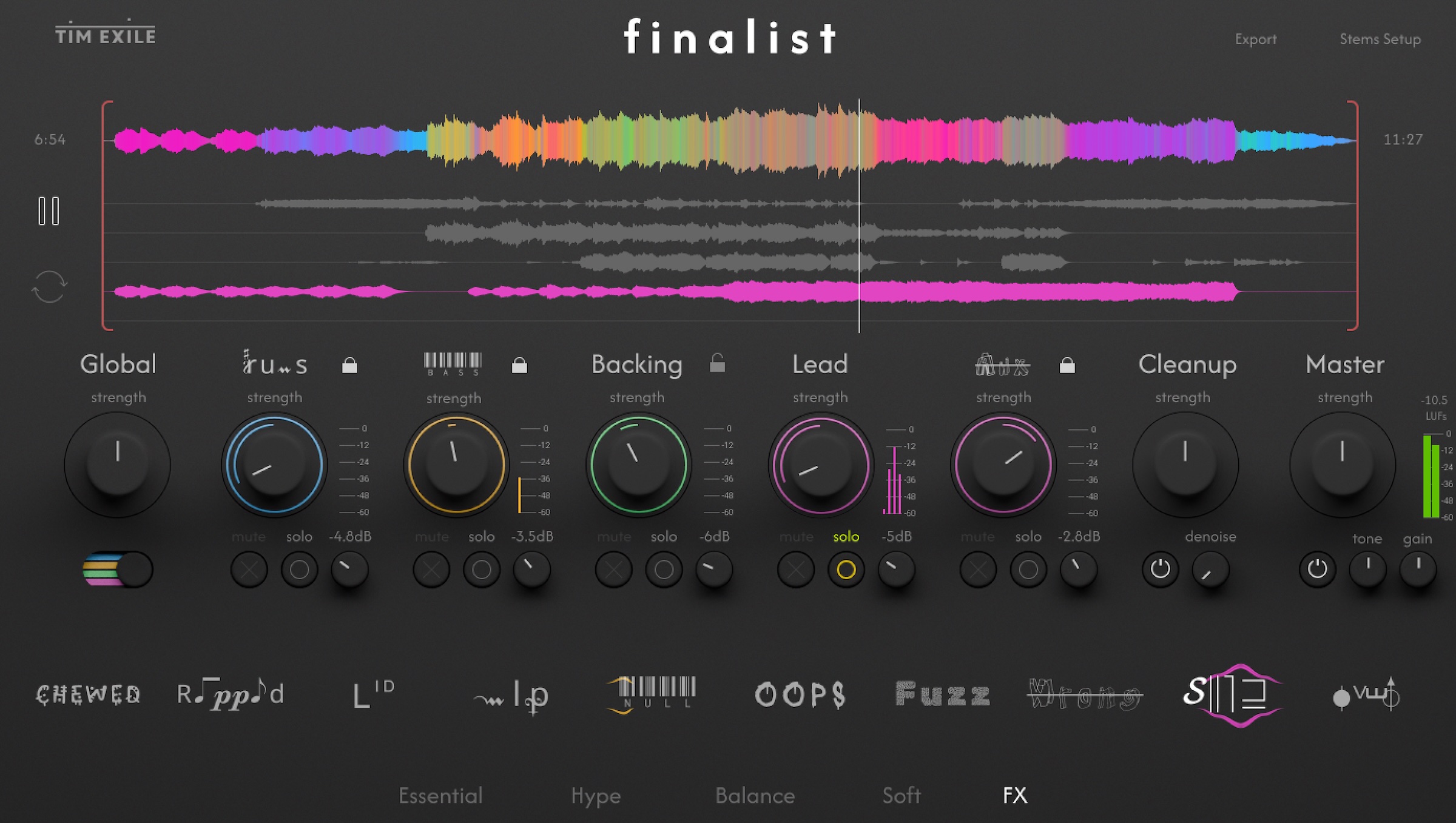
Once you have your stems in place, you just pick different filters and go. And they all have fun and inventive names, like TikTok or Instagram filters. Finalist’s results tended to be a little squashed for me, so I tended to turn down the gain on individual parts. Some of the presets will create some overzealous coloration or even audible distortion, but that’s sort of the fun of it — really, like Instagram presets. And some do land on pretty nice mixes. You can then adjust pan and tailor the amounts.
The most interesting thing here is the ability to lock individual groups. That means you can apply different effects to different parts of your mix, combining different directions. The lock icon appears by each group (including aux).
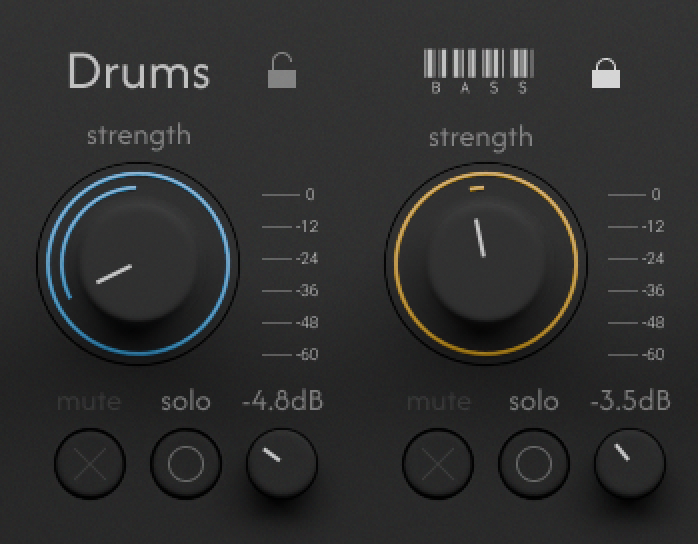
You can also solo tracks, which is essential for hearing what’s actually happening — but also allows you to apply this as a kind of radical multi-band compressor/EQ.
Schmix perfectly
I wish there were an easy way to do some extreme processing and quickly output stems, but becasue of the limitations of Reaktor, there’s not. You can, however, solo tracks and bounce them from your DAW.
I don’t want to knock the competition too hard here, but a lot of the automated mastering tools for me fall into an uncanny valley of being both too destructive of the mix and too generic. Finalist isn’t trying to be all things to all people; it’s got personality. And it’s fun.
Maybe this whole thing needs a new word. It’s not mixing; it’s smixing. Smixing and smastering, from the maker of Sloo. I can’t imagine using this to replace anything I’ve done before, but suddenly I can imagine doing some different things. And it’s added incentive to dive back into Scapeshift. It’s a fun world of track making and finishing for all of us who got stuck on half-baked bits we never quite got out of the oven.
But importantly, it’s musical. Sometimes it’s a little like having the amazing Gonzo as your mix engineer, but given how many perfect compressors and EQs we have now, that’s a feature, not a bug.
If you buy something from a CDM link, we may earn a commission.
Here’s Scapeshift again, too:
Scapeshift by Tim Exile [at Isotonik Studios]
The story of the launch:
(I keep finding new uses for those Smooth Operator presets I shared in the spring, too. Once you have all the tried-and-true tools that work, why not add a little magic sauce now and then?)