Apple’s Logic Pro for macOS and iOS just got some powerful new granular features for Alchemy and Sample Alchemy, plus new modes for the sequenced slicer/effect Beat Breaker. Once you do know where to find the new features, it opens up major sound design possibilities.
To start, here’s a look at Sample Alchemy and Beat Breaker in action, with the new Sync effect for the Granular engine in Sample Alchemy and HP/LP filter additions to Beat Breaker. If you don’t know Sample Alchemy, you’ll see it has multiple playheads and modes — inspired, no doubt, by Marcos Alonso’s excellent iPad app Samplr. (Each has a valued place on my iPad! They sound quite different. Hoping for a Samplr update one day, too.)
New granular mode
Having multiple granular instruments is a joy for the same reason you might want different guitars or electric pianos: each instrument is unique. And Alchemy is something special.
The ability to use Alchemy’s granular engine as any of its four sources dates back to the first version of Camel Audio’s Alchemy. (Read Martin Walker’s review in 2009 for Sound on Sound. Behind that 2000s interface, it’s the origin story for Apple’s Alchemy today.)
Granular synthesis creates a new sound source by slicing up a sound into tiny pieces and playing them back, overlapped. The version of granular synthesis in Alchemy is called “asynchronous” — an irregular cloud of grains. Synchronous granular synthesis lines up those grains so that the resulting timbre can be pitched. It’s a whole new granular mode, effectively, and Alchemy’s implementation is pretty unique.
In addition to the transposition itself, Apple gives you a formant control to fine-tune the re-pitching effect. Push this setting to extremes and experiment with different source material, and you can get all kinds of ringing, metallic, and edgy textures—plus some beautifully weird stuff.
You can also add multiple “taps,” or multiple synchronous grain playheads, going at once, with controls for spacing, adding layers to your texture.
Sample Alchemy
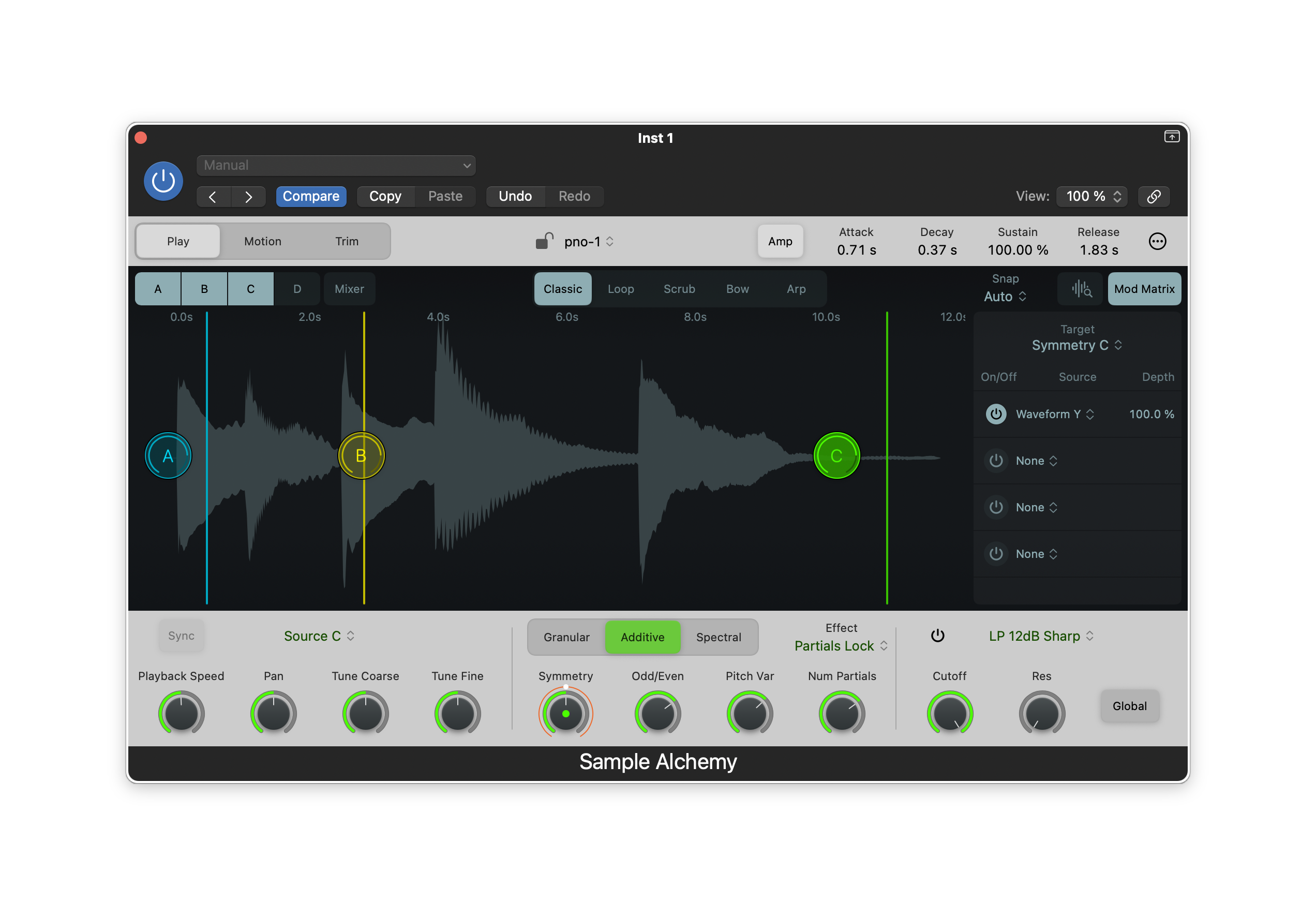
Sample Alchemy streamlines the UI for Alchemy to focus on the sample manipulation workflow. (You’ll see why that was necessary when we see Alchemy.) It’s especially great on the iPad — get ready to sample and granulate all your work in Logic and other apps! But it’s handy on the Mac, too.
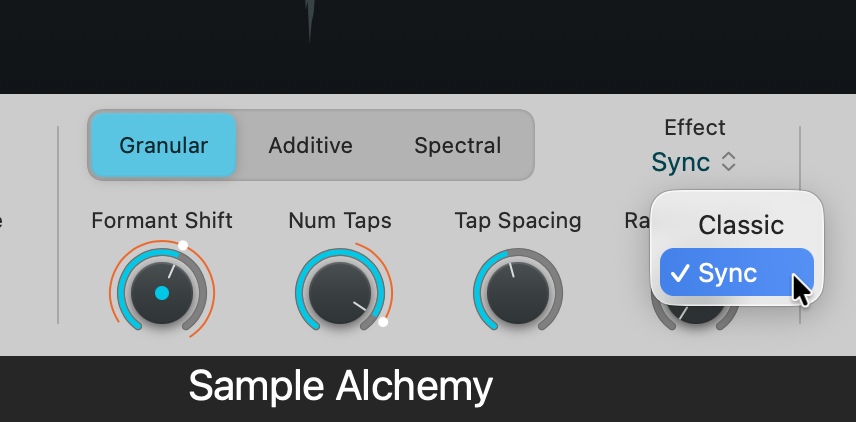
Drag and drop in any sample, then select “Sync” as the Effect. It reveals Formant Shift, [Number of] Taps, Tap Spacing, and Random Time as parameters. And you can target these with the Mod Matrix, too. (Go easy at first; some settings are pretty radical!)
Here’s an eerie patch I got going that began with a really simple piano and pad sample from a different project. I’m not totally sure what this is, but now you can see the range of this instrument!
Alchemy
Okay, let’s tackle Big Mama Alchemy.
Alchemy is deep — so much so that I’m sure a lot of people never get past the presets. But it’s worth your time, because you get four sources with morphing, each assignable to virtual analog, spectral, additive, formant, sampler, and granular modes. After Sample Alchemy, you’ll probably find Alchemy starts to make more sense — and gives you some extra sound design possibilities on desktop.
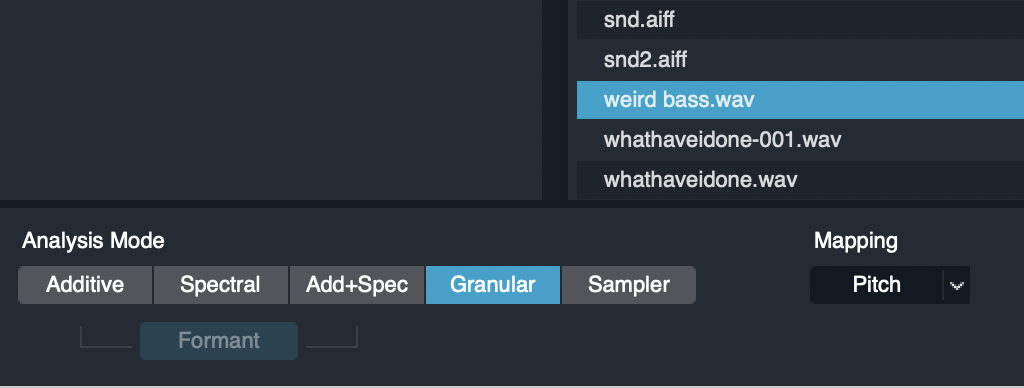
Confusingly, Alchemy doesn’t let you select granular mode directly as a source like any normal synth would, though. You have to import a sample first, and you have to select the granular or sampler mode when you import. (It performs some analysis here, I believe.)
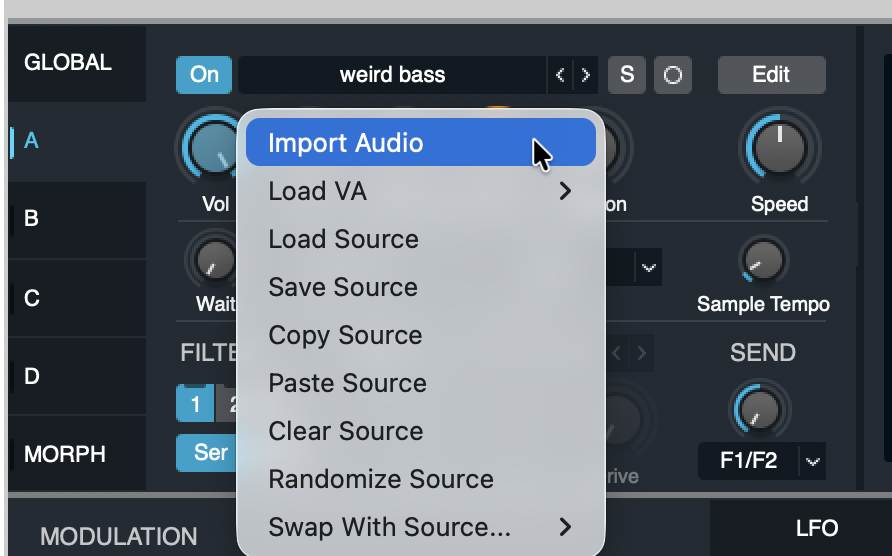
Select a source (A-D), then choose Import Audio:
That opens the Alchemy Import browser. At the bottom, choose Granular (or Sampler):
Now you can click on the Granular engine—and use the same new Sync mode you saw in Sample Alchemy. In exchange for your trouble, you get the full power of Alchemy, plus some additional options to tweak.
Most importantly, you can choose a Grain Shape, with a bunch of options. That’s huge for designing percussive sounds and provides a ton of additional variety. (There’s also the particle dust-like Needle mode!)
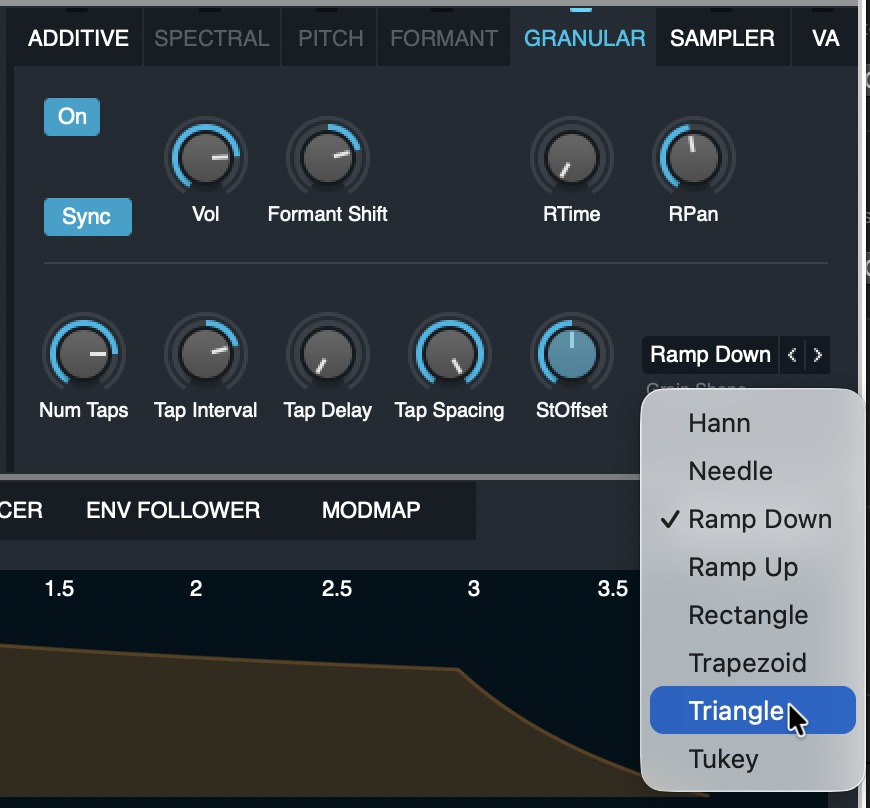
Let me just move some knobs around so you see what I mean. Here is a not-at-all-musical example:
But the possibilities here are fantastic. And so now you have the iPad (and Mac) as a sketchpad and the chance to do really far-out stuff with samples in Alchemy, too. It’s a perfect way to take bits of a project, bounce out a region, or grab some sound from an app, and then make it into some new instrument or percussion or texture.
And as usual, not wanting more granular in your life is like not wanting more joy.
But that’s not all…
New Beat Breaker modes
Again, there’s major new functionality, tucked into the interface.
Beat Breaker was already a terrific Mac and iPad effect for slicing, dicing, glitching, and adding synced effects, very much in the tradition of the Camel Audio effects.
Now you have three new modes you can use with slices: Cutoff (highpass and lowpass), Resonance (for the same), and Pan (so you can bounce around in the stereo image).
Those icons are on the top. Note the curve and slope options.
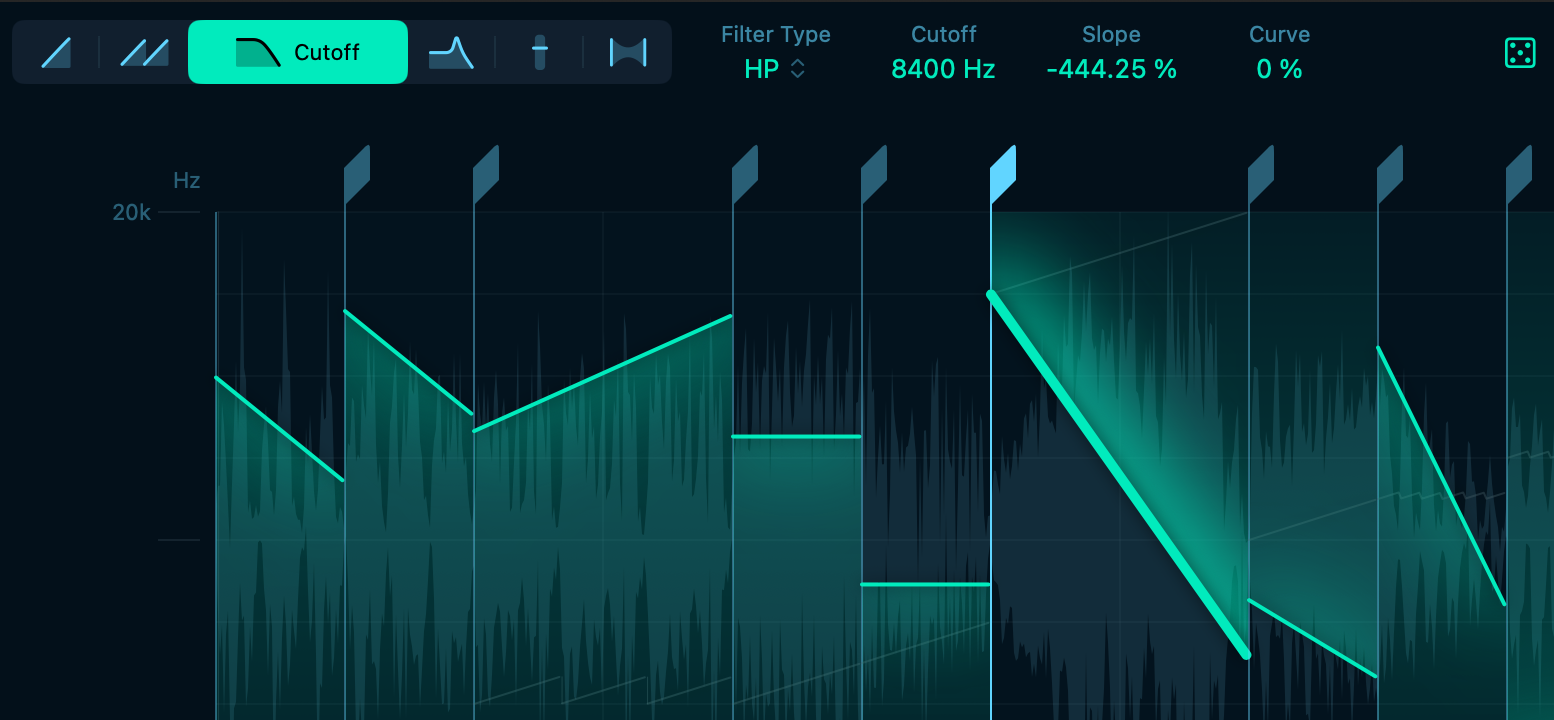
There’s also a new randomize option for quick results (the dice icon at the far right).
This is very much like one of my other favorite plug-ins, Sinevibes Cluster. But the filter and envelope design is different, so they each have their own sonic character, and the workflow/UI is completely different, meaning I tend to make totally different patterns in each. As I wrote about Cluster, though, this is an amazing way to get either very pronounced rhythmic effects to really nuanced stuff and everything in between. You can go ambient or EDM, as it were.
See the video at top.
And the rest
There’s more in the 12.3 update.
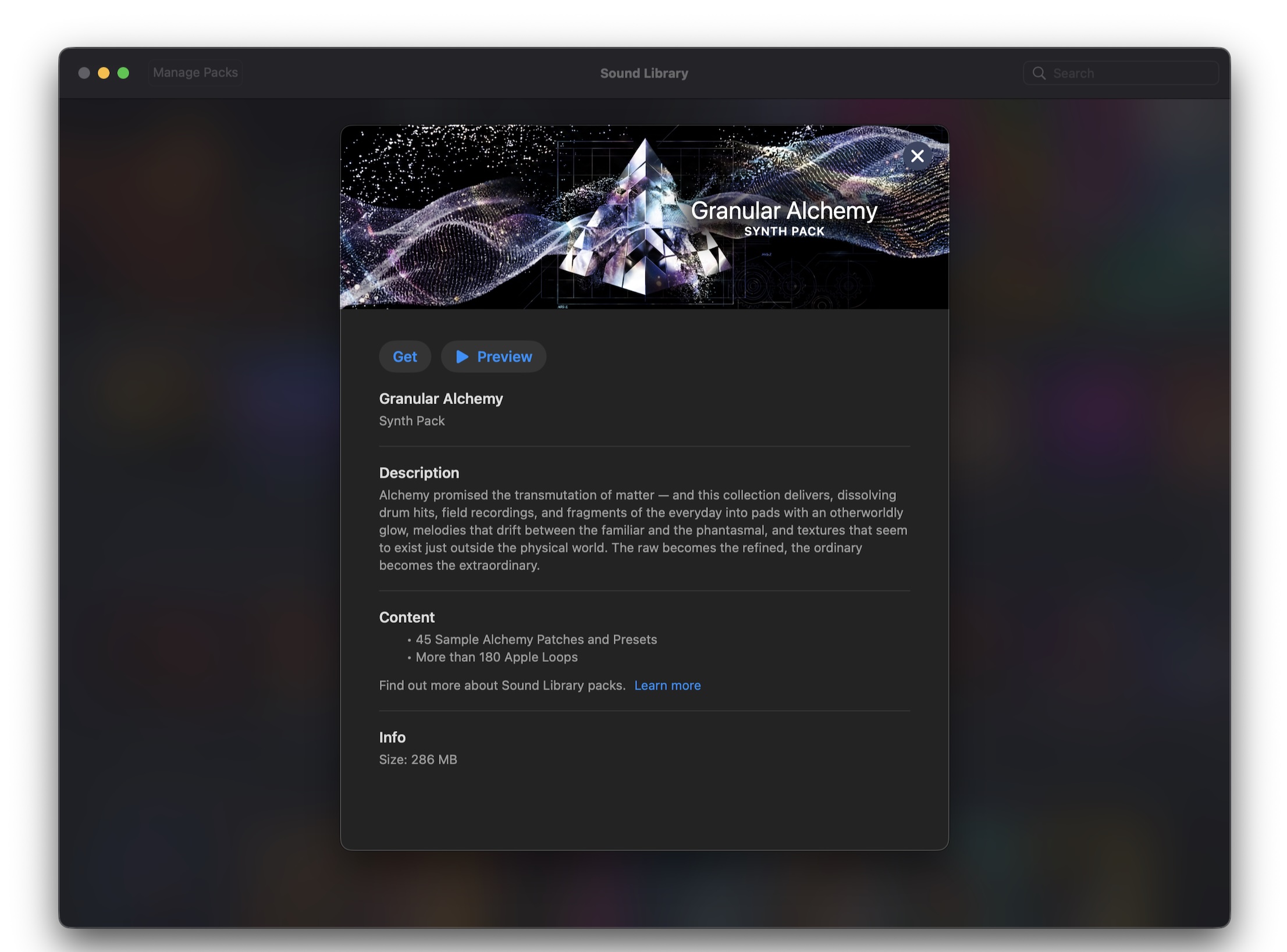
For one, if you want to find more grain sounds — including adding some extra waves and loops to play around with and mangle — you can install the Granular Alchemy sound pack (above) from the recently introduced Sound Library. That is, I’ll be honest, the first time I used it, but it’s well worth a modest couple hundred MB (no multi-GB libraries during RAMageddon, please).
There are other important features, like:
- Sync audio to a video hit point (!)
- Put grid lines on top of regions (or not)
- Streamlined Flex settings
And other things, like a new demo project by Kehlani, Usher, and Khris Riddick-Tynes. Plus 12.1 quietly added new Dolby Atmos options. All the details:
What’s new in Logic Pro for Mac
Oh, and by the way, I did not mention Apple Creator Studio. That’s because it doesn’t matter. If you’ve got the Apple Creator Studio, you’ve got this update (and that’s the way to get it on iPad). But if you bought Logic Pro for Mac, you also get this update. And that’s great.
I’ll talk separately about some improvements to how that suite works, though, including some welcome integration of the excellent Pixelmator Pro. Here’s hoping that app fares well under Apple’s ownership just as Logic has. (That sound you heard was Logic for Windows and Camel plug-in users screaming, but apart from that.)
More soon.
Previously: