What if you could remake Ableton Move to do anything, using Max — the audio engine, I/O, every pad, button, encoder, and even the display? That’s RNBO support on Move. It’s labeled “experimental alpha,” but I’ve been testing RNBO Takeover Mode on Move, and it’s already really usable. There’s even a lot you can do without patching at all, like running Robert Henke’s now-iconic Granulator III. Here’s a first look.
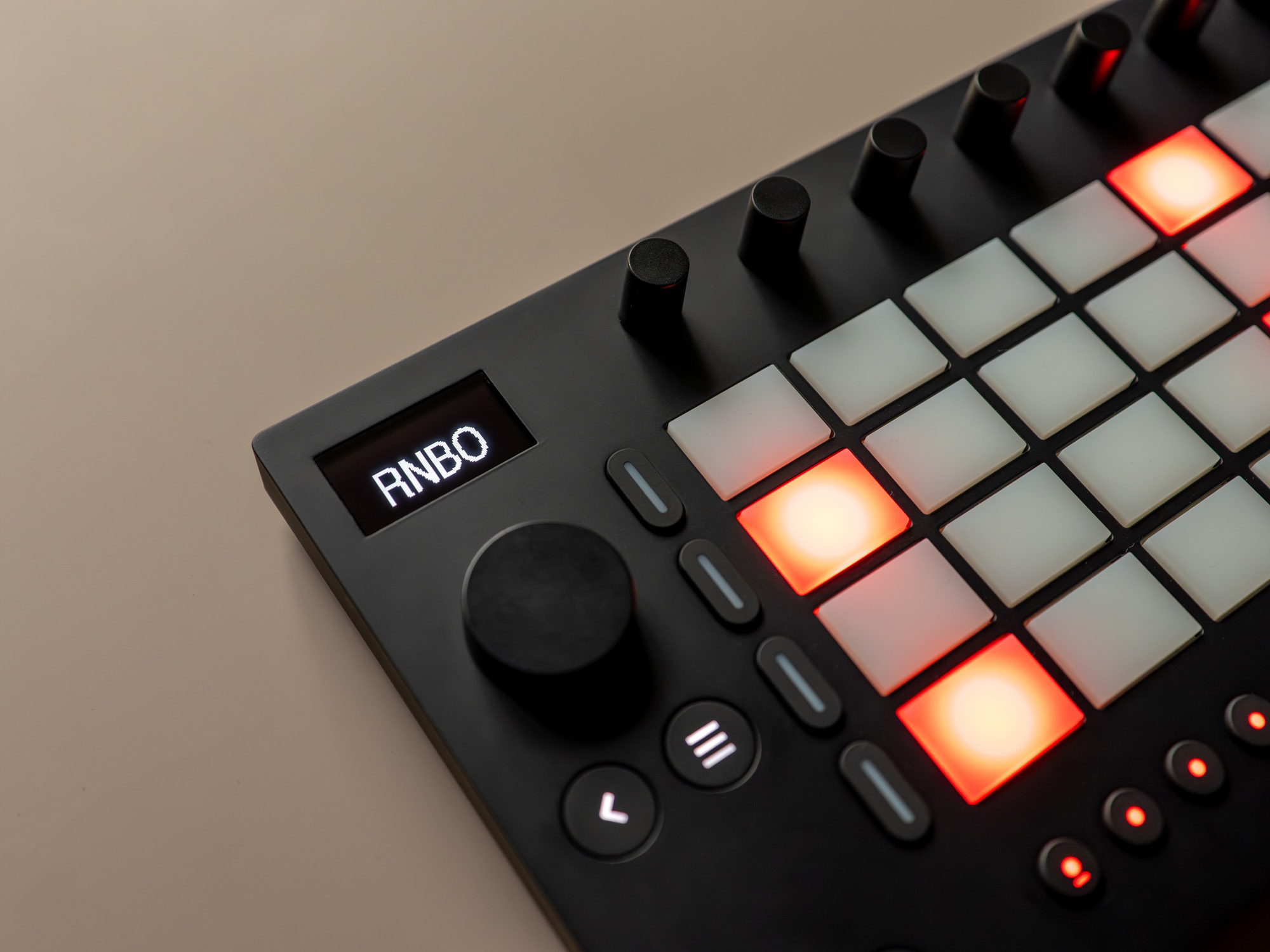
Refresher: Cycling ’74 RNBO is a separate environment that lets you make Max-style patches, in the Max visual patching environment, using a library that lets you port your creations to the Web, plug-ins, and embedded and hardware targets. (See below for more details, but RNBO will feel like a dialect of Max/Pd.) And now RNBO supports Move. (That includes all of gen~ — see below.)
First off: unlike the unofficial hacks I’ve written about lately, this is not about making “plug-ins” for Move or running something on your computer. We’re talking standalone support in full “takeover” mode — your Max patch becomes a bit like the new brains of Move, from audio to controls to display and structure. (Don’t worry, there’s still a menu to navigate to other patches, and you can launch back to normal Move mode in under a couple of seconds. More on that below.)
The advantage of the “takeover” approach is that you really get full access to almost all the controls, including interactivity, lights, and the display. With a plug-in, you’d have to accommodate the usual Move controls.
For Max creators, you can now target both Ableton standalone devices — Push 3 standalone and Move — for your patches, on top of Max for Live, provided you use RNBO. On Move, you can make Move become your Max patch, standalone, all in a form factor you can easily carry with you everywhere. And that’s on top of Raspberry Pi and other hardware supported by RNBO.
Please note: This is “experimental alpha” software, based on initial impressions. Cycling ’74 says they’re actively soliciting feedback and in early stages — capable as it is already. So details are subject to change.
How it works
Setup is really easy. You don’t even need Max to get started and mess with the examples if you’re curious about where this is going. (You’ll only need the latest Max and RNBO, with licenses, if you want to export.)
After updating Move (1.5.1 or later; I’m running 1.8.5), go to Move Manager and install the RNBO .swu file. That took just a few seconds, and then I was up and running.
To start RNBO Takeover Mode, you just go to the Move Settings menu (Shift + Step 2), scroll down to RNBO, and run. A moment later, you’re in full RNBO takeover mode, with Granulator III loaded by default.
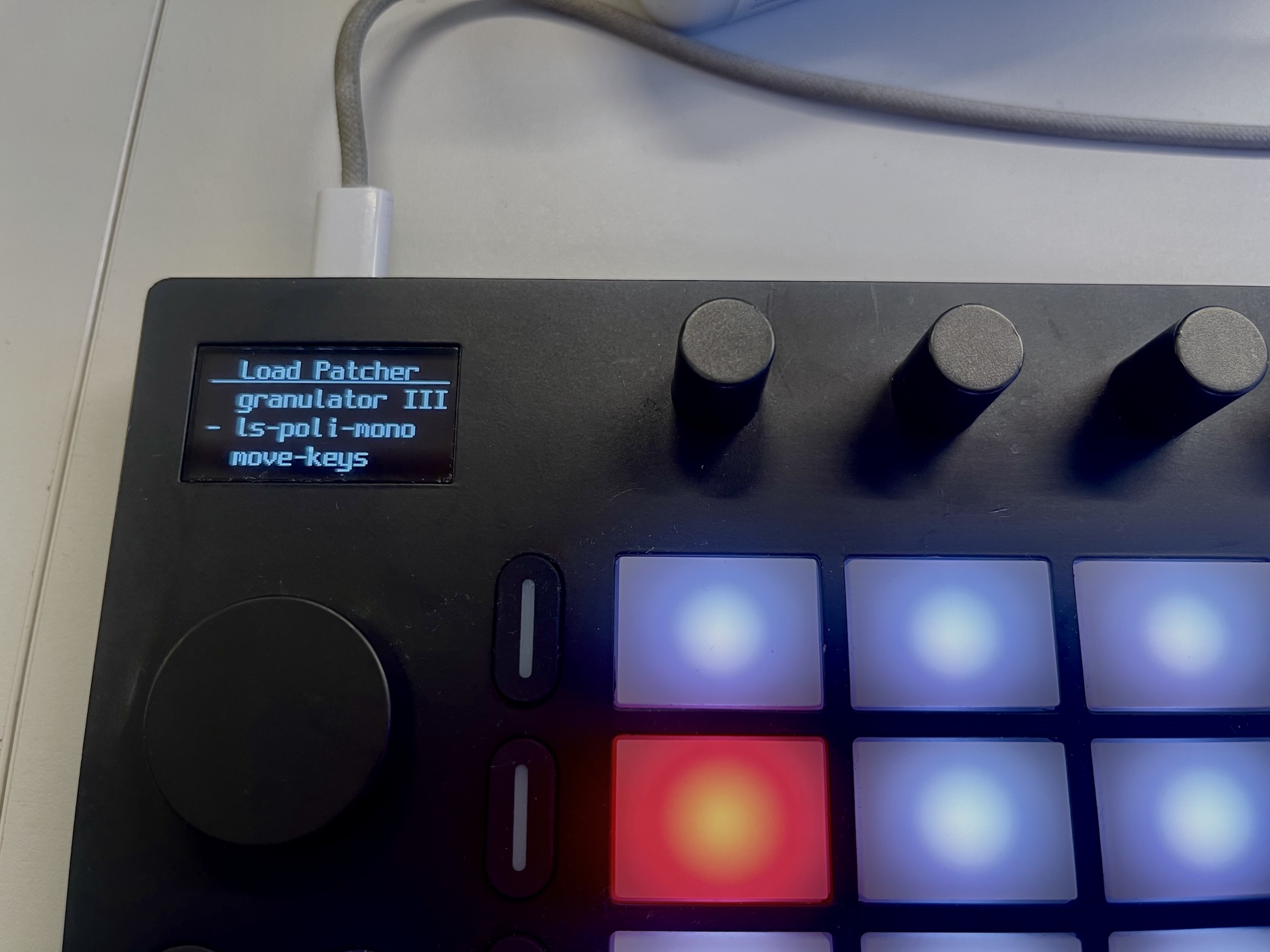
To go back to “normal” Move mode, just press the power button and select “Launch Move.” Switching back and forth is fast enough that you could easily do it during a live set.
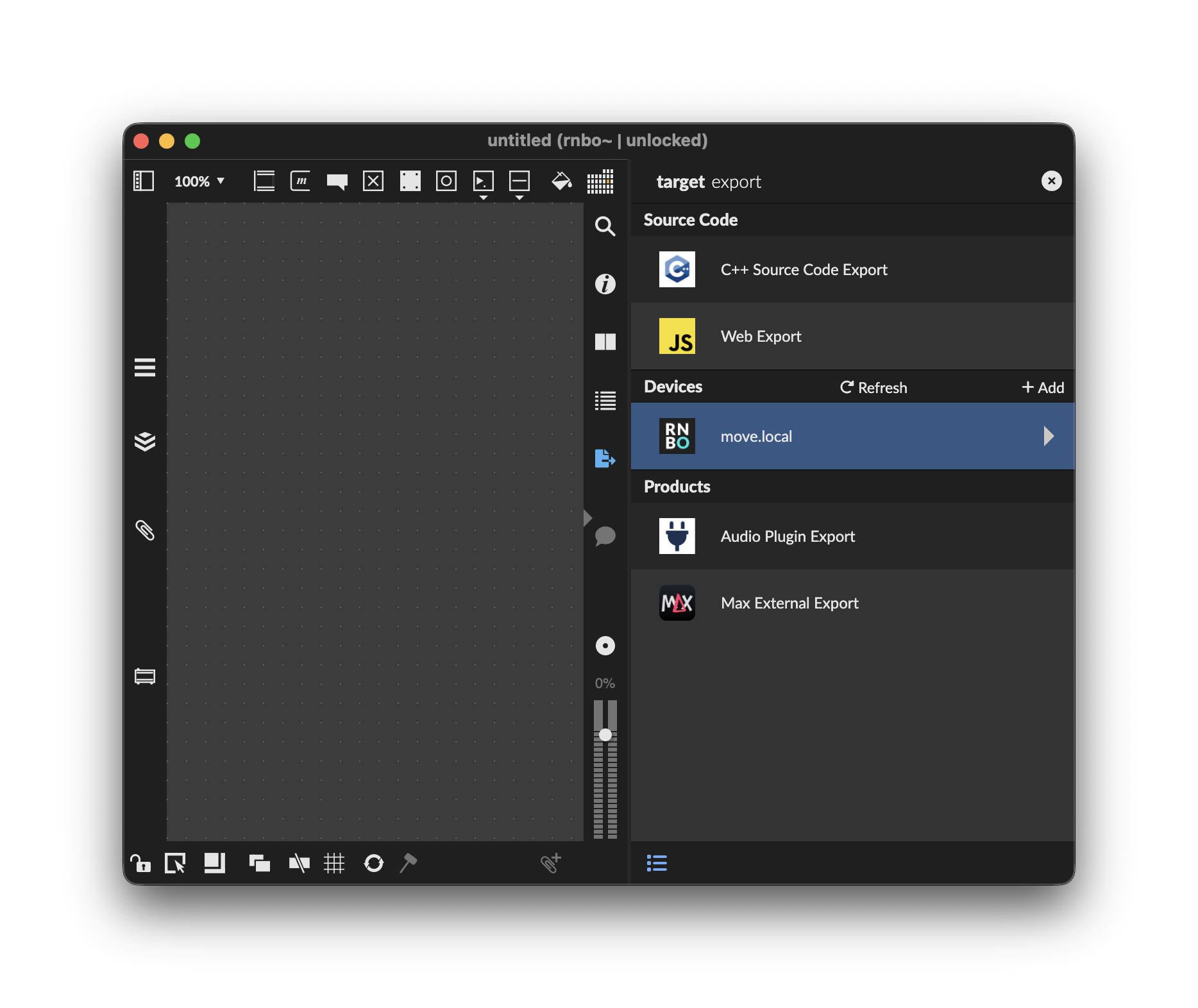
On the Max side, it’s similarly easy. First, connect Move to your Mac or PC and load RNBO Takeover Mode first. Now you’ll see Move as an export target — just open a patcher and create an rnbo~ object, which opens the RNBO patcher. Open the Export Sidebar on the right, and you’ll see a Move option.
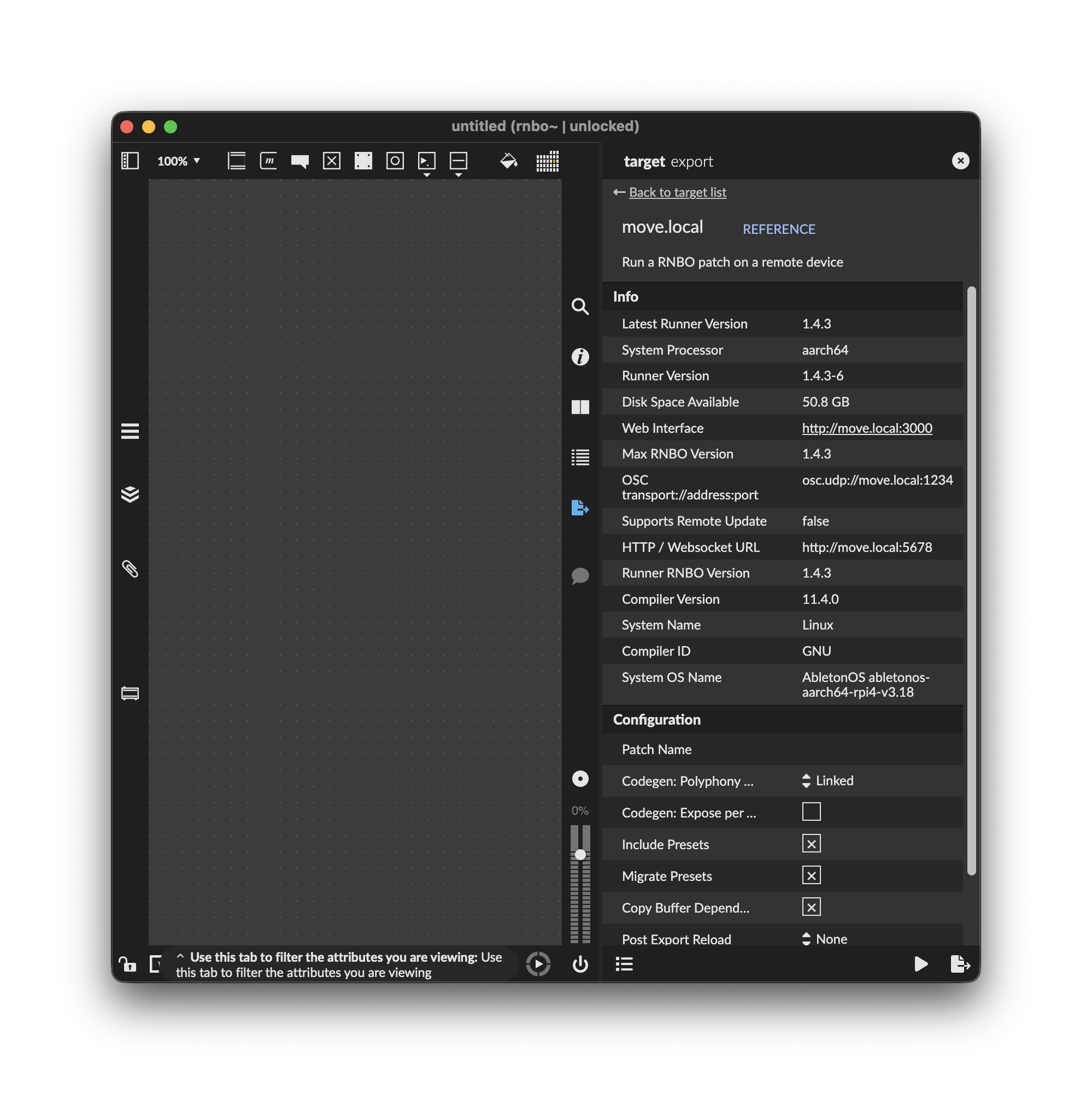
Inside, you’ll see some additional options and information:
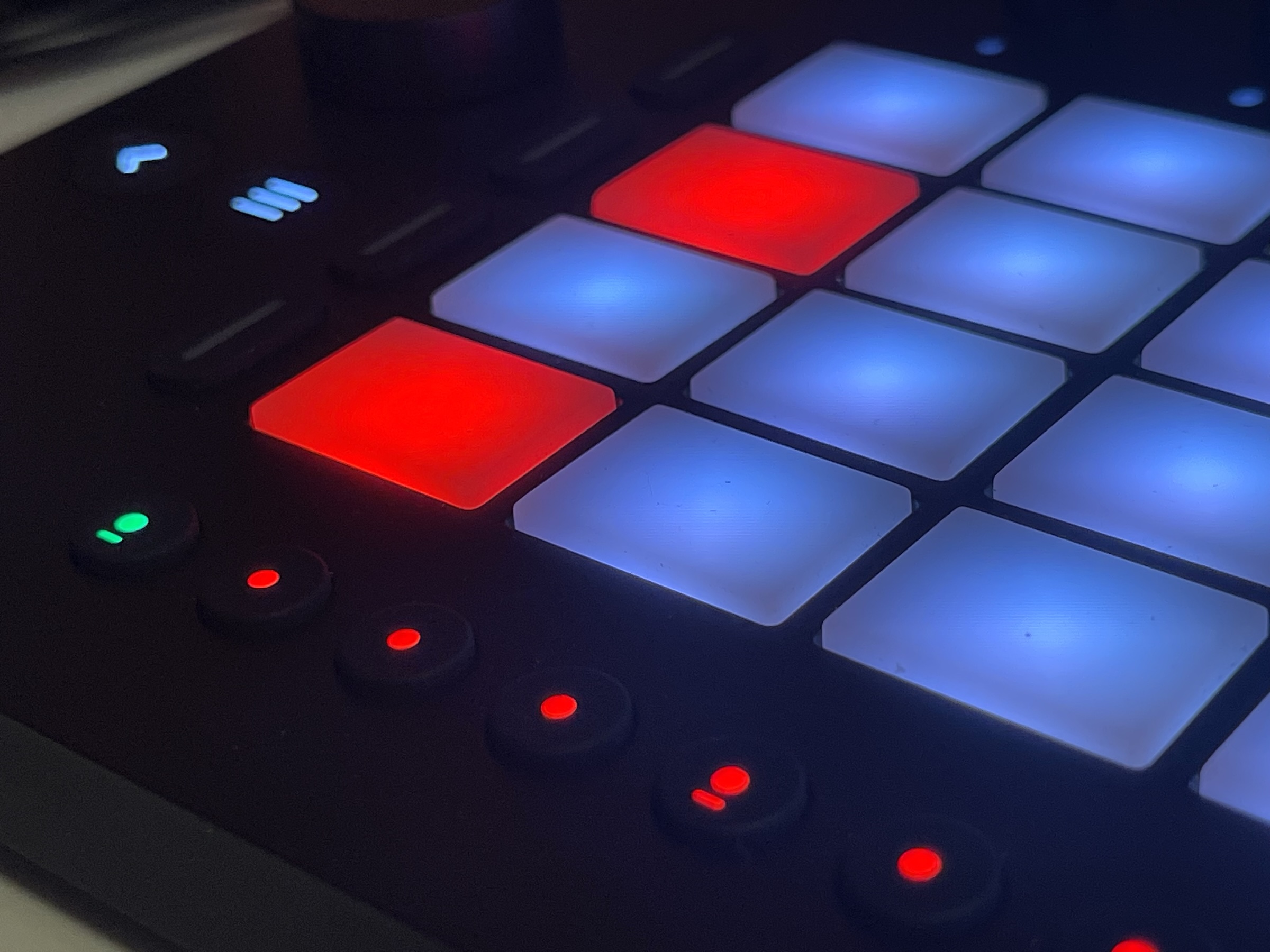
Cycling ’74 and Ableton could have almost just given us something called “Granulator III mode” and not told us about the RNBO Takeover Mode and gotten us reasonably excited here. Robert’s patch is a pure joy on Move — it’s really made for the horizontal Move grid, that row of encoders, the display, and the button triggers on the bottom. You really feel like you’re holding Granulator III in your hand. The aspect ratio of Move is even reminiscent of a Live Device. That is sure to inspire patchers.
But that said, of course, the real breakthrough here is for the DIY scene — and then this opens up to a bunch of possibilities.
You really feel like you’re holding Granulator III in your hand.
What patchers can do
RNBO Move Takeover, as it’s officially called, gives you deep access to the control once it’s enabled. That includes (honestly, far more than I expected):
- Buttons and pads: input from pads and buttons, including aftertouch and velocity (MIDI).
- Turn knobs: Encoder values (both as 7-bit CC and higher-resolution values).
- Light it up: Control LED colors (MIDI).
- Group parameters: Create custom groups of RNBO parameters.
- Navigate with OSC: Jump to new graphs via OSC messages — this means you can switch between Devices and other connections.
- Use the display: Create User Views with the ability to draw elements to the display(!)
- Set up I/O: Set MIDI and audio connections.
- Make use of the mic: This opens up some non-obvious examples — like treating Move almost like an acoustic instrument, using the mic as pickup and adding processing. (Tapping the side of the case or clicking the buttons sounds amazing — I accidentally loaded up an example with this, and was amazed and distracted for a while! Deep cut – RjDj.)
Only a few controls are reserved for RNBO Move Control — this is essential so that you get navigation:
- The wheel under the display
- The back button
- The volume control
Even those still have MIDI mappings, though, so you can detect when the user touches any of them. The Menu button is also accessible.
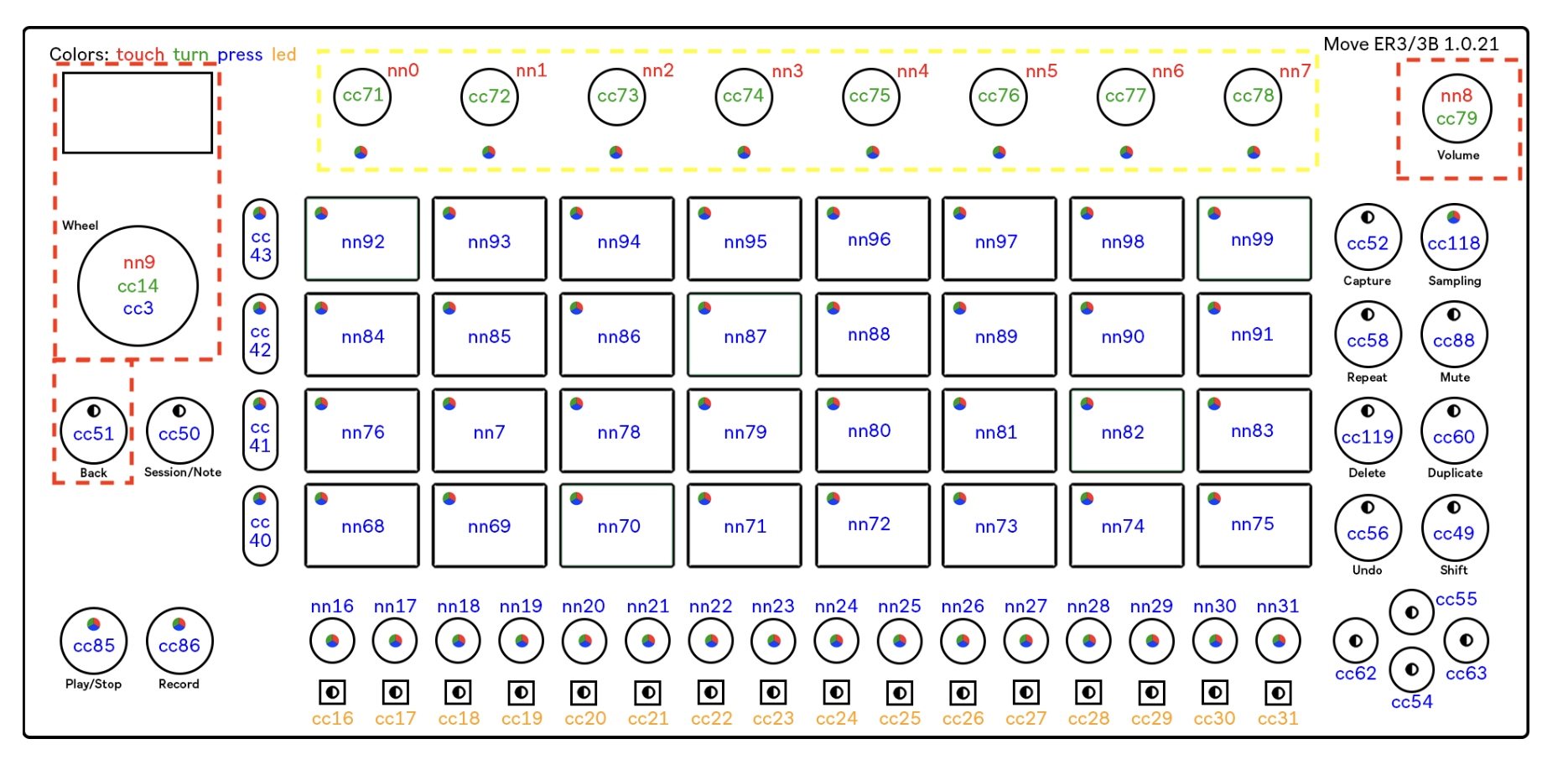
And this is the advantage: you could build custom hardware that did this, but having a ready-made API and a mass-manufactured device with pressure-sensitive pads in an inexpensive package is a boon to DIYers.
You can also access other controllers connected to the USB-C host port in your pathchers!
At last, you can also draw to the display. These are called User Views in RNBO-on-Move parlance. You can draw images, animations, and even add multiple layers and multiple views. You write to a buffer, and now, even in this early alpha, you can load bitmap files and draw to them. The documentation even covers some tricks to deal with type and fonts. This part is probably the nerdiest bit of RNBO on Move at the moment, but I expect we’ll see a lot of sharing of code that does common tasks, and — honestly, it’s kind of fun.
The RNBO connection
RNBO isn’t “Max” per se (even though it runs in the Max application) — though the library uses familiar objects and syntax. (The Pure Data world has something similar in the form of Heavy, a cross-compiler that lets you use many Pd objects, but not all, in a patch that’s transformed into executable C++ code.)
It’s easier to show than explain: have a look at the categories and objects, with the Generator category selected:
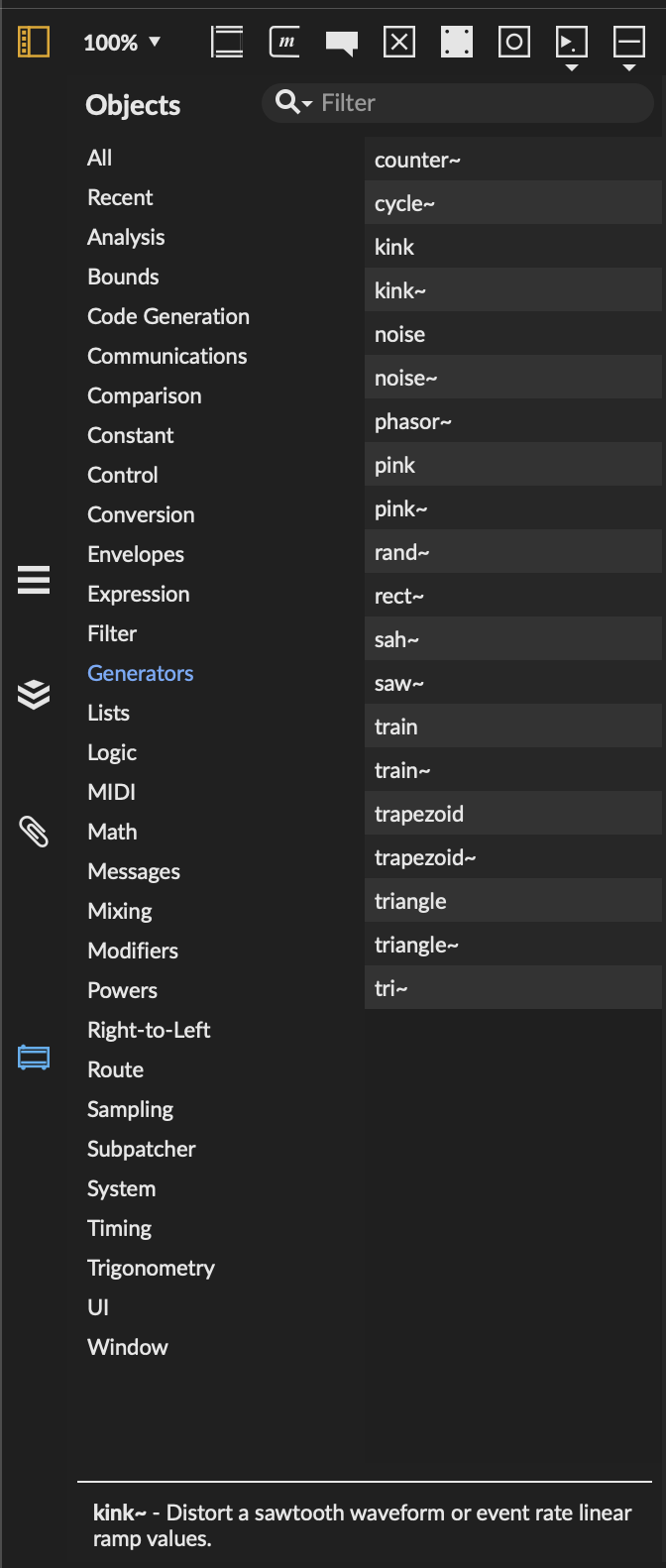
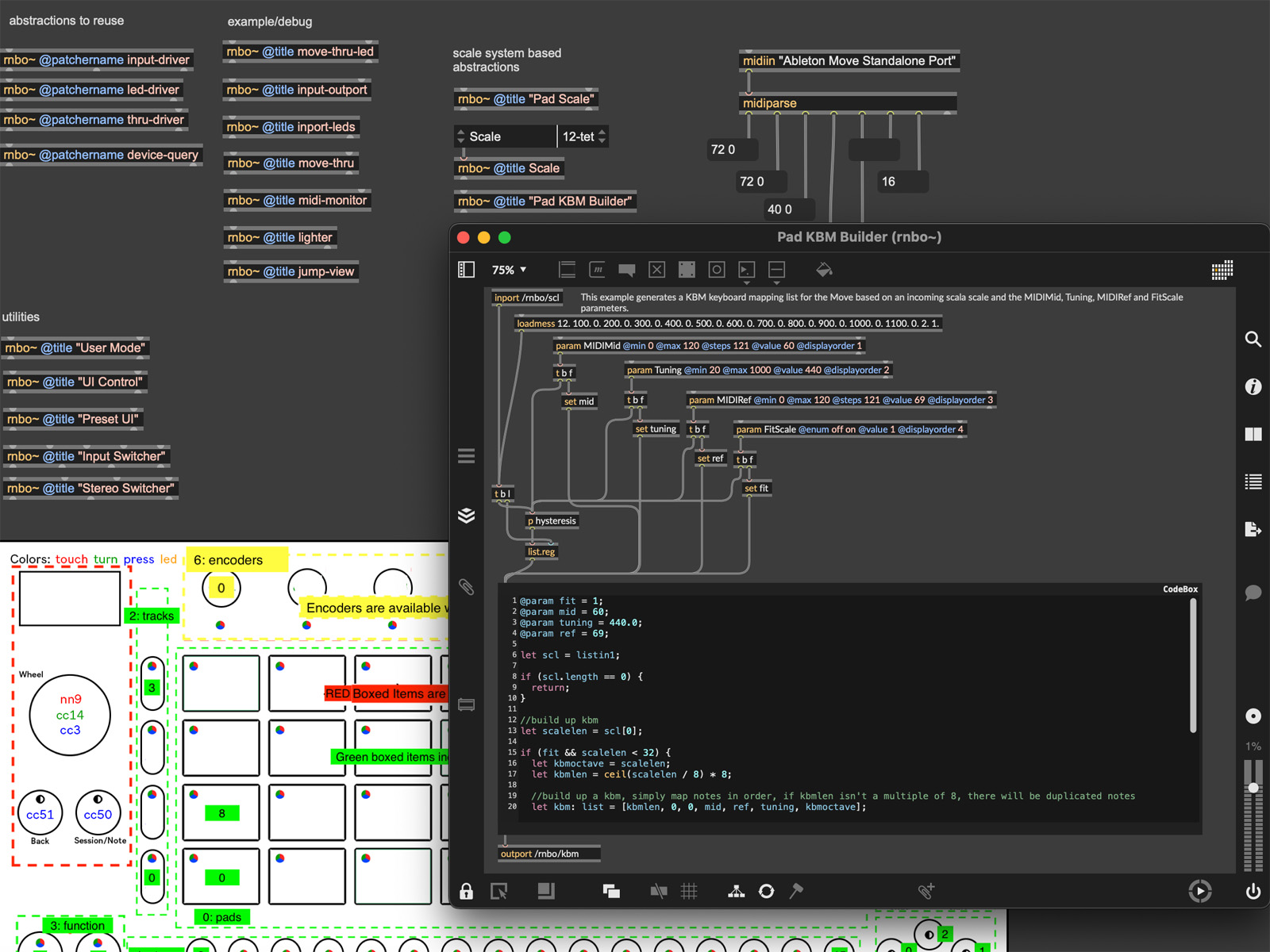
Let’s say you want to make something that might eventually run on a Move, a Raspi, and as a Max for Live object. You’d build the guts in RNBO and then make a patcher around the object, taking advantage of all the specific Max for Live goodies that work in the desktop UI.
If this all seems a little complicated, don’t worry: there are a ton of examples and plenty of chances to hack things together.
RNBO does offer advantages because of its unique capabilities, versus just code or Max on their own: you get almost LEGO-style ease in hacking together complex interactions with the Move hardware without code.
RNBO does offer a lot of advantages: you get almost LEGO-style ease in hacking together complex interactions with the Move hardware without code or hard work, freeing you up to patch!
Generation gen~
gen~, the low-level DSP environment for Max, is cross-compatible between Max and RNBO. So that to be clear — yes, anything you build in gen~ works in both places. That explains why Granulator III was so quickly adapted, as it relies heavily on gen~ in its innards.
C74 posted an article explaining back when RNBO first launched: RNBO and gen~
Patchworks
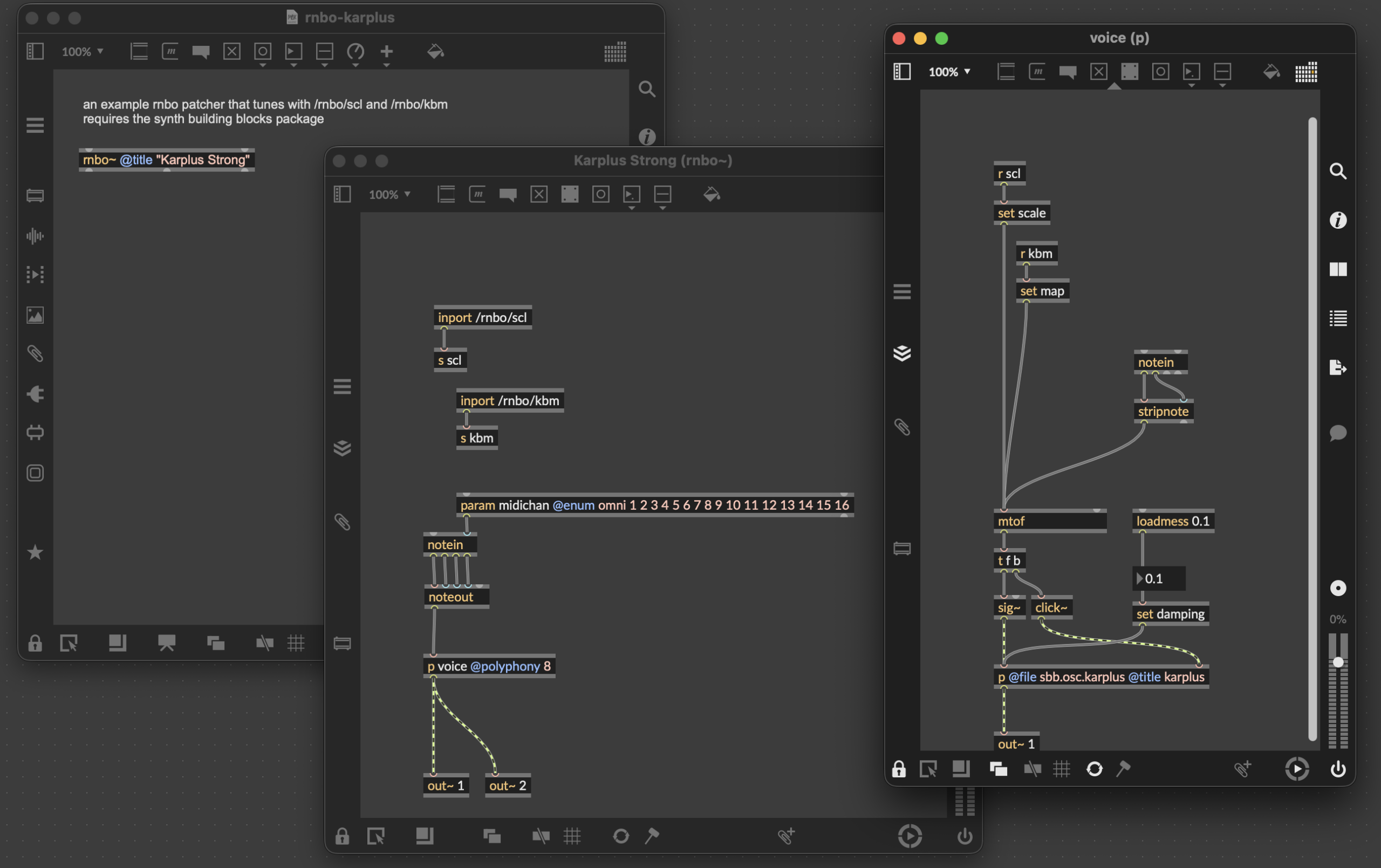
Cycling ’74 is already well underway with examples and ideas, even in this early alpha. What’s great about this environment is that it is genuinely friendly to tinkerers, not only more “serious” developers. There’s a no-input mixer emulation in the examples, or a dead-simple Casio CZ-101 synth to play with and mod. Another example demonstrates that just building a basic Karplus-Strong patch with Scala support for tuning and microtuning is easy to accomplish (see below). This is still intermediate patching stuff.
And one more thing…
Web patcher
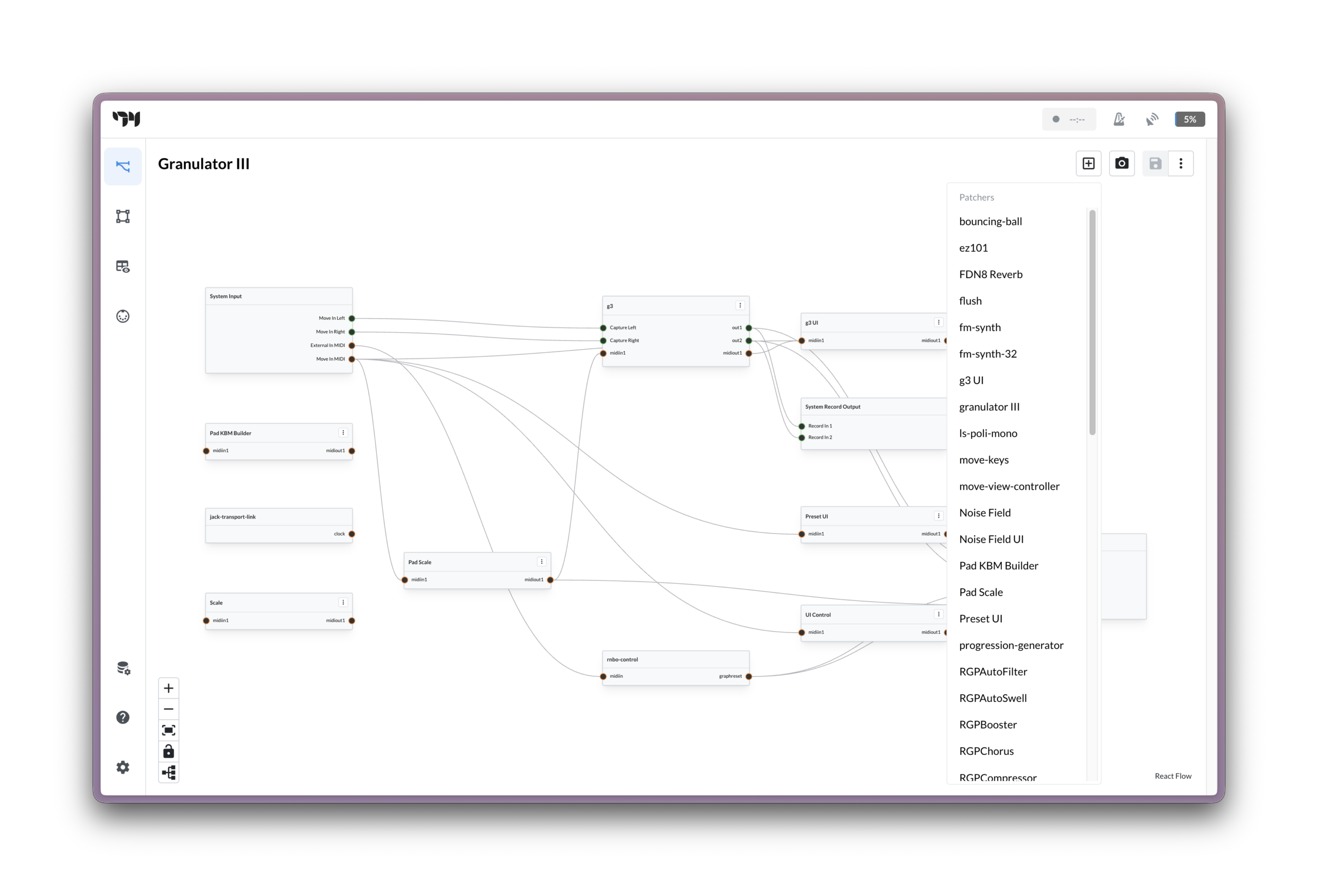
RNBO on Move is far from the first tool to let you run a patch on embedded hardware, but it’s probably the deepest. You have views (the custom displays), multiple patchers, and larger combined applications called Graphs. Since you’re taking over Move, that is, you have a Graph that puts all the pieces together. Keeping track of those assets and presets is made easy thanks to a special Web Interface.
Existing RNBO users have already seen this on the Raspberry Pi target for RNBO. But what’s fun about this on Move is that you can interactively modify your Graph from your computer Web browser with your Move plugged in and get immediate results. It’s a bit like breadboarding — visual and immediate, with continuous feedback. Here’s what Granulator III Graph looks like, with the Patchers menu open. Don’t think of it as another patching environment; think more like you’re looking at the overall flow of your custom Move rig.
Move on
All of this is available right now, today. You can’t break anything, either; if anything goes wrong, you just choose Launch Move or hold down the power button for a hard reset, and you’re back in normal Move mode.
Anyone with Move can give the examples a try. Exporting is free to test for those with Max and RNBO licenses, and there’s a trial available if you want to give it a try. This early alpha isn’t open source yet, but like other targets, it will have open components — RNBO OSC Runner and RNBO Move Control will be open-sourced on GitHub.
https://cycling74.com/products/rnbo/move
I’m sure the only thing really holding folks back will be RNBO pricing. That’s not only a price barrier, but it remains confusing to customers that Max for Live, Max, and RNBO exist as independent licenses. I do hope that this generates some additional interest and that Cycling ’74 finds a way to make that more accessible and understandable. (For now, Max + RNBO runs a combined US$22.99 a month; one-time licenses and some educational discounts are also available.)
It also does seem natural that eventually Ableton and Cycling ’74 will want to offer some kind of ‘plug-in’ Device template that could run inside Move, as you can do on Push standalone or in the Live host itself. Those different levels already exist in Max for Live — think the different Device types, or even the difference between MIDI Tools and full-blown Devices. Mainly, it’s a shame you can’t use the Move sequencer with your creations or easily add an effect. Cycling ’74 has chosen the more ambitious route of full takeover, making a little more work than you might have anticipated. But that comes with flexibility, and I’m sure someone will make their own template with a sequencer that lets you drop in your own patchers from the Web browser.
Oh, and of course, none of this “competes” with the other DIY scene I’ve written about; you don’t even have to choose between Move Everything, RNBO Takeover Mode, and the vanilla Move configuration, since all of them run side by side. (See Andre Louis’ accessibility walkthrough via that unofficial support — and this offers some other ways to provide accessibility, too! And there’s an effort to port monome norns to Ableton Move, though you can also use open norns hardware or, you know, both.)
This is tough to overstate, though: there is not a single solution out there that makes it this easy to invent sophisticated interactions on hardware — not with this combination of depth, not without coding. (A lot of coding, potentially!) And it builds on a long legacy that starts with devices like the monome and monome community.
Be sure to read the docs, as they go into a lot of detail — if your brain is ready.
Previously: