Apple now offers two USB-C models of the AirPods Max 2 that support live mixing with Spatial Audio. Are there production uses for Apple’s flagship consumer headphones? Let’s explain.
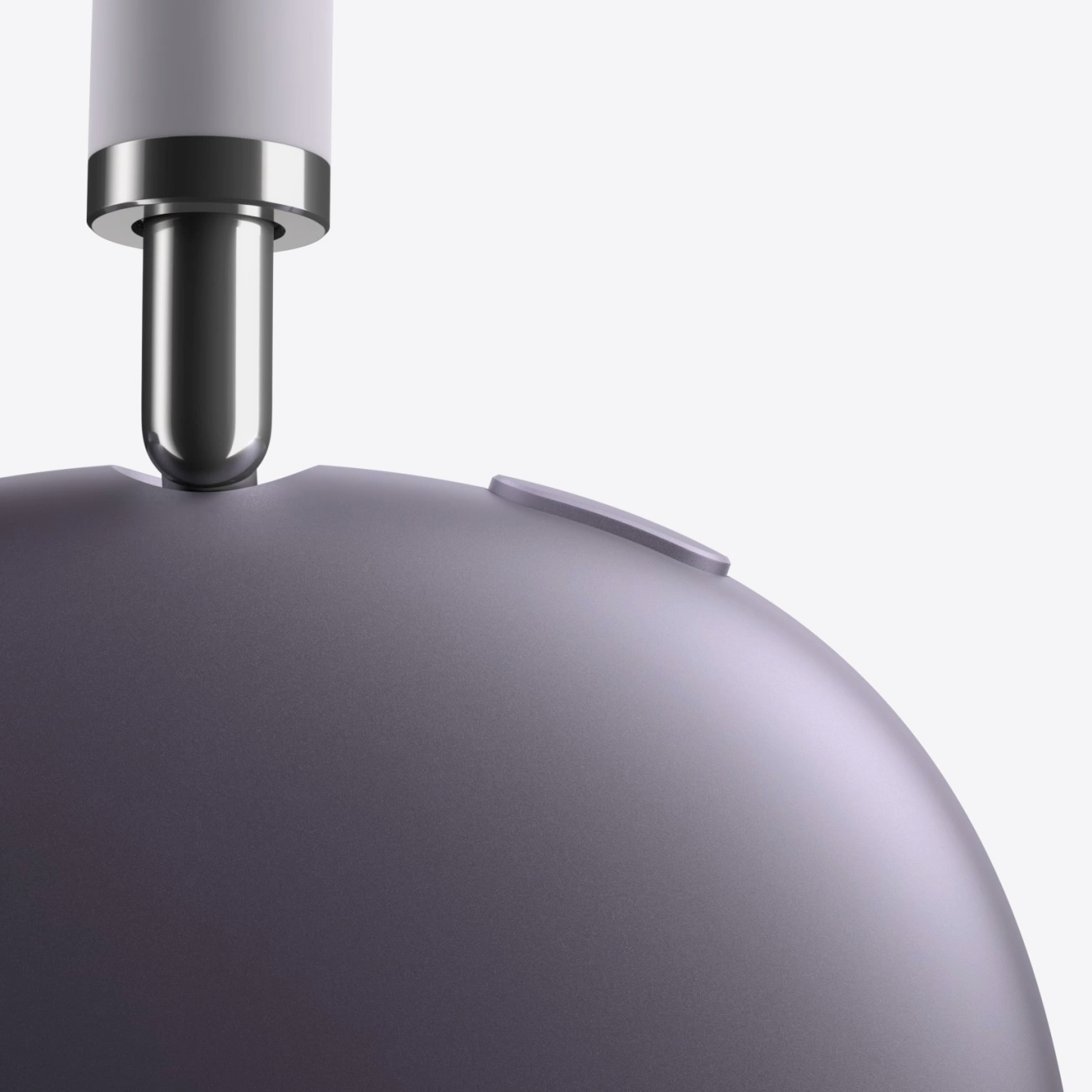
Yes, the AirPods Max line is a bit bulky, though that’s typical for this end of the category. And yes, they’re on the pricey side, especially with established audio brands like Sennheiser, Sony, Audio-Technica, and Beyerdynamic gunning for the same space. But you do get all of Apple’s integration and listening features — the usual “in-ecosystem” Apple headphone pitch.
With that out of the way, though, I want to focus on the unique use case the AirPods Max 2 with USB-C offers: Spatial Audio mixing. If you’re interested in delivering Spatial Audio for Apple Music, the AirPods give you an indication of what listeners in that ecosystem will actually hear. I don’t want to wade into the complexities of how Spatial Audio with Dolby Atmos differs from Dolby Atmos devices elsewhere — Production Expert has some strong opinions about that. Aside from various technical and policy controversies, iOS and Apple Music constitute a significant arena for producers to experiment with delivering binaural spatial sound. The honest truth is that all binaural delivery of spatial sound hits some limits of physics and perception.
Here are some of the positives. Apple’s head tracking is terrific — good enough that a number of spatial audio boffins used AirPods Pro just for tracking, literally inside their usual headphones. And they do have calibration that helps tune the spatial effect by photographing users’ ears — the shape of your ears impacts how you perceive sound. The issue with Spatial Audio, really, is that a lot of it is poorly mixed, and the automatic spatialization doesn’t have enough information in the stereo field to work effectively. But I have heard some compelling applications — I like Kraftwerk’s 3-D The Catalog, for instance. That sounds great on supported AirPods earbuds, if you want to give it a try. And Apple’s advocacy means at least there’s some chance of this stuff being heard. (Hey, this is the company that dragged people into USB, too.) Yes, there are some ways in which Apple co-opted Dolby’s existing tech — but both Dolby and Apple have adapted technologies to their needs, and all of this is based on broader research in acoustics and perception.
Anyway, if you do want to support Apple’s ecosystem, you have to be able to hear the spatial effects. That requires decoding and delivering a multichannel digital stream to the actual device. So if you have a pair of AirPods Pro, you can hear the way the Apple Music mix will sound — and that might be enough. But if you want to mix live with Apple’s encoder/decoder combo, using the functionality bundled for free with Logic Pro, you need one of the AirPods Max models with USB-C. (The first-gen AirPods Max had a Lightning port.) That’s now two models:
- AirPods Max with USB-C
- AirPods Max 2
Physically, these are identical to the original AirPods Max. That includes a ton of built-in sensors, a Digital Crown for volume control, and a surprisingly rugged design — these can take some abuse compared to a lot of the consumer market, especially thanks to their unique design and removable ear cups.
When connected, the USB-C cable enables Lossless Audio and mixing in Spatial Audio in Logic Pro. Your AirPods Max appear as a USB audio device. (One gripe: the telephony features do sometimes confuse DAWs and OBS with sample rate identification, etc., even in this USB-C mode; I hope some sort of driver fix will eventually fix that.) That USB audio connection is also near-zero latency, so if you plug it into an iPad or Mac, you can play soft synths. Yes, yes, you can do the same with a physical analog audio wire, and no, unfortunately, Apple still has not added a normal minijack connection on the headphones themselves. But that’s what Apple is talking about when they start talking about Lossless Audio support or Spatial Audio Mixing: they mean over the USB-C connection instead of the more constrained Bluetooth standard.
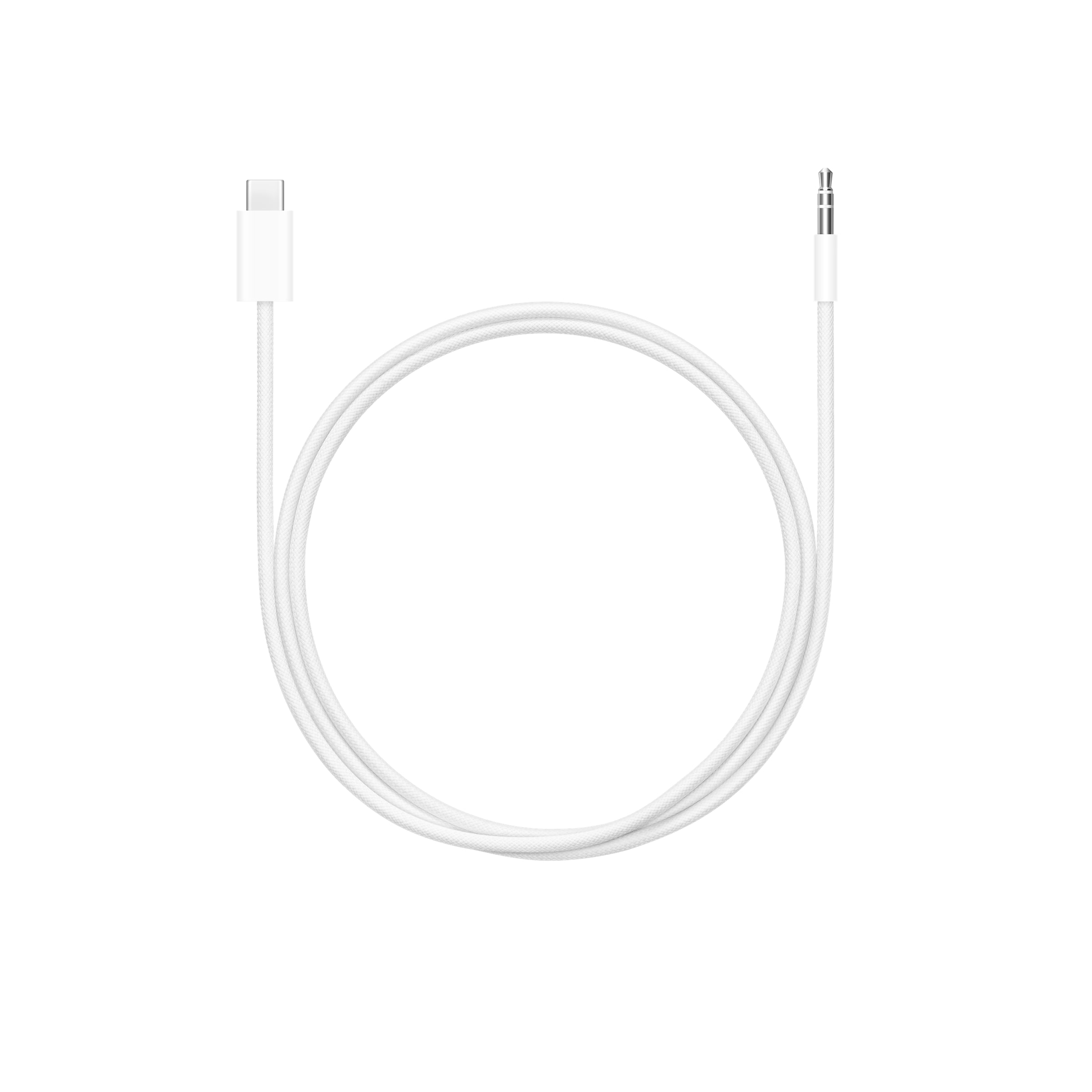
If you do want a minijack, there is a USB-C to minijack cable option:
But if I were equipping, for instance, a full spatial sound studio, I’d consider including a pair or two of AirPods Max with USB-C ports just for support of the Apple ecosystem. And likewise, if you’re curious about a Spatial Audio mix of your music and don’t have the money to rent a spatial studio or build a full setup, these are quite workable. You’re mixing essentially for those listeners, with the device(s) they’d be listening on. (Don’t like streaming? This would also apply to iOS apps with the feature.)
So for educational purposes, for instance, I think a pair or two would be a solid investment.
The original AirPods Max with USB-C is also now a slightly less expensive alternative to the latest-and-greatest AirPods Max 2. Since the physical form is exactly identical, here’s what v2 adds, all thanks to the addition of Apple’s bespoke H2 chip:
- Improved Spatial Audio with new AdaptiveEQ algorithms
- Greater dynamic range
- Improved Active Noise Cancellation — Apple claims up to 1.5x more than the original
- Adaptive Audio enhancements, including improved Transparency mode
- … and Live translation, Conversation Awareness, Loud Sound Reduction, and Personalized Volume (all H2 chipset features)
I’ve used first-gen AirPods Max on a plane, working on music projects; the ANC was already that good. And while there are studio headphones I prefer in quiet environments, they definitely struggle in those environments. The AirPods Max managed to fill in for the trip, for sure. So there’s some overlap between the consumer features and production features. (Actually, one of the things that’s best about the AirPods on the consumer side — the ability to have the headphones automatically connect and disconnect based on the sensors — does get a bit annoying when you’re trying to monitor a DAW. )
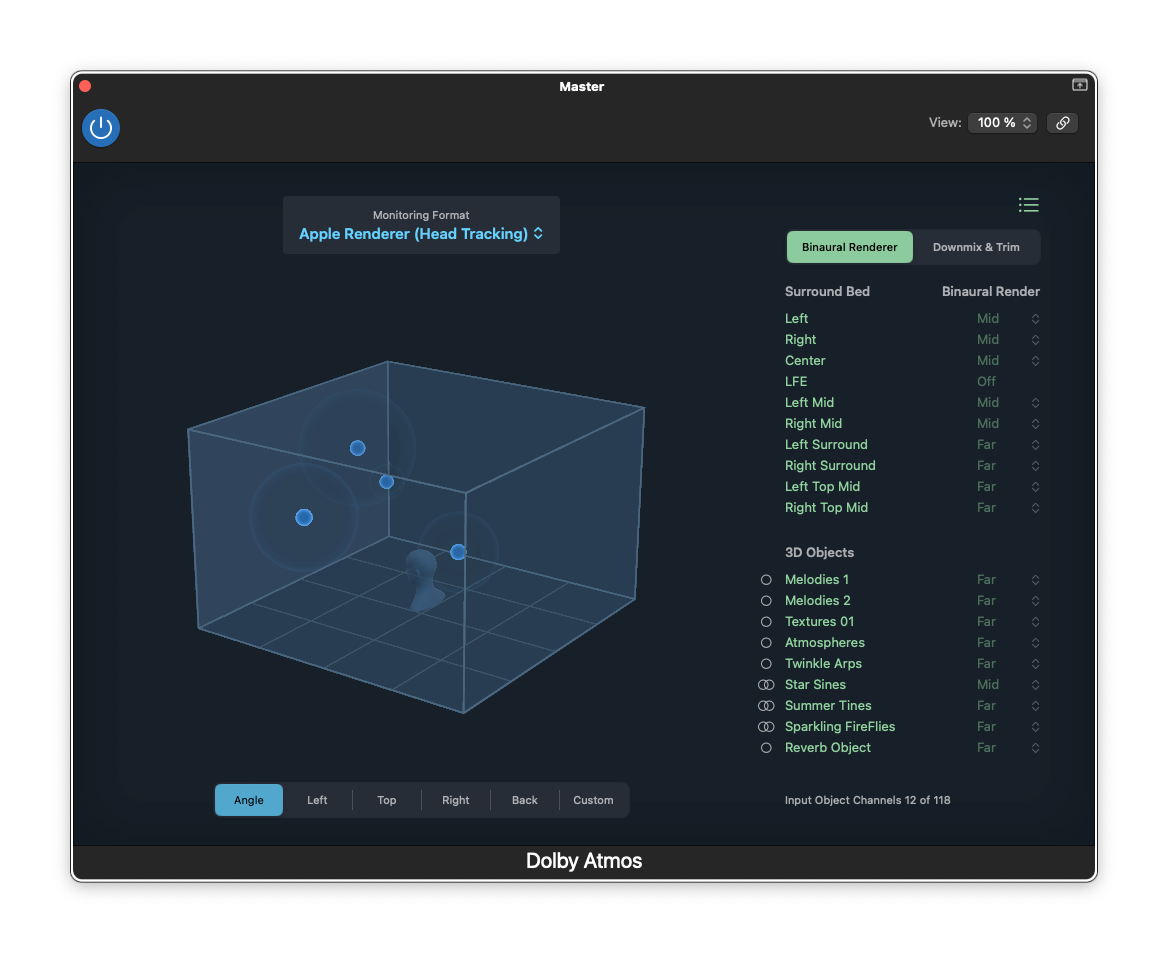
Logic Pro’s integrated Spatial Audio features are nice enough, and support multiple renderers. What you want hear is actually the Apple Renderer — not the Dolby renderer, though Logic remains perfectly capable of working with other immersive formats. The “Personalized” variations incorporate those aforementioned customizations for your ears, and the difference with my ears was definitely noticeable. (If it’s not noticeable, that may mean your physical ears come close to the averaged-out default.)
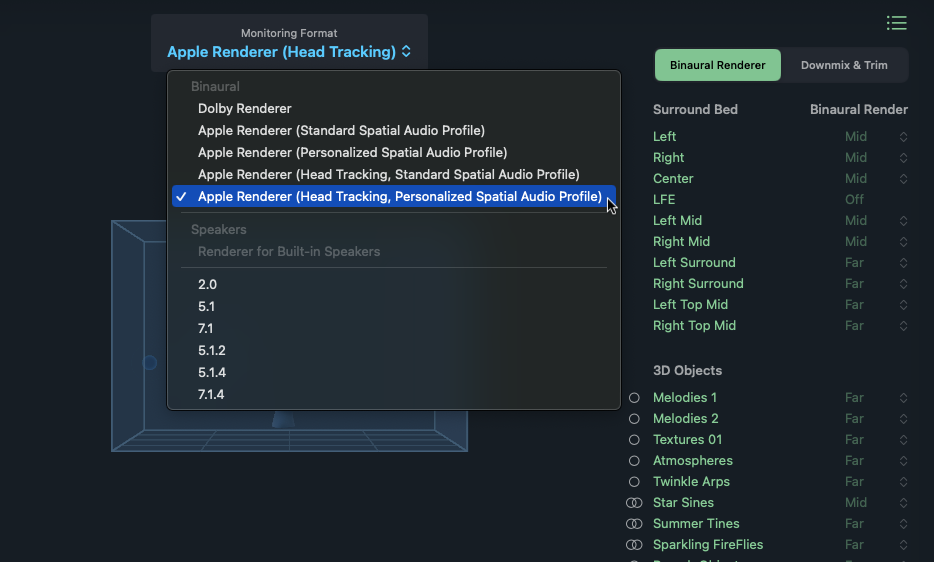
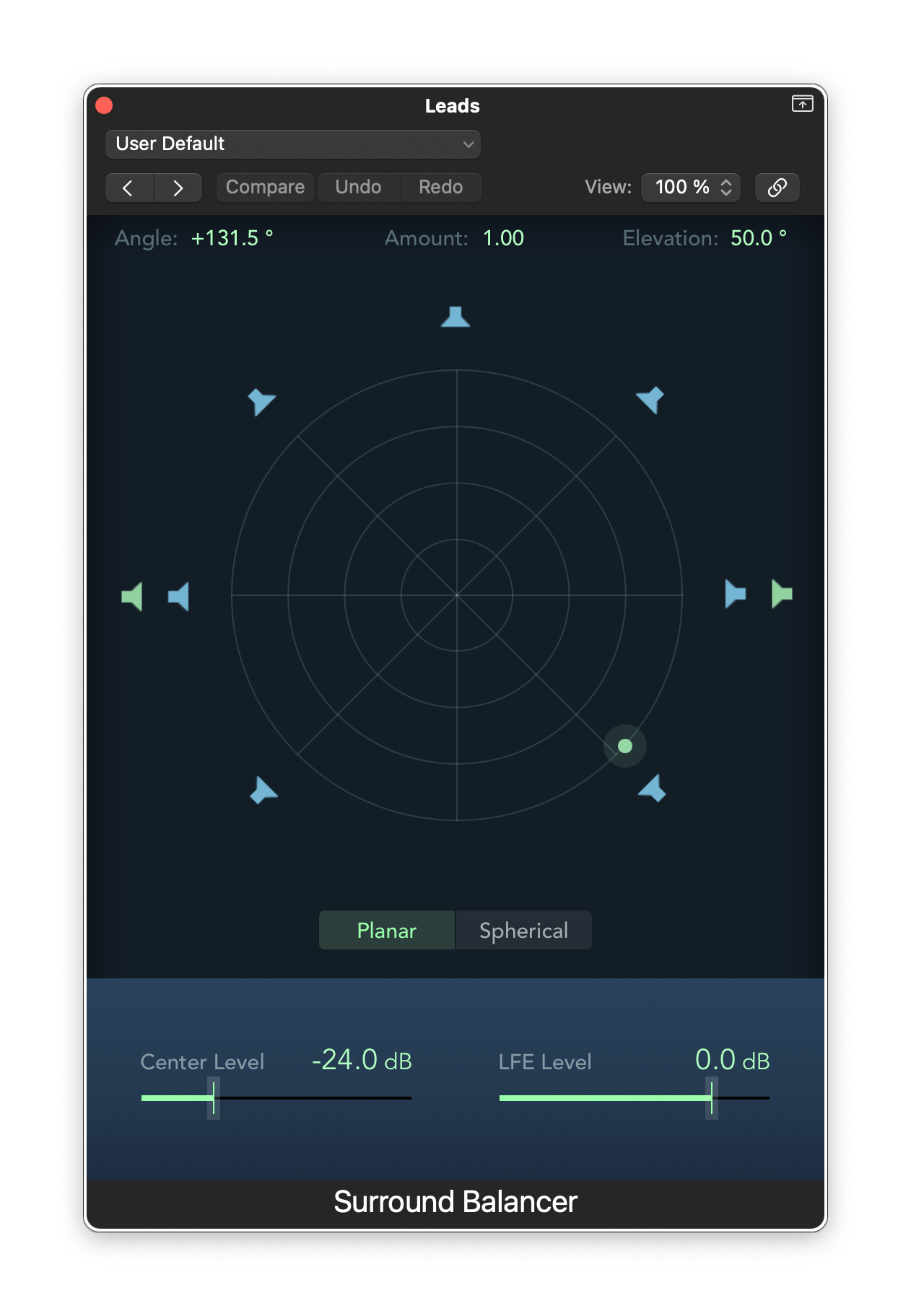
Logic’s spatial tracks appear with multichannel meters and radial panners, like so:
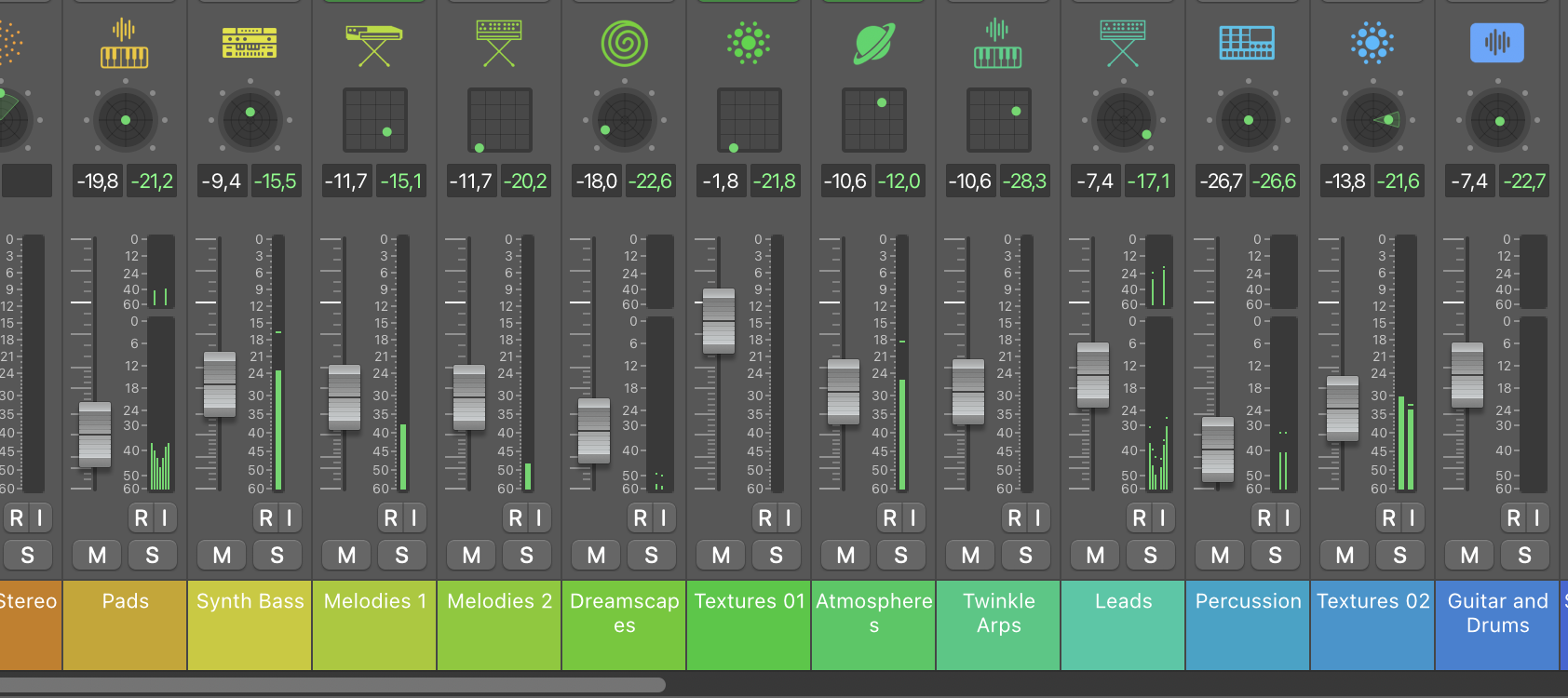
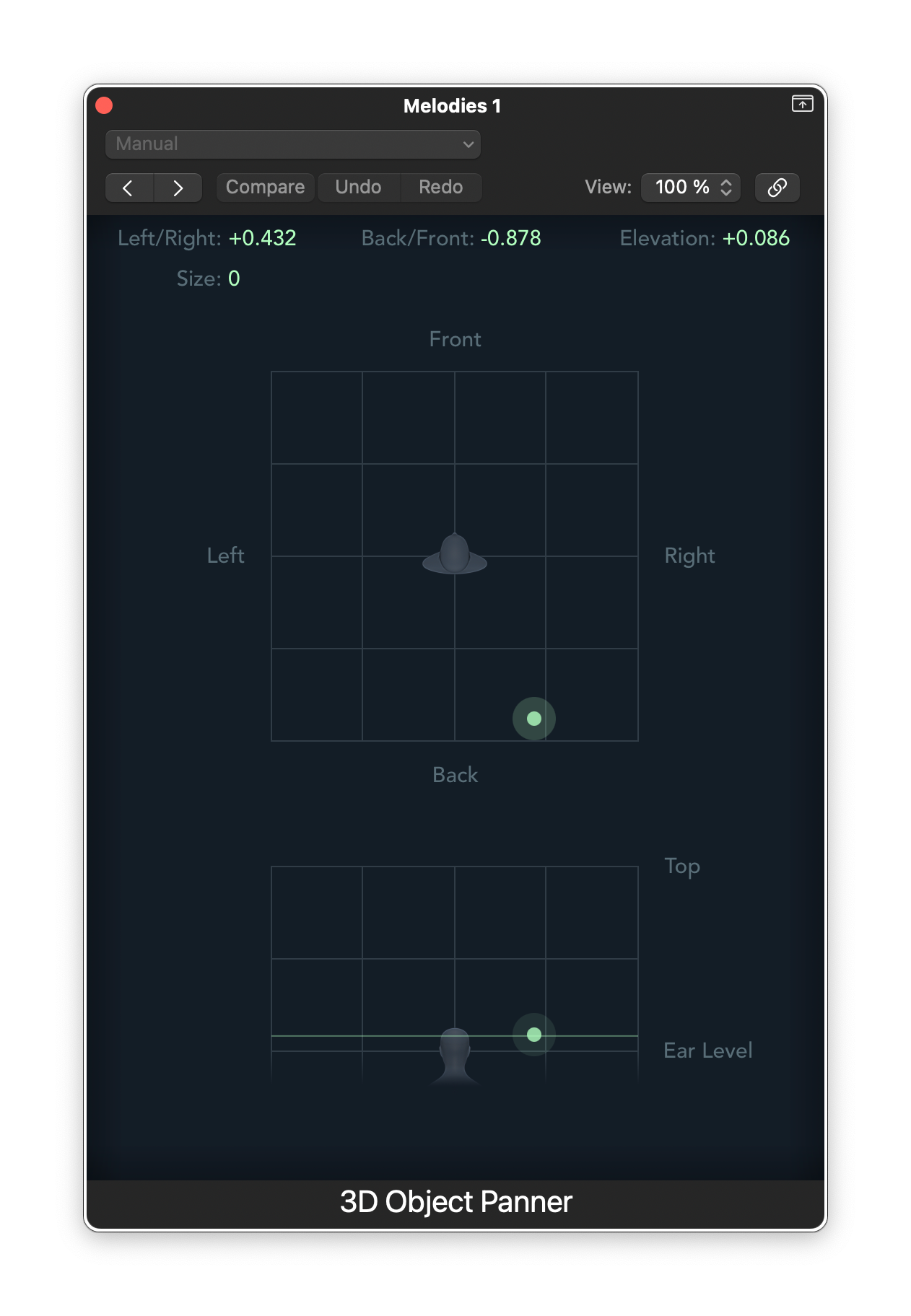
But inside Apple’s free Dolby Atmos panner, you get a friendly, easy-to-use visual interface. From here, you can position 3D Objects. Being able to do that while listening through the AirPods Max 2 is really a satisfying experience. It’s definitely no substitute for monitoring through a real Atmos configuration in a properly configured studio, but it’s perfect for this use case of preparing materials for binaural listening.
Or look at the same information from the side/top:
Compare that to the standard Surround panner you may already know from Logic and other DAWs:
Again, to me, it’s really more a matter of whether the binaural format itself makes sense than the competing Dolby and Apple delivery methods. Immersive sound still works better, by far, in physical environments with multi-speaker arrangements. And I think that’ll remain true unless there is some major breakthrough in headphone and calibration tech.
But can you prepare materials compositionally this way? And can you come up with interesting binaural compositions? I think so. And in addition to Dolby’s competing listening tech and more open binaural standards, Apple’s ecosystem gives you an additional channel for experimenting with getting that material to listeners, “for free.” (If you have Logic, there’s truly no added cost, apart from needing some way to monitor what you’re doing.)
I wouldn’t think of this as a replacement for a complete professional workflow in immersive sound. But as an addition for work with Apple’s devices, AirPods Max and Logic Pro do the job.
And that means if you do like the AirPods Max line as your consumer listening device, you can absolutely find some ways of getting them to do double duty, producing on the fly and experimenting with binaural rendering of Spatial Audio. Plus while you’ll miss out on some of those H2 features, having already tested the earlier USB-C model, it might well be worth keeping an eye out for the older generation AirPods Max USB-C pair refurbished.
And yes, this is a single proprietary pipeline, focused on Apple’s ecosystems. It’s also worth exploring open formats and other contexts.
There’s a lot more to talk about in immersive sound in general. Interested in learning more — about Logic Pro, other DAWs, Apple’s Spatial Audio tech, Dolby Atmos, other immersive environments, etc.? Let me know in the comments which direction you’d want to go, and I can see who might like to share with us.