From the makers of the utterly indispensable iPad app AUM (among other things), Lucinate is a real-time visual environment for macOS and iOS, based on Apple’s Metal technology. You can approach this as a ready-to-play, Ableton Link and Link Audio-enabled video synth. And when you want to hack or make your own shaders, you can live-code those, too.
I’ve been waiting for a tool like this. There are some excellent visual synths out there — Imaginando’s VS (Visual Synthesizer) and Chromatose are really gorgeous if you’re building up your iPad visual synth library. And there are pretty amazing tools for live-editing shaders, like Hexler’s multi-platform real-time code editor KodeLife (across OpenGL, DirectX, and Metal), for text-based coding, or new entries like the visual/node-based, free MetalGraph for iPad and Mac. But once you’ve messed around with your shaders, you’ll probably want to bring them into a different environment.
What’s exciting about Kymatica’s Lucinate is that they’ve put it all into a single environment. It’s ready for casual play, complete with syncing up via Ableton Link — and now Ableton Link Audio is perfect for quickly routing that sound into visuals. And when you want, you can absolutely mess with the shader code live, or build shaders from scratch and learn. (In this age of vibecoding, now is the time to remind you that hacking around when you don’t entirely know what you’re doing is a hell of a lot of fun.)
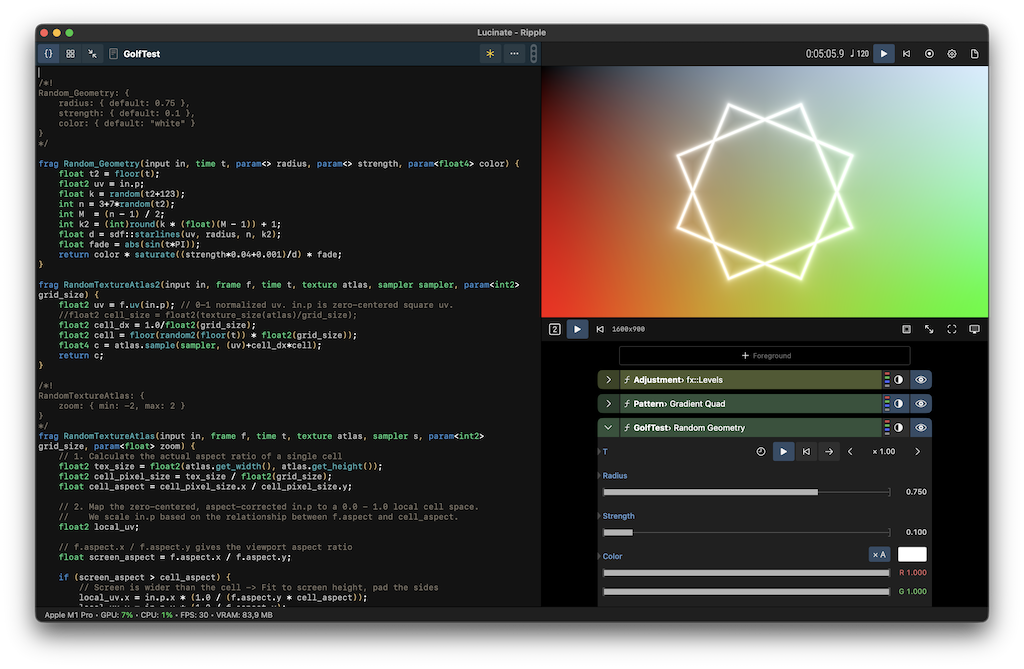
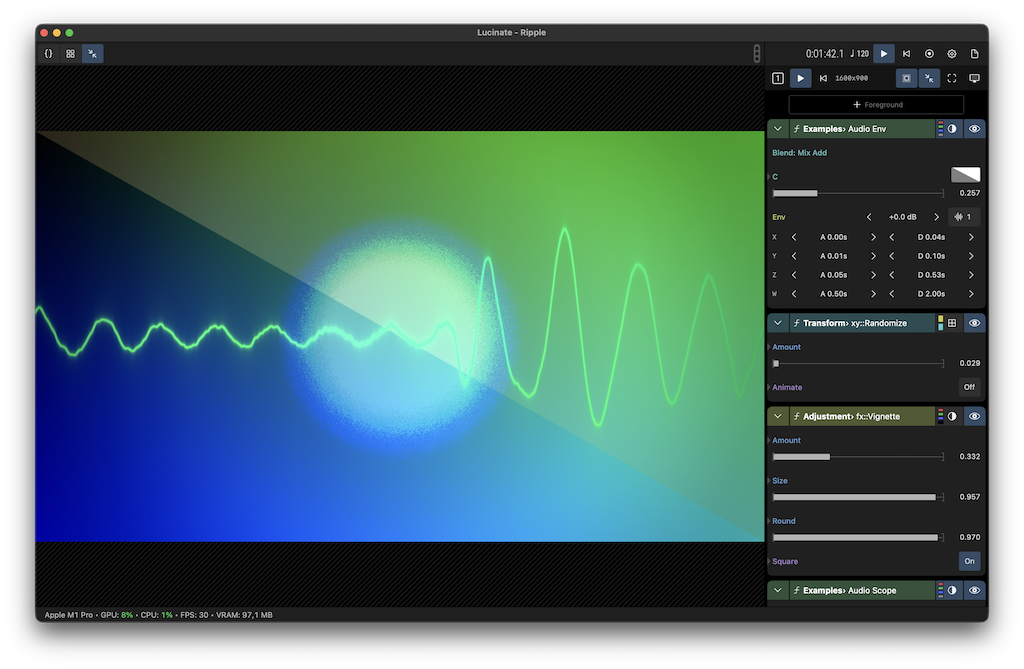
Check the full specs — going to paste here, as I was nodding along with each of these:
- Universal app for Mac, iPad, and iPhone
- Built on Apple Metal
- Layer-based with modular flexibility and blending
- Bundled with parametric shaders for image adjustments, effects, texture utilities, coordinate space transforms, patterns, gradients, shader art examples, and more
- Inspect, tweak, or code your own shaders using the built-in editor and extensive Metal Shading Language library
- Use live camera, imported images or video clips as visual input
- Record your results to video or export still images
- Modulate any parameter with MIDI, LFOs, audio analyzers, and more
- Sync visuals to the beat via Ableton Link or MIDI Clock
- Receive audio from other apps via Ableton Link Audio
- Supports external displays and projectors
In fact, alongside VS, Chromatose, and KodeLife, especially, any decent iPad (or even iPhone) becomes a wonderful visual accessory. Just pick up an HDMI adapter, and you have this slate ready to go. Or, honestly, run on the same Mac, as even modest Apple Silicon machines can more than handle that. All in all, the Apple platforms have turned into video synth labs. Fabulous.
Even the camera and some shaders alone, plus sync, is a pretty enormous tool.
Look, they’ve even made an iPhone-oriented UI that you’d actually use:
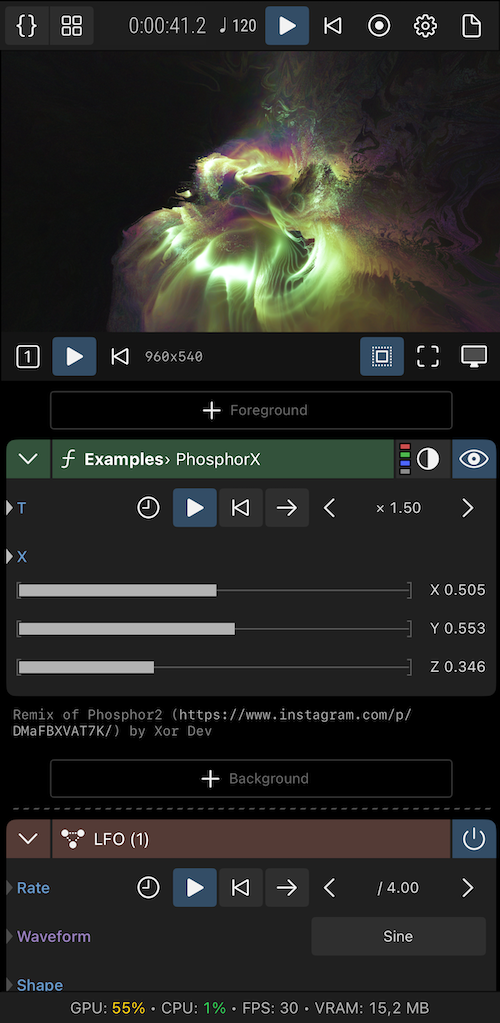
$29.99 on the App Store — maybe the best buy in live visuals right now. (Well, alongside fun extras like Quantum VJ HD from the maker of SunVox! Build that visual studio!)
https://kymatica.com/apps/lucinate