UAD Explore is a surprise. This is no “intro” or limited pack; eight stand-out Universal Audio plug-ins are available for free. That’s on top of the company’s free Luna DAW — though the plug-ins will also work in your DAW of choice, no special hardware required. For skill sharing or anyone lacking a budget now, that means access to some great tools.
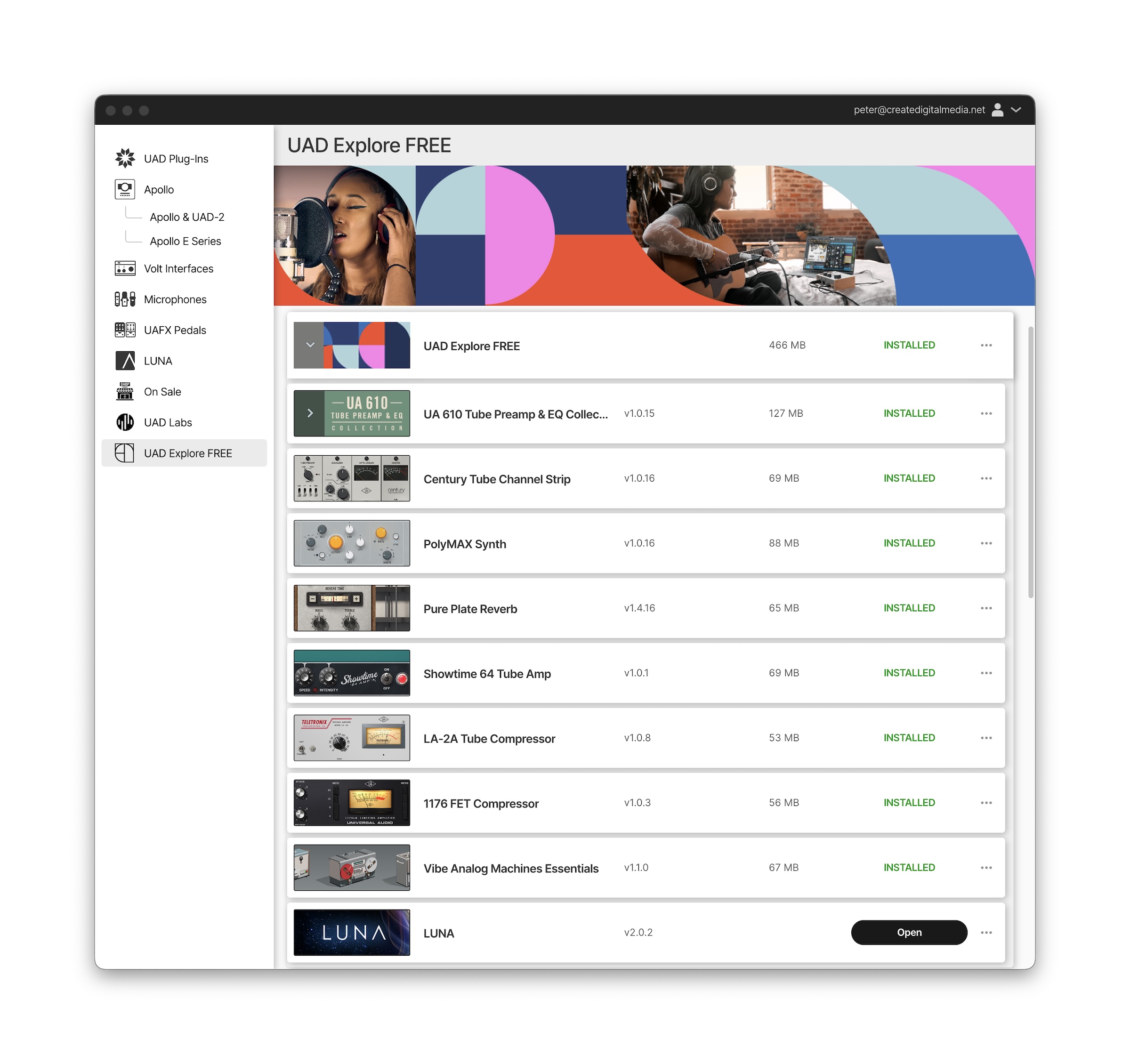
Eight plug-ins for free
Whether you want to run them in Luna or you prefer to use your own DAW, you still get eight UA plug-ins, and some favorites are included on that list:
- 1176 Classic FET Compressor
- Teletronix LA-2A Tube Compressor
- UA 610 Tube Preamp & EQ Collection
- Pure Plate Reverb
- Vibe Analog Machines Essentials
- Showtime ’64 Tube Amp
- Century Tube Channel Strip
- PolyMAX Synth
- LUNA DAW
Plug-in format: VST3, AU, AAX on macOS and Windows (and of course in the LUNA DAW, which is now available for both Mac and PC)
How it works: you do need to create a UA account, and there are some survey questions to answer, plus you install and authorize via their app UA Connect, like all UA software. Other than that, it’s a free permanent license. These authorize via an iLok account. See installer, above.
If you own some of these already, you’ll just get whichever you don’t own for free, so install away.
PolyMAX Synth is one of my favorite soft synths, full stop — simple but straightforward and a great bread-and-butter instrument with a nice layout. (Yeah, yeah, someone out there will probably argue with that and wish it did more, but we’ve got plenty in that category.) Pure Plate Reverb is a terrific plate model, and because of the variation of plates, you can always have extras on hand even if you own a couple of others. UA will make your head explode with the number of variations they offer of the 1176 and LA-2A, but these two work perfectly and could well be all you need, alongside the 610. The others are clearly made to hook you on other offerings of the larger range — Vibe Analog Machines Essentials is indeed a slimmed-down version of a larger set of effects. But put these eight together, and they make a great starting place for your plug-in collection.
Funny enough, I was asked to offer a workshop for a community skill-sharing event and told the theme was “plug-ins.” So Luna and these plug-ins make a good teaching tool with a tight time constraint, since then you can bet on beginners all having the same tool. They can always go back to FL or Reaper or Live or whatever on their own.
And this is as good an excuse as any to talk about the Luna DAW, too. It might be worth a look to add to your toolbelt.
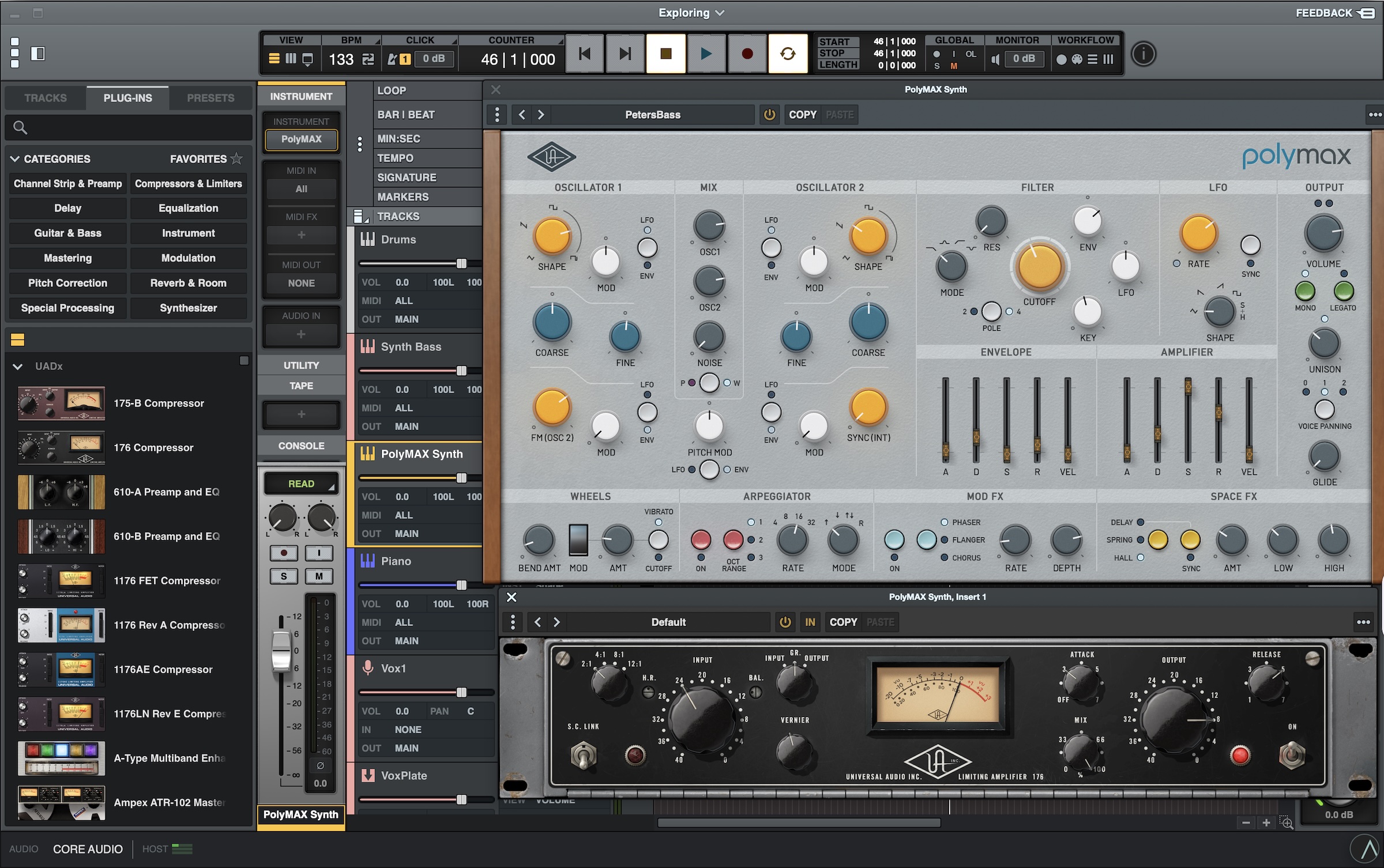
What’s in the free Luna DAW
Luna has been out for a while. Imagine a DAW in the Universal Audio mold. Tracking and mixing are all analog-style, with easy access to UA’s own analog models on demand, a bit like you’re in a virtual recreation of the studios they’ve mined for source material.
But if you haven’t checked in on Luna, it grew leaps and bounds with v2, and this is a decent time to revisit it. As a beginner DAW, it’s really perfectly accessible; I think it’ll be nice enough for teaching because it is rooted so clearly in hardware paradigms, and it’s easy to navigate.
V2 added ARA support (cough, looking at certain — competing DAWs there) for integration with plug-in editing. Think Celemony Melodyne, which is included in a lite version in their Pro offering, but also a lot of other plug-ins these days. On the hardware side, you can also use Hardware Inserts (Pro required) to easily manage outboard gear with automatic routing and delay compensation — making Luna a decent tool if you just need to work with gear out of the box quickly. And there’s more in V2:
Now, that said, I’m guessing a lot of you are already pretty set in your DAW of choice. Where Luna might be appealing is as a companion DAW for recording or mixing sessions. If you want to simulate moving your project to an analog project studio, this gives you that feeling. Frankly, modeling is so good at this point you could tell people you did that and probably fool some folks, provided you know what you’re doing. (The human brain and your ears, not DSP models, are really the defining factor now, but what else is new?)
This also solves a technical problem. Years ago, when I first reviewed UA’s Studer tape model, they emphasized that we needed to put an instance of the plug-in on every single track. The advantage of them owning the whole widget is that you can easily try that out.
That serves an important function that maybe they didn’t intend. It makes it easier to A/B the difference between applying these models and leaving them out.
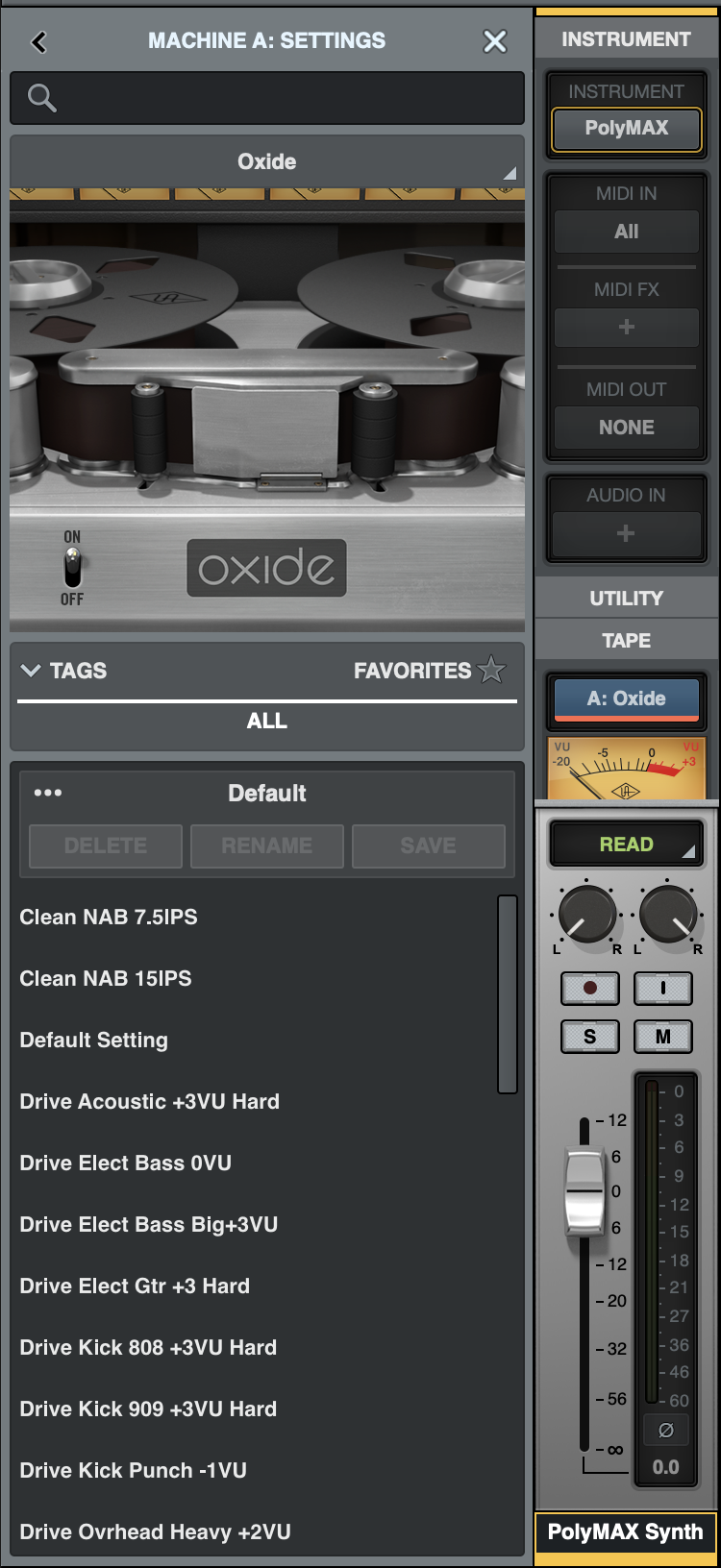
I’m aware some people think all this stuff is snake oil. But I think the real test is whether it’s helping with particular source material. UA has done great work modeling nonlinearities in the way tape machines behave. Now that we live in a digital world where you don’t have to record to tape, I think you’ll find some material benefits and some suffers. Luna is a wonderful—and free—playground to put it to the test. If you want to be really scientific, grab some friends and do a double-blind test. (Actually, that’s how you should do shared listening sessions, anyway — have some specific feedback in mind you’re asking for!)
Luna Free versus Pro
Okay, you knew there was going to be some kind of upsell here, especially if you’ve already been part of The Universal Audio Mailing List Experience. (I mean, I filter that stuff and you can unsubscribe, but it would be fair to say interpreting UA’s sale schedule is like reading through an ancient religious feast calendar or something.)
Here’s how good the free version of Luna is: I was genuinely convinced I’d already activated the Pro license when I hadn’t. That’s even more true if you own some UA plug-in licenses or subscribe to Spark.
All of this stuff is in the free version, bundled into LUNA. Like, if you use another DAW without ARA, it could be worth keeping LUNA on-hand for that alone. You also get the Oxide Tape Extension for free. And otherwise, it’s a decent enough free set to be accessible for beginners.
- ARP Arpeggiator
- Oxide Tape Extension
- Shape Toolkit Instruments — that’s a big library of sounds and a simple sort of meta-instrument UI; sound content comes from Universal Audio, Spitfire Audio, Orange Tree Samples, Soniccouture, Handheld Sound, G-Force, Wavesfactory and Sound Dust. Read more about it.
- Unlimited tracks
- ARA Support
- Instrument detection
- Smart Tempo tools
- Multi-output plug-in support
There is some stuff specific to Pro — Hardware Inserts being the one I’d miss. And this list grew with V2. But a handful of the V2 exclusives are, as of today, free with UAD Explore — let me mark those up for you:
- Hardware Inserts
- Ampex ATR-102 Mastering Tape Recorder
- Studer A800 Tape Recorder
- API Preamp
- LUNA API Vision Console Emulation*
- API Vision Channel Strip Collection
- API 2500 Bus Compressor
- API Summing*
- Galaxy Tape Echo
- Pultec Passive EQ Collection
- Teletronix LA-2A Leveler Collection — one of these now free in UAD Explore; do you need the rest? Very possibly not…
- Brigade Chorus Pedal
- Fairchild Limiter Collection
- Opal Morphing Synth
- Ravel Grand Piano
- Studio D Chorus
- UAD Ruby ’63 Top Boost Amp
- UAD Woodrow ’55 Instrument Amp
- Vibe Analog Machines — Essentials version now in UAD Explore; this is the bigger version
- Waterfall B3 Organ
- Waterfall Rotary Speaker
- 1176 FET Compressor – now free in UAD Explore
- Century Tube Channel Strip – now free in UAD Explore
- PolyMAX Synth – now free in UAD Explore
- Pure Plate Reverb – now free in UAD Explore
- UAD Showtime ’64 Tube Amp – now free in UAD Explore
- Teletronix LA-2A Tube Compressor – now free in UAD Explore
So, yes, in a way, Pro is yet another bundle offer from UA. But if it fits your needs, these are perennial licenses — and an alternative to a Spark subscription, if you really don’t want a subscription. (I do like the Spark offering, though.)
More: